Jeff Benjamin

Jeff has been with iDownloadBlog since 2010, acting as resident video specialist, and tutorial expert. He earned his degree in Computer Network Systems back in 2001, but decided Cisco routers and the like just weren’t for him. Since then, he’s been heavily involved with online writing. He’s written for numerous tech and video game sites since the late 1990′s, and has a knack for explaining things in a simple, clear, and concise manner. Jeff works primarily from the east coast on his Retina Macbook Pro, and shoots video with a Canon DSLR. During downtime he likes to travel the world, visiting the various Apple Stores across the globe. You can email him at jeff [at] idownloadblog.com and follow him on Twitter @JeffBenjam or on Google+.

PebbleActivator: execute Activator actions using your Pebble watch

I'm not a Pebble watch owner, but if I was, I'd be all over this like white on rice. PebbleActivator is a new jailbreak tweak from iOS developer Ryan Petrich, and it allows you to execute specific commands via the Pebble Smart watch's physical buttons.

PebbleActivator is basically an Activator add-on, as it runs inside of the Activator app. With that said, the app does feature its own standalone app icon for interfacing with its settings. Take a look inside for a few more details, and why this new tweak is so handy for Pebble watch owners.

Office Mobile for iPhone review

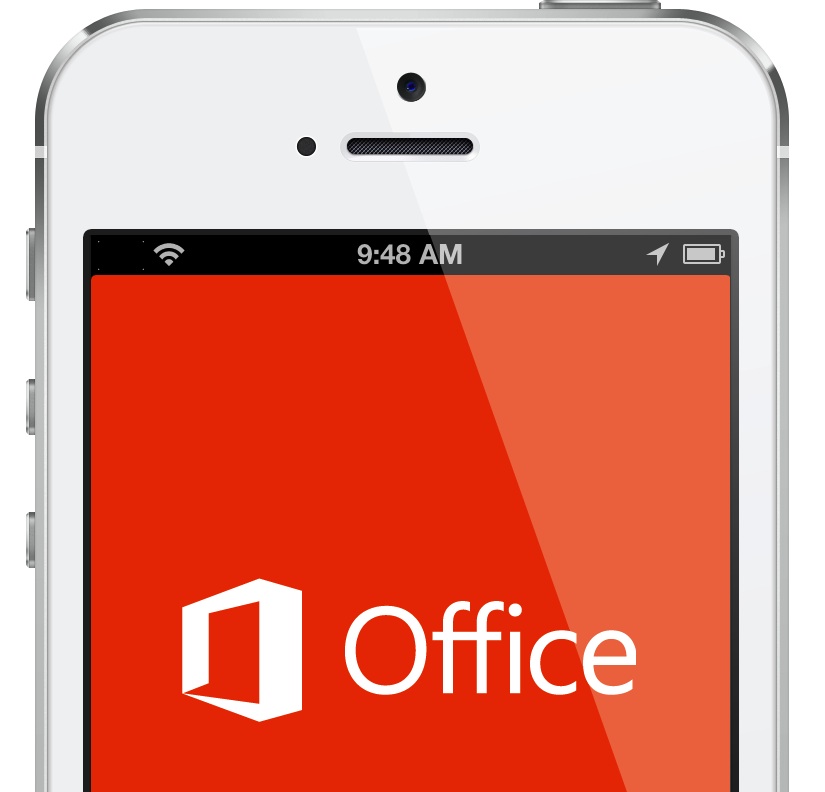
As you're likely well aware of by now, Microsoft dropped Office Mobile for iPhone today. The actual name of the app is Office Mobile for Office 365 subscribers, which is a crazy mouthful, so I'll be referring to it as Office Mobile throughout this write up.

As someone who's been an iWork user during most of their Mac tenure, I'm approaching this review from a different perspective than perhaps most. I don't currently use Office 365 on the desktop, because iWork is suitable for all of my needs. Why pay $9.99 a month or $99.99 a year for something that I have no real need for? I know some people argue that the Office suite is superior than iWork, and I do tend to agree in some cases. But for the basic need of editing documents and the occasional spreadsheet, iWork can, for the most part, handle my needs.

So with all of this in mind, I'm approaching this review as someone who's mainly interested in editing and creating new documents on the iPhone. If the iPhone version is superior to the current iWork experience, then I may be interested in making the switch to Office 365 beyond the scope of my free 30 day trial. Take a look inside as I break it down further on video.
‘No More Shadows’ hides the shadow that appears when launching apps

Every time I'm convinced that there's absolutely nothing new under the sun when it comes to jailbreak development, someone comes with some far out idea that I've never seen before. Case in point? No More Shadows.

This is a jailbreak tweak that hides the shadow that appears on an app icon when tapping the app on the Home screen. Take a look at our video walkthrough inside for a before and after comparison showcasing how No More Shadows works.

‘Smudge’ adds a Gaussian blur to the area above the app switcher

Some jailbreak tweaks offer awesome new functionality, and some mainly exist for pure aesthetic reasons. Smudge is a jailbreak tweak that falls firmly into the latter category. Smudge allows you to add a simple Gaussian blur to the area above your app switcher when it's invoked. Take a look at our video walkthrough inside for more details on how it works.

iOS 6 vs iOS 7: the different UI views

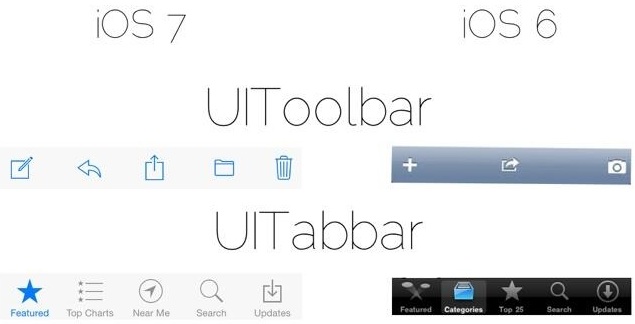
iOS developer MPow recently tweeted an interesting comparison image of iOS 6's UI views versus the new elements found in iOS 7. It's a great way to gain a high level overview on the scope of the visual changes occurring with iOS.

The image compares common elements like the toolbar, tabbar, searchbar, switches, sliders, and much more. It's a great way to appreciate some of the widely seen visual changes happening with iOS. If you happen to be a developer, or are at least interested in what it takes to create an app on iOS, you'll especially appreciate this. Take a look inside for the full image.

Microsoft releases another ad dissing iPad

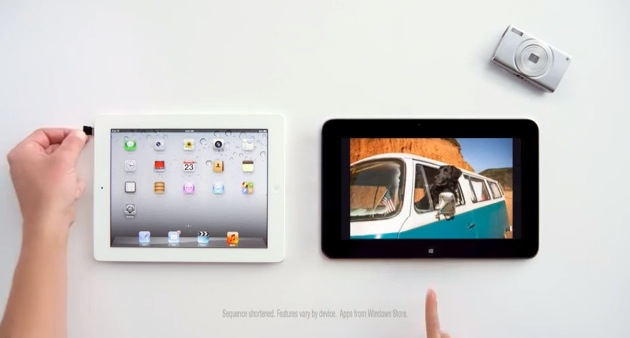
Microsoft — the company behind the Surface RT (lol) — has posted another attack advertisement going at Apple's iPad. The ad makes fun of the iPad's lack of SD Card compatibility, its inability to run apps side by side, and its price. It's a decent ad, but their comparison points just don't stack up if you ask me.

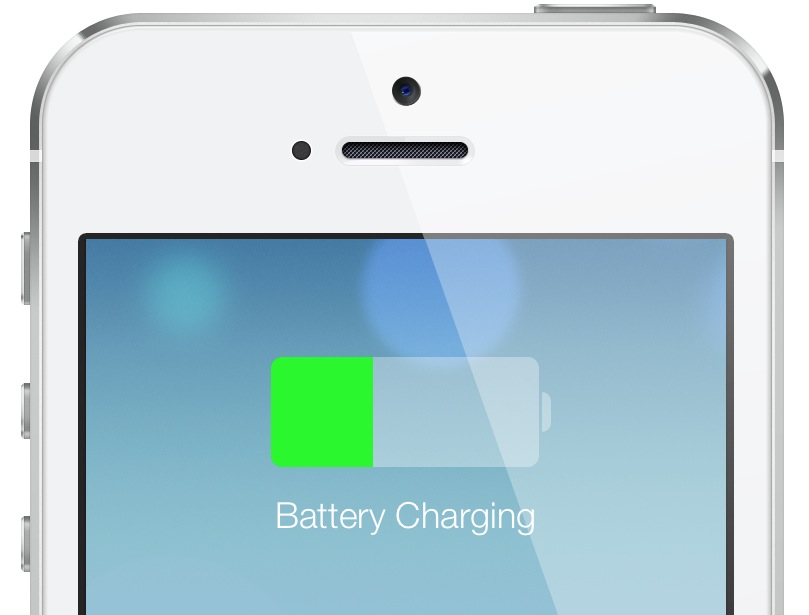
iOS 7: Charging

As you know, many an item has changed with iOS 7 from a visual perspective. We've already covered some of the details of the Lock screen, booting, etc. What about something as subtle as the visual cues when the device begins to charge? Indeed, those have been totally revamped as well, and the changes, I believe, are for the better. Take a look...

Wallpaper Cyclr: randomly cycle wallpapers using Tumblr tags

One of the best ways to spice up the look of your iPhone is to don some new wallpaper. Wallpaper Cyclr is a jailbreak tweak that takes this basic premise and runs with it.

If pulling in random wallpaper from Tumblr based on tags you assign sounds like a good idea you, then you'll certainly want to take a look at Wallpaper Cyclr. This is a tweak that allows you to change up your wallpaper based on pre-set intervals, and it's always a surprise as to what Wallpaper you acquire on your device.

‘AirPlayServer’ turns any jailbroken device into an AirPlay receiver

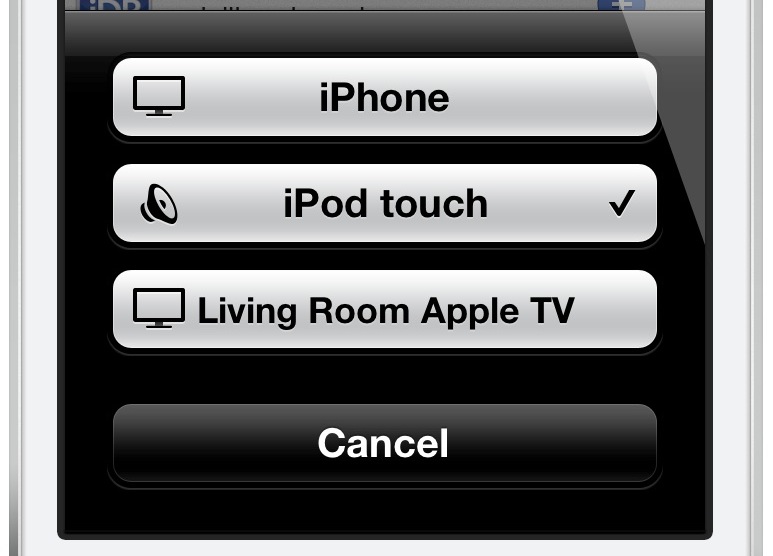
Looking for a quick and dirty way to turn any jailbroken iOS device into an Airplay receiver for audio? Have an old iPod touch laying around that's collecting dust? If so, then you may want to have a look at a recently released tweak called AirPlayServer.

AirPlayServer is a tweak that allows you to use a jailbroken iOS device as an AirPlay speaker. In fact, if you hook a pair of speakers up to the device's headphone jack, you'll really have something special. Have a look inside for a brief video demo that shows how it works...

ScreenshotPlus: pre-crop screenshots using a handy selection tool

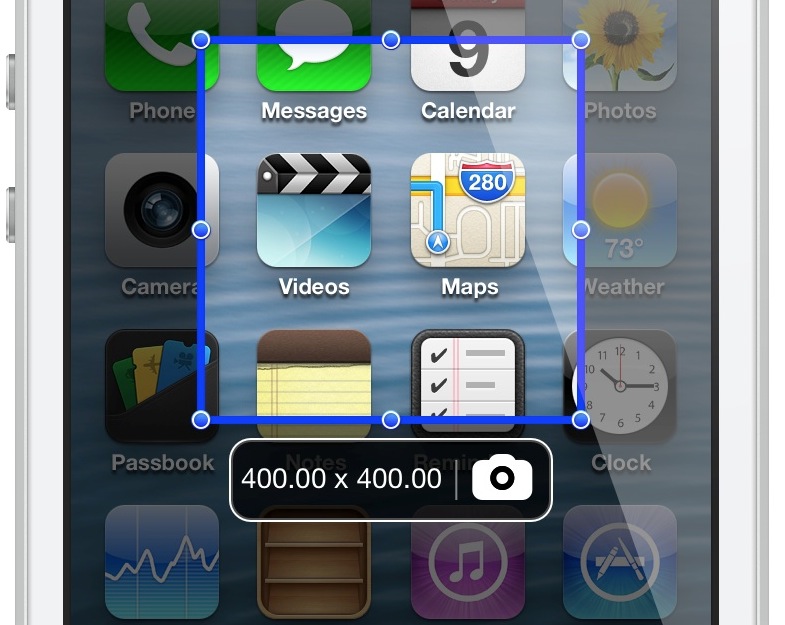
If you're someone who's often taking screenshots on your iOS device, then boy, do I have a new jailbreak tweak for you. ScreenshotPlus is an extremely handy jailbreak tweak that allows end users to pre-crop screenshots prior to taking them.

The tweak is enabled using a standard Activator gesture, which brings up an overlay on the screen. The overlay features drag handles that can be used to adjust the dimensions of the screenshot in question. For those of you who want to get exact dimensions, there's a dimensions readout right below the screenshot area, and next to the button used for taking the screenshot.

Needless to say, this is a tool that can be very time saving if you take a lot of screenshots on your iOS device. Take a look at our video walkthrough inside for more information.

‘WiPi’ shows the Wi-Fi picker using an Activator gesture

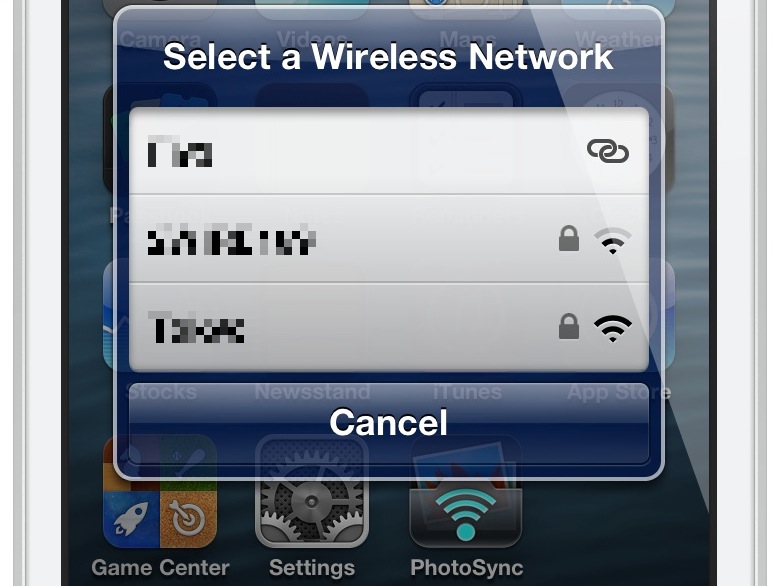
WiPi is a recently released jailbreak tweak that allows you to quickly access your device's Wi-Fi picker. Using a simple Activator gesture configurable in the tweak's preference panel, it's a quick way to select a desired Wi-Fi network without having to resort to the Wi-Fi section in the stock Settings app.

Want to see how WiPi works in action? Then check inside for our hands-on video walkthrough.

iOS 7: the Lock screen

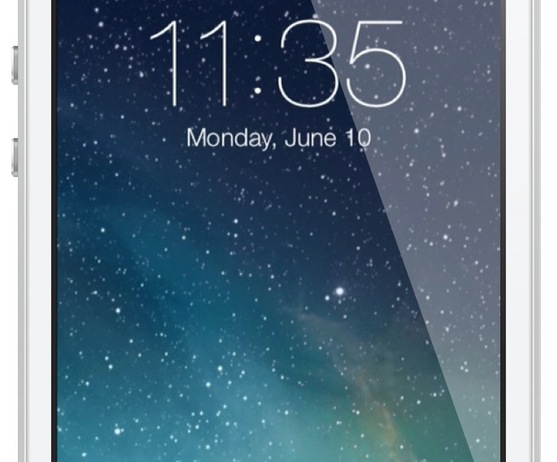
The iOS 7 Lock screen is another significant departure from its predecessors when it comes to looks. The overall functionality remains similar, but it's a whole new ball game when it comes to visuals.

First and foremost, the font for the clock and the date has been replaced with a thinner variety of font. You'll also notice that the clock, status bar, and slide to unlock backgrounds have been nixed for a cleaner look that doesn't obscure the Lock screen wallpaper.

Take a look inside as I go hands-on with the new iOS 7 Lock screen, including demonstrations on how to enable or disable the new and improved Notification Center, and the new Control Center options.