Jeff Benjamin

Jeff has been with iDownloadBlog since 2010, acting as resident video specialist, and tutorial expert. He earned his degree in Computer Network Systems back in 2001, but decided Cisco routers and the like just weren’t for him. Since then, he’s been heavily involved with online writing. He’s written for numerous tech and video game sites since the late 1990′s, and has a knack for explaining things in a simple, clear, and concise manner. Jeff works primarily from the east coast on his Retina Macbook Pro, and shoots video with a Canon DSLR. During downtime he likes to travel the world, visiting the various Apple Stores across the globe. You can email him at jeff [at] idownloadblog.com and follow him on Twitter @JeffBenjam or on Google+.

How to supercharge Spotlight with ‘TaskMaster’

TaskMaster is a new Spotlight based jailbreak tweak that adds a variety of new functions to the built in iOS search feature. Along with the ability to search the contents of your device, you'll find new toggles, quick compose shortcuts, now playing information for your music, and more. It's not a perfect jailbreak tweak, but you may find its variety appealing. Have a look inside as I take TaskMaster for a spin in our video walkthrough.

Review: HeadStand from Just Mobile

The fine folks at Just Mobile have always made good products for a variety of Apple devices, but this latest accessory will work in a variety of scenarios. The HeadStand is the company's attempt to create a stand that works well with a pair of over the ear headphones, and it's a product that I've been using on a daily basis for quite a few months now.

If you own a pair of cans, then you either already own a proper stand, or have probably always intended to invest in one. I know I was in the same boat for quite a while, and I didn't actually have a proper stand until Just Mobile sent one over. How does the HeadStand perform? Take a look inside as I break it all down on video...

OS X Mavericks: How to use Safari Shared Links

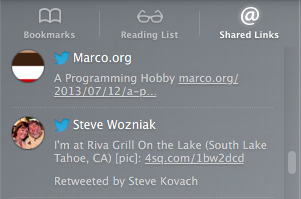
Safari has received a miniature overhaul in OS X Mavericks, and one of the most outstanding new features is Safari Shared Links. This is a features that takes links shared with from people you follow on Twitter or Linkedin, and makes them easily accessible directly within Safari for your consumption. In a world dominated by social networking, Safari Shared Links makes sense, and I find its implementation to be well done. Take a look inside as I guide you step by step through its usage on video...

Sliderz: customize the “slide to unlock” text and more

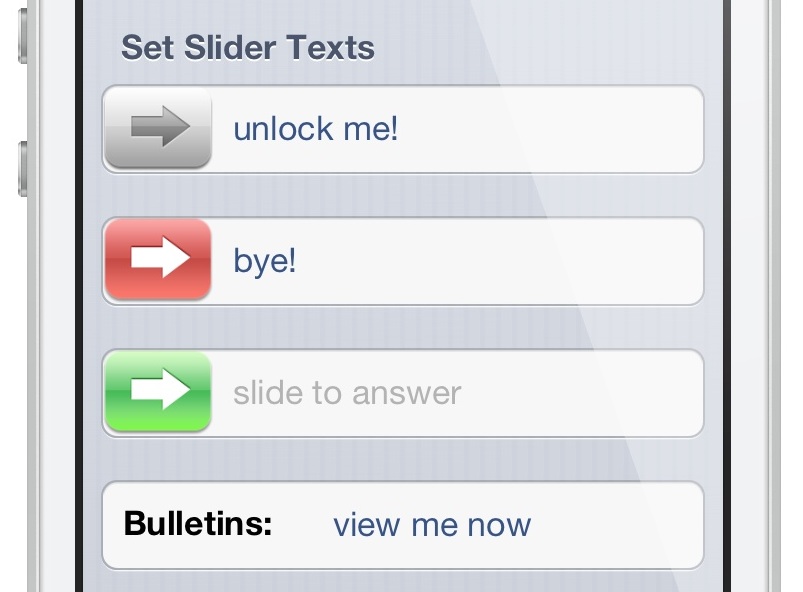
Sliderz is a newly released jailbreak tweak that allows you to customize the text associated with the various sliders featured in iOS. The most obvious slider is the "slide to unlock" slider found on the device's Lock screen, but there are other sliders like "slide to power off" that can be customized with your own witty text as well. Take a look inside as we detail Sliderz in our video walkthrough...

‘InstaChooser’ lets you import videos into Instagram

I think it's safe to say that Instagram's foray into video, as delayed as it may have been, has turned out to be a resounding success. Many of the folks I follow on Instagram have happily embraced the new video feature, and services like Vine have suffered as a result.

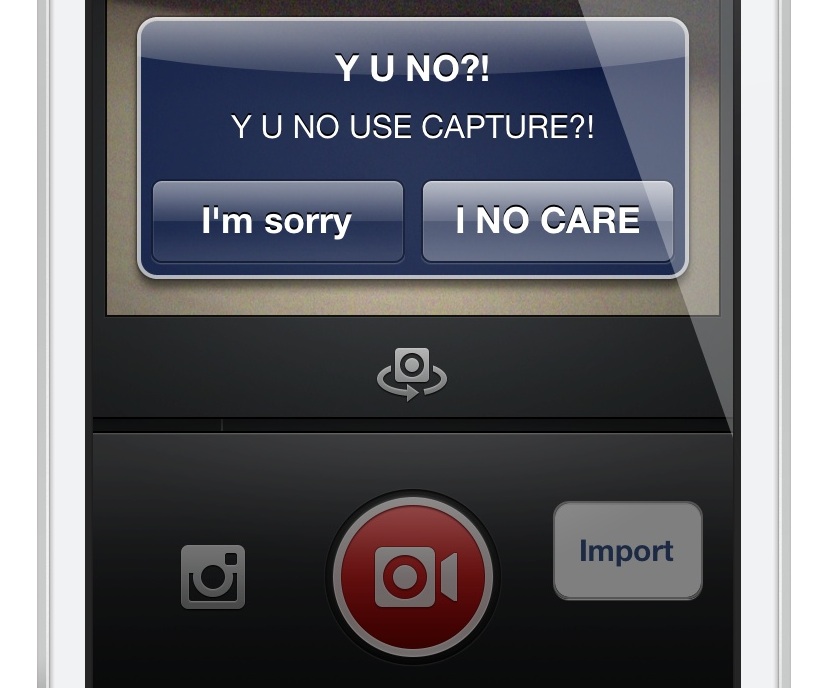
Now it's time for the jailbreak community to have their say. The first jailbreak release to alter the functionality of Instagram video is InstaChooser. InstaChooser is a tweak that allows you to import videos from your device's Camera Roll right into Instagram. This allows you to mix and match video created outside of Instagram along with the service's own video authoring tools.

InstaChooser is not perfect, but it works decently enough to suit the needs of those who absolutely must have importing capabilities. Have a look at our full video walkthrough inside for the details...

Apple releases OS X Mavericks graphics update

Apple has released a new graphics update for OS X Mavericks. The update, which is aimed at users running OS X Developer Preview 3 is to resolve an issue where a Mac running OS X Mavericks Developer Preview 3 may reboot without warning. The graphics update, which is a 1.0 release, comes in at 4.9 megabytes and requires a restart after installation.

‘StatusHUD’ creatively merges the status bar and Volume HUD

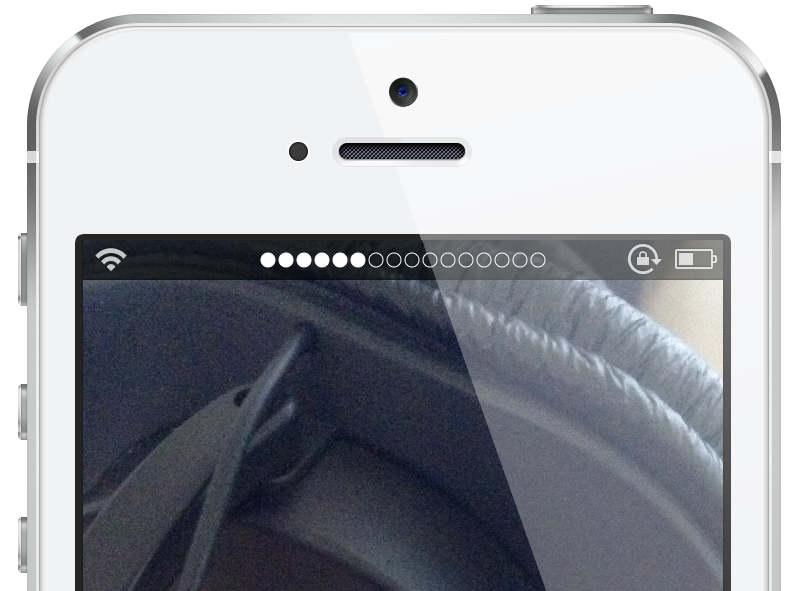
StatusHUD is a new jailbreak tweak that we previewed a few days ago, and it lends the ability to view the volume indicator in the status bar when adjusting your device's volume. The tweak, which eschews the stock volume HUD completely in favor of the status bar variety, comes with the ability to change the volume indicator style, along with a method for displaying the volume indicators while within a full screen app. Take a look at our full video walkthrough inside for all of the details.

A closer look at Safari Power Saver in Mavericks

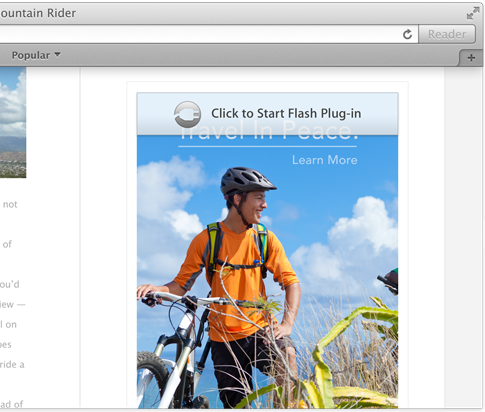
Have you ever opened a web page, and somewhere on the page a Flash video starts blasting sound? I'm sure almost everyone who's used a computer in the last few years has experienced that unfortunate occurrence. There are browser plugins and extensions to prevent such a thing, but Apple is now waging a direct assault on rogue plugins.

Safari Power Saver is a new feature exclusive to OS X Mavericks, and its job is to prevent plugins from auto starting while surfing the web. While that sounds good on paper, in practice this could potentially cause problems when you want to watch legit content that utilize certain plugins like Flash. The good news is that Safari Power Saver is smart enough to know which content is legit content that you want to use, and which content is stuff that you probably don't care to use.

I took a few minutes to put together a video demonstration of Safari Power Saver. Check inside for the full video walkthrough and detailed analysis.

Apple releases two new Mavericks beta software updates

Apple has released two new software updates for OS X Mavericks beta testers. Included is an update for AirPort Utility, bringing the release to 6.3.1, and a 1.0 update for the Mavericks Developer Preview Recovery Update. Both releases can be obtained by beta testers by opening the App Store app and clicking the Updates tab in the upper right-hand corner. Check inside for a few more details as to what the updates consist of.

Preview: Stopwatch Pro

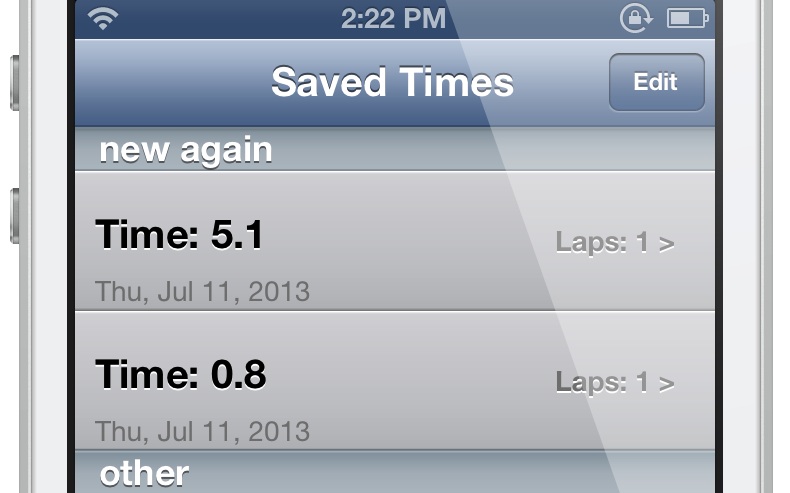
Interested in saving your lap times from the stock Clock app's Stopwatch tab? If so, then perhaps this upcoming jailbreak tweak might garner your interest. Stopwatch Pro is a tweak that modifies the stock Clock app to be able to save stopwatch times for later viewing. You can even reorder the saved times, and created named sections to sort your times. Take a look at our brief preview video demonstration for more details.

‘PredictiveKeyboard’ adds a predictive fifth row to the iOS keyboard

PredictiveKeyboard is a recently released jailbreak tweak that allows you to use a SwiftKey inspired 5th row for predictive key entry. The tweak, which is available right now on Cydia's BigBoss repo for $2.39, is capable of speeding up typing by remembering words and phrases. Want to see how PredictiveKeyboard works in action? Then check out our full video walkthrough after the break...

‘Keyboard Control Pro’ lends enhanced control over the iOS keyboard

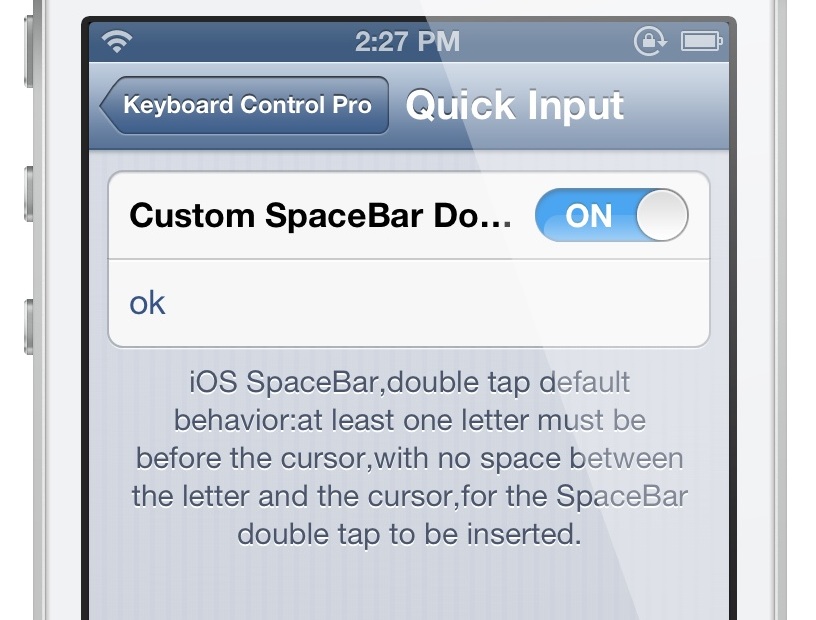
Keyboard Control Pro is an upgrade to a tweak that we discussed a while back called The Quick Brown Fox. It's a jailbreak release aimed at the iOS keyboard, and it allows for enhanced control over the keyboard's basic functionality.

While very similar to the Quick Brown Fox, Keyboard Control Pro does include a few new features and refinements that might make it worth your while. Take a look at our full video walkthrough inside for more details.