Jeff Benjamin

Jeff has been with iDownloadBlog since 2010, acting as resident video specialist, and tutorial expert. He earned his degree in Computer Network Systems back in 2001, but decided Cisco routers and the like just weren’t for him. Since then, he’s been heavily involved with online writing. He’s written for numerous tech and video game sites since the late 1990′s, and has a knack for explaining things in a simple, clear, and concise manner. Jeff works primarily from the east coast on his Retina Macbook Pro, and shoots video with a Canon DSLR. During downtime he likes to travel the world, visiting the various Apple Stores across the globe. You can email him at jeff [at] idownloadblog.com and follow him on Twitter @JeffBenjam or on Google+.

How to add iOS 7 slide to unlock functionality to older firmwares

One of the biggest differences between the Lock screen in iOS 7 and the Lock screen found on previous firmware, is the way one goes about unlocking the device. Gone are the days where you had to position your finger in just the right location in order to do so.

With iOS 7, users can slide their fingers anywhere on the Lock screen to unlock, as long as the motion is from left to right. Unlock7 is a recently released jailbreak tweak that seeks to mimic this functionality for devices not running iOS 7. How does it work? Have a look at our hands-on session inside.

Enhance Safari’s tab button with this jailbreak tweak

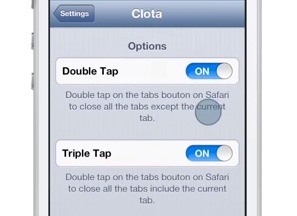
Sometimes it's hard to get a firm grasp on the naming conventions used for releases on the Cydia store, and this jailbreak tweak — entitled Clota – is the latest such one. I'm definitely not sure what's behind the name, but the tweak works well enough.

Clota allows users to add two new tap based gestures to the new tab button found in the Safari browser. A double tap on the new tab button will close all open tabs sans the current tab. A triple tap, on the other hand, will close all tabs. Check inside for our video walkthrough showcasing how it works.

Let’s Talk Jailbreak 33: Let’s talk iPad

We delayed this episode of Let's Talk Jailbreak by a couple of days so that we could talk to you about our thoughts on Apple's iPad event. Join us for in-depth discussions about the new iPad Air, the iPad mini with Retina Display, iOS 7.0.3 and its potential jailbreakability, Apple's new free software initiative, and more.

What to do if you’re running Mavericks GM, and you can’t download the final version

A little while ago, I encountered a very frustrating issue that had me pulling my hair out for a while. That is, until I finally stumbled upon the fix for the issue.

As a registered developer, I've been testing out Mavericks since Developer Preview 3, and I made it a habit of installing every release up until the GM version. The nice thing about the Mavericks betas is that you can grab the updates directly from the Mac App Store without having to completely reinstall the OS once a new beta ships.

That all changed when Apple released a stealth (13A603) GM update a few days ago, which didn't feature an update in the Mac App Store. Either you needed to completely reinstall with the new GM build, or just deal with the outdated (13A598) GM build until hopefully OS X 10.9.1 places you back on the correct upgrade path.

Sure this was annoying, but it didn't sound like a huge deal to me until I wanted to download Mavericks this evening in order to make a USB install key, and was continuously met with an error message.

New iWork suite goes live on the iOS and Mac App Store

Start your engines ladies and gentlemen, the new iWork is available for download on the Mac App Store right now. The full suite of apps, which include Pages, Numbers, and the renowned presentation app Keynote, have all been updated with tons of new features as outlined in today's iPad keynote.

Even better is the fact that all of the apps, including their iOS counterparts, have all gone free for those who have purchased Mac hardware. If you haven't purchase new hardware, chances are you already own these wonderful apps anyway, and the updates are free.

Animation in iOS 7.0.3 can be drastically reduced for those with motion sickness

As we noted just a few minutes ago, iOS 7.0.3 is out with a bevy of new features, but one of the most desired features for a lot of folks is likely flying a bit under the radar. If you're one of those impacted by iOS 7's animation and parallax effects, then listen up, this pertains to you.

iOS 7.0.3 contains a much more potent "reduce motion" setting than previous iterations of iOS 7. In past firmware, the Reduce Motion setting located under Settings > General > Accessibility, did little to alleviate the motion sickness experienced by some unfortunate users. That's all changed with iOS 7.0.3, as the animation effects have been seriously downgraded thanks to an enhanced motion reducing setting.

OS X Mavericks will be available today for Free

Per the norm, Apple went through its routine of recapping many of the notable features available on its updated operating system. Craig Federighi took the stage to provide a recap, along with performing a demo showcasing iBooks, Maps, Finder tags, Safari Notifications, and more.

Although none of that is news to those of us who've been following OS X Mavericks since WWDC 2013, there is one piece of important info that hasn't been revealed until now — the price and release date. Just a few minutes ago, Apple revealed that OS X Mavericks would be free starting today!

Evernote update brings editable homescreen layouts

If you're an Evernote ninja with a premium account, then one of your biggest gripes about the redesigned iOS 7 compatible app has no doubt been with its homescreen layout. Prior to the 7.1. update, Evernote users could in no way, shape, or form, alter the layout of the homescreen.

As a free user, this would be understandable, but as a paying premium customer, it's a bit frustrating to have to look at Evernote's homescreen, which contains advertising, every time the app is opened. The good news for us is that Evernote has realized the mistake, and has brought editable homescreen layouts to its latest update.

Spotify finally updated for iOS 7

Given its popularity, it sure as well took long enough, but Spotify has finally been updated with support for iOS 7. The update brings a subtle yet certainly noticeable redesign that incorporates flatter textures, and divided search and browse sections.

Spotify's release notes were a bit ambiguous, stating that the app was "now compatible with iOS 7." Since compatibility doesn't necessarily guarantee any sort of redesign, I wasn't really expecting much.

Thankfully, Spotify's definition of "compatible" goes beyond the codebase and encompasses the look and feel of the app as well. You'll quickly notice new visual cues, which provide a more cohesive look alongside iOS 7.

Let’s Talk Jailbreak 32: I’m really sorry about this…

Let's Talk Jailbreak episode 32 sees the guys talking about new jailbreak tweaks like SideSettings, PushPrivacy, SevenCenter, Dandelion, and Controls for Spotify. In non-jailbreak news, we discuss the upcoming Apple iPad event, the Mac Pro, Retina MacBooks, and more. We also discuss Apple's recent hiring of Burberry CEO Angela Ahrendts, along with a sizable rant about iPhone 5c sales.

New YouTube update lets you select video quality while on Wi-Fi

Hot on the heels of its update to Maps, Google has rolled out a new update to YouTube which brings a much needed video quality option to the table. The setting, which is only applicable while connected to Wi-Fi networks, is ushered in along with the obligatory "compatibility" and "accessibility" improvements.

This latest update brings the YouTube version number up to 2.2.0. The download is available on the App Store right now, and rings in at cellular network friendly 12.5 MB.

How to gain enhanced Spotify control with a jailbroken iPhone

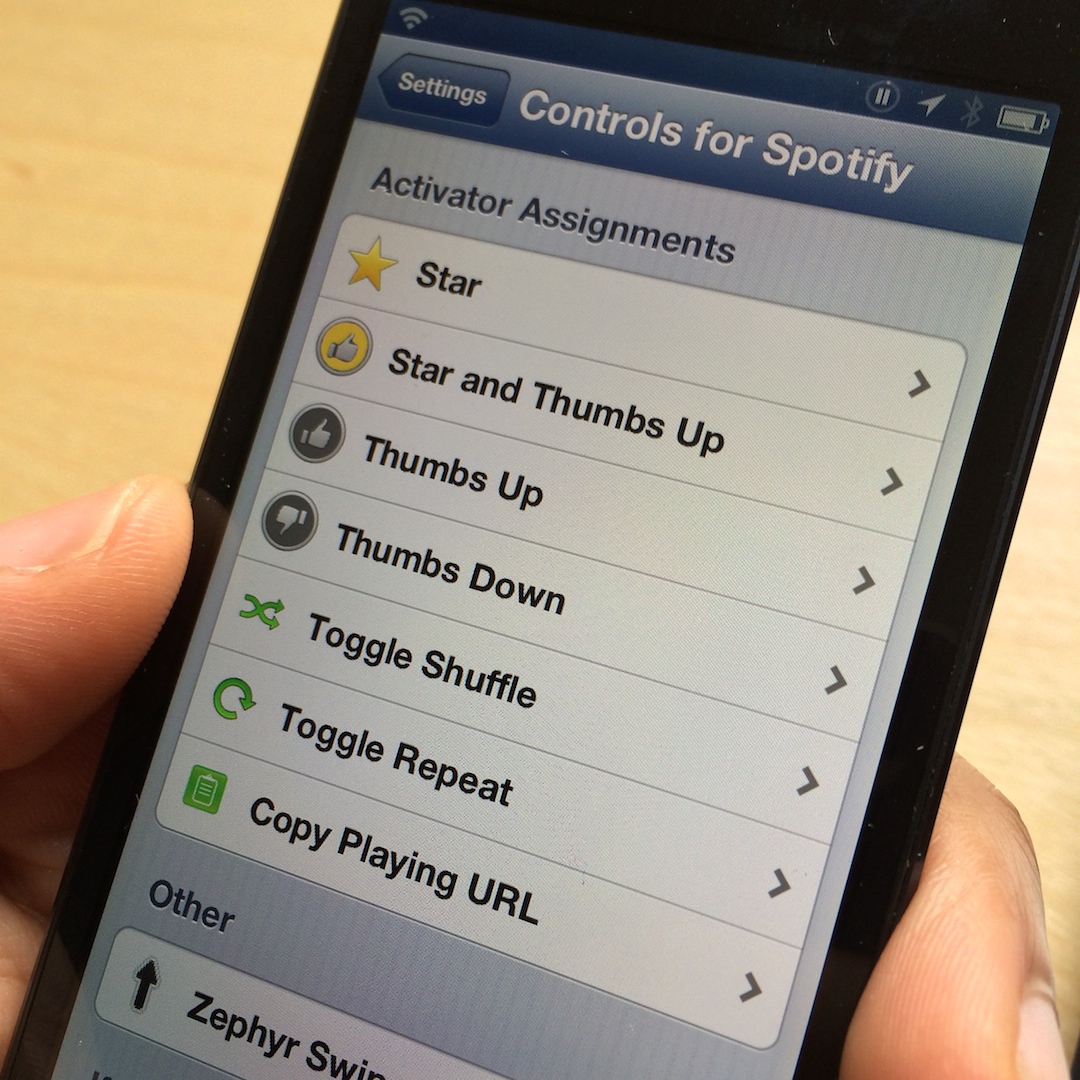
How does adding Spotify support to Activator sound? If that sounds like the proverbial music to your ears, then you need to take a look at Controls for Spotify. This is a new tweak that brings enhanced control to Spotify by means of simple Activator gestures.

It's a bit limited in its scope right now, but Controls for Spotify is a tweak that shows potential. Have a look inside for more details as to how it all works.