Jeff Benjamin

Jeff has been with iDownloadBlog since 2010, acting as resident video specialist, and tutorial expert. He earned his degree in Computer Network Systems back in 2001, but decided Cisco routers and the like just weren’t for him. Since then, he’s been heavily involved with online writing. He’s written for numerous tech and video game sites since the late 1990′s, and has a knack for explaining things in a simple, clear, and concise manner. Jeff works primarily from the east coast on his Retina Macbook Pro, and shoots video with a Canon DSLR. During downtime he likes to travel the world, visiting the various Apple Stores across the globe. You can email him at jeff [at] idownloadblog.com and follow him on Twitter @JeffBenjam or on Google+.

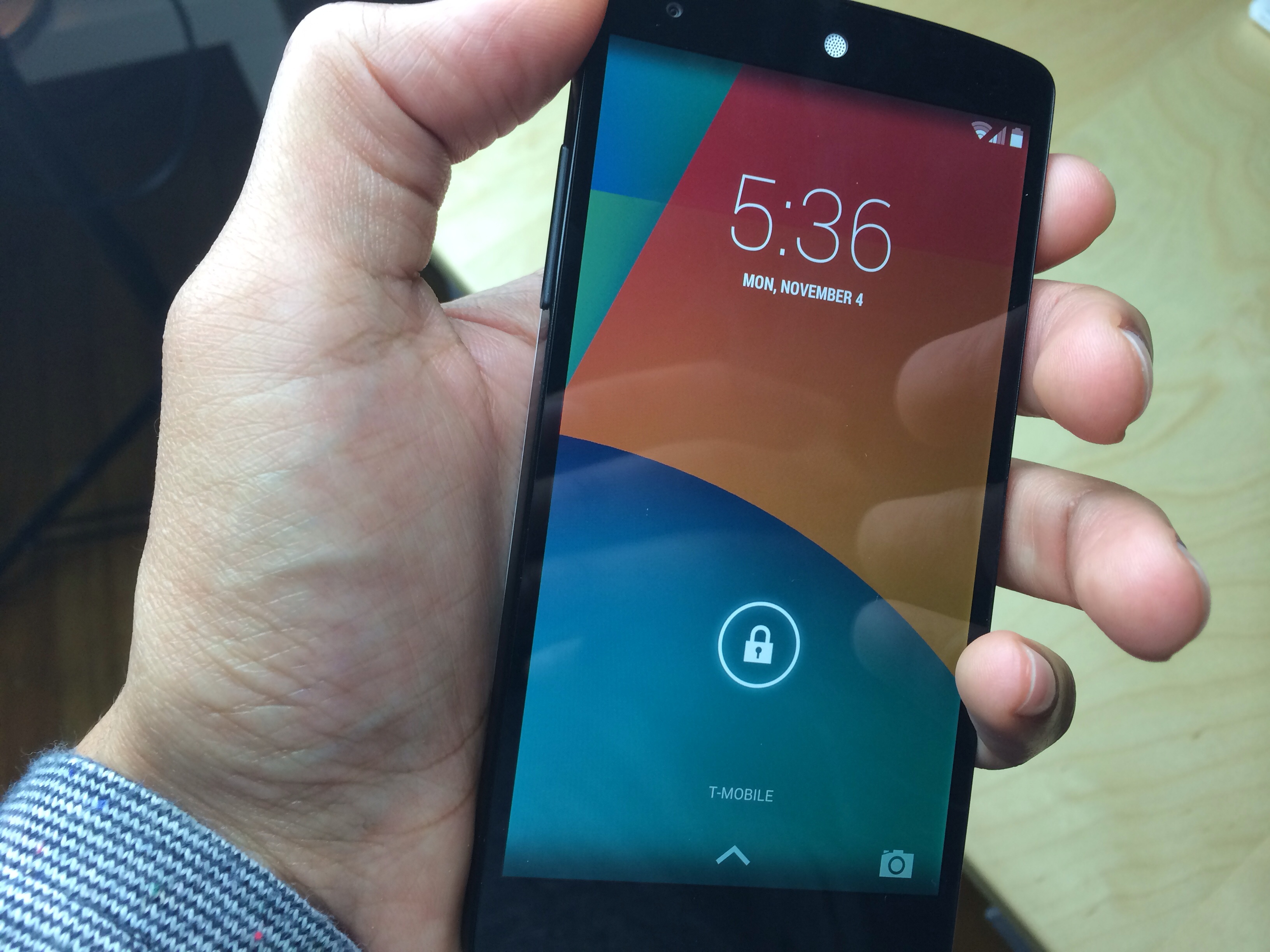
Nexus 5 unboxing and first impressions

We usually don't cover too much on the Android side of things, but every once in a while a device comes along that catches our attention. The new Nexus 5 from LG and Google is one such device.

Android has matured greatly over the last two years, and the hardware has done likewise. The Nexus 5 looked like a solid device on paper, and that has been reaffirmed by our hands-on time with the device.

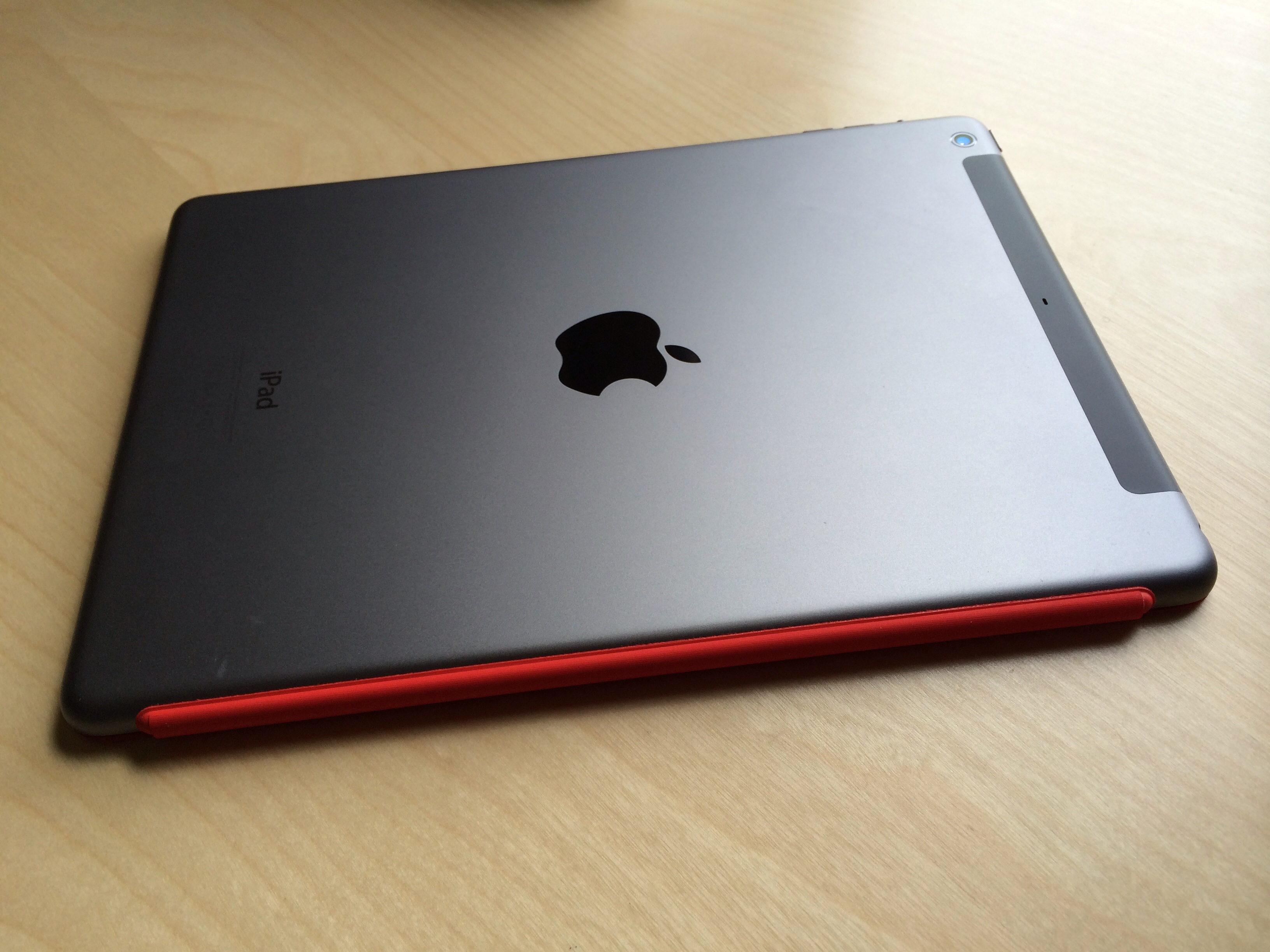
Some thoughts on iPad Air

The iPad Air is without a doubt one of Apple's most marvelous engineering feats to date. It features a huge screen with a slimmer bezel than previous full sized iPads. It provides an immersive experience that just can't be achieved on the minuscule iPad mini.

It's also much lighter than its predecessors, which is obviously something desirable to anyone who's held a full sized iPad in their hands for any nominal length of time. It's not just lighter and slimmer and thinner — it feels like a completely different product.

But before I take it too far, let me just say outright that regular iPad mini users won't be as impressed by the weight loss. It's still significantly larger, heavier, and harder to handle than the iPad mini, which may lead to disappointment for the looking into getting back into full sized iPads.

I too, suffered from such disappointment, but it was short lived after I took the time to appreciate that the iPad Air isn't the mini, and never pretended it was. It's a full sized tablet in a marvelously well put together package, and it's definitely something you should consider picking up if you want the "true" iPad experience.

As primal as it may seem, there's just something to be said about using a device whose screen is large and in charge. The iPad Air is sort of like holding a television in your hands, which isn't necessarily a bad thing, given its slimness and light weight.

If you've yet to take the plunge, then what should you do? Should you go into the Apple Store and compare both side by side? Should you give Apple's 14 day return policy a go, and spend some quality time with the Air? Check inside for my opinions on the matter.
After fixing its mistake, T-Mobile’s free tablet data is a great deal

Yesterday I wrote a post going at T-Mobile pretty hard after it appeared to do the 'ol bait and switch on its free 200MB/month data claims. I wasn't alone. Numerous customers complained that T-Mobile reps were insisting that they sign up for a monthly plan in order to take advantage of the free data offer.

As it turns out, that was a mistake; a costly one as far as overall perception goes, but nonetheless a mistake. T-Mobile's CEO clarified things yesterday via Twitter, and the company appeared to iron out any miscommunication between corporate and those on the front lines.

I'm very happy about this. Not so much due to the free data — everyone knows that 200MB on an LTE network is the equivalent to raving about skiing down a 10 foot slope — yes you went down fast, but it didn't last very long. I'm happy because T-Mobile owned up to its mistake, and did what it said it'd do.

T-Mobile CEO claims $10 charge for “free” tablet data was a mistake

I gave T-Mobile a lot of props this past week for truly trying to break the mold and do something that no other carrier has done — offering free data to iPad users. I probably should have just kept my mouth shut until I was able to put its claims to the test.

That's because When I walked into a T-Mobile store this morning, the reps told me that I needed to either be a paying phone customer, or pay $10 a month to claim my 200MB worth a free data. While I don't blame T-Mobile for wanting to make money, this was the exact opposite of its "no strings attached" claims on its website and in the press.

This wasn't just a one off. Every single T-Mobile store that I called this morning reiterated the idea that I needed to be a paying customer. All of them said the exact same thing, making it evident that it had to be a company line.

John Legere, T-Mobile's CEO, stated via Twitter that it was an "executional mistake." But how can a mistake be so pervasive throughout the company, unless some of its leaders were pushing the idea?

Let’s Talk Jailbreak 35: iPad Air special

It's iPad Air launch day, and each member of the iDB crew just scored some new hardware from the Apple Store. What was the launch day experience like? What about first impressions? Join us for a special episode of Let's Talk Jailbreak, as the trio of Cody, Sebastien, and Jeff discuss the iPad Air in-depth. Should you get it? Is it better than its predecessor? How does it stack up to the iPad mini? Listen in for the full lowdown.

How to use the iPhone 5s slow motion effects in iMovie

Taking slow motion video with your shiny new iPhone 5s is a piece of cake, but editing that video using a desktop app like iMovie may not be as straightforward or obvious. Fortunately, Apple has made it relatively easy to work with the 120 FPS video that your iPhone 5s is capable of shooting.

Just like on the handheld hardware, you can dial back the speed of video to showcase the high quality slow motion footage. Inside we'll show you how incredibly easy the process is.

Let’s Talk Jailbreak 34: It’s getting weird

Cody kicks off this week's episode as we discuss lots of new jailbreak tweaks, Apple's earnings call, and the new iPad Air and iPad mini with Retina Display. As you might expect, we talk about our upcoming purchase decisions, carrier choices, and the accessories we're thinking about picking up come iPad launch day.

Keep tabs on your device’s vitals with Free Space Cam

Free Space Cam is a $0.99 jailbreak tweak that allows users to keep tabs on the iPhone's vital statistics while using the stock Camera app. It lets you know how much battery life and free storage space you have for snapping photos. For videos, it will alert you to the amount of available time remaining for your video shoot as well.

Free Space Cam isn't for everyone, but for those of you who are jailbroken and are tight on space, it may be worth looking into. Have a look inside, as we take Free Space Cam through a brief video walkthrough.

Create passcode free intervals with PasswordTime

PasswordTime is a jailbreak tweak that let's you disable the passcode on your device during specific user defined time intervals. In theory, this could allow you to disable the passcode at 6 PM, the time when you arrive home from work. It could then be set to reenable the passcode before you leave the next day.

It's not a fail safe method of security, but if you're looking for something to add a little bit of convenience to your device, while still maintaining a passcode, then PasswordTime is worth your attention.

‘Show My Touch’ lets you visualize your touch screen taps

Show My Touch is a recently released tweak that brings a touch screen overlay indicator to jailbroken iPhones. The tweak, which is available for free on Cydia's BigBoss repo, makes it easy to identify your touches on screen by means of a colorful indicator.

Sure, this isn't the first time this has been done, but Show My Touch puts its own unique spin on things. Have a look at our video walkthrough inside to see what I mean.

I’ve decided to get an iPad Air

If you've been listening to Let's Talk Jailbreak, you know that I've been going through a bit of a metamorphosis as of late. I've gotten rid of a lot of excess in the name of simplifying and streamlining my life. Sebastien and Cody like to make fun of me because of that, but it is deserved when you consider how I've waffled back and forth.

My 64GB iPad mini was one of the casualties of my downsizing efforts. I convinced myself that owning just one iOS device made life a lot simpler. I still believe that managing multiple devices is a bit of a pain, but I've decided to go ahead and take the plunge again.

Pocket Casts updated with 64-bit support and other goodies

I still have yet to find the perfect podcast app that does everything I want, but most of them are good enough to get by. I will say that I seem to fare best with my podcast app flavor of the month, Pocket Casts.

There's a reason why Pocket Casts is my podcast app of choice, at least for the moment. It's fast, well designed, and its developers are quick on the draw when it comes to pushing out timely updates. Updates just like this one...