Jeff Benjamin

Jeff has been with iDownloadBlog since 2010, acting as resident video specialist, and tutorial expert. He earned his degree in Computer Network Systems back in 2001, but decided Cisco routers and the like just weren’t for him. Since then, he’s been heavily involved with online writing. He’s written for numerous tech and video game sites since the late 1990′s, and has a knack for explaining things in a simple, clear, and concise manner. Jeff works primarily from the east coast on his Retina Macbook Pro, and shoots video with a Canon DSLR. During downtime he likes to travel the world, visiting the various Apple Stores across the globe. You can email him at jeff [at] idownloadblog.com and follow him on Twitter @JeffBenjam or on Google+.

Let’s Talk iOS 039: Internet problems

Episode 39: Sebastien laments about his ongoing Wi-Fi troubles, Jeff gushes over the greatness that is his new 4K Dell monitor, and Cody talks about his latest deals. The trio talk about three apps that they'd recommend to new iOS users, plus they discuss all of the latest iOS news.

Subscribe on iTunes

‘Mikoto’ is like Springtomize for apps

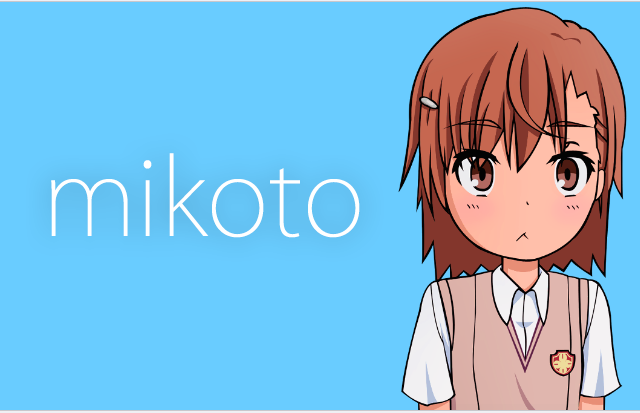
Mikoto is a jailbreak tweak that allows you to customize various aspects of App Store apps and default iOS apps on the iPhone. It's similar to Springtomize in that you can alter loads of various features for a variety of different areas within supported apps.

You won't find Mikoto on the BigBoss repo or the ModMyi repo; it's only available by means of a third-party non-default repository. Have a look inside as we take Mikoto for a spin on video, and we'll show you how to score this free jailbreak tweak for yourself.

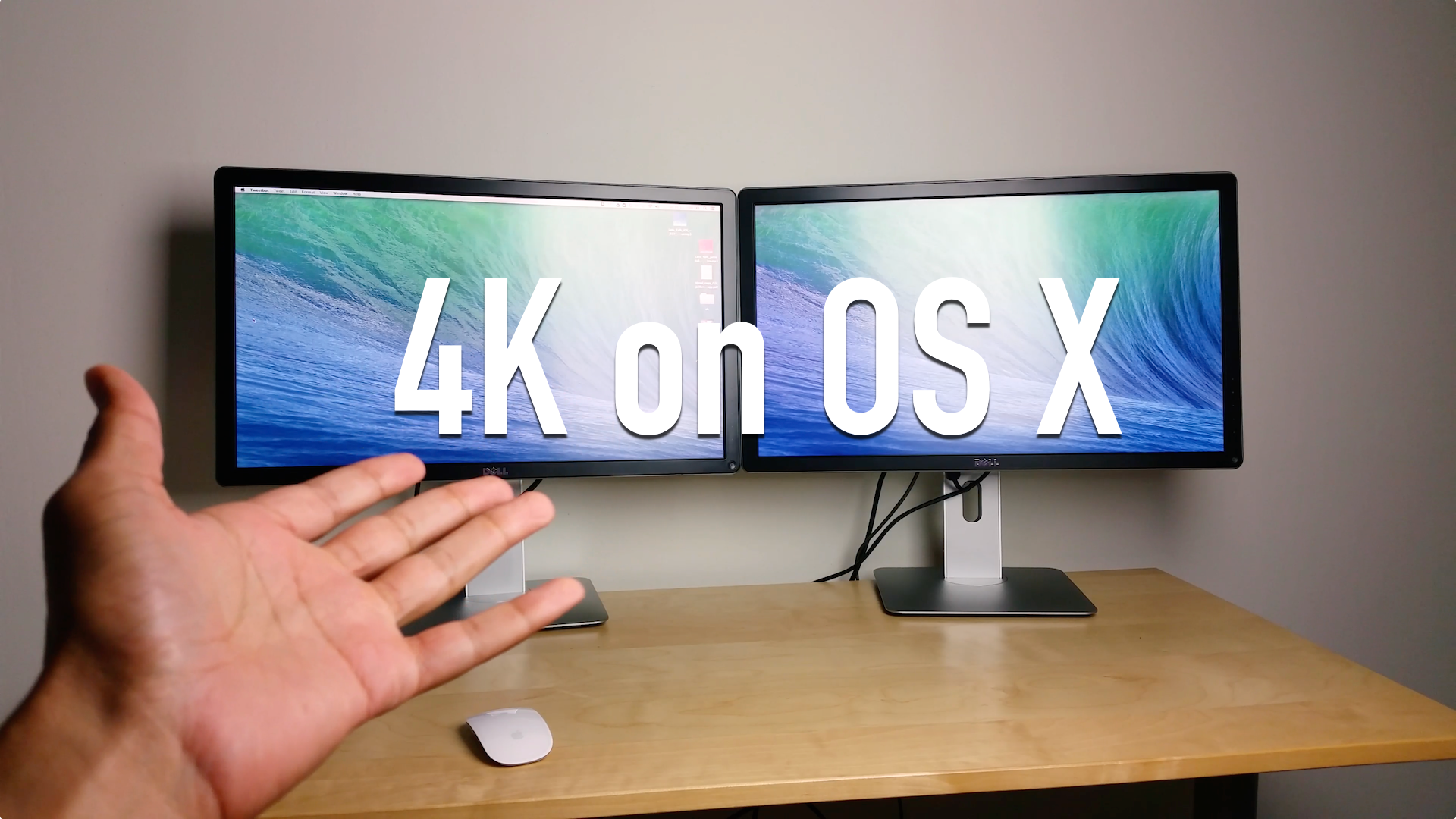
Upgrading to a 4K monitor: enjoy Retina quality graphics on an external display

As many of you know, I'm rocking a 13" Retina MacBook Pro, and I love it. The screen is killer, it's fairly fast, and it's portable.

But as I begin to take on more "intense" projects, I'm starting to realize that I simply don't have enough screen real estate to be the most productive I can be. I need an external monitor.

The problem is, and if you're a current Retina MacBook owner you've no doubt faced a similar conundrum, most of the popular external displays pale in comparison to the Retina display. Even Apple's mighty Thunderbolt Display, with its 27" screen and 2560x1440 native resolution, looks downright grainy when placed side-by-side with the Retina screen of a MacBook Pro.

So what to do? You could hold off until Apple finally decides it wants to get with the program and offer a Retina capable Thunderbolt Display, or...or...or! You could get a ultra-HD 4K capable monitor right now and enjoy a "Retina" experience.

That's exactly what I decided to do. Inside, I'll break down some of the pluses and minuses of my latest pickup, Dell's ($799 on Amazon) 24" ultra-HD display, the UP2414Q.

EqualizerEverywhere makes it possible to adjust audio in any app

EqualizerEverywhere is a recently released jailbreak tweak that makes it possible to create and activate custom equalizer presets on the fly. If you're someone who listens to a variety of different audio types on the iPhone, and you're looking for a way to customize sound based on the type of audio, this is a tweak that you should definitely investigate.

We've taken EqualizerEverywhere for a spin, and we were pretty impressed by what we found. Have a look at our video walkthrough after the jump.

Let’s Talk Jailbreak 66: The Airport Extreme disaster

Episode 66: A look at the latest jailbreak news this week, including the hacking of the BigBoss repo, Geohot's latest endeavors, Apple security issues, and a whole list of new jailbreak tweaks. This week's tweaks include Hermes, HUDSpeed, Meter, Brevity, and more.

Sponsor: Use hired.com/jailbreakpodcast to get 5-15 job offers in San Francisco, New York, and Los Angeles, and also get a double signing bonus of $4,000 bonus when you accept a job by using the hired.com/jailbreakpodcast url.

Easily theme your iPhone signal bars with ‘Meter’

Meter is an upcoming tweak that replaces the stock signal meters for the iPhone's cellular signal with custom themed meters. The signal themes, which are selectable via Meter's preferences, allow users to enjoy a different look in the iPhone's status bar.

Meter is developed by the same developer who brought us Circlet, a similar status-bar-item-altering tweak. While Meter isn't as ambitious as Circlet, it's a great compliment to the status bar, and looks awesome when paired together.

We got our hands on a preview copy of Meter to record a video demonstration to show how it works. Take a look inside for more details.

Brevity: send a quick canned response via the Messages app

Do you like the idea of being able to send quick canned text responses to your friends or family? Do you want a quick way to acknowledge the receipt of a text message? If so, a Messages app tweak entitled Brevity might be just what you need.

Brevity is an upcoming jailbreak tweak that makes it easy to send a single canned text message response in an instant. We've been able to test out a pre-release version of Brevity, and we like what we've seen thus far. Check out our video walkthrough inside for additional details.

Power Tap: add more options to the power off slider in iOS

Power Tap is a jailbreak tweak with a simple premise that's executed to perfection. It allows you to perform a respring, reboot, power down, or boot into safe mode from the convenience of the stock iOS power down screen.

The great thing about Power Tap is that it reuses most of the assets already available on the power down screen. The result? A jailbreak tweak that could potentially pass as a stock feature. Check out our video walkthrough of Power Tap after the break.

RemindMeAnywhere: access a custom reminder with Activator

Looking for an excruciatingly simple way to set a personal reminder, and don't feel like fooling with the stock Reminders app? If so, RemindMeAnywhere might be the jailbreak solution for you—if you can deal with its limitations.

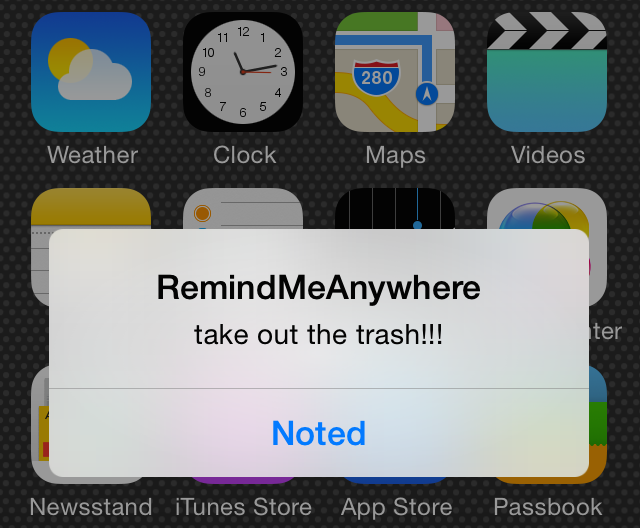
RemindMeAnywhere allows you to create a custom reminder and assign it to an Activator gesture. Upon invoking the tweak using the established gesture, a dialogue box will appear containing your custom reminder text.

It's not the most intuitive method for setting reminders, but it could work for you if you have the right circumstances. Have a look at our demo video after the break for a brief glance into how it all works.

How to remove uppercase text headings in the Settings app

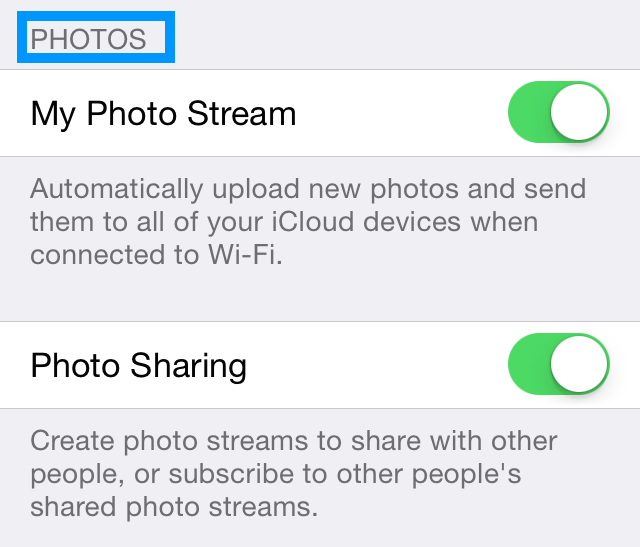
If you look closely at some of the pages in iOS' stock Settings app, you'll stumble upon UITableView text with all capitalized characters. It's not something that's bothered me before—I barely noticed it—but apparently it's an annoyance to more than a few users out there.

You can find a good example of the capitalized text in Settings > Photos. There, you'll find various headings in capitalized text.

Wouldn't it be cool if you could tone down this text and make it consist of lowercase characters? That's the exact premise behind a recently released jailbreak tweak entitled NoUpperCaseTable. Have a look at our video demonstration inside.

Let’s Talk Jailbreak 65: The death of an intro

Episode 65: We dissect Saurik's latest thoughts on competition and community, and talk about the viability of a bonafide Cydia competitor, its effect on the jailbreak community, and much more. We also discuss a whole lot of new jailbreak tweaks, including Vestigo, OneThumb, FullyMaskedPasswords, and many more.

Sponsor: Use hired.com/jailbreakpodcast to get 5-15 job offers in San Francisco, New York, and Los Angeles, and also get a double signing bonus of $4,000 bonus when you accept a job by using the hired.com/jailbreakpodcast url.