Learn how to customize group chats in the Apple Messages app with a custom photo, emoji, monogram, or Memoji on your iPhone, iPad, and Mac so you can distinguish them in the conversation list.

You can customize group Messages chats with descriptive titles, emoji, or Memoji so they’re easier to spot in the conversation list. Or you can use a photo instead for something fun.
We’ll show you how to set a photo for a group Messages chat in just a few steps, whether it’s a logo for your business, a picture of your recent family vacation, or a photograph of someone dear to you.
Add a group chat photo in Messages on iOS 27
1) Open the Messages app on your iPhone or iPad and select a group chat.
2) Tap the cluster of profile pictures at the top.
3) Tap the Edit button and select Edit Name & Photo.

4) Now do one of the following:

- Use the camera icon to take a picture.
- Use the photo icon to select an existing image from your Photos app library.
- Tap the emoji icon to select an emoji on a colored background.
- Tap the pencil icon to use a two-letter monogram as the group icon.
- Scroll down to the Memoji heading to select one or tap the plus button to create a new Memoji and use it as the group icon.

5) Finally, tap the checkmark icon to save your new group chat icon.

If you change your mind, tap X to remove the group photo. Then, tap the checkmark icon to apply it.

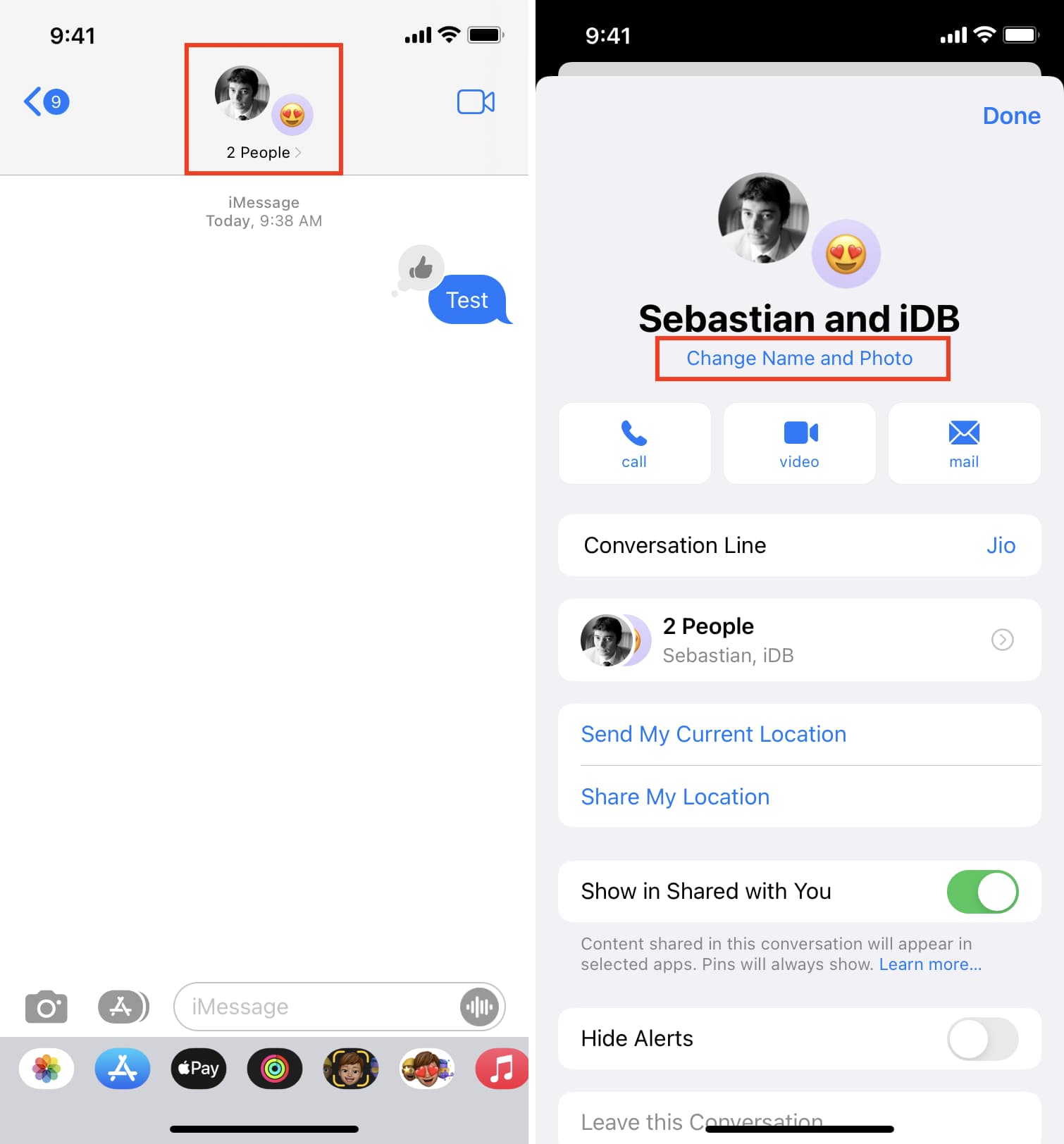
On older versions of iOS, tap the profile picture, followed by Change Name and Photo.
Add a group photo in Messages on Mac
The process on newer macOS versions, like macOS 27 Golden Gate, is the same as iOS. Simply go to your group chat and click the current profile icon, followed by Edit > Edit Name & Photo.

If your Mac runs an older version of macOS, first select a group conversation and then click the info icon ⓘ in the top-right corner or right-click the group chat title in list view and choose Show Details. Then click Change Group Name and Photo and set a photo, emoji, or Memoji for the group. Click Done to save the changes.

Your group chat titles and photos sync across the Messages app on your other iPhones, iPads, and Macs that use the same Apple account.
What do you think of the group photo feature in Messages? Is it something you find useful?
Also, check out: Top new features added to the iPhone Messages app in iOS 27