Learn how to teach Siri about your mother, father, brother, sister, spouse, fiancé, and so on, so you can reference relationships in voice commands instead of contact names.

Siri can remember your relationships with people from your inner social circle.
But before you can ask the assistant to send your wife a message, you must first teach it who “wife” is.
And why stop there?
Tell the assistant who your mom, dad, brother, sister, other family members, friends, boss, etc. are, and you’ll have an easier time using Siri voice commands to call or text them.
Tell Siri who your friends and family are
- Invoke Siri by pressing the side button or saying Hey Siri.
- Then say “Call my brother,” “Call my wife,” or similar.
- Siri will respond by asking, “What is your brother’s name?”
- Say the contact’s full name and Siri will respond with: “OK, want me to remember that [so-and-so] is your brother?” Say or tap Yes to have Siri remember that this particular contact is your brother.

The assistant will also add your relationship with them to your contact card. To call or text your brother, just say “Call my brother,” or “Send a message to my brother,” and Siri will know who you’re referring to.
Another way to teach Siri about your social circle is to tell it directly.
Tell the assistant something along the lines of “Sebastian is my colleague” to save this particular relationship in the Contacts app and use it in voice commands.
Do this for friends and family members you care about, including aunts, uncles, grandparents, children, neighbors, friends, colleagues, bosses, and others.

Manually add family and friend relationships in the Contacts app
Siri saves your relationships to your card (My Card) in the Contacts app, but you can also add them manually.
- Tap your name at the top of the Phone or Contacts app.
- Tap Edit in the upper-right corner.
- Scroll down and tap ‘add related name’ to define relationships.
- It should first show the mother option. Tap the blue info ⓘ icon next to a relationship, select your mother in the contact list, and tap the checkmark icon or Done.
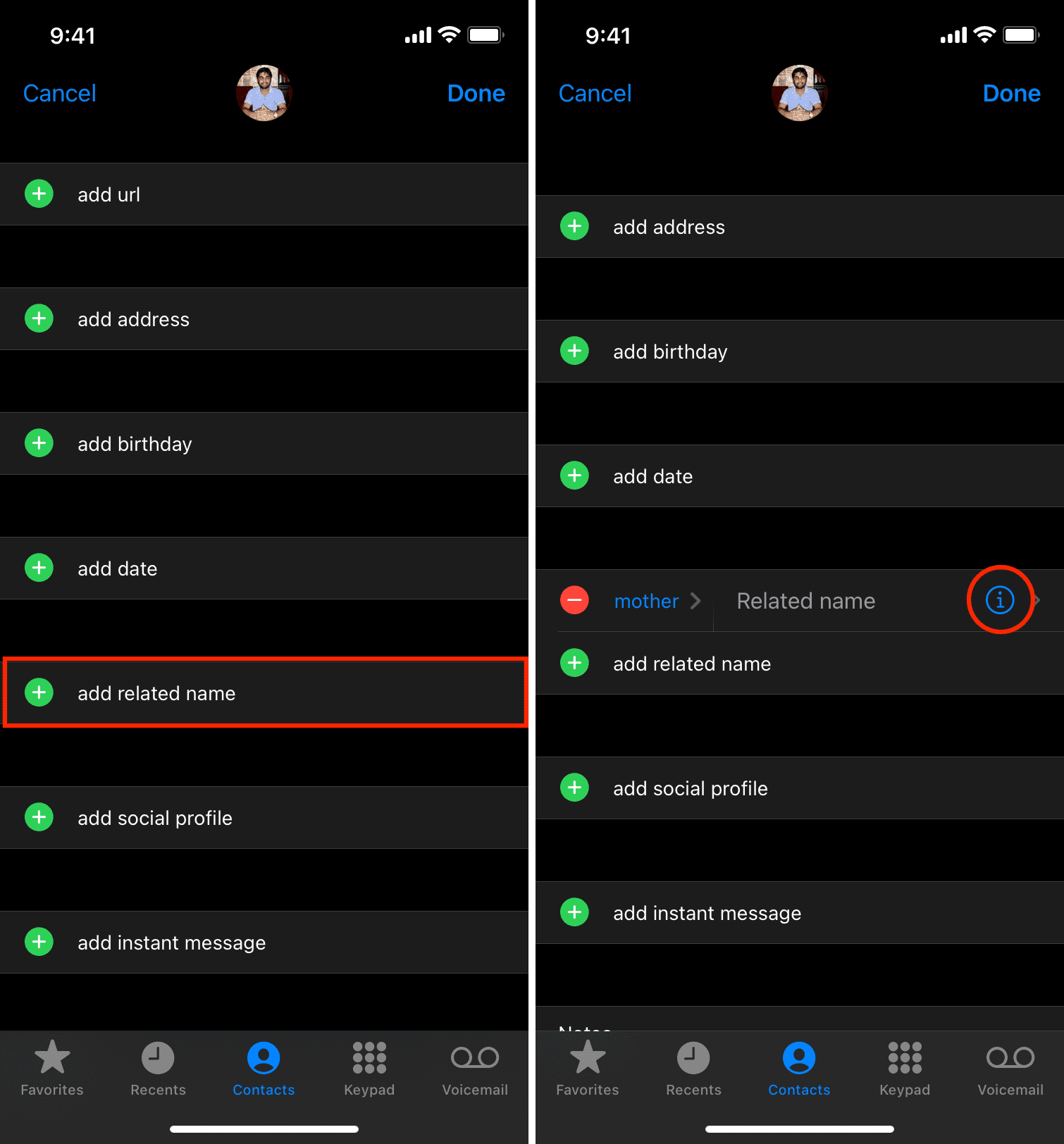
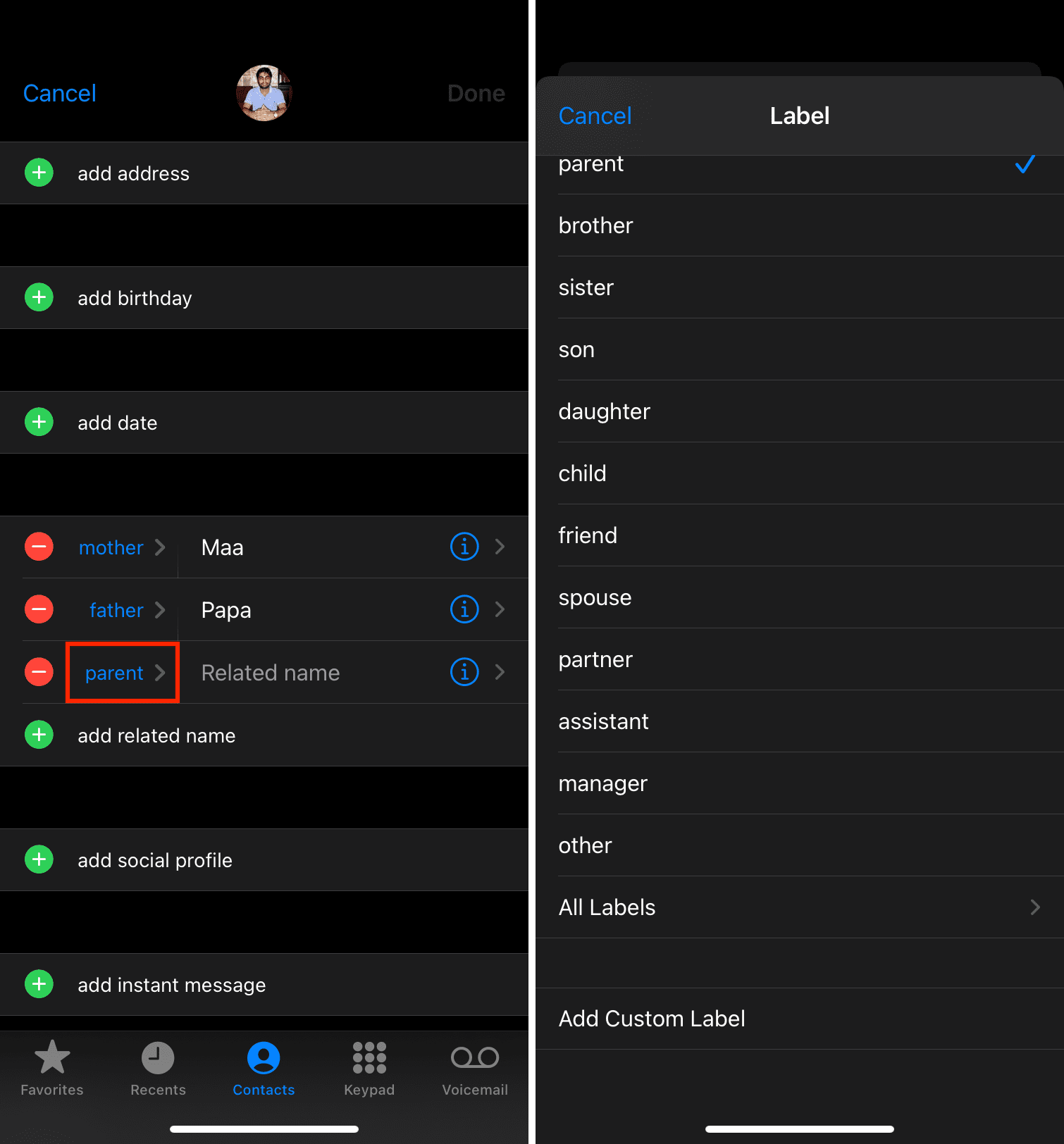
To add more relationships, tap ‘add related name.’ To use some other relationship, tap the currently shown relationship (mother, father, or whatever is displayed) and select something else from a long list of relationships.
To create a custom relationship, tap Add Custom Label and give it your own relationship tag or nickname. You can call it “neighbor,” “cousin,” “best friend,” etc.
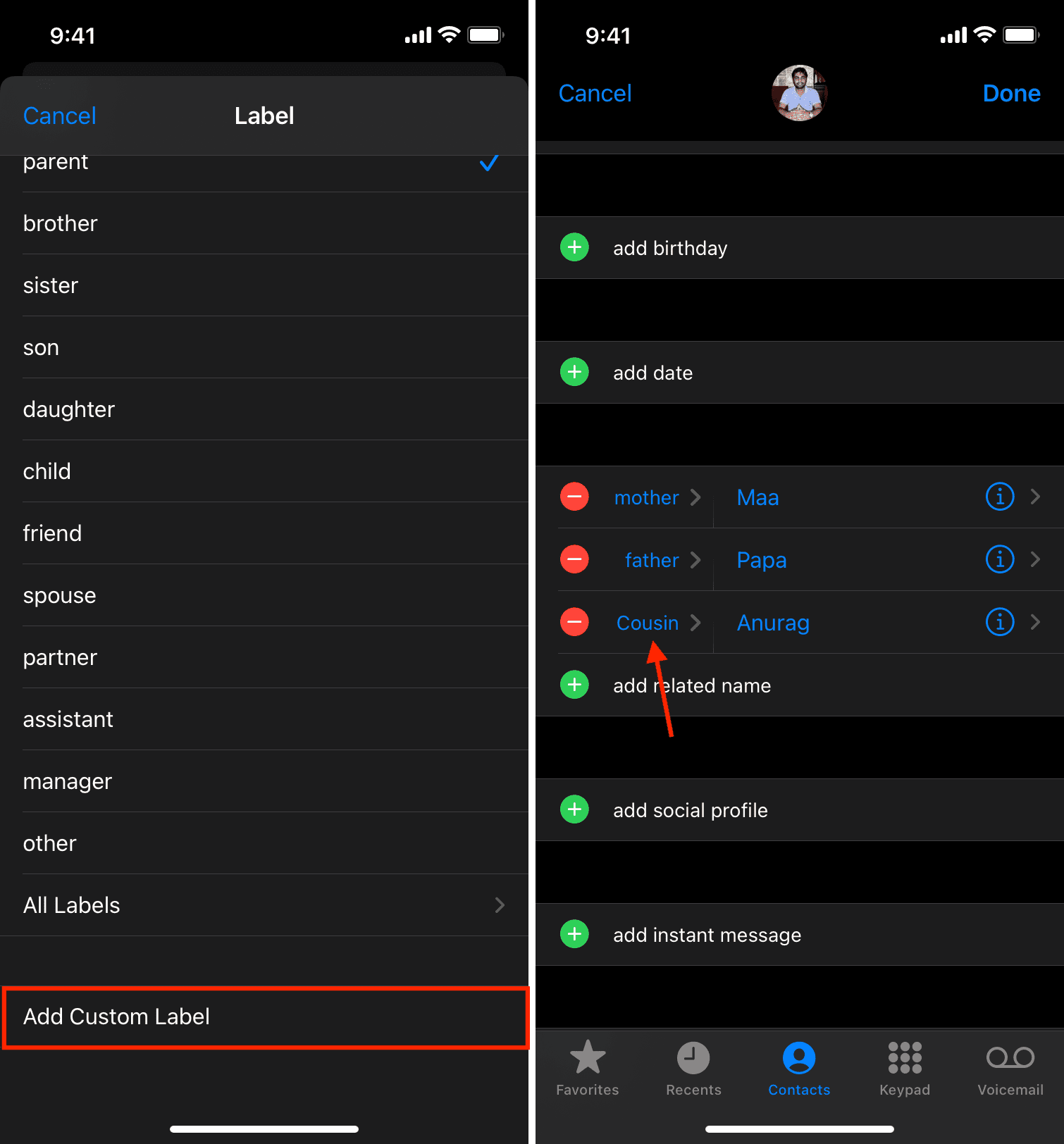
Siri will know all of your relationships if you teach it!
It’s too bad Siri can’t warn you when your mother-in-law is coming over to visit.
Make Siri forget a relationship
If you ever want to remove a relationship from Siri’s memory, edit your contact (My Card) in the Contacts app and tap the red minus button, followed by Delete next to a previously added relationship.
Also, check out: