Year: 2014

Kick your laptop up a notch with Kickflip

There are times when typing at a flat angle is uncomfortable. It is most noticeable when using my MacBook Air 13". All of the keyboards I use, including Apple's standard wireless keyboard, are angled for ease-of-use. Contrary to standard keyboards, Apples laptop line sits flat on the resting surface.

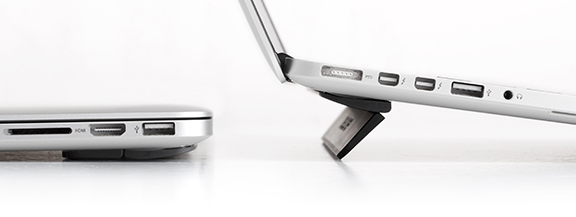
Asking to "kick it up a notch," Bluelounge released the Kickflip just a few weeks ago. Hoping to increase productivity and ease everyone's wrists, the Kickflip does just as the name suggests: props your laptop with just a flip.
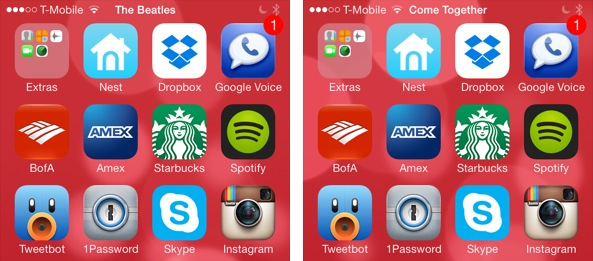

#PlayMe2 displays the currently playing song’s details in the Status Bar

If you've been following iDB, you'll remember that Jeff reviewed a status bar tweak a few months ago known as #PlayMe. The same developer has now released #PlayMe2 which is a more stable version of its predecessor with fewer bugs, but it serves the same purpose.

#PlayMe2 makes your Status Bar more informative by displaying the name of the currently playing song along with the artist name in the Status Bar. The tweak will rotate between the time, song name and artist name in the Status Bar. This allows you to take a quick peek at what music is playing in the background without opening the music app or Control Center.

Apps of the week: Bioshock, 8bit Doves, Walking Dead Pinball, and more

This has been the biggest week in new apps and games I’ve seen in a while. It also came around just at the same time we found out about the upcoming iPhone event. The world is coming up Apple. If you are ready for a weekend full of epic games, retro fun, and sweet beats, we’ve got a list of apps and games that will fill you your restful hours.

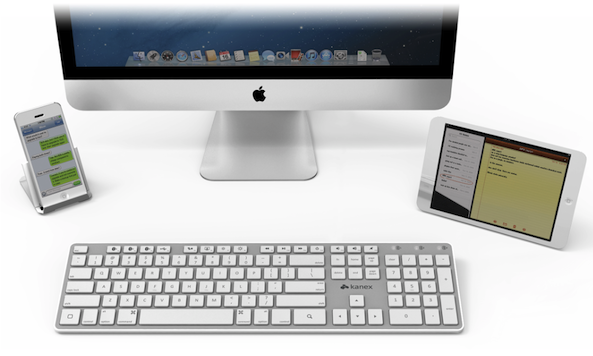
Share one Bluetooth keyboard between multiple devices with the Multi-Sync Keyboard

Have you ever used a Bluetooth keyboard with your iPad? Sure, you have! All serious iPad users have, at one time, tried to use a Bluetooth keyboard with their favorite tablet. I tried to use an external keyboard on several occasions with my iPad, not just for reviews either.

The same can be said for iPhone. In fact, at one time I was searching mini Bluetooth keyboards to keep on my desk, just to make iMessaging easier. That was before my OS X days. During the course of any day, I almost always keep my iPhone and iPad in a dock or stand next to my computer. Being a user of multi-devices, there are certain tasks I like to accomplish on each device.

Complicating my movement from device to device in a serious work environment is input. Typing on an iPhone or iPad's virtual keyboard is not the best experience, and that is coming from a fanboy. What would be perfect, is a wireless keyboard that operates either devices without the hassle of re-pairing each time. What would be perfect is the Kanex Multi-Sync Keyboard.

New Snapchat update allows you to follow live events via Stories

Snapchat pushed out an interesting update for its mobile apps today, bringing the iOS client to version 7.0.6. Though the change log in the App Store only mentions 'improvements and bug fixes,' what went on behind the scenes is actually fairly significant.

Users will notice a new 'Live' section in the app, courtesy of Our Stories, a product Snapchat introduced during the summer that lets anyone contribute snaps to a single story. With Live, users will be able to follow events as they unfold, from various angles.

AT&T offering $100 bill credit for customers that sign up for Next

AT&T announced this afternoon that, starting today, both new and existing subscribers are eligible for a $100 bill credit when activating a new line of service with a smartphone on Next—AT&T's upgrade program that allows customers to get new devices on installment plans.

More specifically, the Next program allows qualifying customers to get a new mobile device for $0 down, without upgrade or activation fees, and no annual contract. The cost of the equipment is spread over a two-year term, which makes this $100 promo somewhat appealing.

Sapphire compared to Gorilla Glass in durability test

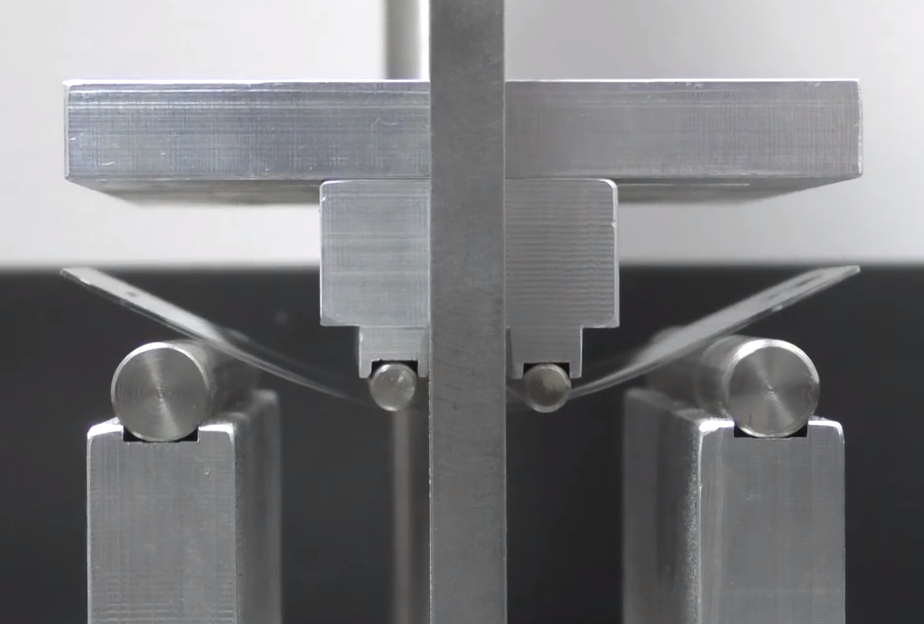
The repair experts over at uBreakiFix have posted a video comparing the durability of smartphone displays made of sapphire and Gorilla Glass. The comparison comes amidst ongoing speculation that the upcoming iPhone 6 may feature a sapphire screen.

Results from the test may surprise you, as although the sapphire display did prove to be significantly more scratch resistant than Gorilla Glass, it was also far more susceptible to impact breaks due to its stiffness and brittleness. Watch the full video below.

64-bit Chrome for Mac in the works, test drive the beta now

The search giant Google yesterday posted the first beta of the upcoming Chrome for Mac browser with 64-bit support, following the public release of 64-bit Chrome for Windows earlier this week.

The 64-bit edition of Chrome for Mac was first made available for testing purposes to early adopters earlier this month, via the Mac edition of Chrome Canary.

For those unfamiliar with it, Chrome Canary is an experimental Chrome version for testing upcoming new features in their earliest form, and before they make their way into the beta and then the stable channel.

Mac users on the Chrome beta channel should have been updated to a new 64-bit version of Chrome 38 for Mac. If not, you can download your copy direct from Google and start reaping the benefits of 64-bit browsing.

T-Mobile sends out invites for September 10th ‘Uncarrier 7.0’ event

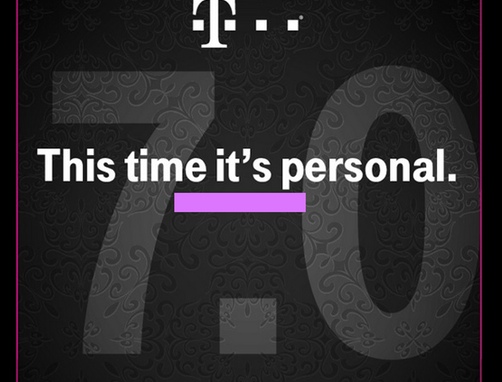
T-Mobile today sent out invitations to a media event scheduled for September 10th—notably the day after Apple's iPhone keynote. As you can see in the image above provided by TmoNews, the invite reads "This time it's personal," with "7.0" printed largely in the background.

The event will be held in San Francisco, at the T-Mobile store on the corner of Market and 3rd street, and begins at 1 pm on the aforementioned date. There's no word on what will be discussed, but T-Mobile usually uses these occasions to make major strategic announcements.

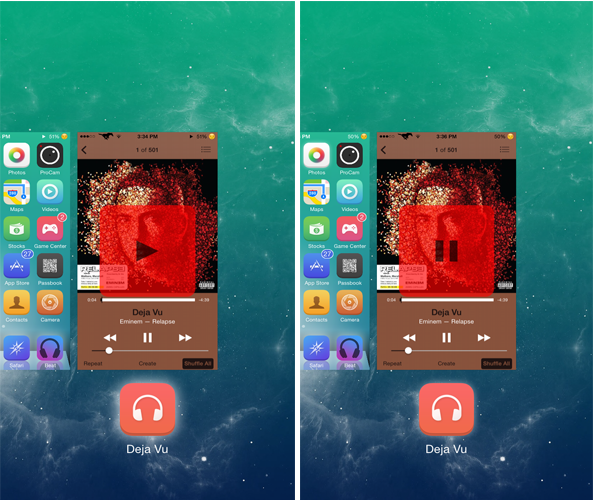
PlayTask lets you play or pause a currently playing song from the App Switcher

The main purpose of the App Switcher is to display the apps running in the background as well as enable you to close them. PlayTask is a brand new tweak that makes the App Switcher a little more useful by allowing you to play or pause music.

Developed by TheJailPad, PlayTask allows users to play or pause the currently playing song by swiping down the Music app card in the App Switcher. The tweak not only works with the stock Music app but with other third-party apps as well such as Spotify. By default, when you swipe down a music app card in the App Switcher, nothing happens, but with PlayTask, the music will start to play from where you left it or it will pause.

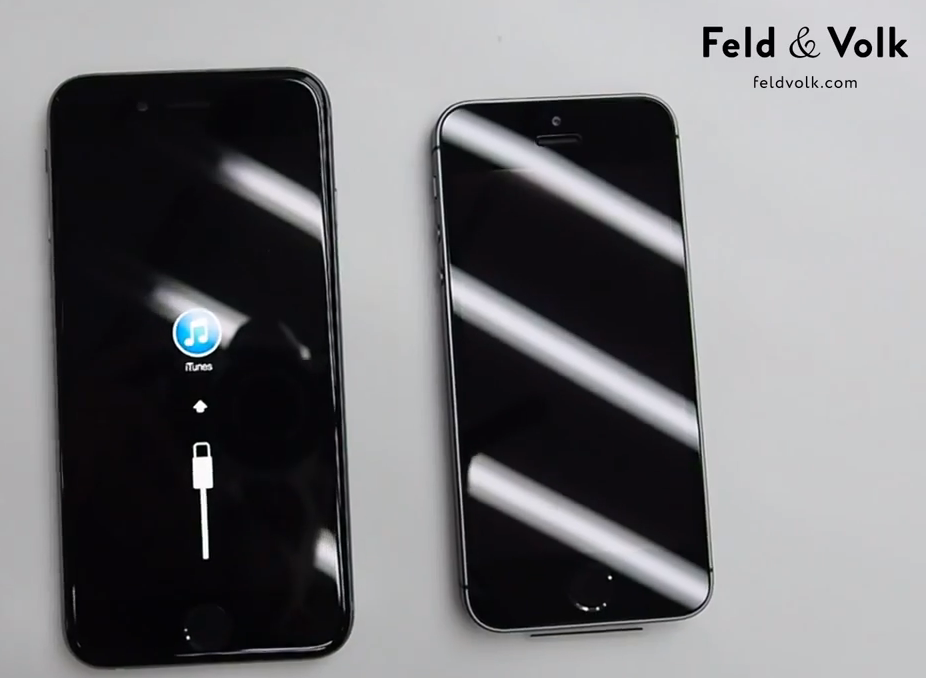
iPhone 6 built from various leaked parts partially boots up on video

Modified iPhone vendor Feld & Volk has posted a video this afternoon of what is believed to be a complete 4.7-inch iPhone 6. The firm, which has demonstrated its ability to get its hands on rare parts in the past, says it constructed the device from leaked parts.

We've seen a plethora of these leaked parts over the past few weeks, as Apple suppliers are presumably ramping up next-gen iPhone production ahead of next month's event. But this is the first time we've ever seen the handset wholly assembled, and turned on.

Facebook testing Graph Search on mobile with ability to resurface old content by keyword

The social networking behemoth, Facebook, in a bid to help folks resurface content that may otherwise be buried is reportedly testing a new feature that would let people using its mobile apps search through old posts from friends by keyword, Bloomberg reported Friday.

There's no word on when Facebook's 1+ billion users who predominantly access the service on smartphones and tablets can expect to use Graph Search on mobile, though the report makes it clear the feature's been in closed testing for quite some time now.