Month: March 2013

Former Apple ad man says iPhone could have been called the ‘Telepod’

Former Apple ad man and creator of the famous 'Think Different' campaign Ken Segall has been garnering a lot of headlines in the Cupertino blogosphere lately. Last week, he published a blog post on why Samsung's anti-Apple marketing has been so effective.

And this week he was spotted at an event for the University of Arizona’s Marketing Department, again talking about his former employer. Among other tidbits, Segall divulged that Apple considered some silly names for its smartphone before calling it iPhone...

iBooks gains Japanese iBookstore support, including manga and light novels

Apple this morning released iBooks 3.1, a minor update containing improvements for reading Asian language books and supporting paid books from the Japanese iBookstore representing many of the large publishers in the country, with content such as fiction, manga, light novels and more.

Previously, the Japan iBookstore only offered public domain content so it couldn't compete with local content stores from the likes of Kobo, Amazon and Sony.

Bloggers report iBooks 3.1 renders paid Japanese e-books nicely, along with the full character set and iOS Dictionary support, allowing users to highlight a word and pull its definition. Additionally, the books open right-to-left as they should so you can swipe right to advance through the pages.

Apple says the iBookstore in Japan now has "hundreds of thousands of books" available for purchase. This bodes well for Apple as to date, much of the e-book market in Japan has centered on graphical novels, such as manga...

iPod touch being used as a friendly ticketing system at Walt Disney World

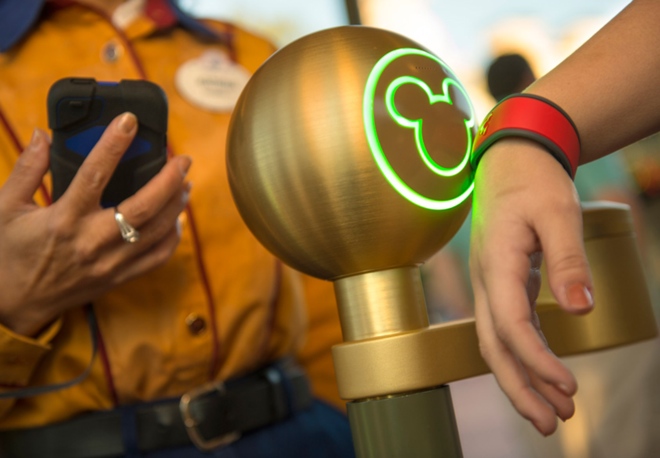
Walt Disney World is piloting a trial program which replaces the old turnstiles with something more in line with the 21st century: Apple's iPod touch. The media player is being used at the Central Florida theme park as a friendly ticketing system as the resort's costumed staff members use the device to scan the tickets of visitors as they arrive, a new report has it.

They are using a special accessory case and accompanying software similarly to how Apple Store employees have phased out the good ol' cash register by using the iPod touch to scan people's credit cards. A Disney representative warns the program is in its trial stage so the company may or may not deploy it on a large scale...

The best iPad jailbreak tweaks

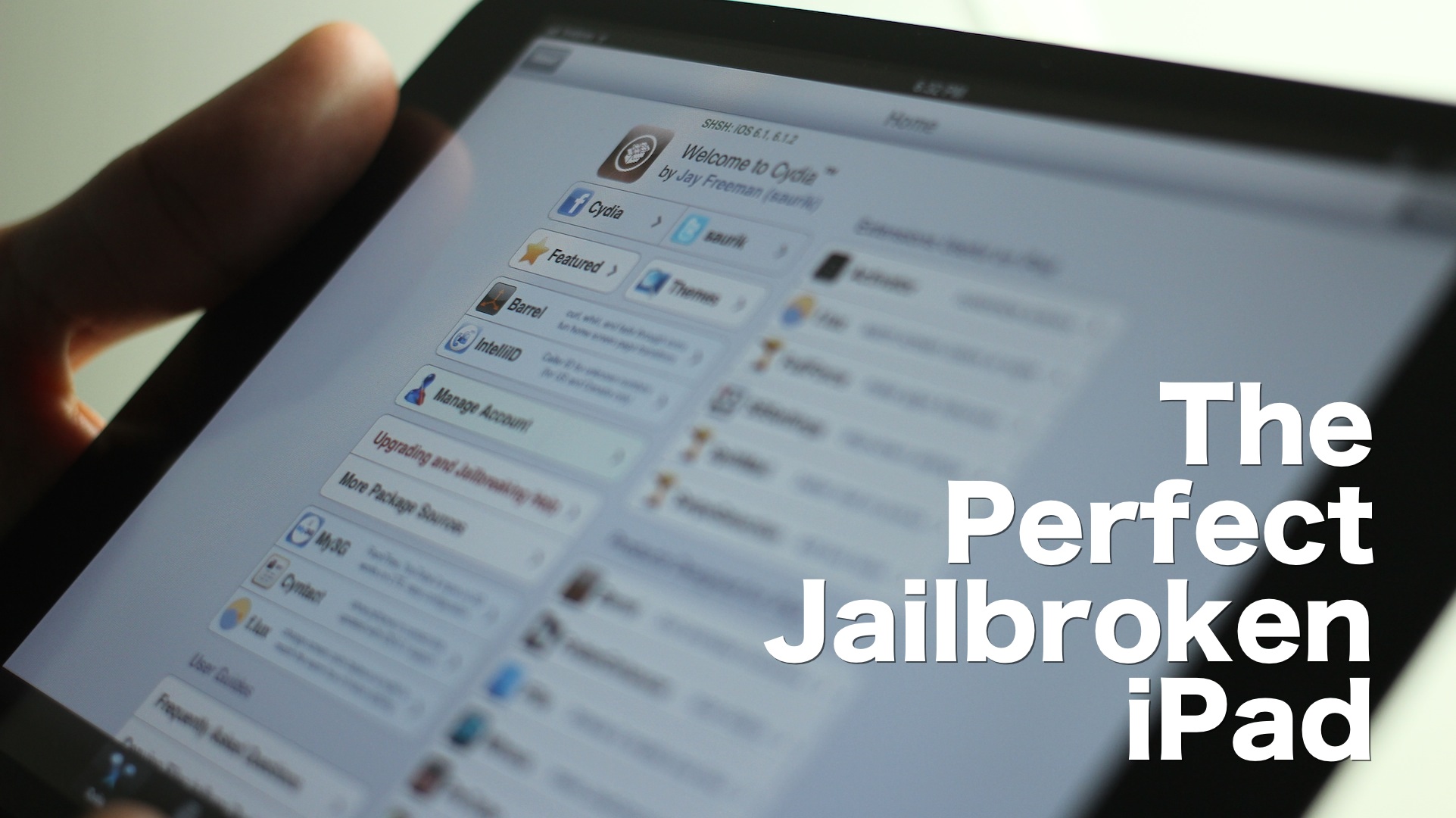
I’m going to be honest with you — jailbreaking an iPad hasn't been nearly as appealing to me as jailbreaking my iPhone. But as I started working on this list, I realized that there really are some awesome, and I mean awesome ways to trick out your iPad once it's jailbroken.

Considering that I do a lot of writing on my iPad, I found that a many of these tweaks immensely helped my writing workflow. Tweaks like BeeKeyboard, and SwipeSelection are absolute essentials for iPad writers, even if you're not really into the jailbreak scene.

Obviously that's not all, as virtually everyone will find a jailbreak app or tweak that suits their fancy. Yes, the iPad jailbreak scene is alive, and it's better than ever. Despite my initial doubts, I was able to come up with this solid list of 15 best jailbreak tweaks for iPad running iOS 6. There's no filler here, and no fluff — each of these tweaks represent, what in my opinion, is the best of the best. Take a look inside, and see for yourselves.

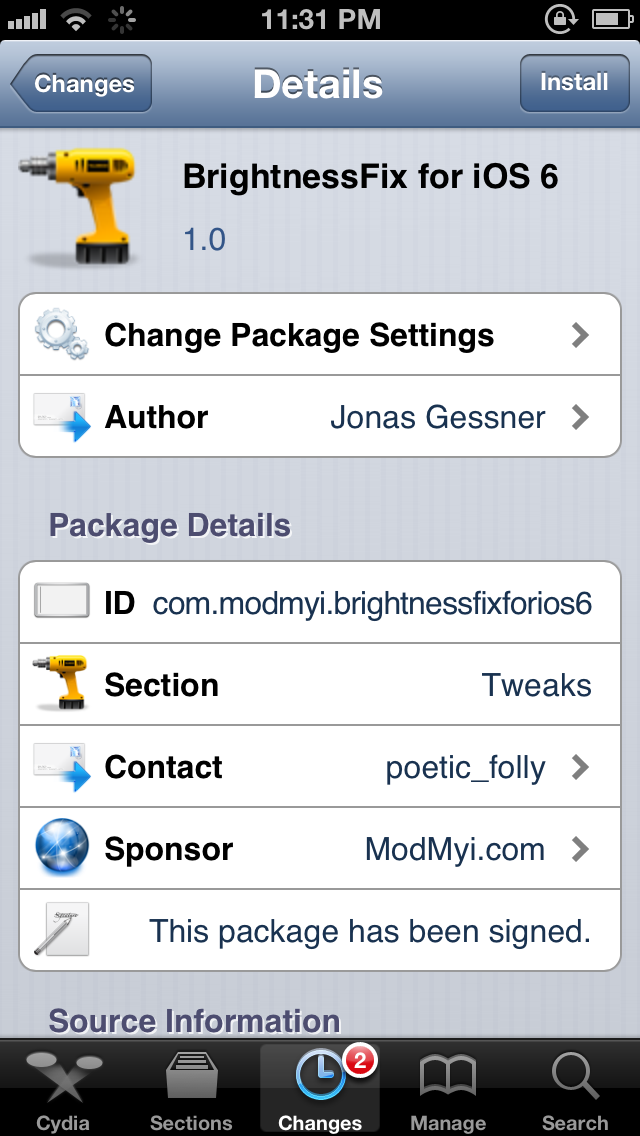
BrightnessFix for iOS 6 fixes the respring brightness issue

Have you ever noticed that your iPhone's brightness drops all the way to the lowest level after a respring? If so, then you may want to try out this new jailbreak tweak, which fixes the problem.

According to BrightnessFix for iOS 6's package description in Cydia, the issue is caused when some jailbreak apps and tweaks respring by killing the SpringBoard, instead of backboardd. This issue happens on iOS 6 and higher. If a jailbreak tweak doesn't implement this method of respring, then you will be susceptible to the brightness issue. Check inside for more details.

How to stop Google Chrome’s annoying keychain access request messages

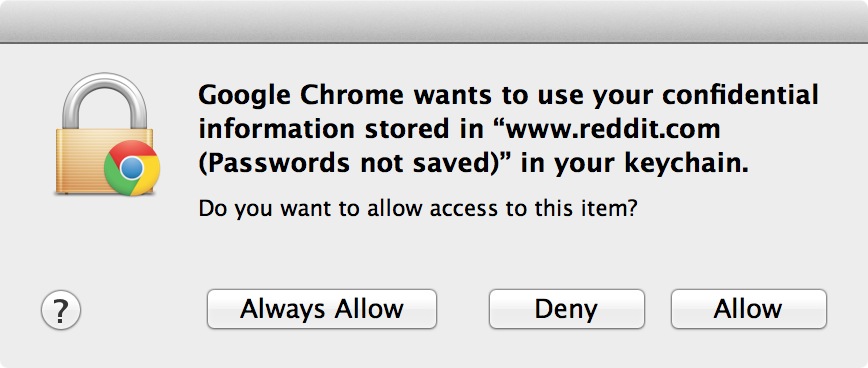
Have you ever had Google Chrome on OS X present a pop up message that states: Google Chrome wants to use your confidential information stored in the...blah, blah, blah...in your keychain?

Even if you select Always Allow, Deny, or Allow, the message continues to pop up each time you visit specific sites. I tried disabling password syncing in Chrome's settings, clearing all saved passwords, etc., all to no avail. Basically, I got to the point where If I saw that message one more time, I was going to rip my hair out!

But I solved the issue, and it was actually easier, and more obvious than I expected. If you're having the same problem, which apparently many Chrome users on the Mac are, then take a look inside for the fix...

‘ColorLock’ adds an iTunes 11 inspired effect to your iPhone’s Lock screen

I just got through covering MultiDock, and to be honest I wasn't very impressed with it. But another jailbreak tweak from the same developer really holds some serious promise. The tweak, entitled ColorLock, is currently making its rounds on Reddit, as it has not been released on any of Cydia's stock repos thus far.

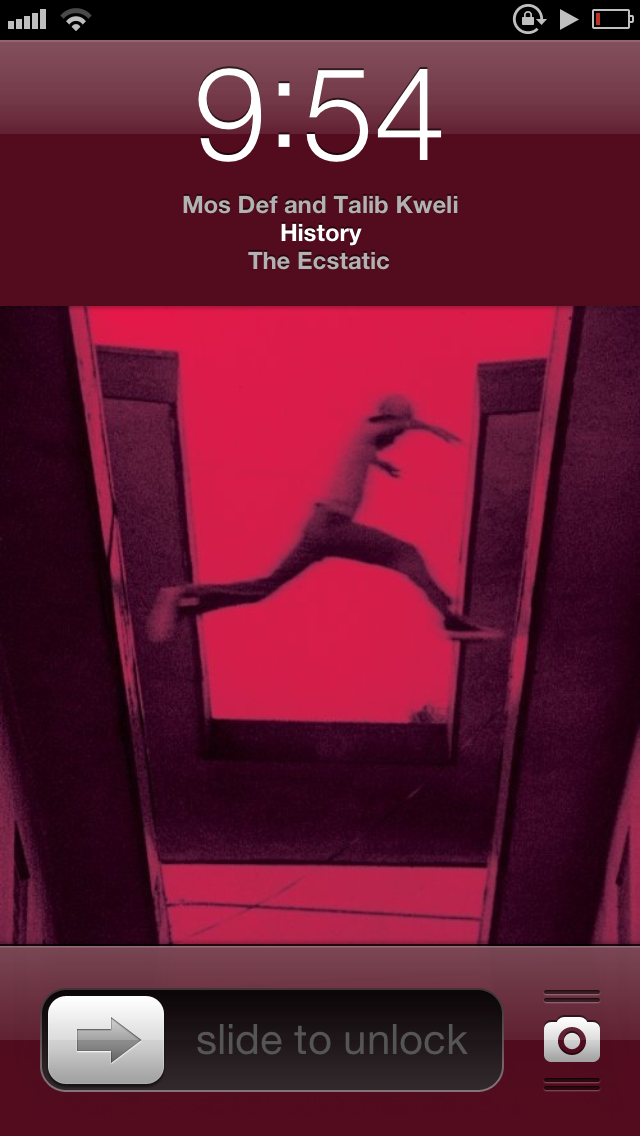
ColorLock allows you to have an iTunes 11 inspired effect on the iPhone's Lock screen, while playing music from the stock Music app. It basically causes the background color of the Lock screen to match the hue of the now playing album artwork, similar to the way that iTunes 11 displays a hue that matches the album art for the music you play.

Make no mistake about it, this is a jailbreak tweak that's innovative and holds a lot of potential. Check out some additional screenshots and information inside...

‘MultiDock’ adds options to customize the iOS dock

MultiDock is a new jailbreak tweak that allows you to customize iOS' dock on the iPhone, iPad, and iPod touch. The tweak features the ability to change the number of rows and the number of app icons on each row.

Each change requires a respring, which is easily accomplished via the tweak's built in respring button featured in MultiDock's settings app. Is MultiDock worth its $1.99 asking price?

Evasi0n 1.5.1 is out with updated Cydia package list

Last week, Saurik announced that Cydia has been installed on over 14 million unique devices running on iOS 6 or higher. And a large portion of those devices were likely jailbroken using the evasi0n jailbreak tool.

A couple days ago, the evad3rs posted a quiet update for that tool. The update brings the app to version 1.5.1, and includes an updated Cydia package list, which, correct me if I'm wrong, should improve its loading time...

Upcoming tweak brings a Do Not Disturb Lock screen toggle to the iPhone

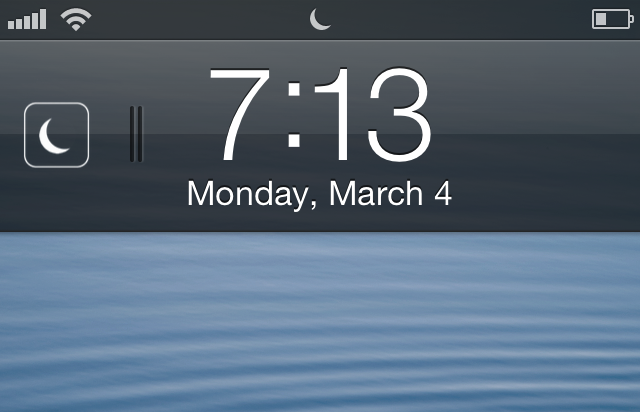
Flusterless is an upcoming jailbreak tweak that will bring a handy Do Not Disturb (DND) toggle to the iPhone's Lock screen. The elegantly designed tweak positions the toggle to the left of the Lock screen clock, and it is invoked using a simple swipe gesture.

Enabling DND using a swipe displays a moon icon that matches the status bar icon indicating that DND is enabled. Disabling DND using a swipe gesture briefly displays a sun icon, which quickly fades from view. If you're someone who often uses DND, then Flusterless is a jailbreak tweak that you should keep an eye out for.

Animer video walkthrough

http://www.youtube.com/watch?v=d1omc9QXusY We've already done a written review of Animer, but now it's time to bring you our traditional video walkthrough. Animer, as we already told you, is a jailbreak tweak that allows you to add different styles of animation to the app switcher, banner notifications, and the HUD. It's available for $0.99 on Cydia's BigBoss repo, and if you're viewing this from an iOS device, you can click here to be taken directly to the Animer page on Cydia. Be sure to let us know how you're digging it in the comments section.

How to link Fantastical to the stock Calendar app icon

I absolutely love Fantastical. It's a wonderful way to manage my week-to-week activities via my iPhone, and there's a desktop client as well. Fantastical uses "real" language when it comes to adding appointments to your calendar. This means that I can simply type: Dinner with the wife next Wednesday at six, and it knows to setup an appointment on March 13 at 6PM. That's really just the beginning of how useful Fantastical is, but this isn't meant to be a review of Fantastical, this is a tutorial that shows you how to link Fantastical to the stock Calendar app.