Month: April 2011

iPhone 5 Pics Leaked Again

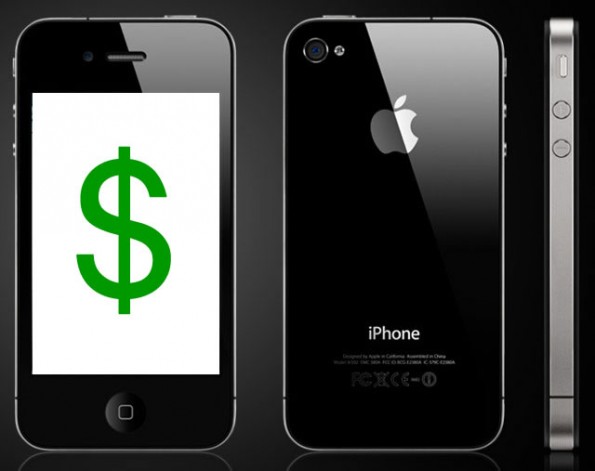
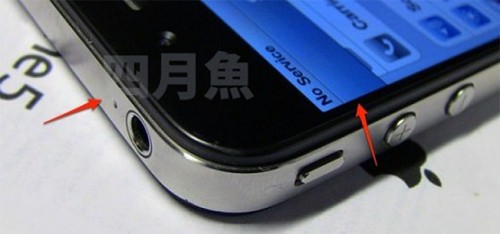
Take this one with a grain a salt, as most of these leaked photos are proven to be fake. For Apple's sake, let's hope the case follows suit. These leaked pictures depict a very iPhone 4-looking device with some minor differences.

These photos were posted early this morning on BGR's website. They are supposedly snapshots of the up and coming iPhone 5 and have been making some noise around the internet today. They were said to have been sourced from a Vietnamese forum post, but that is anything but confirmed....

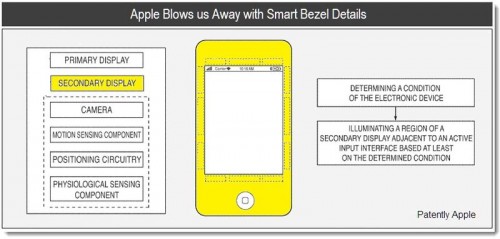
Apple Exploring Smart Bezels and Indicators for Future iPhones

One of the things Apple is most known for is its innovation. They haven't reinvented the wheel with any of their products, they've just made the wheel sexy and easy to use. Patents are a good resource for information on Apple's past and future innovations. Although patents don't always make it to the assembly line, they do shed some light on what Apple's been working on.

Patently Apple is an expert at keeping up with Apple's latest ideas. After the U.S. Patent and Trademark Office (USPT) makes Apple's patent filings public, Patently Apple posts them on their website with a pretty good break down of all the tech talk. Their latest gossip is on a filing from late 2009 by the Cupertino company, concerning a "Smart Bezel." I know it sounds unusual, but Apple is looking to completely change how we interact with our devices...

Report: iOS 4.3.2 Coming in Two Weeks?

It's been less than three weeks since Apple officially released iOS 4.3.1, and now there are already reports coming in that iOS 4.3.2 is just around the corner.

According to Boy Genius Report,  Apple is scheduled to release iOS 4.3.2 "within the next two weeks." BGR's source claims that the update will bring a few enhancements, address security issues, and it will also fix several bugs that have affected users. 

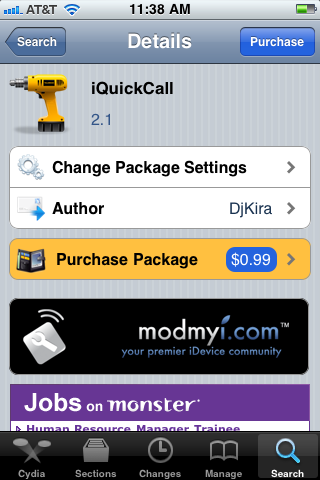
iQuickCall Allows You to Quickly Call, Text, or E-Mail with Activator

iQuickCall is a jailbreak tweak that allows you quick access to the number you call everyday. Using the gesture options built into Activator, iQuickCall gives you several methods for quickly prompting the option to call/text/e-mail someone from anywhere on your screen.

There are apps in the App Store that try to solve the issue of quick contact reference in iOS, but iQuickCall uses the system access benefits that jailbreaking provides for a more integrated approach...

One Man Turned Jailbreaking iPhones into a Full-Time Job

For most of us, we jailbreak because we want to. We do it to get customized apps, tweaks, or to give our iDevices a complete makeover. Even though the process has become extremely simple, we still feel a sense of accomplishment after our device reboots and that Cydia icon is glowing off of the screen.

I've jailbroken friends devices for them, and showed them how to use Cydia to download things. While software like PwnageTool and RedSn0w do most of the iPhone hacking for you, it still isn't recommended for the not-so-tech savvy. One Virginian college student has capitalized on that fact by turning jailbreaking into his full time job...

Apple Orders 12 Petabytes for Cloud-Based iTunes, MobileMe?

Apple's plans for their MobileMe revamp and cloud-based media services are starting to take shape. Although no official announcement regarding either of the services has been made, we are almost positive we will see them at some point this year.

Apple's been relatively quiet about the purposed functions, but tech blogs are happily churning out rumors and speculation on the upcoming features. The latest gossip is that Apple has ordered as much as 12 Petabytes, which is equal to about 1000 Terabytes, from a global leader in scale-out storage services. What could they be planning?

Top 5 Reasons to Jailbreak Your iPad

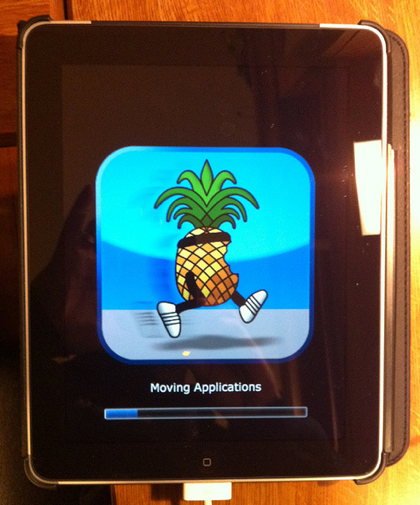
Earlier this week, the jailbreak for Apple's latest iOS 4.3.1 was released. Anyone with an iPad on the latest firmware, couldn't even attempt hacking it until last Sunday night. It was then that the Dev Team finally released a much-awaited jailbreaking solution to the masses.

But why on earth would anyone want to hack their iPad? This is a question I get asked a lot by friends and family members. In all honesty, I could go on for hours on why I have my iDevices jailbroken. Everything from my iPhone to my Apple TV2 has received the jailbreaking treatment, and everything in between.

But in the interest of time and space, I figured I would just put together a top 5 list of reasons why you would want to jailbreak your iPad. Hopefully it benefits some of you that may still be on the fence about the whole idea.


1. It's super easy

Although hacking iOS software is extremely complex, programmers like the Dev Team develop software to make the process extremely simple. These programs make jailbreaking as easy as following a few on screen instructions. If for some reason you do mess up, you can generally just restore in iTunes and start the process over.

2. Cydia

For those of you who aren't familiar with jailbreaking, Cydia is an app store very similar to Apple's App Store. It is generally the only icon that is initially added to your home screen once you have jailbroken. It contains everything from apps to iOS tweaks. Every other item on this list comes from Cydia.

3. Customizable Themes

Apple didn't build a lot of customization options into iOS. It's only been in the last year that they've allowed you change the wallpaper on your iDevice home screen. Customizable themes, allow you to give your iPad a complete makeover.

4. Tweaks

Tweaks can enable extra features, or build on old ones. Their overall purpose is to make using your iPad simpler. SBSettings is a popular tweak in the jailbreak scene. It enables a drop down menu, accessible from your iPad's top status bar, with shortcuts to Wi-Fi and bluetooth. You don't have to open Settings and go through menus to enable bluetooth, you can just tap the shortcut in SBSettings.

5. Cast Out Applications

Everything from productivity apps to full featured messangers are available in the Cydia store. Many of these were denied entry into Apple's App Store for violating one of their submission rules. Without Apple's strict limitations, developers are given the opportunity to be truly innovative.

Like I said the list could have gone on much longer than that, especially if it were broken down into specific tweaks and apps that I liked. If this interested you enough that you would like to give jailbreaking a shot, try our easy step by step guide here, or here if you have Windows.

What are the top 5 reasons you jailbreak your iPad?
iKeyGuard – The First and Only Key Logger for Your iPhone

The purpose of key loggers has always been kind of cloudy to me. I suppose if you wanted to monitor your computer covertly while you were away, a key logger would make sense.

If you were a parent wanting to keep tabs on your kid's online activities, you could certainly use a key logger to record their ventures. I've even heard of people using key loggers on their spouses.

While, key logging on a computer still doesn't seem useful to me, key logging on a smartphone does.

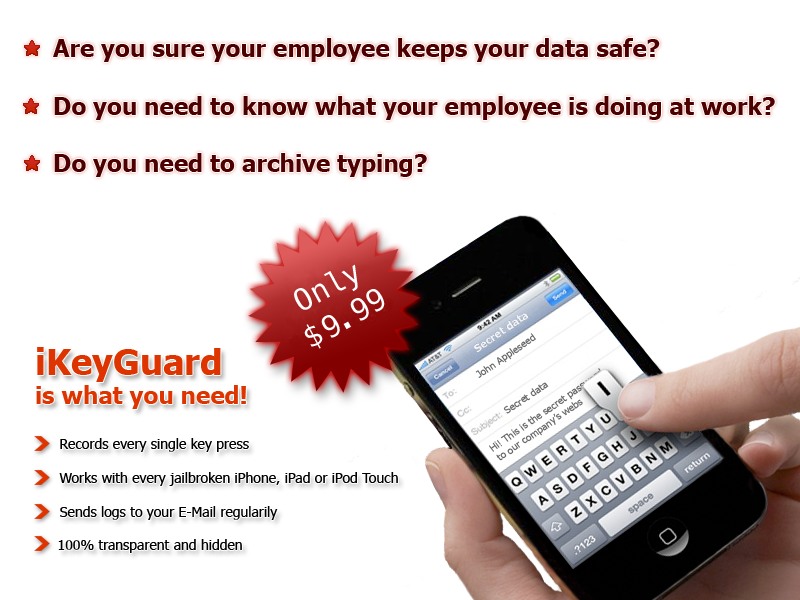
You could have archives of text messages and emails you've sent from your device. If you have been looking for something similar, the application iKeyGuard makes key logging easy on your iPhone or other iDevice...

Create Custom Badges For Apps with AppTag

Another day, another new jailbreak tweak released in Cydia. The latest jailbreak tweak is called, AppTag.

You know the little "badges" on applications on the home screen that notify you with the amount of new notifications you have? Well, AppTag is a cool new tweak that will allow you to create custom badges on your iDevice without the use of a computer.

White iPhone 4 Once Again Pulled From Apple’s Inventory

White iPhone 4 rumors are a dime a dozen these days. But because of the device's mysterious non-existence, we all still seem to pay attention. At any rate, if you tried to visit the online Apple Store late last night, chances are you saw the above message.

It's been back up and operating for a while now, but why did Apple take their store offline? Typically this is just a sign of site maintenance, and sometimes it can mean that Apple is preparing to launch a new product. A Mac news website is claiming that this time, Apple took the store offline to remove white iPhone 4 SKUs...