How to Downgrade iPhone iOS 4.3.2

By Kickstar13 on Apr 20, 2011

With the release of iOS 4.3.2 this late last week, and the new iOS 4.3.2 redsn0w jailbreak still not completely stable, some of you might not want to wait any longer for a stable jailbreak, or maybe you’re having additional issues with the new OS. Whatever the reason might be, you can downgrade from your current iOS version to an earlier version using your SHSH blobs on file.

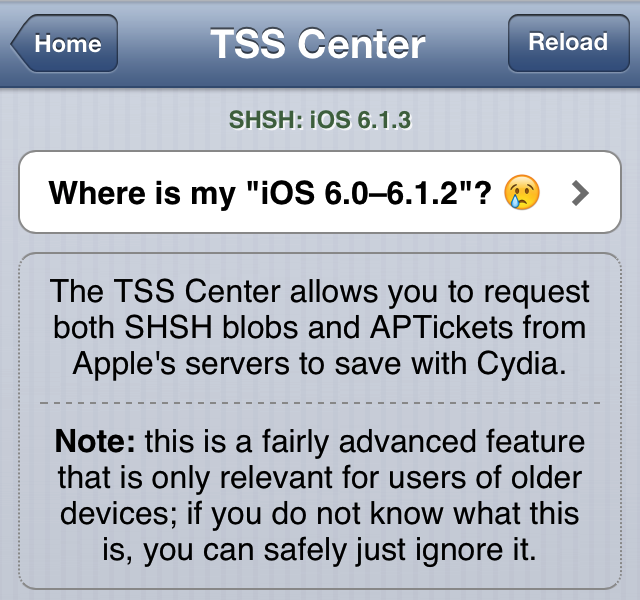
It is important you have your SHSH blobs on file for the iOS version you want to downgrade to. If you don’t have your SHSH blobs on file for the iOS you want to downgrade to, you will not be able to downgrade. You can check which SHSH blobs on file you’ve got by launching Cydia and looking at the top of the Cydia homepage where it lists all your saved SHSH blobs.  Read More


TinyUmbrella Updated to Support iOS 4.3.2 and iOS 4.2.7

By Kickstar13 on Apr 19, 2011

It’s that time again! With the release of iOS 4.3.2/4.2.7,  TinyUmbrella developer @notcom has updated the popular utility once again.

The latest version (4.32.01) brings iOS 4.3.2 (GSM) and iOS 4.2.7 (CDMA) support. Additionally, the new version also comes with a new feature which will automatically take you to the TinyUmbrella website when you’re running an outdated version (although, we’ll always let you know when there’s a new update).  Read More


Apple has Blocked Saurik’s SHSH Servers [Updated]

By Cody Lee on Apr 19, 2011

We’ve all been watching as the fight between Apple and jailbreakers heats up. What started as a cat and mouse game has become more of a battle. Apple has certainly become more aggressive in the fight during the last few months.

For starters, they recently implemented ASLR as a security measure to thwart hackers. They have also blocked Cydia access from inside their retail stores, and pressured Toyota into removing their advertisements from the jailbreak community. What’s their latest move? Read More


Warning: Jailbreakers and Unlockers Should Stay Away from iOS 4.3.2

By Sebastien Page on Apr 14, 2011

We just informed you that Apple had released iOS 4.3.2, and as usual we want to make it clear that if you want to preserve your jailbreak or your unlock, you have to stay away from the latest firmware update.

Jailbreak veterans know this very well so this message is more for the casual jailbreakers than advanced users. If you update your jailbroken iPhone, it will patch the jailbreak and you will not be able to use any jailbreak apps or even unlock until a new jailbreak method is released… Read More


TinyUmbrella Updated for iOS 4.3.1 Support

By Kickstar13 on Mar 26, 2011

Following Apple’s official release of iOS 4.3.1 yesterday, notcom has updated TinyUmbrella to support the latest version of iOS.

TinyUmbrella version 4.30.05 supports iOS 4.3.1 for all iDevices. Compatibility excludes the Verizon iPhone 4, since Apple has yet to release iOS 4.3.x for the Verizon iPhone.

As a reminder, to save your SHSH blobs, simply connect your iDevice via USB to your computer, launch TinyUmbrella, and click the “Save SHSH” button.

Read More


Cydia Now Showing iOS 4.3 SHSH Blobs

By Kickstar13 on Mar 17, 2011

If you’ve launched Cydia today, you’ll notice that it is now showing your SHSH blob for iOS 4.3 official and beta builds (if you saved them).

Although it is already too late to save your iOS 4.2.1 SHSH blobs, if Cydia isn’t showing you’ve saved your iOS 4.3 SHSH blobs, you may want to fire up TinyUmbrella and save them while you still can. As we’ve stated before, saving your SHSH blobs can come in handy for future jailbreaks, such as Jailbreak Monte. They are also necessary when you try to downgrade your iPhone to a previous iOS version that Apple is no longer signing.

Read More


What is an SHSH Blob?

By Cody Lee on Mar 13, 2011

It is something that is mentioned a lot on iDB throughout our jailbreaking tutorials and other jailbreak-related news. “Make sure you save your SHSH Blobs before you update,” is a pretty common saying around these parts. We’ve been asked several times lately what it is, so I figured I’d post it.

An SHSH Blob is basically what Apple uses to verify the version of iOS you are running. That’s why we tell you to save your SHSH Blobs before upgrading your firmware on your iDevice. Otherwise you might not be able to downgrade to a previous version in the event you needed to.

Read More


TinyUmbrella Updated Again, Adds iOS 4.3 and iPad 2 Support

By Kickstar13 on Mar 10, 2011

Now that the official version of iOS 4.3 has been released, @notcom has released an updated version of TinyUmbrella to support the new firmware.

In addition to iOS 4.3 support, the updated TinyUmbrella (version 4.30.00) also brings iPad 2 support for all models (WiFi, CDMA, and GSM), and a new tweak requested by the creator of Cydia, @Saurik. Notcom also mentions that users who do not update to the latest version of TinyUmbrella, may experience significant slowness when saving their SHSH blobs in the future…

Read More


TinyUmbrella Updated with iOS 4.3 GM Support

By Kickstar13 on Mar 6, 2011

The developer behind the popular firmware umbrella tool, @notcom, has recently updated TinyUmbrella for Mac and Windows.

The new update (version 4.21.13) brings iOS 4.3 GM support as well as uses your system proxy settings when launching the TinyUmbrella loader.

Read More


iPhone Dev Team Confirms RedSn0w 0.9.7b Untethered Jailbreak Coming Soon For Windows

By Kickstar13 on Jan 29, 2011

Windows users, your long wait for an untethered jailbreak for 4.2.1 via Jailbreak Monte is almost over!

Yesterday, via twitter the iPhone Dev Team confirmed that since Apple is still allowing download of the 4.1 IPSW (not blobs) they will at last release a Windows version of RedSn0w 0.9.7 beta…

Read More


Cydia Now Shows Your iOS 4.2.1 SHSH Blobs

By Sebastien Page on Dec 26, 2010

If you load up Cydia today you will notice that it is now showing your SHSH blob for iOS 4.2.1. It’s probably due to the recent release of RedSn0w 0.9.6b7, the long-awaited but complicated untethered jailbreak for iOS 4.2.1.

If you don’t see your 4.2.1 blobs in Cydia, maybe you should use TinyUmbrella and make sure you’re 100% ready for any eventuality.


iPhone 4.2.1 Untethered Jailbreak Available Soon

By Jeff Benjamin on Dec 8, 2010

Today, MuscleNerd unveiled the video of an iOS 4.2 untethered jailbreak that is currently in the works. This is wonderful news for everyone who wisely held off on upgrading their iPhones to 4.2.1.

If you noticed lately how Cydia mysteriously saves off your 4.2b3 SHSH files, well this exploit utilizes those. Patience is indeed a virtue! Check inside for full video displaying the untethered jailbreak running on an iPod Touch 4g.

Read More


Use iSHSHit to Easily Backup Your SHSH Blobs Directly on Your iPhone

By Jeff Benjamin on Dec 4, 2010

Backing up your firmware SHSH blobs is an important step if you ever decide to jailbreak your iPhone, because it allows you to downgrade your firmware if the need ever arises, and sometime it does.

Although Cydia takes a lot of the pain out of this for you by backing up your iPhone’s blobs itself, it gives me peace of mind to have a second copy backed up personally, just in case something goes wrong. Step inside, and we’ll show you how iSHSHit allows you to do just that…

Read More


TinyUmbrella Updated for iOS 4.2.1 [Do it Now]

By Sebastien Page on Nov 26, 2010

TinyUmbrella has been updated to allow you to save your SHSH blobs on iOS 4.2.1 for iPhone, iPod Touch, and iPad. If you are a jailbreaker and have 2 minutes to spare, I suggest you use it to save your SHSH blobs.

In case you don’t know what TinyUmbrella is, it is a utility that allows you to save SHSH blobs, files that are necessary when you try to downgrade your iPhone to a previous iOS version. Without them, you couldn’t downgrade. While most people don’t care, it is especially helpful for jailbreakers… Read More


Don’t Forget to Save Your iPhone iOS 4.1 SHSH Blobs

By Sebastien Page on Oct 11, 2010

With the release of iOS 4.1.1 or even 4.2 right around the corner, it would be a wise thing to do to save your iPhone iOS 4.1 SHSH blobs either on Cydia, or locally with TinyUmbrella. Saving your SHSH blobs will be helpful if you ever want to downgrade your iPhone to previous firmware version.

Usually, Cydia does this automatically for you, but to be on the safe side, you can always run TinyUmbrella, which is what I just did. Here is how to use TinyUmbrella to save your SHSH blobs… Read More


How to Downgrade iPhone iOS 4.1

By Sebastien Page on Sep 8, 2010

iOS 4.1 is now available for download, and I’m pretty sure some of you will “accidentally” update to 4.1 and will want to downgrade back to iOS 4.0.1, which is the latest jailbreakable and unlockable iOS (at least at the time I’m writing this).

This simple guide and tutorial will show you how to downgrade your iPhone iOS 4.1 to iOS 4.0.2, or 4.0.1, or iOS 4, or any earlier version. The steps are the same no matter what iOS you want to downgrade to. Read More


How to Downgrade Your iPhone 4.0.2 to 4.0.1 Without SHSH Blobs on File

By Sebastien Page on Aug 30, 2010

We’ve already gone over methods for downgrading an iPhone from iOS 4.0.2 to 4.0.1. Unfortunately, this method requires you to have your SHSH blobs on file on Saurik’s server, which some of you don’t have.

There is a post today on the Big Boss blog about how to downgrade from 4.0.2 to 4.0.1 without SHSH blobs, so I thought it might be helful to some of you. Read More


How to Downgrade iPhone 4.0.2 to 4.0.1

By Sebastien Page on Aug 16, 2010

This step by step guide will show you how to downgrade your iPhone iOS 4.0.2 to iOS 4.0.1. These steps are pretty simple but there is one major requirement: you must have your SHSH files saved on Saurik’s server. There is absolutely no way around it. If you don’t have your SHSH, you won’t be able to downgrade your iPhone.

In this tutorial, we will see how to downgrade the iPhone from 4.0.2 to 4.0.1 but the steps are the same if you want to downgrade to iOS 4 or even 3.1.3.

There are several methods used to downgrade the iPhone. We will learn the method that uses TinyUmbrella. No file editing will be necessary.

How to Downgrade from iOS 4.0.2 to 4.0.1

Step 1: Let’s download your SHSH blobs from Saurik’s server to your computer. To do so, download TinyUmbrella and plug your iPhone in. Select the “Advanced Options” box. Also select the firmware version to which you wish to downgrade. Finally, select “Cydia” under “Request From”. Then hit “Save My SHSH”. This will grab your SHSH files from Saurik’s servers and save them on your computer.

Step 2: Download the firmware to which you wish to downgrade to from our iPhone downloads section. Save it to your desktop.

Step 3: Put your iPhone in DFU Mode. To do so, launch iTunes and plug your iPhone in. Press and hold the Home and Power button together for 10 seconds. After 10 seconds, release the Power button while still holding the Home button until iTunes pops up and says it has found an iPhone in recovery Mode.

Step 4: Run TinyUmbrellaand click the “Display SHSHs” button to make sure your SHSH blobs were downloaded to your computer. Once done, click “Start TSS Server”.

Step 5: Now we’re going to restore to the firmware you want. To do so, launch iTunes and plug your iPhone in. Hold to SHIFT key (Windows only) or ALT/Option key (Mac only) while clicking on Restore. Make sure you hold the key while clicking Restore. A window will open. Simply select the firmware you downloaded in step 2.

Step 6: Your iPhone will start the restore process. You will most likely get several errors (error 1011, 1013, and 1015) but that’s ok, don’t worry about those.

Step 7: Finally, we need to get your iPhone out of recovery mode. To do so, simply click “Kick Device Out of Recovery” in TinyUmbrella.

Done!

You should now be back on a previous iOS, giving you the ability to jailbreak and unlock.


How to Save Your SHSH Blob

By Sebastien Page on Jul 20, 2010

With the release of Spirit now imminent, it would be a good thing to save your SHSH blob, in case you need to downgrade in the future. Saving your iPhone SHSH is very simple.

Step 1: Download Firmware Umbrella from here.

Step 2: Launch Firmware Umbrella and plug your iPhone in.

Step 3: Click “Save My SHSH” and wait for Firmware Umbrella to do the job.

Done! A copy will be saved to your computer and it will also send a request to Cydia to save your SHSH on Saurik’s server.


How to Save Your SHSH Blobs with AutoSHSH

By Sebastien Page on May 1, 2010

With the upcoming release of the Spirit jailbreak, there are a few things you need to do in order to be on the safe side should something go wrong in the future. One of these things is to prepare your iPhone, iPod Touch, or iPad by saving the SHSH blobs.

In this tutorial, I will show you how to save your SHSH blobs on a Windows machine, using AutoSHSH. This guide was written for an iPad, but  the steps are identical for the iPhone and iPod Touch.

Step 1: Open iTunes and plug your iDevice. Back it up. When done, close iTunes and unplug your device.

Step 2: Download AutoSHSH.

Step 3: Put your iDevice in recovery mode. To do so, turn it off, hold the home button while plugging your device to the USB cable. Keep holding the home button until you see a “connect to iTunes” logo. If iTunes launches, close it.

Step 4: Launch AutoSHSH. Make sure you are connected to the Internet and that you have Java Runtime installed. If not, download and install it. Also make sure your device is in recovery mode and connected to your computer.

Step 5: Click “grab my SHSH blobs automatically”. AutoSHSH will start to work its magic.

Step 6: AutoSHSH will finally ask you where you want to save the file on your computer. Select a convenient location (ie. desktop).

Step 7: Reboot your device.

Done! Your SHSH blobs are now saved locally and on Saurik’s server. In the event that something goes wrong, you are covered!

 
Page 3123