Windows

Sn0wBreeze Updated for iOS 5 Beta 7 Support

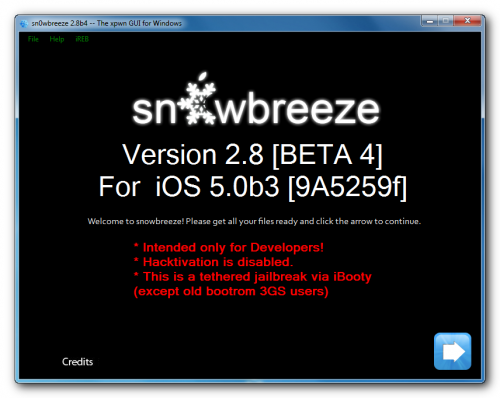
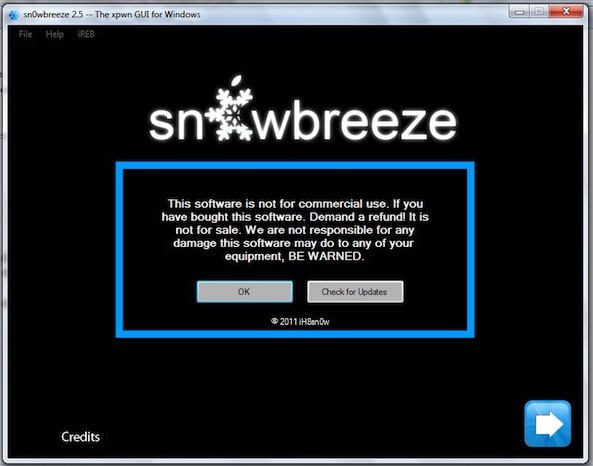
Today, jailbreak hacker iH8sn0w released Sn0wbreeze v2.8b7. This update now includes support for iOS 5 Beta 7. Sn0wbreeze is a jailbreak tool for Windows. Also, if you are new to jailbreaking, you can check our general guide here, and our Sn0wbreeze guide here.

The last couple releases of Sn0wbreeze let you use iOS 5 betas without having a developer account and an activated UDID. Along with that, it removes the expiration of betas, making sure the beta will not expire on your device as it is supposed to do at a preset date and time...

Sn0wBreeze Jailbreak Updated for iOS 5 Beta 6, Allows Installation Without Registered UDID

The Sn0wBreeze jailbreak tool has been updated to version 2.8b6 with support for iOS 5 Beta 6. This jailbreak is Windows only.

If you don't know how to use Sn0wbreeze, check out our tutorial. This jailbreak is mostly tethered, except for the old-bootrom iPhone 3GS. This version of Sn0wBreeze will also let you install the jailbreak on a copy of iOS 5 Beta 6 without a registered UDID.

Sn0wBreeze Jailbreak Updated With the Ability to Install iOS 5 Beta 5 Without a Developer Account

Sn0wBreeze 2.8 Beta 5 has been released by iH8snow for Windows users. This version jailbreaks iOS 5 Beta 5, and also includes a few handy features along the way.

This is a tethered jailbreak. A notable feature in this release is the abiltiity to install iOS 5 and skip the UDID developer check, meaning you don't have to be a developer to install the iOS 5 beta (providing you have the firmware downloaded)...

In-Depth Look at iCloud for Windows Beta 4

iCloud for Windows Beta 4 was released alongside iOS 5 Beta 5 and iTunes 10.5 Beta 5 last week. Here’s a quick look at some of the features.

The installation process is pretty straight forward and standard for Apple. I installed iCloud on two of my PCs running Windows 7. One thing I found awkward about this process was that one of my computers needed restarting before using iCloud, while the other was set to go right away...

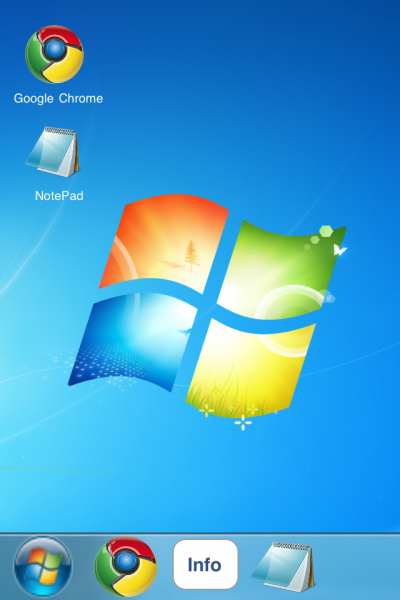
iWindows: A Simple Windows 7 Simulator for Your iPhone

A lot of folks jailbreak their iDevices to add functionality to iOS. Maybe they do it to download SBSettings to access toggles quicker, or to install Xpander to save time typing. For the most part, though, people tend to jailbreak for productive reasons.

But Cydia also has a lot of non-productive apps. Not just games, but entertainment-type apps that are more likely to be used in a round of "look what my phone can do," rather than actually used. Now that I've preempted what category this one falls into, here's iWindows...

iOS 5 Beta 4 Brings Wi-Fi Sync to Windows

Apple has brought Wi-Fi Sync functionality in iOS 5 Beta 4 to Windows users. iOS 5 Beta 2 turned Wi-Fi sync on for Mac users, and we posted a video walkthrough of how it worked.

In the newly-released Beta 4 version of iOS 5, Windows users can enjoy the same Wi-Fi Sync feature on their iDevices.

Sn0wBreeze Updated for iOS 5 Beta 3 to Fix Problem with Apps Crashing

Apple released iOS 5 Beta 3 yesterday, and it was quickly confirmed that you could jailbreak Apple's newest beta build with last month's version of the popular jailbreaking tool, RedSn0w. A "sandboxing" error was discovered after jailbreak iOS 5 Beta 3 that caused all apps from the App Store to crash instantly upon being opened.

This problem has now been fixed in the updated version of the Windows jailbreak tool, Sn0wBreeze, and the Dev Team has also updated RedSn0w with the same fix. Happy jailbreaking!

iOS 5 Untethered Jailbreak on iPhone 3GS with Sn0wBreeze Beta 2

iH8sn0w's popular jailbreak tool for Windows, Sn0wBreeze, has been updated with support for an untethered iOS 5 jailbreak on the iPhone 3GS. iOS 5 is still in the Beta 1 stage, and Sn0wBreeze Beta 2 is the first method available for an untethered iOS 5 jailbreak on the iPhone 3GS.

Thanks to the old bootrom on the 3GS, users can enjoy a fully untethered iOS 5 Beta 1 jailbreak with the newly released Sn0wBreeze update.

Upcoming Hamburg Apple Store Has A Change Of Heart, Turns To Windows

Apple's iconic Apple Stores are known around the world, so much so that they stand out on the crowed streets even while they're still under construction. Shrouded in black, there is no doubting when an Apple retail location is in the process of being put together behind closed doors.

That is, unless it has a great big Microsoft Windows logo stuck to the side of it...

New Windows Utility Allows You to Use AirPlay With Windows Media Center

It's becoming more and more apparent that AirPlay -- Apple's media streaming technology is here for the long haul.

We've seen numerous applications for both the iPhone, the Mac, and even Android devices that in some way or another, massage AirPlay's functionality to meet their needs.

Throughout all of the fun, Windows has ultimately been left out; that is until now.

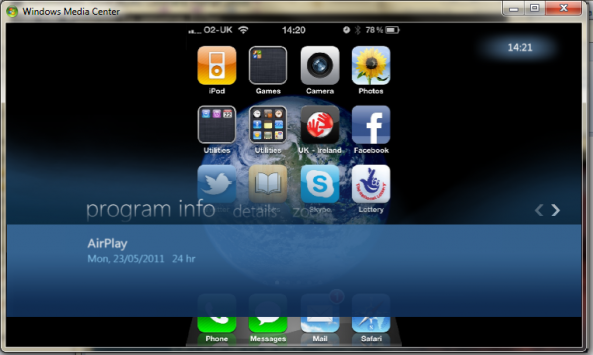
Developer Thomas Pleasance made sure of that fact with the recent release of his AirPlay enabled Windows Media Center Add-in...

Microsoft Will Continue to Support Skype on iOS

You can rest easy. Microsoft's CEO, Steve Ballmer, has confirmed that the company will "continue to invest in Skype on non-Microsoft client platforms."

As we previously reported, Microsoft has acquired Skype to the tune of $8.5 billion. The technology juggernaut plans on implementing Skype's VoIP technology into its Windows Phone 7 platform, but the company also states that it will continue to support Skype on non-Windows platforms.

Microsoft Buys Skype for $8.5 Billion

In a shocking report, The Wall Street Journal has confirmed that Microsoft has purchased Skype in a 8.5 billion dollar buyout. This deal gives Microsoft complete ownership of Skype Technologies SA, and this buyout is one of Microsoft's biggest purchases to date.

Skype has been a key player in the desktop and mobile space as one of the most popular VoIP services in existence. On iOS, Skype has always been a wonderful service for those wishing to make calls (both audio and video) over 3G and Wi-Fi.