Windows

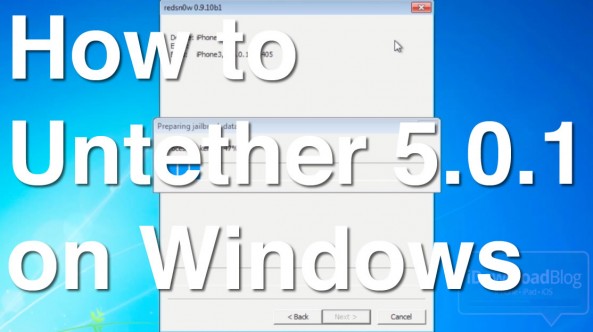
How to Perform an Untethered Jailbreak on iOS 5.0.1 Using Windows

Jailbreaking iOS 5.0.1 is about as easy as it can get on both Mac and Windows, but Windows users might encounter a couple of hiccups along the way if you're not careful.

The main thing to remember is that RedSn0w works best on Windows when you use XP Compatibility Mode and run it as an Administrator. By following those handy suggestions, the jailbreak process on Windows is just as easy as it is on the Mac.

Check inside for a video tutorial that shows how to perform an iOS 5.0.1 untethered jailbreak on a Windows 7 machine...

How to “Downgrade” to iOS 5.0 Without SHSH Blobs [Updated]

We have decided to remove this post. We posted warnings about the usefulness and possible issues that could stem from its usage, but after further discussion and talks with developers, we decided it was in the best interest of everyone involved to remove the tutorial.

We apologize about any confusion that may have resulted from this, and we will more deeply consider any similar posts in the future, even if they contain the necessary warnings that this post contained. Ultimately, we don't want to confuse anyone, hence we felt that the post would be better off removed.

How to Transfer Media From iOS to a Computer Without Using iTunes

When Apple originally launched iTunes it revolutionized device-to-computer media sync software. But after years of leaving the app largely unchanged, users have started calling for a revamp. In this day in age, iTunes feels antiquated.

Luckily, there are a couple of ways around using iTunes to transfer media from your iOS device to your computer, and vice versa. Using file transfer software, you can move virtually anything from your iDevice to your Windows PC or Mac and back again.

How to Save iOS 5 SHSH Blobs and Create Custom Firmware to Downgrade iOS 5.x Using iFaith

As we told you yesterday, iFaith — the Windows based tool that allows you to manage SHSH blobs on all devices sans the iPhone 4S — has been updated with the ability to save iOS 5.x blobs, and create custom firmware that you can use to downgrade your iOS 5 device.

It works very similar to RedSn0w's stitching feature, except the big difference here is that it encompasses Apple's APTicket and features iOS 5 compatibility.

Up until now it was impossible to downgrade an iOS 5.x device to a previous version of iOS 5. That's no longer the case, as our video tutorial shows you inside...

How to Get Siri Dictation on Your Mac or PC [Video]

Earlier we told you about the update to TouchPad, a VNC remote control app for iOS devices. It's a well known app in itself, but this latest update is sure to make a few people ecstatic.

Indeed, Edovia — the highly esteemed developers behind this and other great apps, like Screens — has updated TouchPad to allow Siri dictation between an iPhone 4S and a Mac, Windows, or even Linux machine if that suits your fancy.

Check out our video demonstration inside...

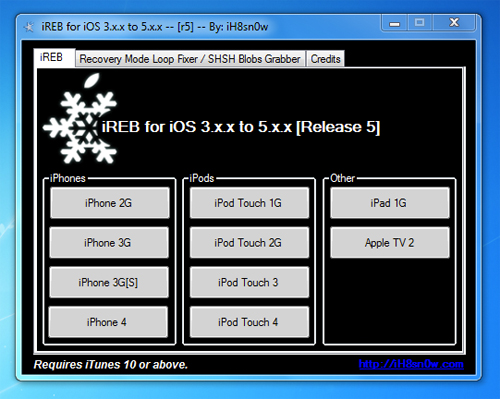
Sn0wBreeze Adds Support for Tethered iOS 5.0.1 Jailbreak

Today iH8Sn0w updated his popular jailbreak tool Sn0wBreeze with support for the iOS 5.0.1 developer beta. This update also fixes the iBooks sandbox and Location Services issue with the iPhone 3GS.

As usual, this update blocks a UDID check and beta timer. This means that you do not need to be a registered developer to use this beta and that you can use the beta for as long as you wish... 

RedSn0w Updated to Bring Windows Compatibility and Fix Location Bug

The Dev Team has pushed a new update for their flagship jailbreak tool, RedSn0w. RedSn0w 0.9.9 beta 6 brings several bug fixes, both functional and cosmetic.

RedSn0w 0.9.9 beta 6 is a jailbreak for iOS 5, which now brings Windows compatibility to the mix. It also fixes the network crash that iPhone 3GS owners with 06.15.00 basebands might have encountered when using Location Services...

How to Preserve Your Baseband For iOS 5 Unlock on Windows Using Sn0wBreeze

If you're looking to preserve your iPhone's baseband when upgrading to iOS 5 on a Windows machine, then Sn0wBreeze is your ticket to baseband freedom.

Preserving your unlockable baseband is integral to being able to unlock your phone when an updated version of UltraSn0w is released tomorrow.

Windows users, this one's for you. Check inside for the full video tutorial that shows how to preserve your baseband, while upgrading to iOS 5 using Windows...

Jailbreak iOS 5 GM on Windows with Sn0wBreeze

Hacker iH8sn0w has updated his popular jailbreak tool for Windows called Sn0wbreeze. Sn0wbreeze 2.8b8 has been updated to jailbreak the iOS 5 Gold Master that was released after today's keynote.

This Sn0wbreeze release follows an update to RedSn0w earlier today that also jailbreaks the iOS 5 GM. (See our video tutorial for more information). Check inside for details on Sn0wbreeze 2.8b8...

Ask Jeff: Episode 06 – An Apple Fanboy’s Perspective

Another week, and that can only mean one or two things; you just got paid, and/or it's time for another episode of Ask Jeff.

As always, this is the show where you the viewers get to ask the questions, and I do my best to provide some decent answers.

On this week's docket, we tackle Apple fanboys, compare Android devices to the iPhone, queuing in line for the iPhone 5, and chit-chat about some of my favorite jailbreak apps. If you have a question that you're just dying to get answered, step right up...