Video

iOS Concept Designer Jan-Michael Cart Announces Apple Internship

If the name Jan-Michael Cart sounds familiar, it's because you've likely seen his work here on iDB. The 20-something mass media arts student from Georgia has practically become an overnight sensation thanks to his popular concept videos.

Cart has re-imagined several components of iOS such as application switching, notifications, and voice recognition. A lot of folks have commented that his work is good enough to earn him a spot at Apple. And, apparently, Apple agrees.
SwitcherLoader: Rearrange Your iDevice’s App Switcher

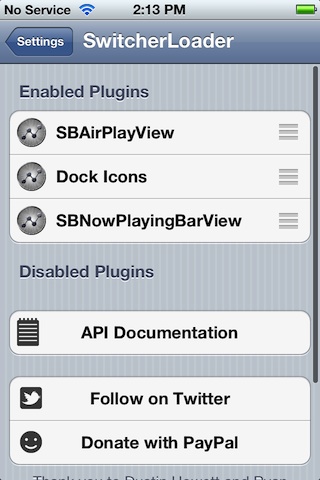
Interested in customizing your App Switcher? What about completely removing certain stock features, like AirPlay and music controls?

With SwitcherLoader — a new jailbreak tweak available on Cydia — it's all possible, and then some.

SwitcherLoader is a free tweak available for iOS 4.2 devices and above. Check inside for a full video explanation of what this tweak brings to the table.

iPad vs. Lava Isn’t Really a Fair Fight

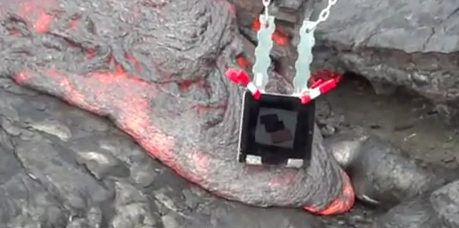
Some people aren't happy unless they are destroying things. We've already witnessed the various "will it blend" videos showing Apple hardware being subjected to the inside of a blending machine, but the latest method of destroying an iPad really takes the cake.

For a reason we have yet to fathom, iDevice accessory maker ZooGue's CEO thought it would be a good idea to see what happens when you dip an iPad 2 into lava. Yes, you did read that right...

How to Install Siri Proxy Plugins [Video]

A couple of days ago we showed you how to install the much talked about Siri Proxy Server. That's the first step to being able to really do some marvelous things with Apple's so-called personal assistant.

The next step is installing the plugins that take advantage of the Siri Proxy. These plugins range from enabling you to tweet on command, start your car, control your television, or query IMDB's massive movie database.

In the following tutorial, we show you how easy it is to install Siri Proxy plugins, and we use the IMDB plugin as an example. If you already have Siri Proxy installed, you don't want to miss this...

Video Stream Lets You Sync Videos From Your iOS Device With iCloud

Apple recently introduced Photo Stream, the iCloud service that keeps your photos in sync across your iOS devices and desktop computers.

The problem with Photo Stream is the distinct lack of video support. Apple and the carriers don't want to be sending huge video files over their networks. With the iPhone 4S now recording 1080p video, that's a lot of data going over 3G.

Thankfully, Apple has given developers an API so they can get their teeth into iCloud's storage servers, and that is where one developer saw its chance. Video Stream offers a way to keep video files in sync across multiple devices, just as Photo Stream does for images...

Samsung’s Anti-Apple TV Ads Continue by Taking Cheap Shots at iCloud

Samsung has been on a warpath with its advertising team over the past few weeks. We've seen them air multiple commercials that blatantly take shots at iPhone users, and a full-blown Facebook anti-Apple campaign.

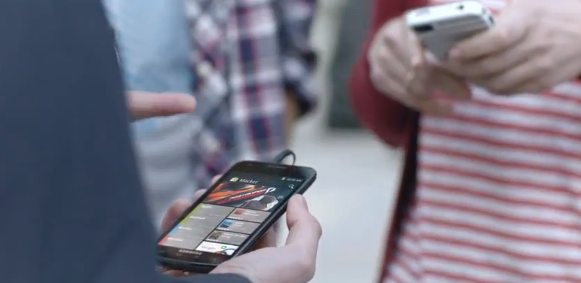
The company's latest TV ad to find its way to the air waves is called "Movies and Music." And once again it features a group of young adults waiting in line for the new iPhone, when a Galaxy S II catches their eyes...

How to Install Siri Proxy Tutorial [Video]

We've gone hands-on with Siri Proxy, and the things you can do with this handy tool are amazing.

But as you know, at iDB we don't like to keep all the good stuff to ourselves. For that reason, we've created this comprehensive video tutorial and guide that shows you how to run Siri Proxy on your iPhone 4S.

We show you step-by-step what's needed to try out Siri Proxy yourself...

Our Own Video Demonstration of Siri Proxy in Action

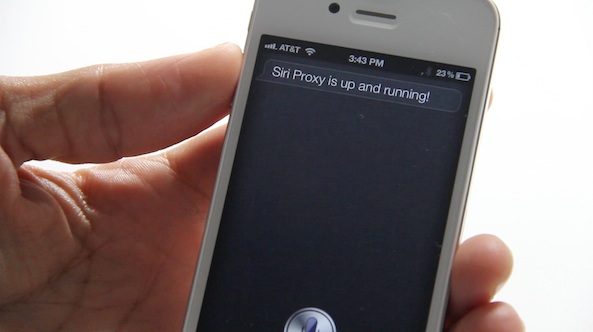
Late last night I set out with the goal of getting the much talked about Siri Proxy server running on my iMac and iPhone 4S. After a couple of hours of tinkering, I could finally report success.

We've all seen the videos, but actually using it yourself is a whole different experience. It's really amazing what Pete “Plamoni” Lamonica has been able to pull off with Siri Proxy.

What's even better is that there's all sorts of plugins available to take advantage of. Check inside as we go hands-on with the Twitter and IMDB plugins for this wonderful Siri enhancer...

Chronic Dev Team Shows Off iOS 5 Untethered Jailbreak On Video

We've been waiting for months to see evidence that an untethered jailbreak for iOS 5 is indeed ready for prime time, and pod2g of the Chronic Dev Team has just released a demo video of the iOS 5 untether to wet our appetites.

The simple video indicates that the highly-anticipated jailbreak is nearly ready. However, we don't have an exact ETA on when it will arrive.

How to Downgrade iOS 5.0.1 to iOS 4.3.3 For Untethered Jailbreak

If you absolutely must have an untethered jailbreak at this very moment, there is always the option of downgrading back to iOS 4.3.3.

Assuming you saved your SHSH blobs for the last firmware susceptible to an untethered jailbreak, you can follow this video tutorial and downgrade to iOS 4.3.3 in about 10-15 minutes. Inside we show you how, step-by-step...

The Siri-Controlled TV is Already Here, And Your iPhone is the Remote

We've covered many examples of the SiriProxy in action. We even interviewed the man behind the networking hackery that has allowed people to use Siri to unlock their cars, control their rooms, and talk to their Macs.

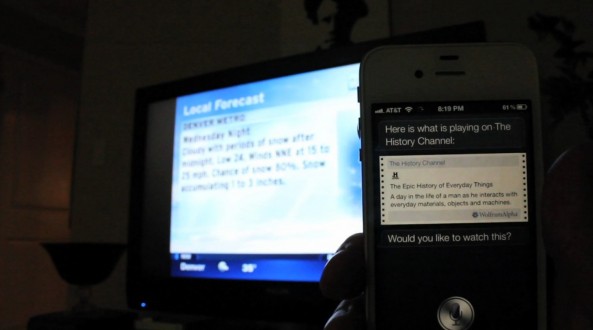
There's been a video example of Siri controlling a TV, but we've stumbled across a better video that integrates the TV experience with Siri in a more native way. With rumors circulating that Apple is looking to release a Siri-controlled TV set, we have a hard time figuring out how it could get much better than this setup by Todd Treece...

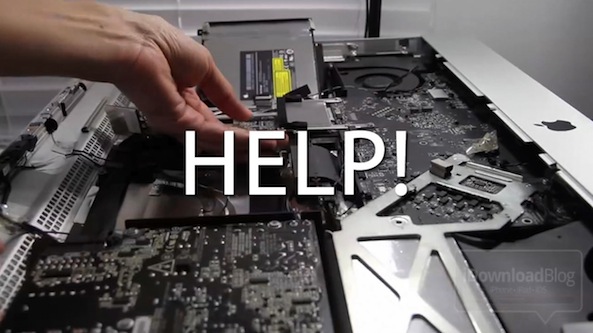
Off Topic: 27″ iMac Solid State Drive Install in 3 Minutes!

As you guys may know, my main job at iDownloadBlog is to create videos for everything from tweak and app reviews, to product reviews. Millions of people have watched our videos, and the amount of subscribers grow each day.

Considering this, my primary editing machine was getting a bit long in the tooth; I needed something to pep it up to keep up with the demand of video tutorials and walkthroughs. I needed a Solid State Drive.

But I wasn't planning on going to Apple or buying a whole new iMac just for an SSD. Nope, I planned on doing this myself. It wasn't easy, and at times it was downright frustrating. But I did it. To celebrate, I've created a video that showcases the entire 3 hour install in under 3 minutes...