Video

The iPad isn’t a true desktop alternative for me until it has this feature

Make no mistake about it, the iPad is a wonderful desktop alternative for some. I know plenty of people who use it as their main computing device, which makes it live up to Apple's Post-PC billing.

But there's still one gripe in my mind that is holding the iPad back from true greatness. It's a missing feature that's inherently obvious when you're blogging, or doing anything else that calls for true multitasking.

The iPad needs a way to view two or more apps simultaneously.
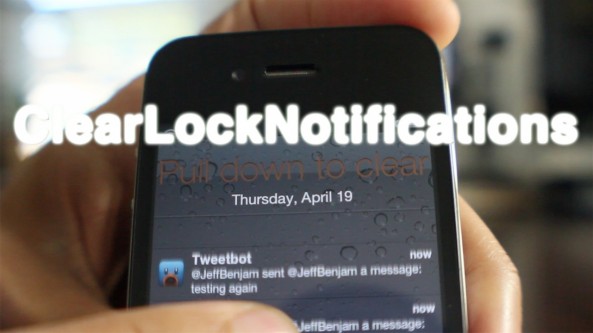
‘ClearLockNotifications’ updated with pull to clear functionality

About 5 months ago we reviewed ClearLockNotifications, and it was pretty good. Now the developer has updated the tweak to make it even better, more intuitive if you will.

ClearLockNotifications now features 'pull to clear' functionality right from the Lock screen. This means that you can clear all of your Lock screen notifications by simply pulling down on the list of notifications.

For a sneak preview of how it works, take a look at our video walkthrough...

The Samuel L. Jackson Siri ad you were hoping for (NSFW)

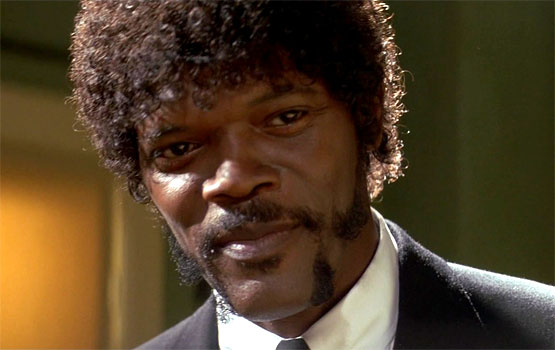
When word started to spread that Samuel L. Jackson was starring in a new iPhone 4S commercial, our imaginations ran wild. We figured that combining the outspoken actor with Siri could make for a humorous TV spot.

Obviously, Apple went the much more tame route. And the commercial that aired didn't feature any of Mr. Jackson's popular foul-mouthed catch phrases. That's ok. We found one that does (warning: explicit language)...

Add DSLR features to your iPad with the Padcaster

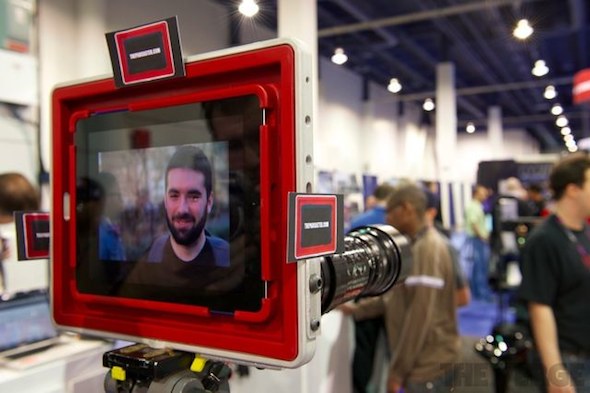
Apple loaded a number of new features into its third-generation iPad: a faster processor, more RAM, and let's not forget LTE. The company's latest tablet also includes a much-needed camera upgrade, bringing the backside sensor to 5MP.

This finally makes the iPad a viable option for taking photographs and shooting videos while on-the-go. And thanks to the folks over at Manhattan Edit Workshop, it could become the preferred method. Introducing the Padcaster iPad case...

‘Message Transformer’ allows you to convert text into a variety of goofy formats

Message Transformer is a recently released jailbreak app that allows you to convert text to various formats. Formats include Pig Latin, backwards, all capital letters, all lowercase, etc.

The app is aimed at those who wish to occasionally use it to compose funny messages, and then copy that message into another app like the Messages app.

Message Transformer isn't pretty looking, and it's definitely not an app you'll be going back to often. That being said, it is free, and it can be fun in small doses...

‘FastLock’ places handy shortcuts on your Lock screen

I know what you're thinking: as if we needed yet another Lock screen shortcut tweak, right? There's no denying it, there are plenty of Lock screen shortcut methods available for the iPhone, and FastLock is the latest entry into an already crowded arena.

When considering just how many alternatives there are to FastLock, it's not surprising that I wasn't exactly jumping for joy after initially hearing about it. In such a dense market, is there room for yet another set of Lock screen shortcuts?

Have a look at our video and judge for yourselves...

SliderWidth: adjust the width of your Lock screen slider

SliderWidth is a jailbreak tweak that does exactly what its name states — allows you to adjust the width of your iDevice's "Slide to Unlock" bar.

But that's not the only trick in this tweak's bag; it also allows you to use custom slider text, remove the Lock camera button or photo frame button, along with being compatible with the iPhone, iPad, and iPod touch.

Take a look at our video walkthrough for more information...

TV ad teams up with iOS app to give us a glimpse at the future

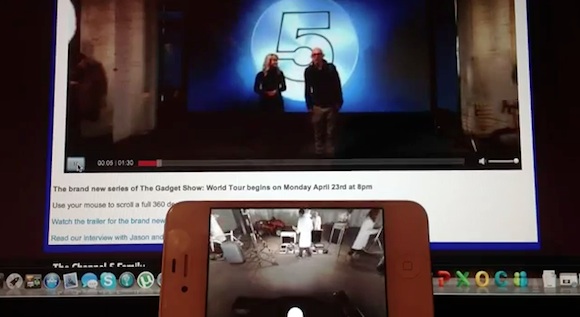
Every once in a while, you get a glimpse of a technology that makes you say "cool." And the latest tech to cross our "cool" radars is this interactive TV ad from Channel 5's The Gadget Show.

Using the complimentary iOS app, you can interact with the spot in real-time by panning a full 360-degrees around the studio's set. Confused? Keep reading to see a video of it in action...

I’m sorry Mr. Jackson, but I like this Siri advertisement better

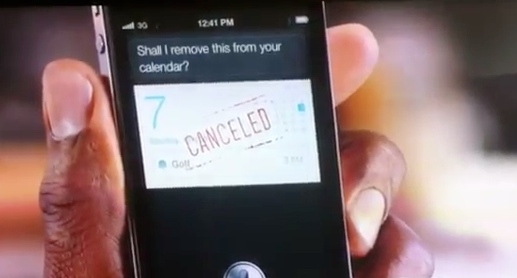
With all due respect for Samuel L. Jackson, I think we can agree that this latest commercial is a tad easier on the eyes.

That's because the star of said commercial is non other than New Girl leading lady, and hipster heartstring puller, Zooey Deschanel.

It's the second iPhone 4S/Siri ad uncovered today staring some of Hollywood's finest, but likely not the last...

Samuel L. Jackson stars in new iPhone 4S commercial

As noted by TheNextWeb, a new iPhone 4S commercial has surfaced starring the popular actor Mr. Samuel L. Jackson. The ad popped up this afternoon during an episode of ESPN's SportsCenter.

What's interesting here is that although the commercial seems to fall in line with previous Apple 4S ads — focus on Siri, production value — it appears that Verizon is behind the spot. Check it out...

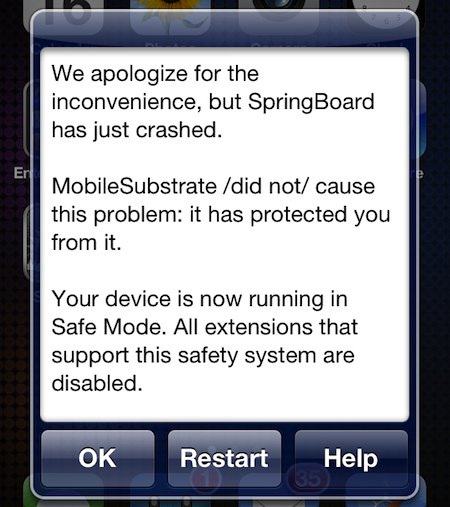
Mobile Substrate updated with handy new disable feature

Saurik is on a roll with his Cydia updates today. Earlier this morning he rolled out a new version of WinterBoard. And now we're going to take a look at the also-new-today Mobile Substrate update.

For those that aren't familiar with it, Mobile Substrate is the de facto framework that allows 3rd-party developers to provide extensions to system functions. And it just received a killer new feature...

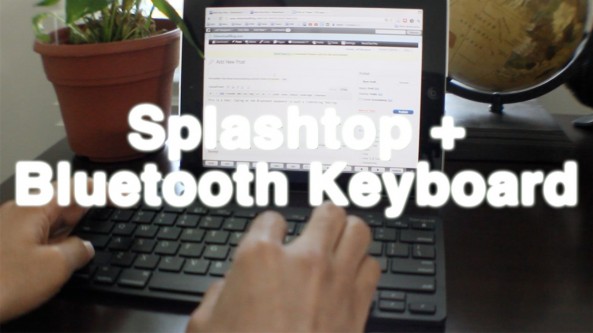
The best iPad remote desktop solution

I've always been a relatively big fan of Screens — the beautifully designed iOS remote desktop app by Edovia.

Screens has always, and continues to be the most impressive looking remote desktop solution for the iPad; in fact, i'd say nothing comes close when it boils down to pure presentation. For that reason, I've always been very hesitant when it comes to trying anything else. I know, I tend to be a tad superficial when it comes to my apps.

Thankfully I didn't let Screens' beauty stop me from trying another highly touted remote desktop solution called Splashtop. Many of our readers and YouTube viewers have been on me about trying Splashtop for some time now, and I just recently took the plunge. I'm so glad I did...