Video

Dashtweet: the first dedicated Dashboard X widget

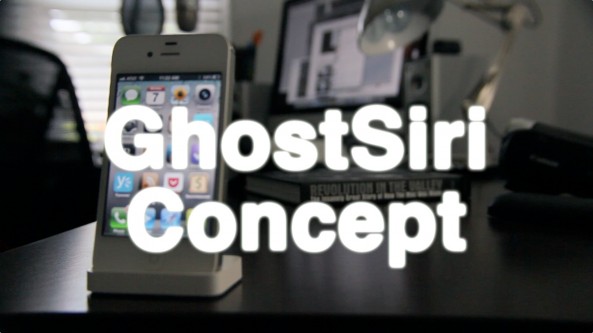
Dashboard X — the new upcoming widgeting system for iOS — has its first official widget in the works, and it's based on Twitter.

Dashtweet is the name of the new widget, and it allows you to send tweets from anywhere on your Home screen.

This is likely the first of many official widgets designed specifically with Dashboard X in mind. Check out our video coverage of Dashtweet in action...

A look at TwitkaFly’s new Facebook plugin

Earlier today I had the opportunity to spend some time with the new Facebook plugin for TwitkaFly — the popular jailbreak tweak available on Cydia.

TwitkaFly is a tweak that allows you to send Twitter updates from anywhere by means of a user-configurable Activator action. It is also one of the most well supported tweaks that I know of, which speaks volumes for moeseth, its developer.

This new plugin will allow you to update your Facebook status, send a tweet, or do both at the same time. If you'd like to see how it works in action, then by all means take a gander...

How to jailbreak iOS 5.1.1 with RedSn0w

iOS 5.1.1 was just released, and with it come a few bug fixes. If you're worried about maintaining your untethered jailbreak, then it's important not to update.

If, on the other hand, you have a device that's currently jailbreakable on iOS 5.1, you can use the latest version of RedSn0w to perform a tethered jailbreak iOS 5.1.1 with a few easy steps.

Check inside for the full video tutorial...

Giffy: view animated GIFs in the Photos app

Animated GIFs are an incredibly popular method for sharing moving pictures in a way that's viewable in a wide variety of areas. As a result we have new apps like Gifture appearing on the App Store.

While GIFs are easily viewable in the Safari browser, saving them to the Photos app results in a loss of the animation. Since animation is the whole point behind animated GIFs, saving them to the Photos app under normal circumstances might seem a bit pointless.

But that's where jailbreaking once again proves its worthiness. Giffy is a new jailbreak tweak that allows you to view animated GIFs within iOS' stock Photos app...

How to add a character counter to the Notes app

Who types text that is lengthy enough to warrant a character counter in the Notes app? That's the first thing I thought when trying Characount for Notes, and needless to say I'm still pondering the question.

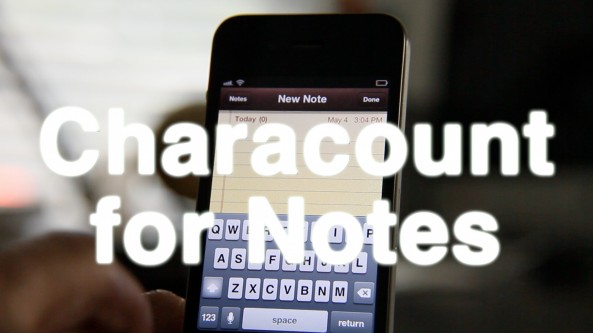
That's literally all this tweak does. It places a character counter, not a word counter mind you, but a character counter at the top of each note you compose.

Who really needs something like this?

Top videos of the week

After a bit of a slow period in the spring, new Cydia releases are beginning to pick up steam. Check inside for videos that show you how to improve text editing on a jailbroken iPad or iPhone; or perhaps you're interested in adding widgets to your Home screen, or customizing your Notification Center banners? It's all here in this week's top videos.

Please be sure to share our iPhone, iPad, and iOS video guides by spreading our posts on Twitter and Facebook.

Add widgets to your Home screen with this new jailbreak tweak

Although I've never really understood the excitement behind the widgets, it's one of those things that my Android toting friends love to brag about.

What if I told you that there was an easy way to add widgets to the Home screen of an iOS device? What if I told you that there are a plethora of interesting widgets already available?

Both of the above statements are now true, courtesy of a new jailbreak tweak called Dashboard X. Dashboard X is the result of months of hard work by developer, Ori Kadosh. This tweak allows you to take existing widgets created for Notification Center and position them anywhere on your iPhone or iPad Home screen.

Take a look at inside for our hands-on experience with Dashboard X...

Chip: a feature rich jailbreak tweak for customizing banner notifications

With entries like Vexillum and ColorBanner, there's no shortage of jailbreak tweaks that allow you to customize your notification banners in iOS 5. But neither of those are as deep and complete as Chip.

As simple as its name may make it seem, Chip is by far the deepest of the three tweaks mentioned. It allows you to customize banner notification background color, text color, border color, and gradient using simple RGB sliders.

Chip also includes the ability to customize the notification sound and banner animation. If you're looking for the best tweak for customizing banner notifications, then look no further...

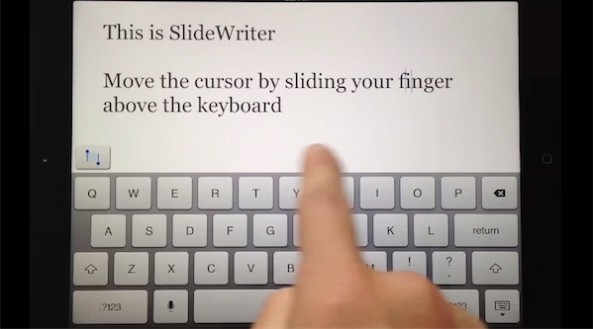
SlideWriter: an upcoming app that makes text editing easier on the iPad

Not that we can blame them, but it looks like someone's trying to capitalize off of the attention garnered first by Daniel Hooper's iPad editing concept video, and then again by Kyle Howells' jailbreak tweak that made the concept a reality.

SlideWriter is an upcoming App Store app that will allow you to edit text using techniques made popular by both the concept and the subsequent jailbreak tweak implementation.

The developers of SlideWriter have put together a brief video demo to show how the app works in action. Check it out inside...

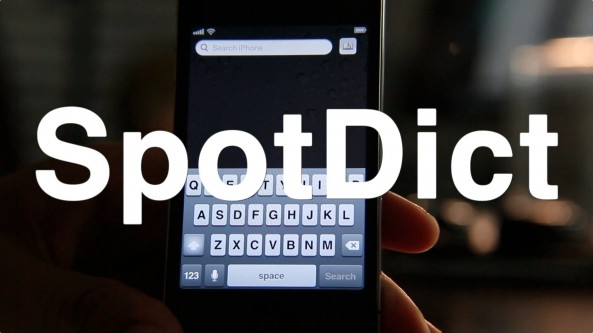
SpotDict: Search iOS’ built in dictionary from Spotlight

Spotlight search is very useful when you actually need to use it, but how many times do you find yourself needing to do so?

If you're anything like me, you can probably count on one hand how many times you've used Spotlight over the past few months.

Perhaps this recently released jailbreak tweak will coerce you into using Spotlight a bit more often? It's called SpotDict, and it allows you to look up words in iOS' built in dictionary directly from the Spotlight search page...

‘SwipeSelection’ now available on Cydia

[tube]http://www.youtube.com/watch?v=6h2yrBK7MAY[/tube]

SwipeSelection — the jailbreak tweak based on Daniel Hooper's iPad keyboard editing concept — is now available on Cydia.

If you haven't seen our hands-on video and review of the tweak in action, be sure to check it out.

You can find SwipeSelection for free on Cydia's BigBoss repo, and it plays nice with both the iPad and iPhone.

Have you tried it? What do you think?