Video

The top jailbreak tweaks of 2012

A few weeks ago I published a somewhat controversial post about jailbreaking, and how its popularity is waning. This wasn't intended to be controversial, but it ended up that way, and after some thought I began to backtrack (a bit) on my stance.

The problem stemmed from the fact that I didn't do a very good job of explaining my stance. I didn't intend to say that jailbreaking was dead, my main point was just to show how innovation in the jailbreak community was being stifled by sometimes lazy developers, but mostly by Apple's efforts to stamp out jailbreaking.

While I still stand by my post, I felt that I needlessly ruffled a few feathers, and probably should have kept those thoughts to myself for the time being. When I began to work on this post — the top jailbreak tweaks of the year — it became more apparent that we actually have seen lot of innovation this year. Most of that innovation was earlier in the year, but nevertheless, there have been lots of great jailbreak tweaks to come out in the last 12 months.

Take a look inside as we cover some of this year's best jailbreak efforts from the development community. I'll also crown 2012's top jailbreak tweak of the year.

New app uses iPhone’s vibrate motor to take hands-free 360-degree video

Up until now, if you wanted to shoot 360-degree video with your iPhone, you'd either need a snap-on accessory, like the GoPano, or a pair of steady hands and some patience. But a clever new app is looking to change that.

Introducing Cycloramic, an iPhone app that uses the handset's built-in vibrate motor to spin it around in a circle, allowing you to capture 360-degree video, completely hands free. Hard to believe? Check out the video demo...

The Daily Recap – Dec 27, 2012 edition

http://www.youtube.com/watch?v=GBkC9iBs-Y8

Welcome to The Daily Recap for December 27th, 2012. Watch our video for a quick look at some of the top stories from the day in less than two minutes. If you missed out on any of today's big news, this is a great way for you to get caught up fast.

For your convenience, you'll also find links to all of the stories listed in today's recap inside...

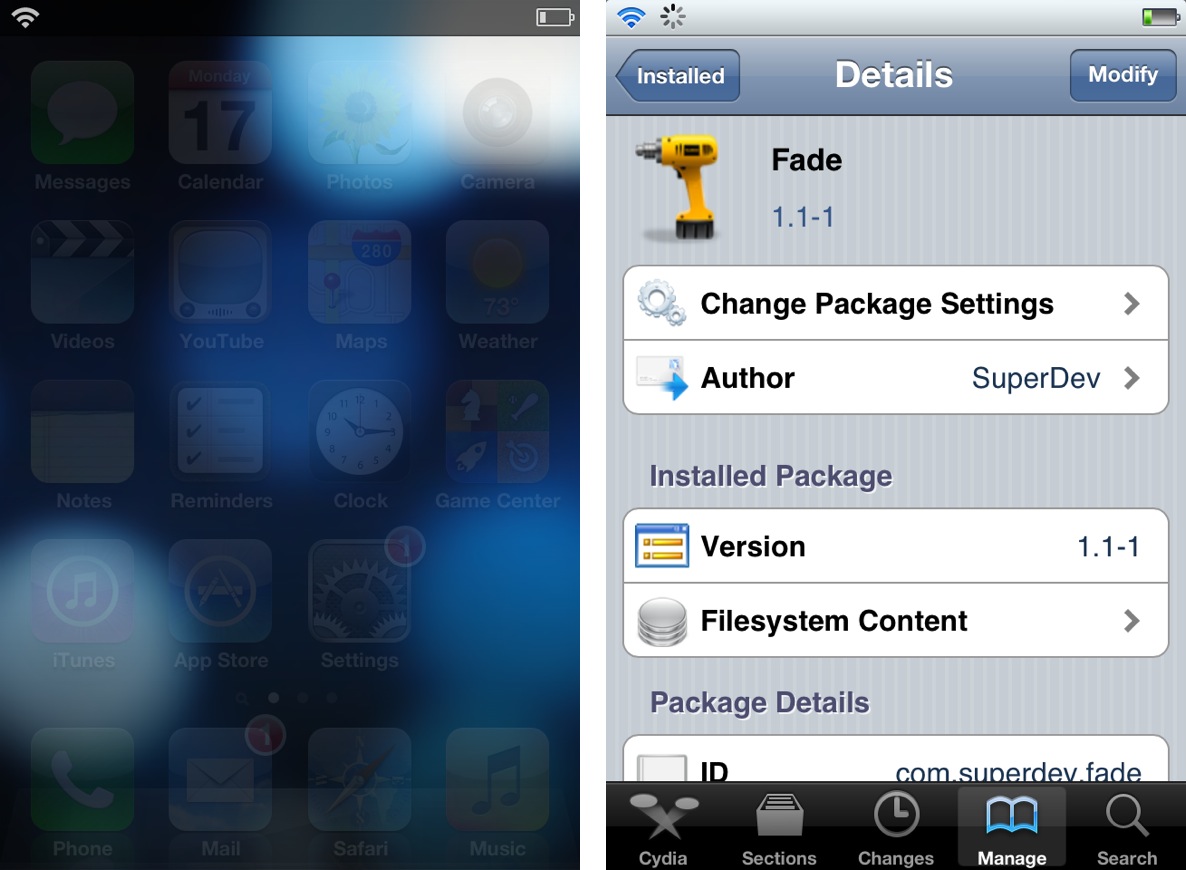
‘Fade’ dims your Home screen icons when invoking Notification Center

Fade is an extremely simple jailbreak tweak that forces the Home screen UI elements to fade when Notification Center is invoked. As you slide down Notification Center, elements like the app icons and the dock will progressively fade from view. As you slide the Notification Center pane up, the effect is reversed, and the elements fade back into view.

There are no options to setup or settings to configure, just install it and it starts working. Take a look inside as we demonstrate Fade on video...

New report shows labor conditions at Foxconn improving

Earlier this year, The New York Times published a bleak, extensive report on the poor working conditions inside Foxconn's factories. The manufacturer makes products for several companies, but the piece specifically called out Apple.

In the latest installment of its "iEconomy" series, The Times takes a look at the changes made by both Apple and Foxconn to improve the working conditions inside their Chinese plants. And from the sound of it, things are getting better...

How to enable the hidden Topography view in Google’s Maps app

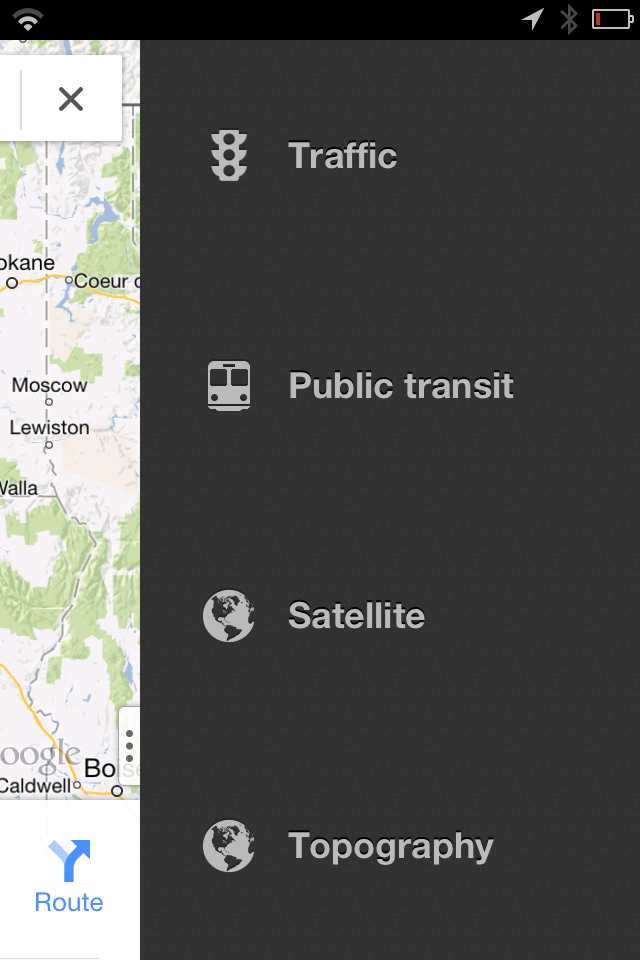
Ryan Petrich is back at it again, this time with a new jailbreak tweak that enables a hidden Topography mode found in the recently released Google Maps app. The tweak, available via Cydia on his beta repo, adds a fourth option to the sidebar featured within Google maps to easily enable Topography.

As it turns out, the Topography Mode enabled via this tweak was already built into the Google Maps app from the get go. Why Google decided to keep the feature disabled in the public release is anyone's guess, but if you install this tweak, you can easily enable the option.

Check out our full video demonstration inside for more details...

Auxo now available on Cydia

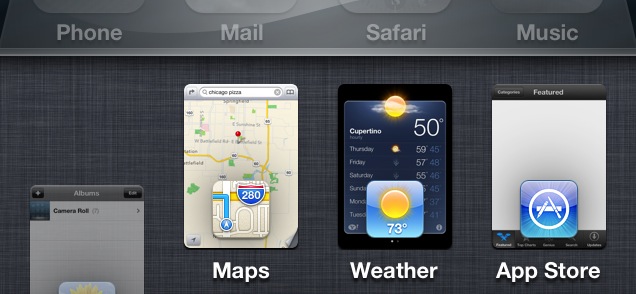
Ladies and gents, it has landed. Yes, Auxo, the highly anticipated jailbreak tweak that reinvents the iOS app switcher has gone public on Cydia.

Last week we brought you an exclusive first look at the tweak in action, and needless to say, nearly 200,000 views later, many of you are looking forward to trying it out for yourselves. If you have a jailbroken iPhone running iOS 6, I'm happy to report that you can now download Auxo from Cydia's BigBoss repo for just $1.99.

The Daily Recap – Dec 21, 2012 edition

http://www.youtube.com/watch?v=dL41d1RSLMI

Welcome to The Daily Recap for December 21th, 2012. Watch our video for a quick look at some of the top stories from the day in less than two minutes. If you missed out on any of today's big news, this is a great way for you to get caught up fast.

For your convenience, you'll also find links to all of the stories listed in today's recap inside...

This jailbreak tweak allows you to fake certain statistics on your iPhone

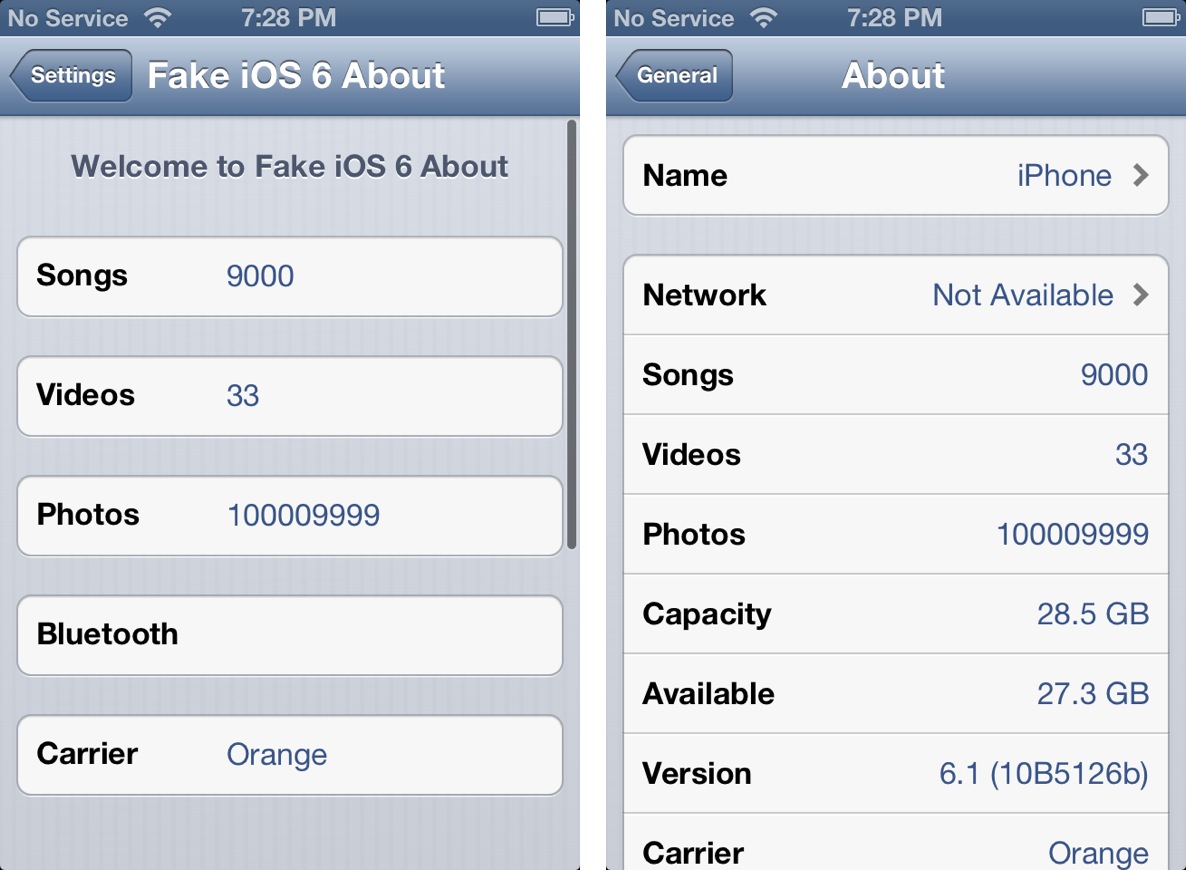
I've been known to give jailbreak developers a pass when it comes to developing what many deem as "worthless" tweaks, because I know that there is always someone who will find a tweak to be useful. The latest such item to teeter upon this fine line is Fake iOS 6 About — a jailbreak tweak that allows you to fake statistical information about your device.

If you've ever wanted to pretend that your device could hold a million songs, or that you reside on a carrier not available in your country, then Fake iOS 6 About is the tweak for you. In most cases, many will feel that such a tweak is worthless. I'll be totally honest with you; this time, it's hard not to agree with those sentiments.

‘Download To Newsstand’ makes it easier to identify pending downloads

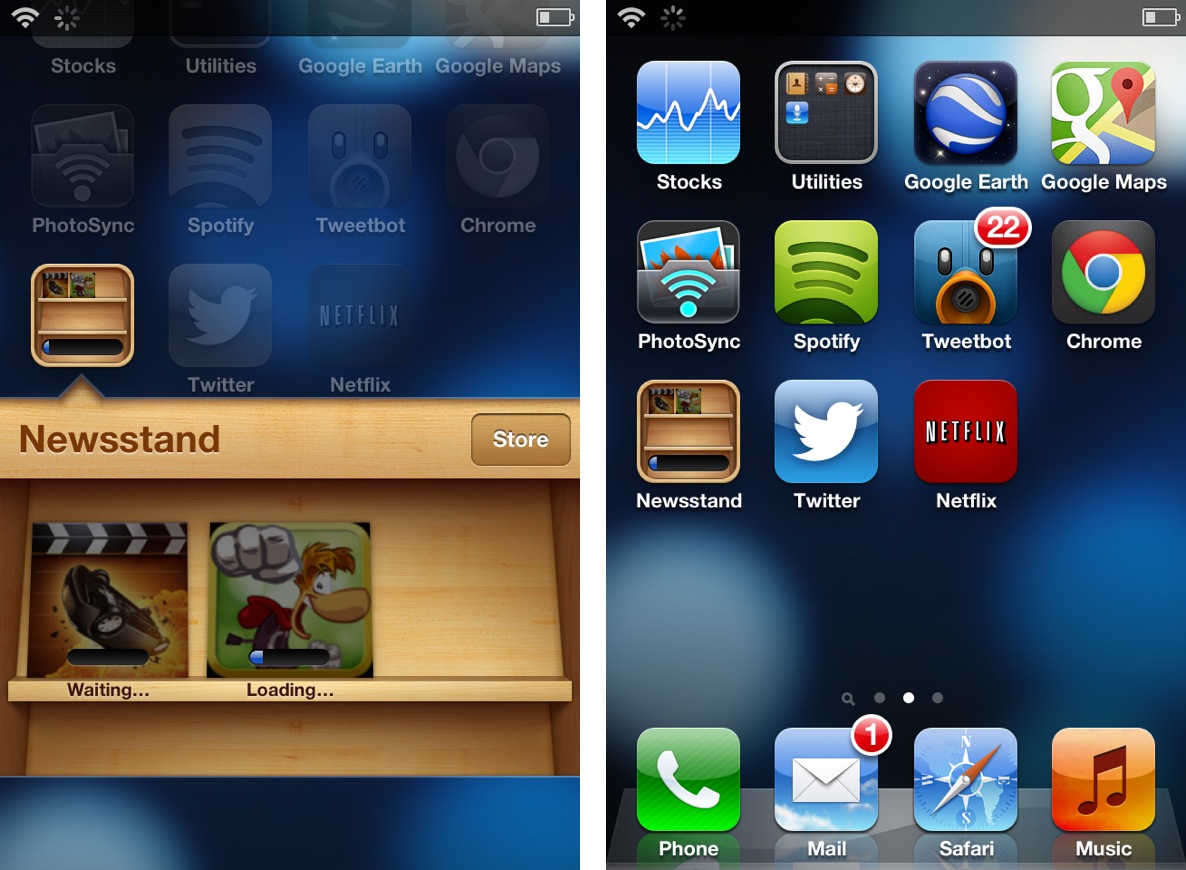
It's always great to open up the App Store and find a dozen new app updates waiting for download, but downloading so many items at once presents a small issue. If you're like me and you have a ton of apps scattered around four or five pages in multiple folders, then it can be tedious to locate each app to check its download progress.

Download To Newsstand is a recently released jailbreak tweak that attempts to address this. It moves all pending downloads into the Newsstand folder for an easy to see centralized location for all pending downloads.

The Daily Recap – Dec 20, 2012 edition

http://www.youtube.com/watch?v=wCHjuw-z_lA

Welcome to The Daily Recap for December 20th, 2012. Watch our video for a quick look at some of the top stories from the day in less than two minutes. If you missed out on any of today's big news, this is a great way for you to get caught up fast.

For your convenience, you'll also find links to all of the stories listed in today's recap inside...

Auxo completely reinvigorates the iOS app switcher

Back in October we posted a tidbit on an iOS app switcher concept that was making waves across the Internet. Initially posted on The Verge forums, designer @Sentry_NC's concept was met with approval by many, including readers here on iDB.

A lot of times, though, these sorts of things never go anywhere. Concept photos and videos are nice, but rarely do they evolve into anything more than that. Well, I'm happy to tell you that Sentry's concept hasn't followed the status quo in this regard. Bent on making his concept a reality, he collaborated with developers, Jack Willis, and JamieD360, to bring the idea to fruition.

We've been fortunate enough to gain access to the final build of the real live working tweak. Auxo is its name, and changing the stock iOS app switcher for the better is the game...