Video

YouTube app enables iOS live streaming, My Subscriptions, TV queuing and more

I'm loving Google's native YouTube iOS app a lot although it's lacking in some key areas.

Specifically, I've come to appreciate its sleek user interface, especially on the iPad, along with social sharing, the ability to browse my individual subscriptions, AirPlay playback and other capabilities.

Today, the Internet giant pushed another update and it's kind of a big deal.

For the first time, the software is able to access Live Streams and that's huge because I can now watch those live events and news conferences on my iPhone or iPad as they happen. But that's not all. Read on for more...

Check out this new “iPhone 6” concept video

http://www.youtube.com/watch?v=RxNDY9veepE

It's the time of year where not only are people conceptualizing the new version of iOS, but they're also imagining what the new iPhone might look like. This new concept video shows off a new thinner and smaller iPhone design with a bigger screen, sans Home button.

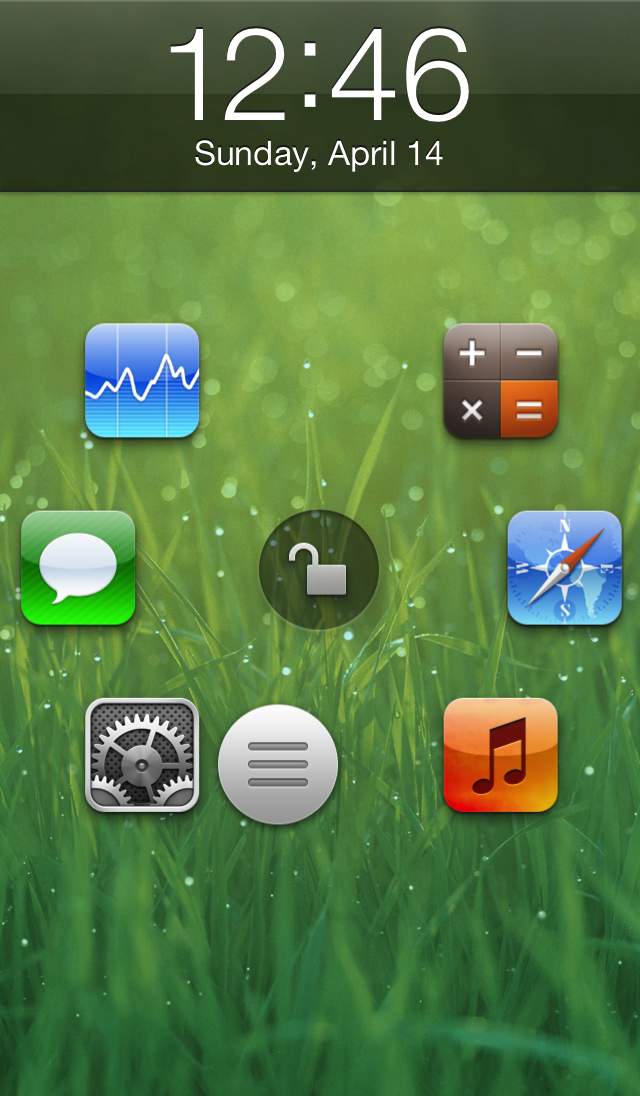
Atom: a beautiful upcoming Lock screen launcher

Atom is an upcoming jailbreak tweak that brings a beautifully animated Lock screen launcher to your Home screen. Six apps can be configured to appear on your Lock screen as shortcuts, and you can launch directly into those apps by sliding and releasing a small little nub over the app you wish to launch. If you feel like unlocking your device to the Home screen, just slide the nub over the unlock icon located in the middle of the screen instead.

True, there have been Lock screen tweaks that have allowed you to launch directly into an app before, but none of them featured the beautifully animated style of Atom. Don't believe me? You don't have to take my written word for it, check out our exclusive hands-on video inside, and see for yourself.

Yet another iOS 7 concept video

http://www.youtube.com/watch?v=UFM-LUxiAXo

You can tell we're getting closer and closer to WWDC 2013, because the concept videos for the next version of iOS seem to be popping up every day. This latest video shows off a new way to toggle settings, kill apps, open folders, and check notifications. It's a pretty impressive video, but the features don't seem to be very practical for real world usage if you ask me.

Facebook Home now available, video tour posted

Facebook Home just landed on select Android devices so the social networking giant figured it should do a video to highlight some of the features of its controversial new UI overlay. A first-look clip, included right past the break, has Facebook's Product Director Adam Mosseri discussing Chat Heads, Cover Feed and nice gestures and animations which let you stay on top of what your Facebook friends have been up to, no matter what app you happen to be using at any given moment...

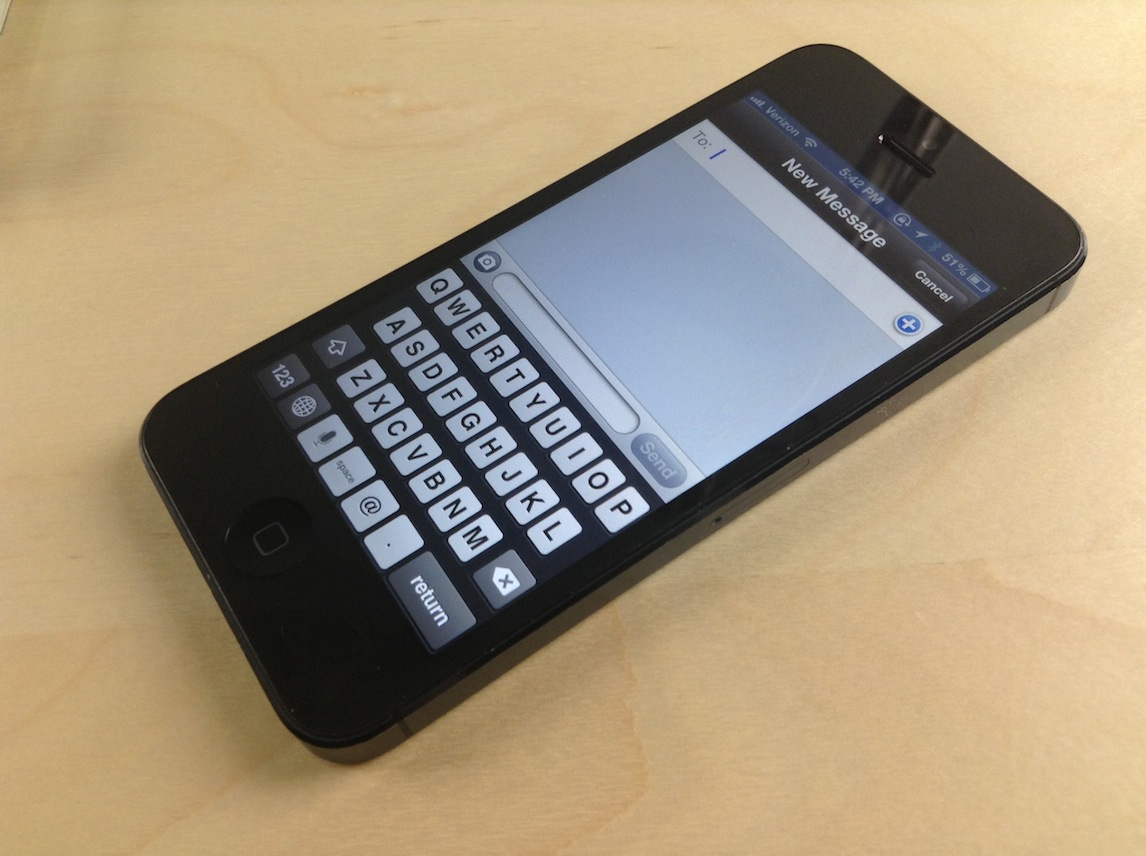
Messages: a compromise between biteSMS and the stock Messages app

If you already listened to our latest episode of Let's Talk Jailbreak, then you know that Sebastien and I discussed jailbreak tweaks for the Messages app. We talked about biteSMS, Messages+, iRealSMS, and the like. We talked about these tweaks as we discussed the validity of a new tweak, simply called Messages, and whether or not it was worth the investment.

At the time, neither of us had really put any hands-on time into the tweak, although Cody has given it a shot and seemed to like it. On the show, I promised that I would check out the tweak and provide my two cents, and that's just what I did today.

QuickShoot Pro: a great way to quickly snap photos and videos

Have you ever missed an ideal snapshot as you waited for the Camera app's animation and UI to finish loading? I think it's safe to say that all of us have missed a perfect photo as a result of having to wait on the iPhone's Camera app. Things have gotten considerably better in this regard as hardware speeds have improved, but it's still not exactly perfect.

QuickShoot Pro is a jailbreak tweak that seeks out to solve the issue by letting you snap photos and videos directly from the Home screen. It accomplishes this feat using a couple of different methods. The first method requires you to double tap on the Camera app icon for a photo, and a triple tap on the app icon for video. By doing this, a photo or video is taken without the Camera UI, hence resulting in a faster composition.

The second method is a simple Activator gesture. You can setup an Activator gesture for taking a photo or starting a new video. QuickShoot Pro features quite a few options that can be used to configure the tweak to your needs and liking. It's not going to completely reduce the wait time associated with taking a new photo, but it's certainly faster than the stock method for taking photos and videos. Take a look inside as we break down QuickShoot Pro in our hands on video walkthrough...

LookAway Player brings Galaxy S4-like Smart Pause eye-tracking to iPhone

Samsung has been promoting its eye-tracking technology, which debuted on the Galaxy S3, for some time now. As an S3 owner, I must say I wasn't impressed with the handset's ability to automatically shut down the display when looking away: it's taxing on the battery and not very reliable. With the Galaxy S4, which is scheduled to go on sale by end of April, Samsung is doubling down on eye-tracking with a few related new features like Smart Scroll and Smart Pause.

And now, a new iPhone app has been released which brings the Smart Pause-like functionality to the iPhone...

How to select a specific song from the Lock screen using ‘Pluck’

http://www.youtube.com/watch?v=gs9Xxc-_a6o

Pluck is a recently released tweak that places a dedicated button on the iPhone's Lock screen for selecting Music. To view the button, simply invoke the iPhone's music controls by double pressing the Home button while on the Lock screen. Tapping the button allows you to "pluck" a new track from your Music Library, instead of forcing you to unlock the device and venture into the Music app just to select a specific song.

Once the button is tapped, a new sheet featuring your Music Library is pulled in from the bottom of the screen. This sheet can also be accessed by means of an Activator gesture, which is configurable in Pluck's preferences. Check inside for a few more details.

How to add a Velox style music widget to your iPhone right now

http://www.youtube.com/watch?v=jVgRbDOiUMo

Itching to get your hands on Velox? You're not alone. In the meantime, you may want to give MusicWidget (velox style) a go. It's a free jailbreak tweak available on Cydia's BigBoss repo, that lends Velox styled music controls to the stock Music app.

There are no settings or options to configure for MusicWidget, just install it and go. It's a tweak that works only with iPhones running iOS 6.x. Once installed, a double tap on the Music app icon will reveal music controls in a style similar to the Velox tweak that we showed you earlier. The Music app can be anywhere on your Home screen, it doesn't have to stay relegated to the dock.

If you decide to take it for a ride, let me know what you think about it.

Twitter’s Vine is now App Store’s new #1 free app

Here's a reminder that Vine still exists: just six months after being acquired by Twitter and about two and a half months following its iOS debut, the Vine app is now the number one free software on the App Store. By comparison, Twitter's own iOS client sits at No. 35.

Vine's success is no small feat given that App Store charts are normally populated with a bevy of well-known games and entertainment titles which, by the way, command mobile app usage.

What's more, Vine is a really quirky piece of work: for Christ's sake, we're talking an app which lets you share ultra-short six-second clips here. Yet, a bunch of other video sharing programs can only dream of rising on top of App Store charts. So, what's the secret ingredient Vine has that similar programs lack?

iOS 7 toggles concept

http://www.youtube.com/watch?v=cl2sNVED7bg

The idea is somewhat similar to Velox, which I still prefer over this concept. At this point, it's clear that iOS 7 needs an easy way to access toggles. Will Apple make it happen? That's the question.

What do you think?