UI

This tweak makes YouTube videos look nicer on notched iPhones

YouTube dark icon.

When watching videos in the YouTube app for iOS, those with notched handsets can view them one of two ways when the handset is in landscape orientation: 1) zoomed out such that the notch remains hidden in the video’s black side border; and 2) zoomed in such that the notch physically cuts into the video frame. Switching between these modes is as easy as using a pinch gesture while a video is playing.

As you might have noticed by now, some YouTube videos take better advantage of the wider display canvas, filling the display up to where the notch begins. This usually depends solely on the aspect ratio of the videographer’s filming equipment, but with the help of a new jailbreak tweak called UniZoom by iOS developer Lavie Gariv, users can synthetically impose similar scaling effects on virtually any video on YouTube.
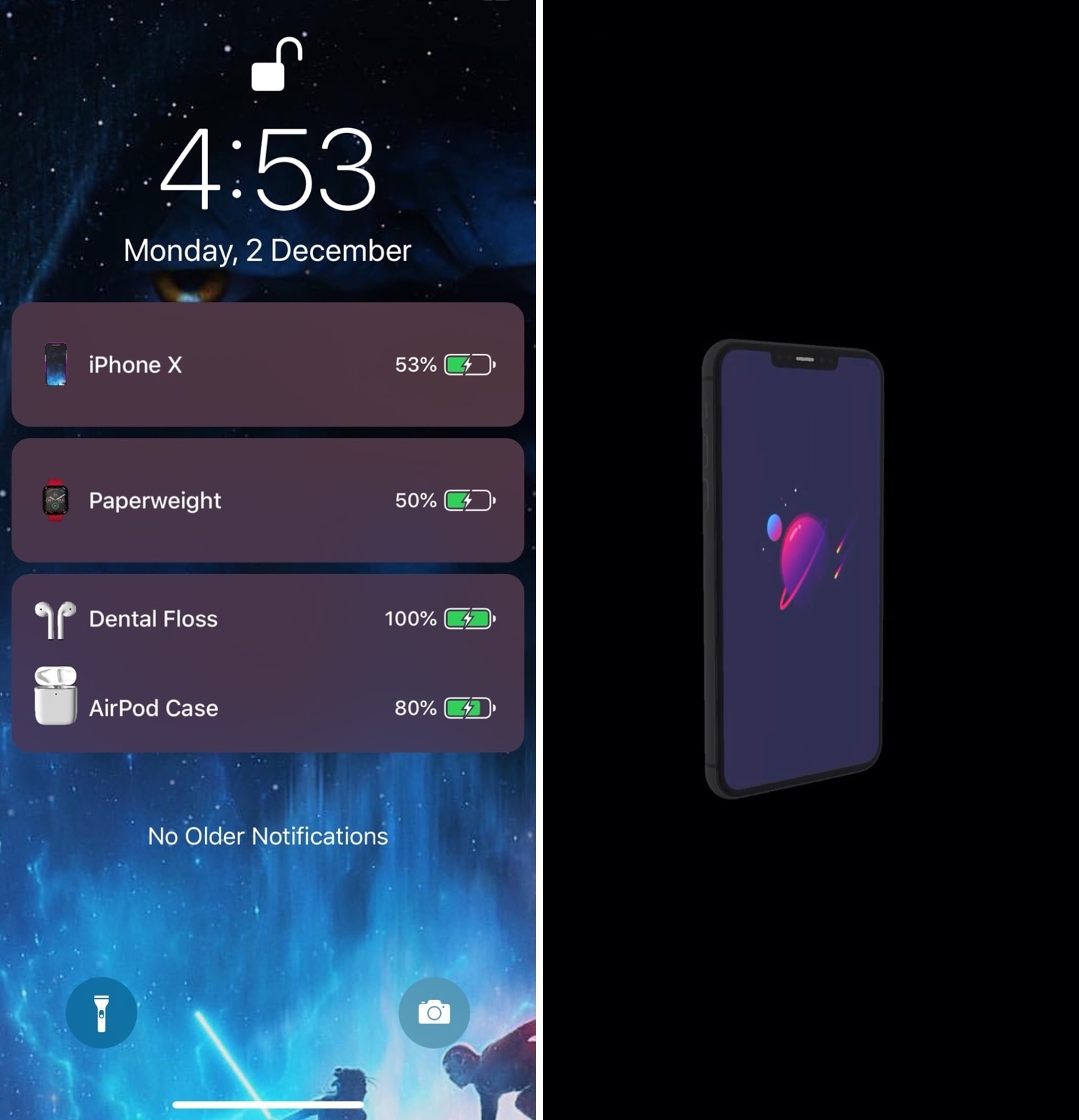
Maple 2 brings configurable AirPower-like charging aesthetics to jailbroken handsets

Before Apple abandoned its plan to release a first-party all-in-one wireless charging station slated to be called AirPower, the company also showed off some rather appealing charging banners and animations to accompany it. Sadly, those quirky bells and whistles died with AirPower, and Apple never bothered to enable them for other Qi-enabled wireless charging solutions.

Jailbreakers don’t have to do without, however. Maple 2 is a newly released jailbreak tweak by iOS developer LaughingQuoll that brings these fantastic charging features to pwned devices, and even better, the tweak can be customized more profoundly than Apple ever would have permitted out of the box in a native implementation.

Make iOS 13’s new volume HUD even better with Sonus13

For the first time in years, iOS 13 introduced an overhauled volume HUD to the iOS platform. While the redesign finally did away with the intrusive volume HUD monstrosity iPhone users have lived with for so long, that doesn’t mean everyone likes how the new interface looks.

If you’re jailbroken and looking for an augmented volume HUD experience that incorporates gorgeous athletics and endless customization in one package, then you won’t want to miss a newly released jailbreak tweak dubbed Sonus13 by iOS developer ubik.

Gump keeps backgrounded apps running amid device resprings

Respring screen.

Perhaps one of the most bothersome parts about respringing your jailbroken handset is that when you have music playing in the background, the respring interrupts it, forcing you to manually tap on the ‘Play’ button to continue music playback.

Those who’ve been plagued by this nuisance for as long as I have will be thrilled to learn about the launch of a new jailbreak tweak called Gump by iOS developer Kurrt, as it effectively keeps backgrounded apps and music running even throughout the course of a standard respring.

Little11 augments older iPhones with modern gestures and features

Now that we live in a day and age in which notched, edge-to-edge displays are the norm for Apple-branded smartphones, those sporting traditional rectangular displays are beginning to show their age both in terms of appearance and functionality.

Despite the massive bummer this seems to entail at first glance, those who’ve taken the steps to jailbreak their aging iPhone can now call upon the help of a newly released and free jailbreak tweak called Little11 by iOS developer Ryan Nair to port many of the of the latest gestures and user interface elements that we’ve come to enjoy on the iPhone X and later to older handsets with traditional rectangular displays

Pin any Today widget on the Lock screen with LockWidgets

Have a favorite iOS widget, but wish you could see it directly from the Lock screen without needing to swipe over to the Today page? There’s a jailbreak tweak for that!

If you answered ‘yes’ to the question above, then we’d like to introduce you to LockWidgets, a newly released add-on by iOS developer ConorTheDev that lets you pin your favorite Today widget to the primary Lock screen page so you can view it at a glance:

Noire toggles iOS 13’s dark mode with a pull-down gesture in Settings

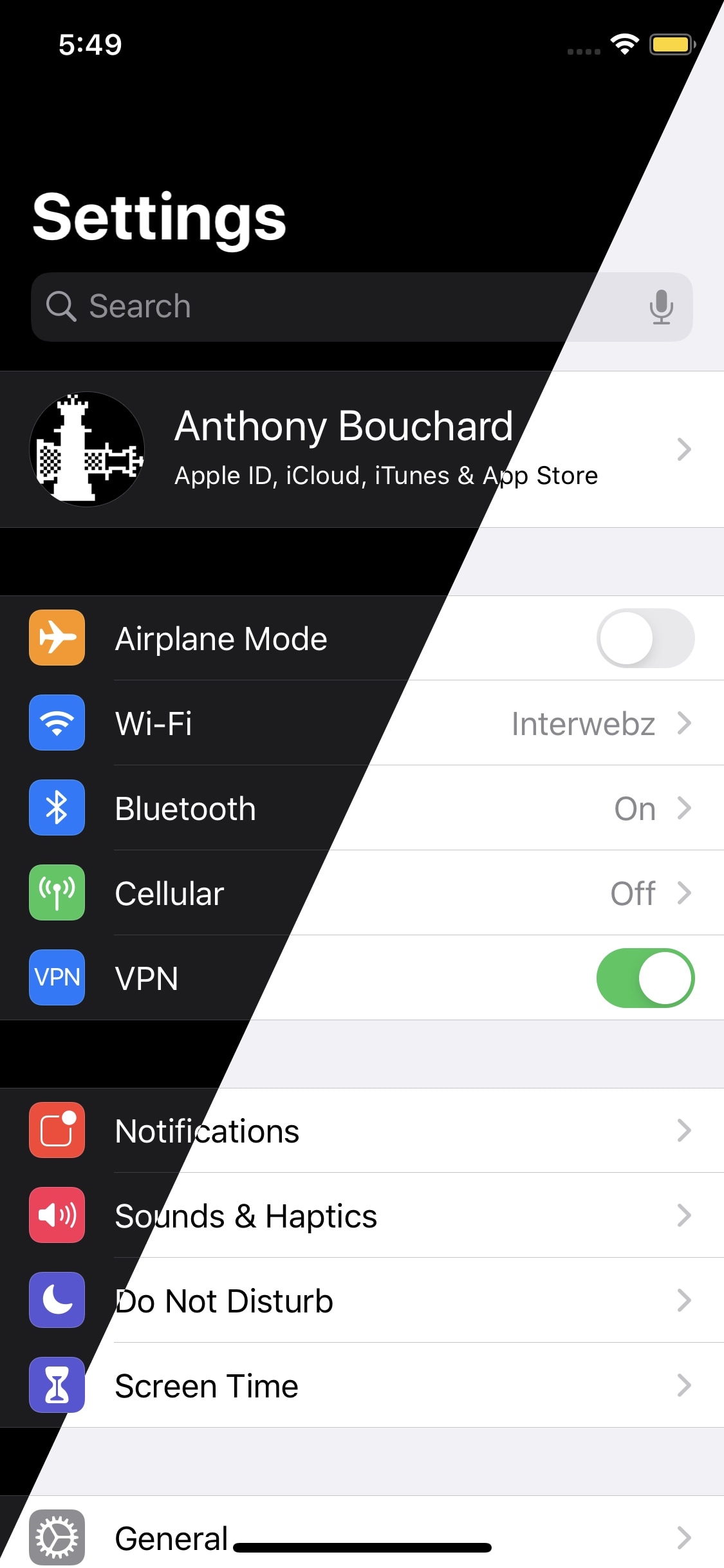
Apple integrates several ways into its mobile operating system to toggle iOS 13’s new dark mode feature on or off on demand, but perhaps you aren’t satisfied with them or you’d prefer to use a different method?

Enter Noire, a new and free jailbreak tweak by iOS developer MTAC that lets you turn dark mode on or off with a simple swipe-down gesture in the first page of the Settings app.

CozyBadges: A subtle upgrade for iOS’ native notification badges

Apart from a few tiny revisions in iOS 7 and later, iOS’ notification badge system has appeared mostly unchanged since its conception. Jailbreakers seeking a fresher take on notification badges would do good to check out a newly released jailbreak tweak called CozyBadges by iOS developer NoisyFlake.

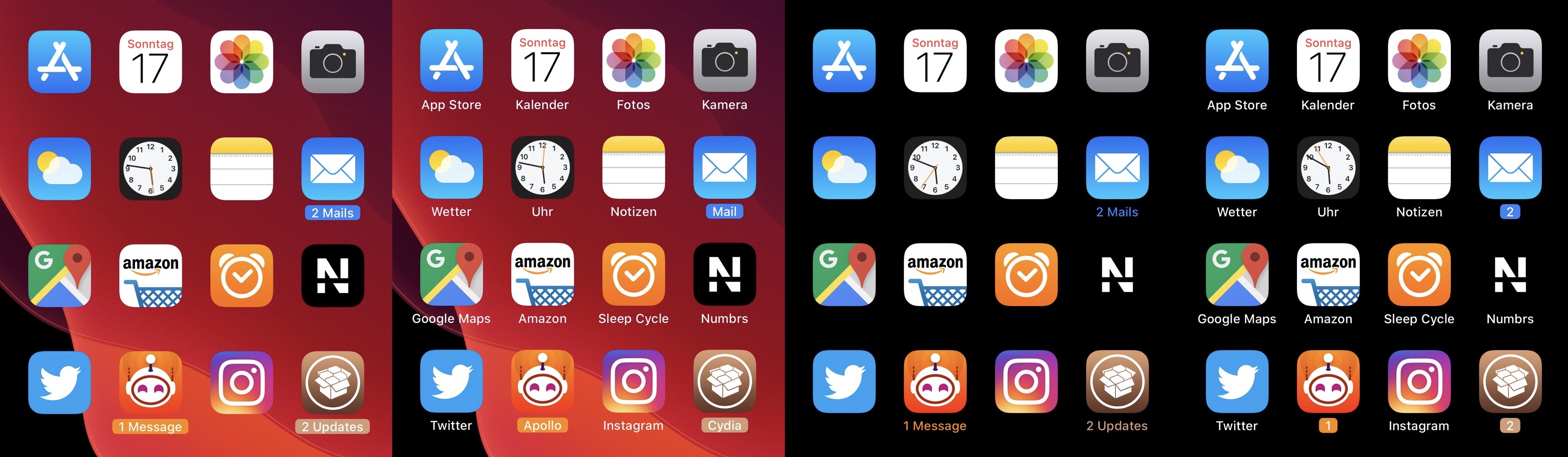
As depicted in the multitude of screenshot examples above, CozyBadges replaces the traditional red circular notification badge with something much more subtle — an updated icon label that appears highlighted or colorized when there are missed notifications. Moreover, the label can be configured to display alternative text, assuming the user wants this.

Command what appears in your Status Bar with HideStatusBarItemsPro

Your handset’s Status Bar displays pertinent information about current events, including the time, battery percentage, internet connection source, VPN connection, and even the date if you happen to be using using an iPad. But it also displays various icons and indicators depending on what your device is doing, such as location usage, personal hotspot usage, web loading activity, and more.

Those who’d like a greater command over what appears in the Status Bar may want to try using a jailbreak tweak called HideStatusBarItemsPro by iOS developer Chashmeet Singh. Just as the name denotes, this add-on lets users choose what does and doesn’t appear in their pwned handset’s Status Bar.

Continuity brings scrollable widescreen wallpapers to jailbroken iPhones

If you’re anything like me and you change your wallpaper somewhat frequently, then you might've noticed how some of the best wallpapers are optimized for horizontally-oriented displays such as laptops and tablets rather than vertical ones found in smartphones.

Applying these types of wallpapers on your iPhone generally results in an unpleasant viewing experience, but with the help of a newly released jailbreak tweak called Continuity by iOS developer Johnny Waity, you can make even the widest of wallpapers look fascinating on your tall smartphone display.

AdaptiveDarkMode lets jailbreakers set more conditions for iOS 13’s dark mode

Dark mode is one of my favorite new features in iOS 13, but Apple doesn’t give you too many options as far as switching between dark and light mode is concerned apart from doing so manually and automatically based on the time of day it is.

An iOS developer by the name of Smokin1337 recognized that this as something that could be improved, and with that in mind, a new and free jailbreak tweak called AdaptiveDarkMode was conceived.

This tweak gives you the iOS 13 ringer/silent HUD on iOS 12

One of my favorite upgrades in iOS 13 is the updated ringer/silent HUD. Rather than taking up the entire center of the display, iOS 13’s ringer/silent HUD appears near the top, and it looks much sleeker with its smaller footprint and subtle colorization.

If you’re jailbroken on iOS 12 instead of iOS 13, then you might be excited to learn about a newly released jailbreak tweak called XIIIHUD-Mute by iOS developer XCXiao, as it ports the iOS 13 ringer/silent HUD experience to the older mobile operating system. Examples of the tweak are depicted in the screenshot examples above.