Twitter

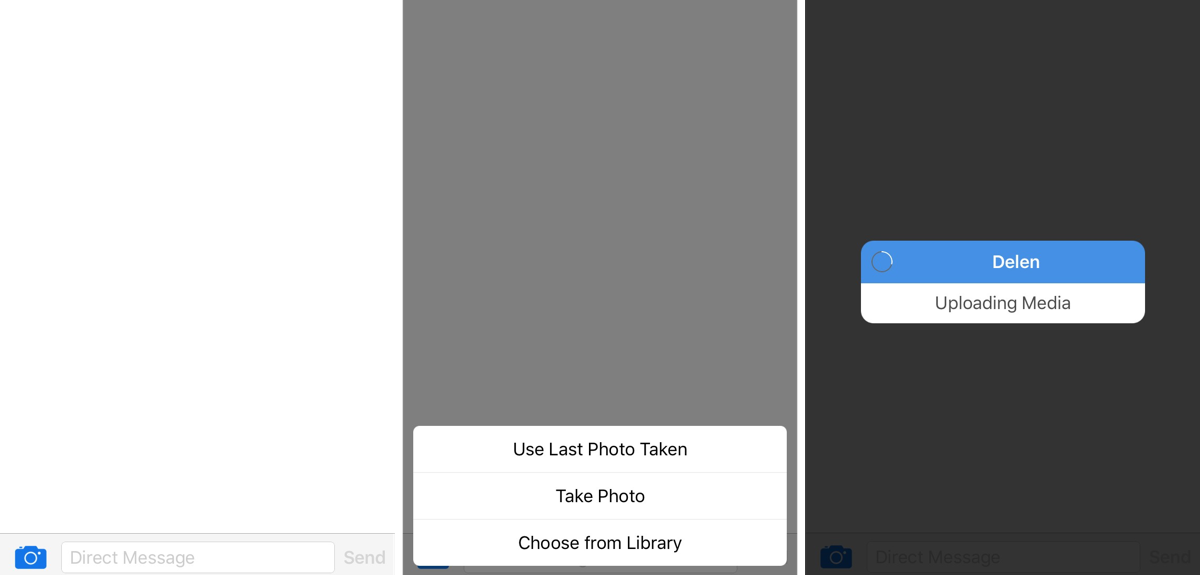
This tweak lets you send images via direct message in Tweetbot

There are a lot of people who choose to stick with the stock Twitter app because of Tweetbot 4's price, but it is, without a doubt, one of the most popular third-party Twitter client apps out there for iOS devices.

Nevertheless, its popularity doesn't make it perfect; there is one major downfall to Tweetbot 4 that many users find a little upsetting, and it's that you can't send photos in a direct message.

In comes a new jailbreak tweak dubbed Delen for Tweetbot, which now enables the feature for Tweetbot 4 users.
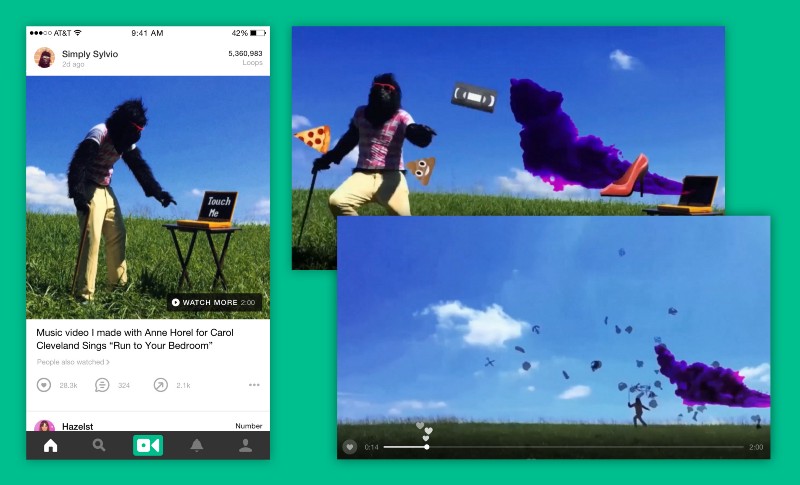

Vine starts an experiment with longer video, too

Twitter today said its users will soon be able to tweet out 140-second videos, a major increase in video duration compared to the current 30-second limit. The company also announced that its shortform video-sharing app, Vine, will start an experiment with longer video as well.

Twitter now accepts 140-second video uploads, rolls out new full-screen viewing experience

Micro-blogging startup Twitter on Tuesday announced a major expansion of native video length, with users able to upload videos to the service which can now be up to 140 seconds long, or two minutes and twenty seconds. Before today, Twitter video uploads were capped at thirty seconds. This change is scheduled to go into effect soon and will require an updated mobile app.

Twitter implements half-baked support for 360-degree video

Micro-blogging startup Twitter has added basic support for 360-degree video after both YouTube and Facebook did the same months ago, said The Verge. However, videos shot with 360-degree cameras won't yet play inline inside Twitter's mobile app or website. Rather, users are taken to a separate website where they can click and drag to look around the videos.

Twitter’s iOS app gains Peek and Pop previews

Although you couldn't tell it by looking at official release notes for Twitter's version 6.54 update, which make a passing mention of “a few minor updates that you didn’t even know you needed”, the app has finally gained additional 3D Touch goodies in the form of Peek and Pop previews within the app. Before today, Twitter for the iPhone and iPad only supported Quick Actions on the Home screen. Grab Twitter for iOS for free on the App Store.

Twitter confirms it’ll stop counting media and @names within the 140-character limit

In perhaps the biggest change to its service since its inception, Twitter on Tuesday announced a bunch of changes meant to distance itself from the controversial 140-character-per-tweet rule.

As previously rumored, media links generated by attaching photos, animated GIFs, videos, polls, quoted tweets and direct messages—along with @names in replies—will no longer count toward the limit.

Other changes include the addition of the retweet button on your own tweets and automatically exposing any tweets which begin with a username to all your followers.

Tweetbot for Mac updated with new Topics feature, Collections support and more

The Tapbots on Thursday issued an update for Tweetbot for Mac, bringing the popular Twitter client to version 2.4. The release brings the new Topics feature over from the recent iOS update, Collections support and other enhancements.

As you'll recall, A Topic is a way to let you quickly Tweet a group of related Tweets without having to manually reply to yourself. You can activate Topics by tapping the gear menu in the Compose screen, and they sync across devices via iCloud.

Bloomberg: Twitter plans to stop counting photos and links within the 140-character limit

Twitter's legendary 140-character limit per tweet (which mirrors limits on SMS messages) may not be going away anytime soon even though it was recently lifted from Direct Messages, but that doesn't mean the company isn't plotting new ways to help users squeeze more words into tweets.

As reported by Bloomberg, citing a person familiar with the matter, by not counting photos and links in tweets Twitter aims to make it easier to compose posts without losing 23 characters, or more, to these links—even after Twitter automatically shortens them.

New Tweetbot update makes tweetstorming easier

The Tapbots on Friday issued an update for their popular iOS Twitter client Tweetbot 4, bringing the app to version 4.3. The update includes a number of improvements, and a brand new feature called Topics that promises to make tweetstorming easier.

A Topic is a way to let you quickly Tweet a group of related Tweets without having to manually reply to yourself and/or add the same hashtags over and over. You can activate Topics by tapping the gear menu in the Compose screen, and they sync via iCloud.

Twitter finally brings Moments, Polls, and integrated GIF search to Mac app

Twitter introduced both polls in tweets and a Moments feature for discovering trending stories back in October 2015. Additionally, Twitter for iOS has had the GIF search feature since February 2016.

Even though Moments, Polls, and integrated GIF search have been available on the web at twitter.com and via Twitter's mobile application for the iPhone, iPod touch and iPad, it wasn't until today that these features finally rolled out to Twitter's Mac app.

LogDog for iOS lets you monitor the security of your online accounts

LogDog, a service originally made popular on the Android platform for keeping your various online accounts safe from unauthorized activity, is now launching for iOS.

With LogDog, you can actively monitor your online accounts and keep an eye on where the most recent logins came from, what operating system and web browser was used, and more.

If you're always worried about your security, or even your privacy, this is an app you'll want to check out.

Twitter launches Direct Message button in timeline

Twitter is making it a lot easier to send direct messages to anyone right from your timeline with today's introduction of an inline button that's present on all tweets. The new Direct Message button is launching later today in Twitter's mobile applications for iOS and Android.

Conveniently located to the right of the Reply, Retweet and Like buttons below any tweet, tapping it attaches a tweet to a Direct Message, ready to be sent to one or more of your followers.