Learn how to prevent sensitive content and posts from blocked and muted accounts from polluting your X search results.
How to use safe search options on X (Twitter)

Learn how to prevent sensitive content and posts from blocked and muted accounts from polluting your X search results.

In a series of announcements today, Twitter said that its users will soon have a trio of new features at their disposal aimed at helping curb abusive content on the service. Users will soon be able to take additional actions to help stop the creation of new abusive accounts, search results will be safer than before and the system will be able to identify and collapse potentially abusive replies so that the most relevant tweets are brought forward.
If you’re a Twitter user and you’re always finding stuff in your Twitter timeline that you could really care less about, then you might like a new free jailbreak tweak called TweetMuter by Tanner Bennett.
This tweak utilizes the existing Muted Words feature in the stock Twitter app, a feature that normally only applies to your notifications tab; but TweetMuter expands this functionality to even your timeline so that you don’t have to mute people entirely, nor will you have to un-follow people to stop seeing only certain things.

Twitter on Thursday announced that it has begun rolling out an enhanced Explore tab for its mobile users. The updated feature combines trending topics, Moments, search and live video into a single spot to make it easier for users to see what's happening on the social network.

Vine for iPhone was updated today with a cool dark icon, a new name and same old features, making good on Twitter's promise to sunset the service and morph it into a dedicated mobile camera software.
Rechristened as Vine Camera and bearing version number 6.0, the app is focused on the tools that let you shoot and edit six-second videos shareable on Twitter, where they now loop. You can also add captions, save videos to your iPhone's Camera roll and more.
Vine Camera is available free of charge from App Store and requires iOS 9.0 or later.
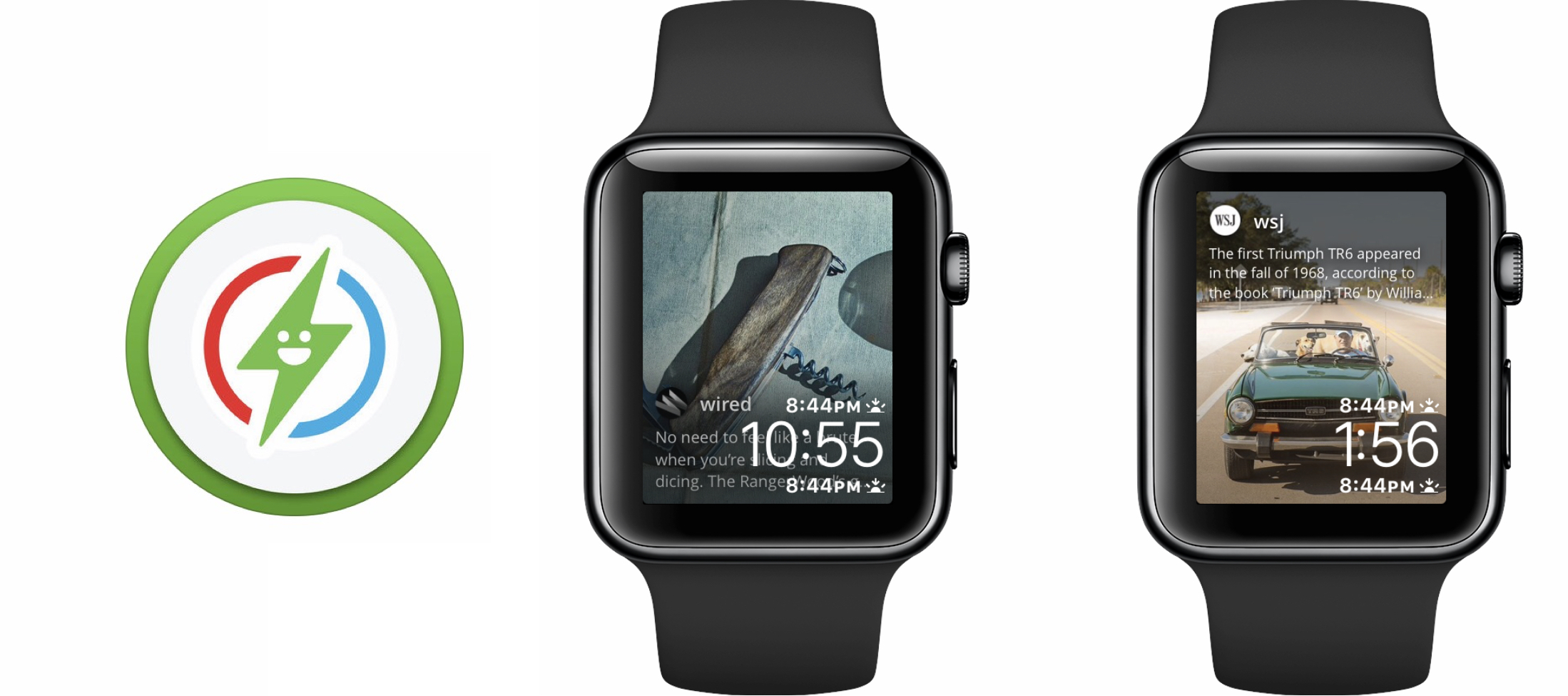
Every once in a while a Watch app comes along that brings something ostensibly new to the table. Glimpse, a project that sets out to relay real-time content from your iPhone straight to your Apple Watch’s watch face, is one of those notable additions. The app is home to a handful of social networks and about twenty prolific news outlets, which subject to your taste can selectively refresh on your iPhone and welcome you with new content every time you glance at your watch face.
The promise and potential of Glimpse is uncontested, but so are the flaws in its execution as of today. So before you speed to the App Store, think over the following items to find out if Glimpse has been tailored to you.
One of the saving graces of using Twitter at night is the built-in night mode theme that lets you cut down on all the white space by switching to it a darker background with light text.
Once you enable this dark mode, your eyes can finally take the load off and stop straining, but Twitter doesn’t exactly make toggling this feature on and off a cinch. That’s where a new free jailbreak tweak called TwitterThemeToggler comes into play.

Twitter on Friday announced that it would not be shutting down its popular video social media service, but will instead transition it into a 'Vine Camera' app. The new app will be a very pared-down version of the current client, and will be available in January.
With Vine Camera, you'll still be able to record looping 6-second videos, but your only other options will be to share it to Twitter or save it to your phone. The goal here is to allow folks to continue to create Vines, but to move the social media aspect to Twitter.
Twitter today announced that users of its mobile app can now broadcast Periscope-powered live video. Why go live on Twitter? Because live video broadcasts “bring moments and events to life in a way that no other medium can,” said the popular microblogging service. This newly added feature requires an update to Twitter's mobile app, which is rolling out to everyone on the App Store today.

Twitter launched Moments more than a year ago as a way of helping users discover trending stories and highlights representing “the best of Twitter”.
Well, it's now possible to create your own Moment from any tweet, whether your own or someone else's, right within Twitter's official mobile apps for iOS and Android. The feature first made its debut in the web interface at twitter.com before expanding in May 2016 to Twitter's desktop app for the Mac.

Learn how to save bandwidth and reduce cellular data usage on the official X (Twitter) app and website by turning on the data saver option.

Filter out junk notifications and get alerted only about the stuff you care about by turning on the quality filter option in the X app or website.