iPhone

Stay up-to-date on the latest iPhone news and learn new tips and tricks with our comprehensive tutorials. From software updates to new features, we’ve got you covered.

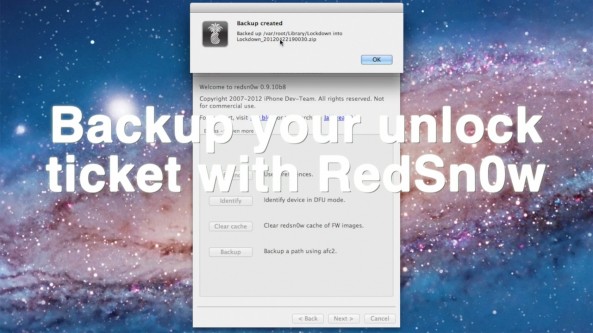
How to backup your iPhone’s unlock activation ticket with RedSn0w

Backing up your iPhone's activation ticket was a step suggested by iPhone Dev Team member MuscleNerd. Fortunately for us, his team has made it even easier to perform such a backup using the latest version of RedSn0w.

This step is suggested for those who take part in the recently uncovered SAM iPhone unlock method. If you followed our tutorial to unlock your phone, we suggest you follow through on preserving your activation ticket as well.

Check inside for a full video tutorial that shows how easy it is to successfully backup your iPhone's unlock activation ticket, and any other file that you want to save locally from your iPhone...

Here’s how to use AT&T’s online chat to unlock your iPhone

So yeah, I was lazy. Unlike Cody, I don't have the patience to wait on hold, or be placed in a revolving door of automated prompts. It was either head directly to the store, or give AT&T's technical support chat a try.

Thankfully, AT&T's technical support chat has a pretty good track record with me; I figured I'd give that a try before deciding to burn a gallon of gas to head to the closest AT&T store. Would they even be open on a holiday anyway?

At the end of the day, I'm glad I decided on this method. In less than 10 minutes the unlocking process for my iPhone was initiated, saving me time, gas money, and a potential headache.

Whereas it took Cody about 20 minutes to initiate his iPhone 4 unlock, it took me less than 10 minutes. Folks, it really doesn't get any simpler than this...

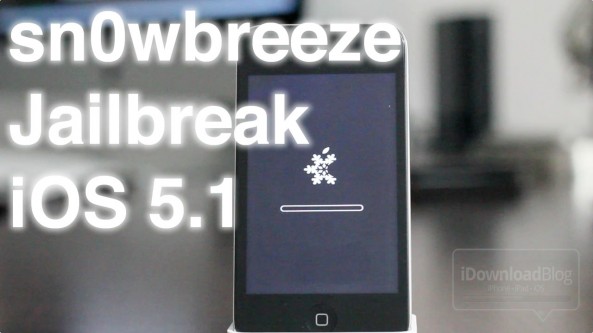
How to jailbreak iOS 5.1 with Sn0wBreeze v2.9.2

Earlier today we brought you details on ih8sn0w's 2.9.2 release of Sn0wBreeze for Windows.

Now we've put together a written tutorial along with a video tutorial that guides you through the entire tethered jailbreak process for iOS 5.1 on Windows.

This is a tethered jailbreak for non-A5 devices only, so it won't work with the iPhone 4S, and iPad 2. If you have an eligible device like the iPhone 4, or iPad 1, then step right inside...

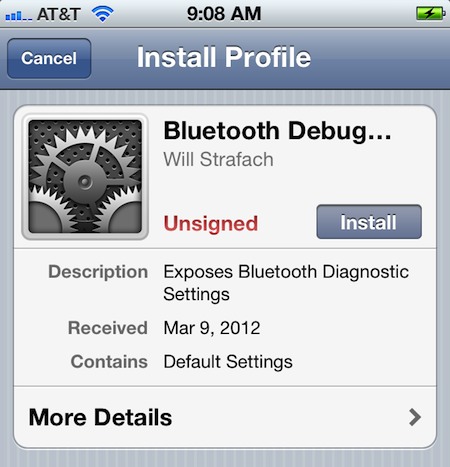
How to activate hidden debug settings in iOS

There are a couple of a reasons why someone would want to activate the hidden debug settings in iOS. Perhaps you're a budding hacker or developer, and are looking for more elements in iOS to tinker with.

Or maybe you don't know about any of that stuff and you just want to do it to further "hack" your device. Regardless of why you want want to do it, the real question is: how do you do it? Keep reading and we'll show you...

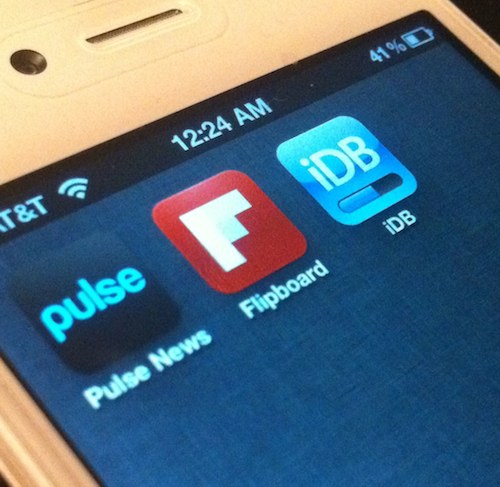
How to follow iDownloadBlog in Flipboard and Pulse

We've covered a number of great RSS reader apps on iDB over the past few years, but our favorites aren't hard to spot. Flipboard and Pulse News have both seen extra attention on our site due to their terrific user interfaces.

If you don't have at least one of these apps on your Spring board, you should reconsider. Their graphic-driven UIs make it extremely easy to follow your favorite tech sites while on the go, including iDB...

What AT&T customers on unlimited data plans can do to fight throttling

Last year AT&T, along with several other carriers, decided to drop its unlimited data plan in favor of other options. And although it has allowed users to maintain their previously-owned unlimited plans, it isn't exactly winning customer service points.

A few months ago, the operator started throttling its subscribers after using only two gigabytes of their unlimited data. And if you happen to fall into that category, for once, there is something you can do about it...

How to Check Where Jailbreak Tweaks Are Installed

Have you ever wondered what files a specific jailbreak tweak places on your device? Have you ever wondered where the files are stored?

If so, you could always fire up iFile or use an FTP utility to go digging around in your file system. Or, you could just head to Cydia and utilize a provision that's available for every package you have installed on your device...

Russian Siri “Port” Garners Mixed Results

Okay, so we've been debating running this story for quite some time now, but we figured since this involves Siri, that ultimately we should do so.

You're probably all aware of the so-called Siri port that runs on some Russian server hosted who-knows-where. Well, apparently it technically works, although many have had very mixed success in getting it to work.

Inside, we'll show you what you need to do to go about obtaining this "port" for yourself, although it's not without some disclaimers...

How to Permanently Preserve Your iOS 5.0.1 Untethered Jailbreak

If you've been paying attention to the jailbreak scene lately, then you've heard the warnings about preparing for Apple's next counter move against jailbreakers. The question is this: have you heeded it?

It's imperative that you update to iOS 5.0.1 now and save your SHSH blobs across all devices, including the iPhone 4S and iPad 2. That way, you can always downgrade to iOS 5.0.1 later, which means you will always have access to an untethered jailbreak.

We'll show you how to create a firmware file for your A4 devices that can always be jailbroken. We'll also tell you what to do to preserve the jailbreakability of your A5 devices as well. If you haven't done this yet, now is the time to act...

How to Set Up Spire [Video Tutorial]

A few days ago chpwn released Spire, a legal Siri port for the iPhone 4 and other devices. The release was met with much excitement, and likely just as much confusion. How does it work? Can it work with an existing Siri Proxy?

Getting Spire working on your non-iPhone 4S device may seem daunting, but it's actually fairly straight forward, especially if you've successfully followed our Siri Proxy tutorial in the past. The Spire setup pretty much involves the same steps needed to get Siri Proxy working, with a few notable differences thrown in.

Check inside as I show you how to get Siri running on your iPhone 4 using Spire. This should also work for other devices, like the fourth-generation iPod touch...

How to Jailbreak iOS 5.0.1 Untethered And Preserve Your Unlockable Baseband

Today, as we're sure you're aware of, the untethered jailbreak for iOS 5.0.1 was released. Tools like RedSn0w and packages like Corona were released to take advantage of pod2g's untethered exploit.

If you've had an iPhone 4 since launch, then it's entirely possible that you've preserved your baseband up until now for unlocking and resale value.

If your primary concern is preserving your baseband for an UltraSn0w unlock, then you'll be happy to hear that PwnageTool is back, and it packs full iOS 5.0.1 compatibility in tow...

How to Get the iOS 5.0.1 Untethered Jailbreak Using RedSn0w

By now you've probably read our earlier report that there is finally an untethered jailbreak for iOS 5.0.1. This is thanks to the amazing work of iOS hacker pod2g, but also thanks to GeoHot, who found some of these exploits a while back.

As we mentioned in our previous post, there are two ways to untether iOS 5.0.1. If you're already jailbroken, you may want to use Corona Untether 5.0.1. If, however, you're still running a stock iOS 5.0.1 version, then this RedSn0w tutorial is for you...