iPhone

Stay up-to-date on the latest iPhone news and learn new tips and tricks with our comprehensive tutorials. From software updates to new features, we’ve got you covered.

How to Recalibrate Your iPhone’s Home Button to Make it More Responsive

Sometimes the Home button on the iPhone just starts getting a little funky, a little laggy, a bit unresponsive.

Most of the time, those issues are software based, unless of course you've dropped your iPhone in water while feeding your pet fish.

For us non-fish owners, we've confirmed that a simple recalibration is usually all that's needed to fix most issues with the iPhone's Home button. Take a look at our video tutorial inside...


How to Jailbreak iOS 5.0.1 With RedSn0w Beta 9

As promised, a new and improved version of RedSn0w was unleashed just a few moments ago, and one of its primary features is the ability to jailbreak iOS 5.0.1 outright without the assistance of any additional firmware.

This makes for one of the easiest jailbreak methods possible for iOS 5.0.1. Check inside for a video walkthrough of the jailbreak process, along with a brief tutorial...

Introducing Our New And Improved RedSn0w Page

The timing almost couldn't be any better. The Dev Team is working on a new and improved version of RedSn0w, and we just finished our new and improved RedSn0w tutorial page.

The new RedSn0w page includes a comprehensive breakdown of every feature present in RedSn0w. It also includes handy video tutorials to make understanding the tool's primary features easy to follow.

If you haven't seen our new RedSn0w page already, check inside for a glimpse of what's new...

How to Downgrade iOS 5.0.1 to iOS 4.3.3 For Untethered Jailbreak

If you absolutely must have an untethered jailbreak at this very moment, there is always the option of downgrading back to iOS 4.3.3.

Assuming you saved your SHSH blobs for the last firmware susceptible to an untethered jailbreak, you can follow this video tutorial and downgrade to iOS 4.3.3 in about 10-15 minutes. Inside we show you how, step-by-step...

Use Siri to Dictate Text on Your Desktop With this Workaround

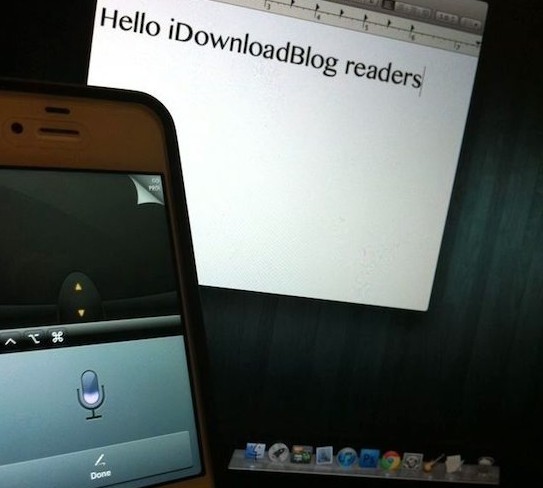
Even though Siri has received mixed reviews, a majority of the public seems to like the digital assistant. Folks are chomping at the bit for the feature to be ported to the iPhone 4 and other non-approved devices. And some are even hoping it finds its way to the Mac.

While we wait for Siri to arrive on the desktop by way of either Apple or hackers, this workaround might help fill the void. It allows users to dictate text on their desktop computers (Mac or PC) using Siri. It doesn't cost any money, and it's actually really easy to do...

How to Unlock Your GSM iPhone 4S, No Jailbreak Required [Updated]

Early GSM iPhone 4S adopters may be happy to hear that Twitter user xoicos has found a way to unlock the new handset using a bug in iOS 5. Of course, we know that Apple sells unlocked phones outright, but they are considerably more expensive.

Unlocking a device means that you are be able to activate it on other wireless carriers outside of the one you purchased the phone on. Initially, unlocking the iPhone required complexed baseband tweaking, but now it could be as easy as following these steps...

How to Enable Native FaceTime Over 3G Feature in iOS 5

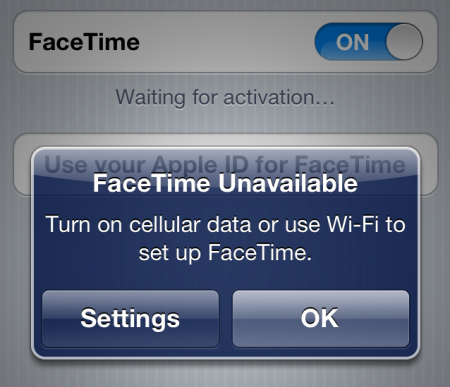
In the onslaught of rumors that we saw leading up to Apple's Fall iPhone announcement, there was talk that iOS 5 would finally allow users to make FaceTime calls over 3G. As most of you know, FaceTime has been limited to Wi-Fi since its introduction.

As it turns out, the option actually exists in iOS 5, it's just hidden. Apple obviously isn't ready to release it to the public. But as usual, hackers have figured out how to enable the secret feature...

How to Use iTunes Match: The Complete Walkthrough

After a little bit of a delay, iTunes Match was released to the public today. iTunes Match is a service that's built into the latest version of iTunes. It lets you match, upload, and play music on a variety of different devices.

This is an extremely cool service that allows you to take your entire iTunes library with you on the go, even if you have a measly 8GB iPhone.

Unfortunately, we don't think that Apple has done a very good job explaining the full benefits of iTunes Match. For that reason, we've created this ultimate iTunes Match tutorial, FAQ, and video walkthrough...

How to Jailbreak iOS 5.0.1 Final With RedSn0w

Apple released iOS 5.0.1 to the public today, and with it comes the need to jailbreak. Fortunately, we've got that need covered using the latest version of RedSn0w 0.9.9b8.

Keep in mind that many are warning those wishing to jailbreak to stay away from iOS 5.0.1 — especially iPhone 4S owners and those who have no way to downgrade firmware back to a prior version.

This is a tethered jailbreak, so those wanting untethered only need not apply. But if you're happy to use tethered to hold you over until then and if you've read all of the warning labels, check out our video tutorial that shows your how to jailbreak iOS 5.0.1 inside...

How to Download Deb Files From Cydia

It's easy to venture into Cydia and download your favorite apps and tweaks, but what if you want to save the files that you download for backup or later use?

There are tools like PKGBackup that save the links to the apps and tweaks that you have on your device, but it's not as straightforward to backup and save the actual .deb files responsible for installing the packages that we use.

What to do? In the following video tutorial, I'll show you how to easily download deb files using OpenSSH and a handy FTP client...

How to Install OpenSSH on Your iPhone

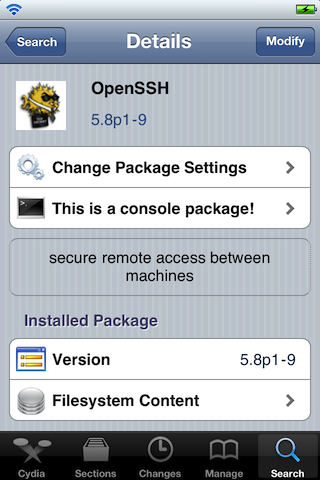
If you're a jailbreaker, then you realize how important OpenSSH is to the jailbreak community and you likely use it often.

But if you're new to the world of jailbreaking, you might not see the benefit right off hand.

This video tutorial not only shows you how to install OpenSSH onto your iPhone, iPad, or iPod touch, but why it's beneficial as well...

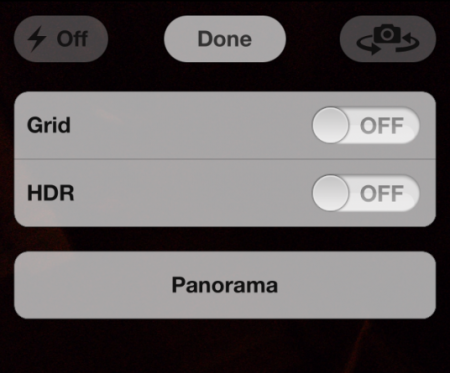
How to Enable iOS 5’s Hidden Panorama Feature Without Jailbreaking

Yesterday, a hidden feature was revealed in iOS 5. It turns out that the panorama camera mode that Apple was rumored to be working on is actually baked into iOS. Shortly after the feature was exposed, jailbreakers were able to download a tweak to enable it.

But what if you're not jailbroken? With no iPhone 4S jailbreak available, and no word on an iOS 5 untether, not everyone's iPhone is hacked at the moment. Luckily, the folks over at FSM just posted a method to enable the Panorama feature — no jailbreak required...