Theme

Customize iOS’ Home screen folders with Cartella

If you’re looking for a way to spice up your iPhone or iPad’s native Home screen folder behavior, then there’s a fairly good chance that a newly released and free jailbreak tweak called Cartella by iOS developer burrit0z could be right up your alley.

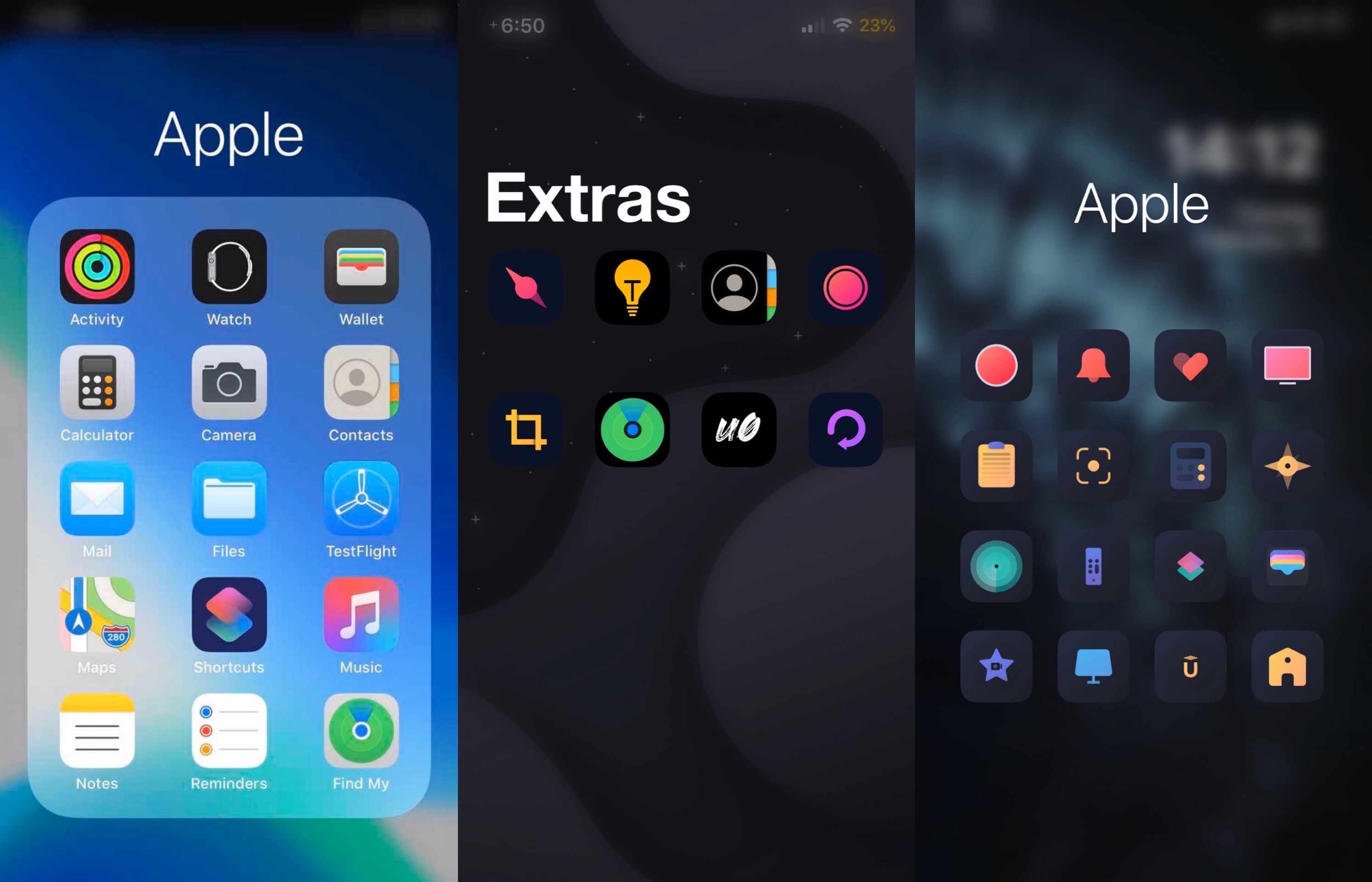
Cartella was designed to let jailbreakers adjust the look and feel of their handset’s Home screen folders. Straight out of the box, it incorporates a plethora of different customization options, including:
Ayedapt forces your iPhone’s Home screen icons to obey iOS’ dark mode setting

One of my favorite features that shipped with iOS 13 was a native system-wide dark mode that’s both aesthetically pleasing and easy on the eyes at night. Unfortunately, Apple left the Home screen’s app icons out of the picture when making dark mode a reality for stock iOS devices.

Here to address that issue head-on is a newly released jailbreak tweak/theme hybrid called Ayedapt by Surenix – a renowned graphic designer in the jailbreak community.

Give your pwned iPhone quirky aesthetics with FireflyX

If you’re jailbroken and you’re ready to do away with the same-old boring iOS interface that you’ve been gawking at for years, then you might take a liking to a newly released jailbreak tweak called FireflyX by iOS developer Sirius24.

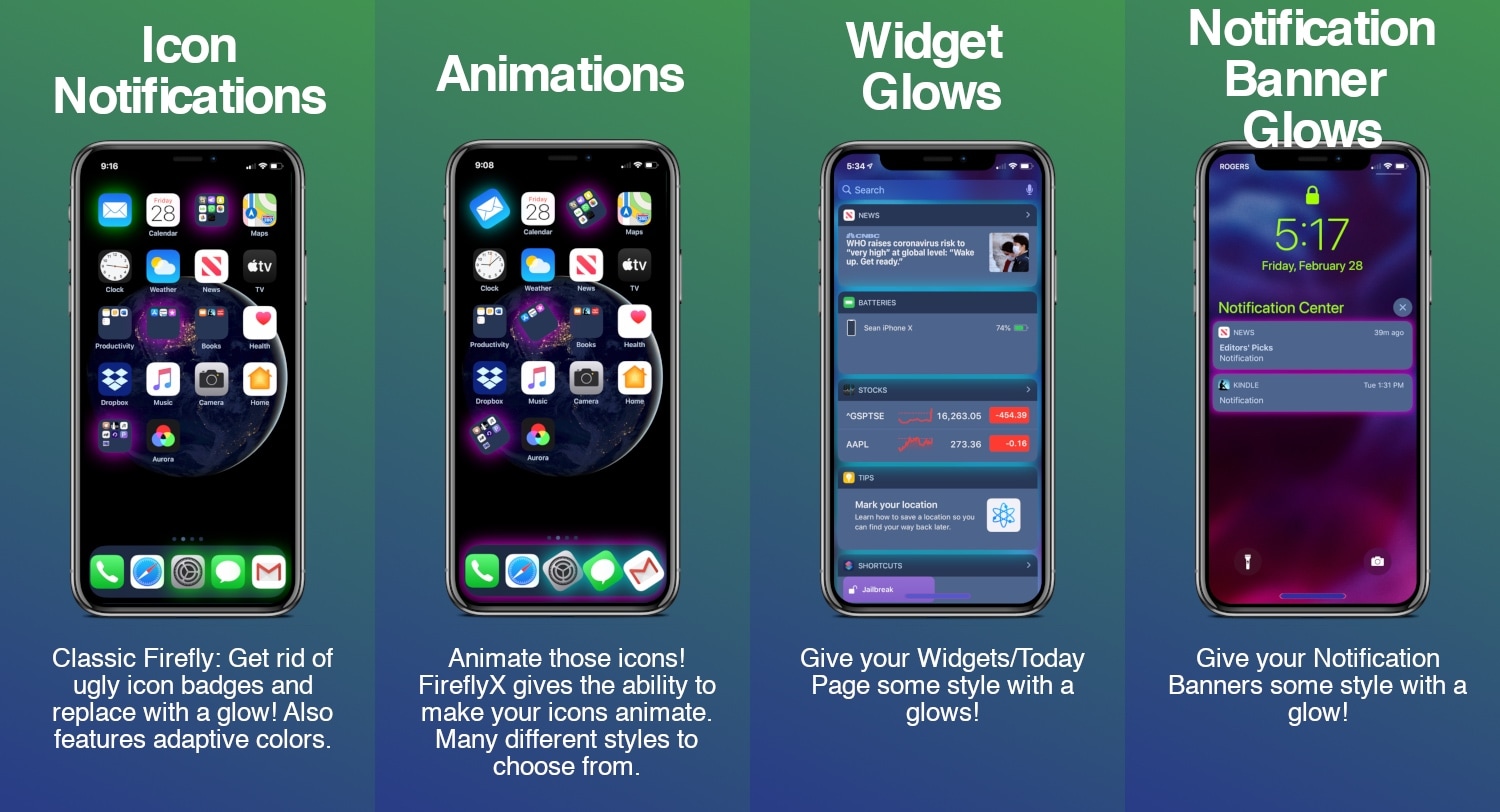
FireflyX empowers jailbreakers with the ability to customize their device’s aesthetics at the molecular level with colorful borders, underglows, and animations, among other things. These effects are applicable to a several of user interface elements including the Home screen’s app icons, Dock, Folders, and even the notification banners or widgets that appear in the Today view.

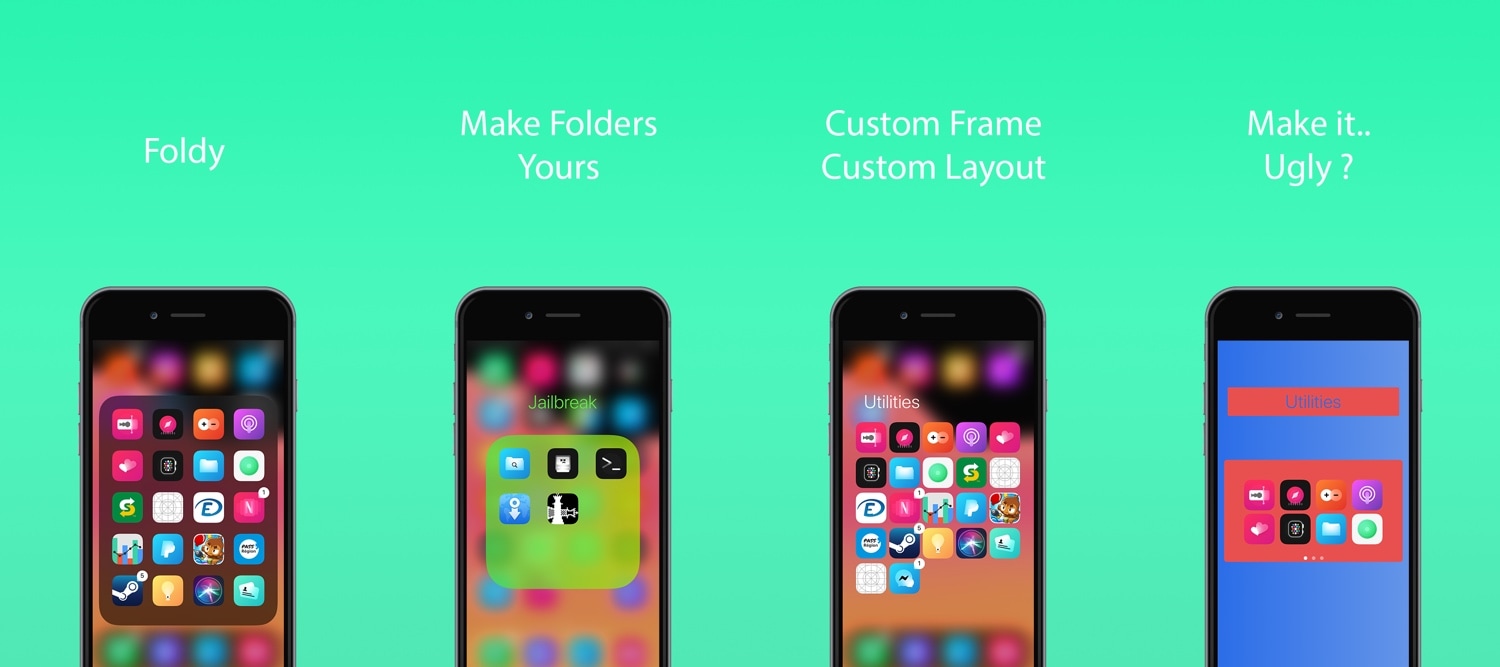
Take control of your iPhone’s Home screen folders with Foldy

If you use folders to organize the plethora of apps residing on your iOS device’s Home screen, then you’ve likely come to realize just how monotonous they can look, especially in large numbers.

A newly released and free jailbreak tweak dubbed Foldy by iOS developer Thomz aims to resolve this concern by offering jailbreakers novel ways of personalizing the look and feel of their Home screen folders.

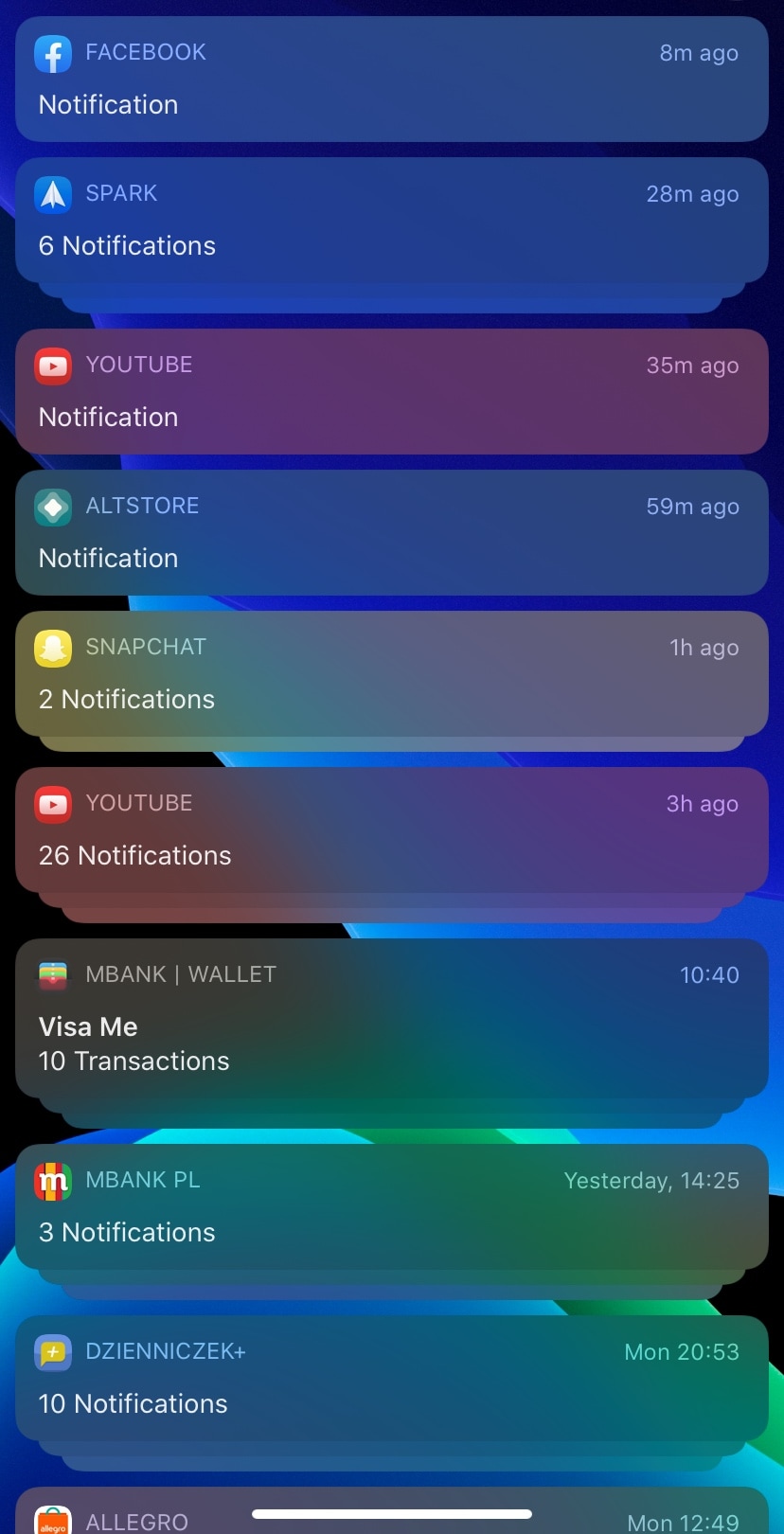
ColorfulNotifs makes iOS’ notification banners more colorful

If you’re enjoying the perks of having a jailbroken iOS 13 device thanks to checkra1n or unc0ver and you’re looking for something to get you started in the interface customization department, then one thing you might want to check out is a newly released and free jailbreak tweak dubbed ColorfulNotifs by iOS developer neoney.

As you may have inferred already from the tweak’s somewhat conspicuous name, ColorfulNotifs applies custom color schemes to your handset’s incoming notification banners.

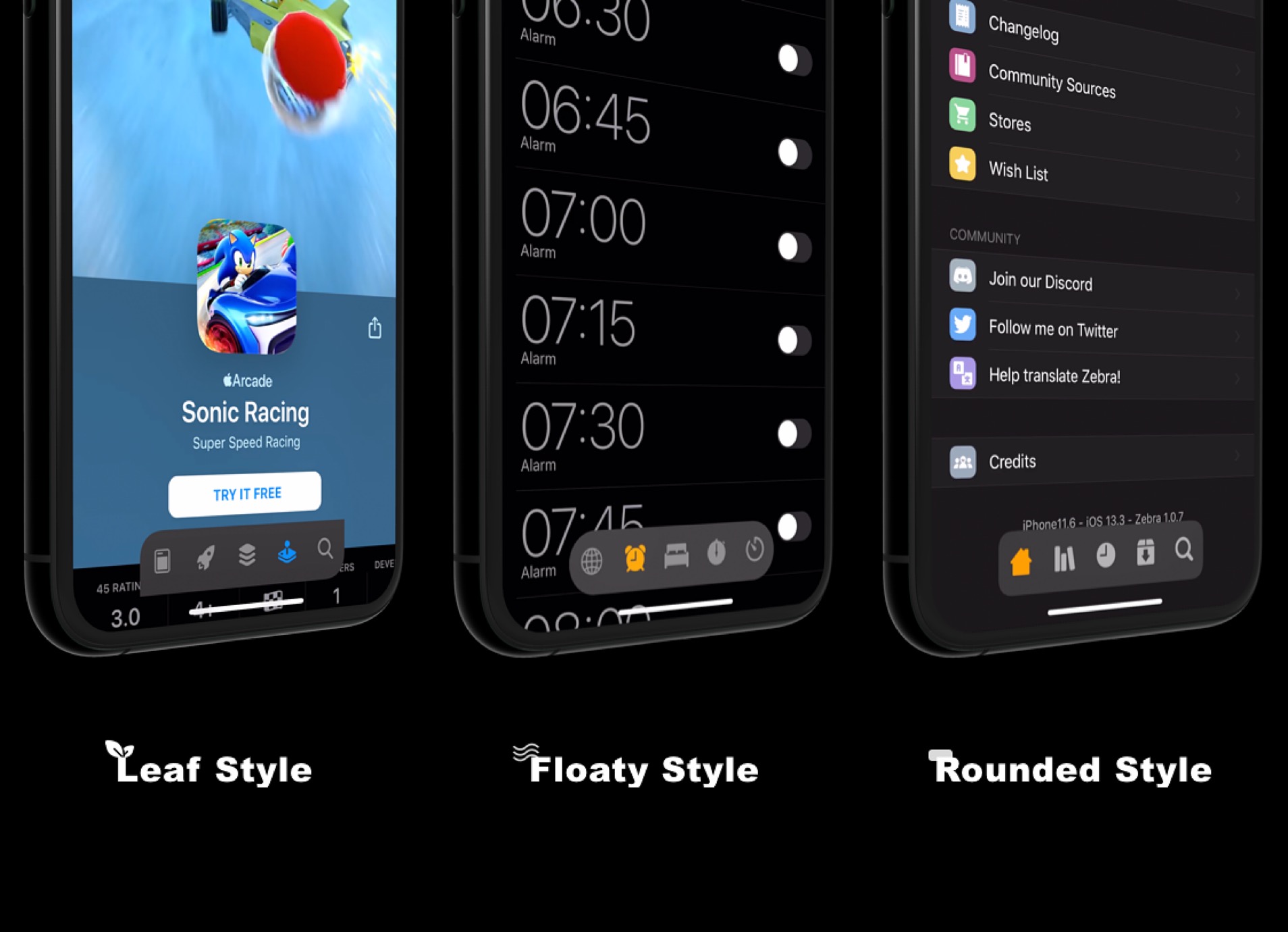
FloatyTab introduces a customizable floating Tab Bar to your iPhone

As you use apps on your iPhone, you’ll often notice a bar of tabs at the bottom of your handset’s display. This is generally referred to as the Tab Bar, and it hosts shortcuts to different sections of whatever app you might be using.

Those who’ve been using the iPhone for several years would be able to tell you that the Tab Bar hasn’t changed much since the original version of iOS. For that reason, a newly released jailbreak tweak called FloatyTab by iOS developer Dylan West aims to bring changes that are both functional and aesthetically-pleasing.

Compactor brings the Apple Watch’s font to your pwned iPhone or iPad

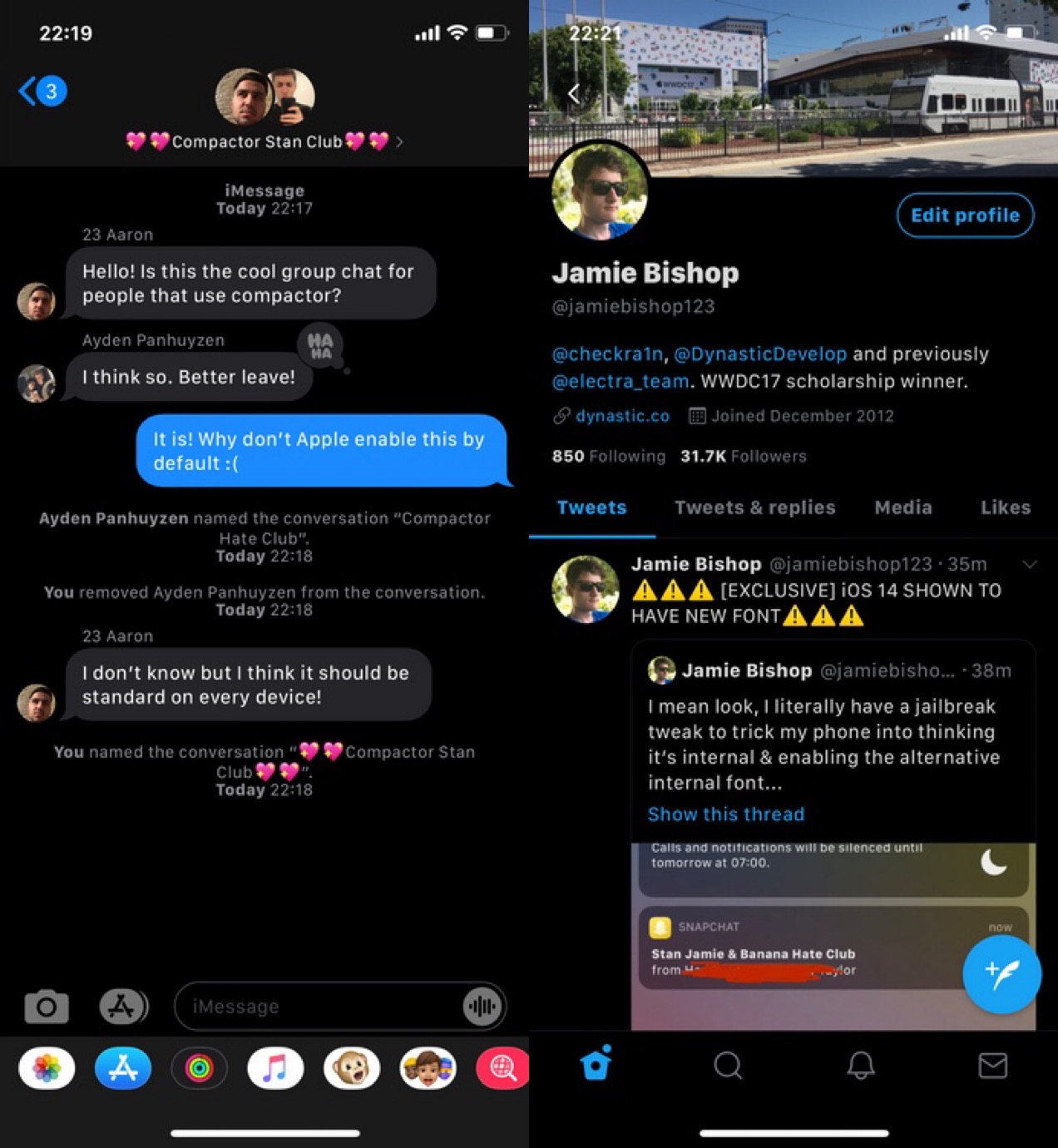
If you have an Apple Watch, then you’ve undoubtedly noticed that it sports an entirely different system font than your iPhone does. Typically, you’d need to install performance-impacting or battery-guzzling add-ons to change your system font, but with a new and free jailbreak tweak called Compactor by iOS developer Jamie Bishop, you can bring the Apple Watch’s native font to your iPhone without these ill side-effects.

As depicted in the screenshot examples above, the Apple Watch’ system font, also known as SF Compact, is both smaller and more legible than the iPhone’s native system font.

This new tweak lets you colorize the AirPods/AirPods Pro connect interface

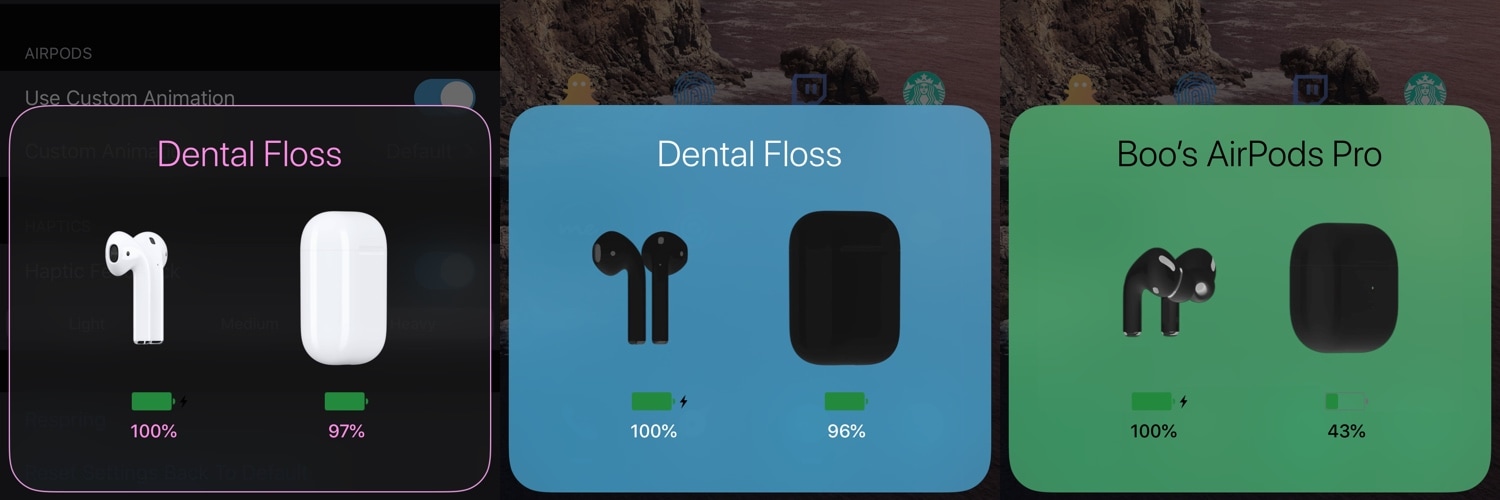
If you’re jailbroken on iOS 13 and you also happen to own a pair of AirPods or AirPods Pro, then you might enjoy the added customization benefits of a newly released and free jailbreak tweak called AirPort (iOS 13) by iOS developer Boo.

If you haven’t already noticed in the screenshot examples above, AirPort (iOS 13) enables users to personalize the appearance of their AirPods/AirPods Pro connection interface. Options include colorizing the interface, the text, and the AirPods/AirPods Pro themselves.

DigitalBattery13: A customizable battery indicator for notched iPhones

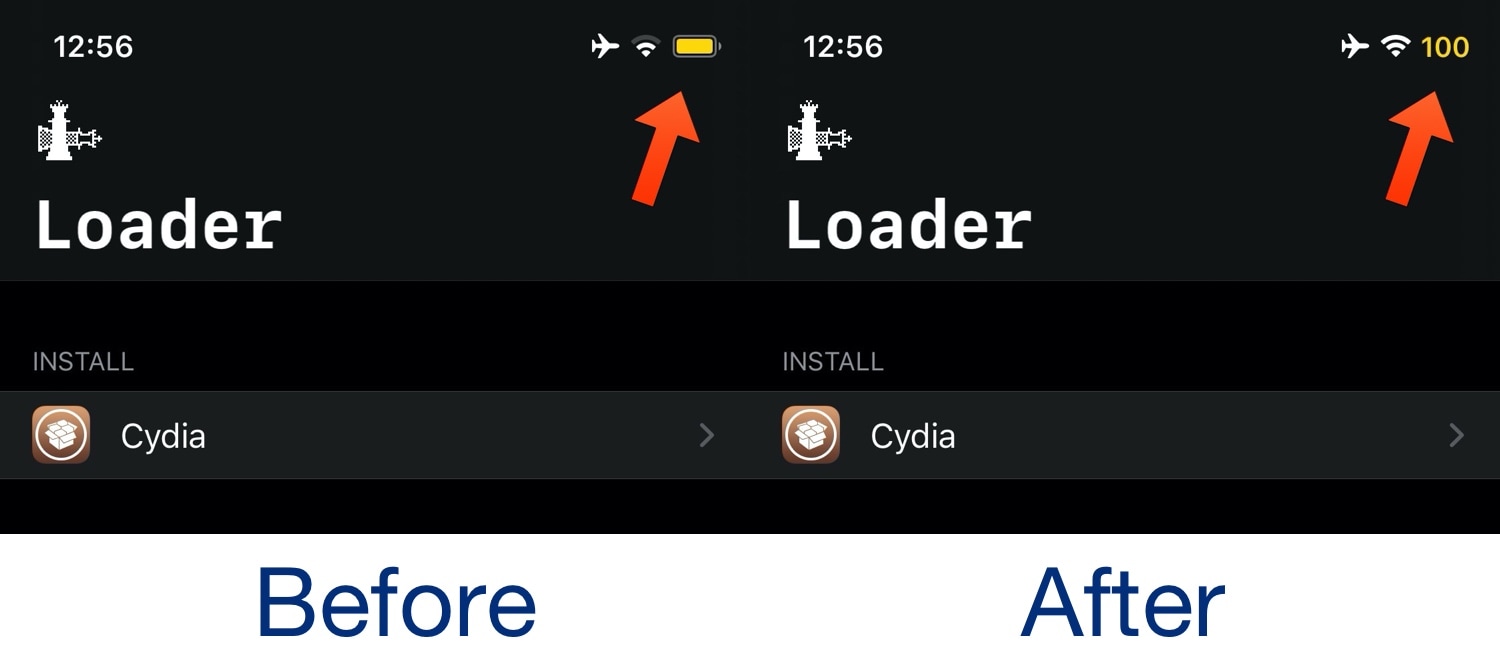
I was always the sort of person to enable the Battery Percentage option on all of my older iPhones, but since the introduction of notched handsets starting with the iPhone X in 2017, Apple appears to have nixed this feature from all but the non-notched handsets, requiring you to open Control Center to see a numeric battery percentage.

Those looking for a better battery indicator solution on their notch-equipped iPhones may want to try out a newly released and free jailbreak tweak called DigtalBattery13 by iOS developer Asterix. Just as the name implies, this tweak gives your handset an actual numeric battery readout as opposed to just an icon.

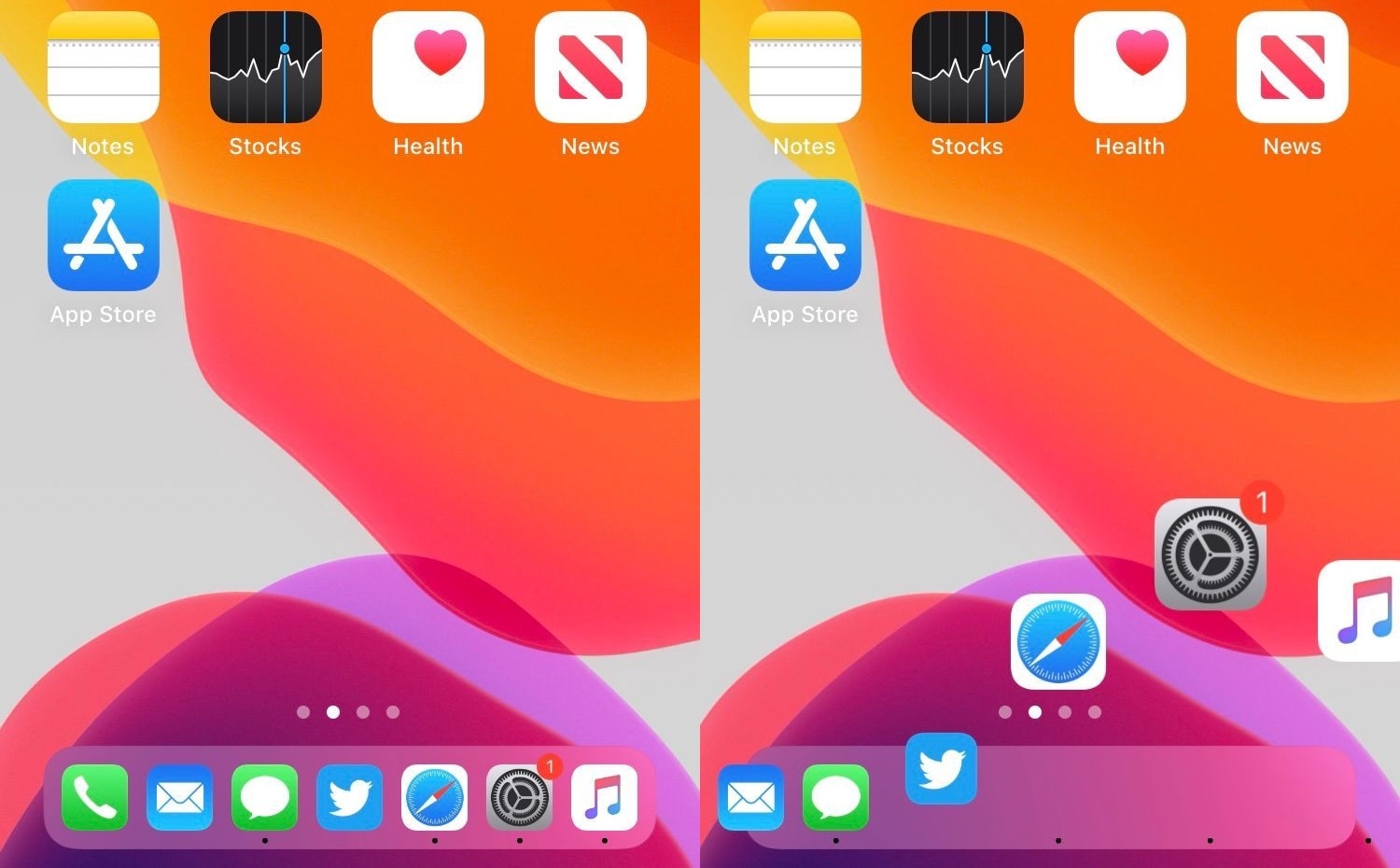
This tweak centers the final row of apps on your Home screen

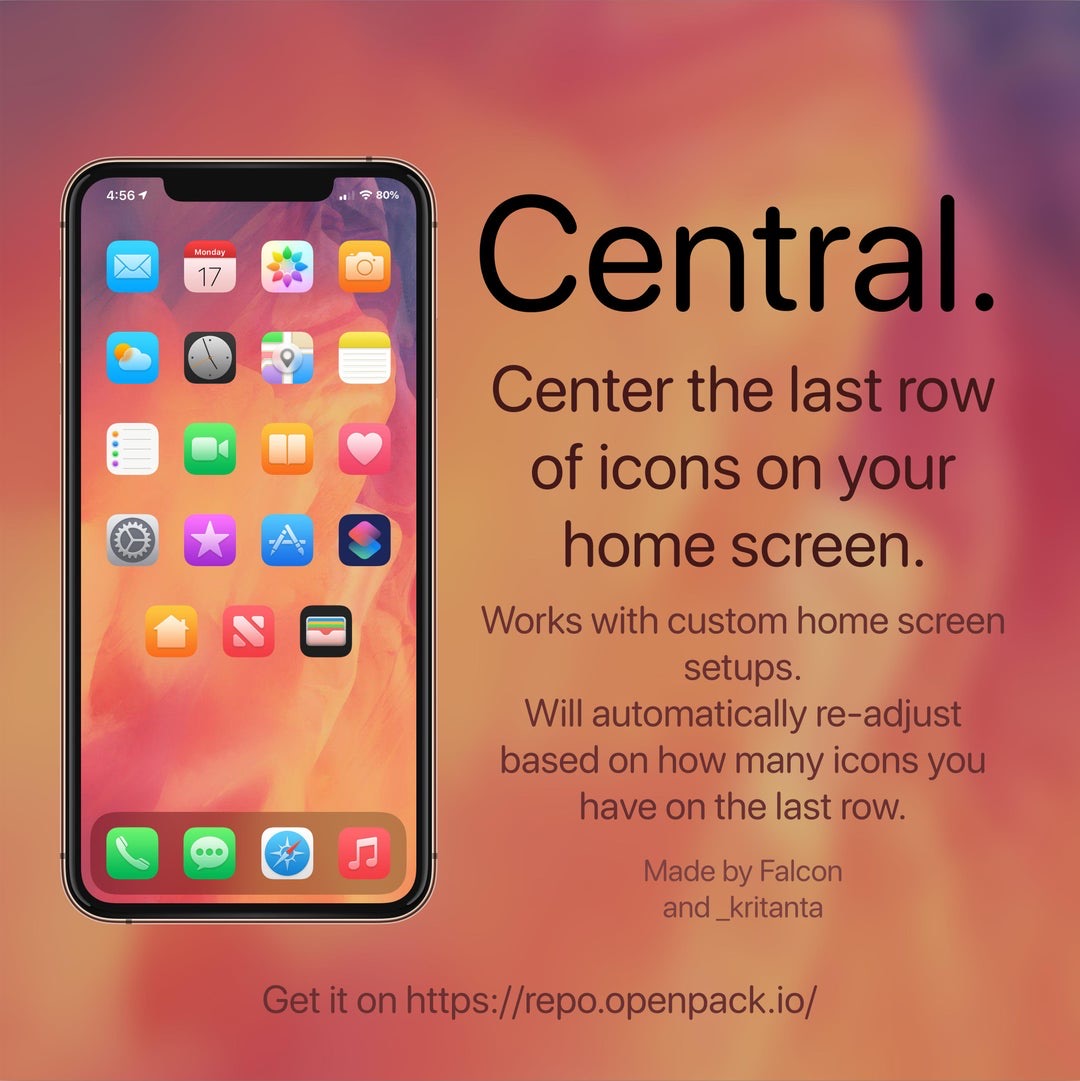
If you’re lucky enough to have a jailbroken iPhone or iPad at your disposal and you’re looking for a fun and quirky way to make your handset’s Home screen stand out from the average Joe’s, then you just might come to appreciate a newly released and free jailbreak tweak called Central by iOS developers Kritanta and Falc0nDev.

As depicted in the screenshot example above, Central adjusts your Home screen’s application icon layout in such a way that the final row on the Home screen funnels down to just three icons in the center of your display.

ColorFlow 5 gives iOS 13’s Now Playing interface a fresh coat of paint

If you’ve recently jailbroken iOS 13 with checkra1n or unc0ver and you enjoy listening to your favorite songs or media through Apple Music or Spotify, then we have a feeling that you might enjoy a newly released jailbreak tweak called ColorFlow 5 (iOS 13) by iOS developer David Goldman.

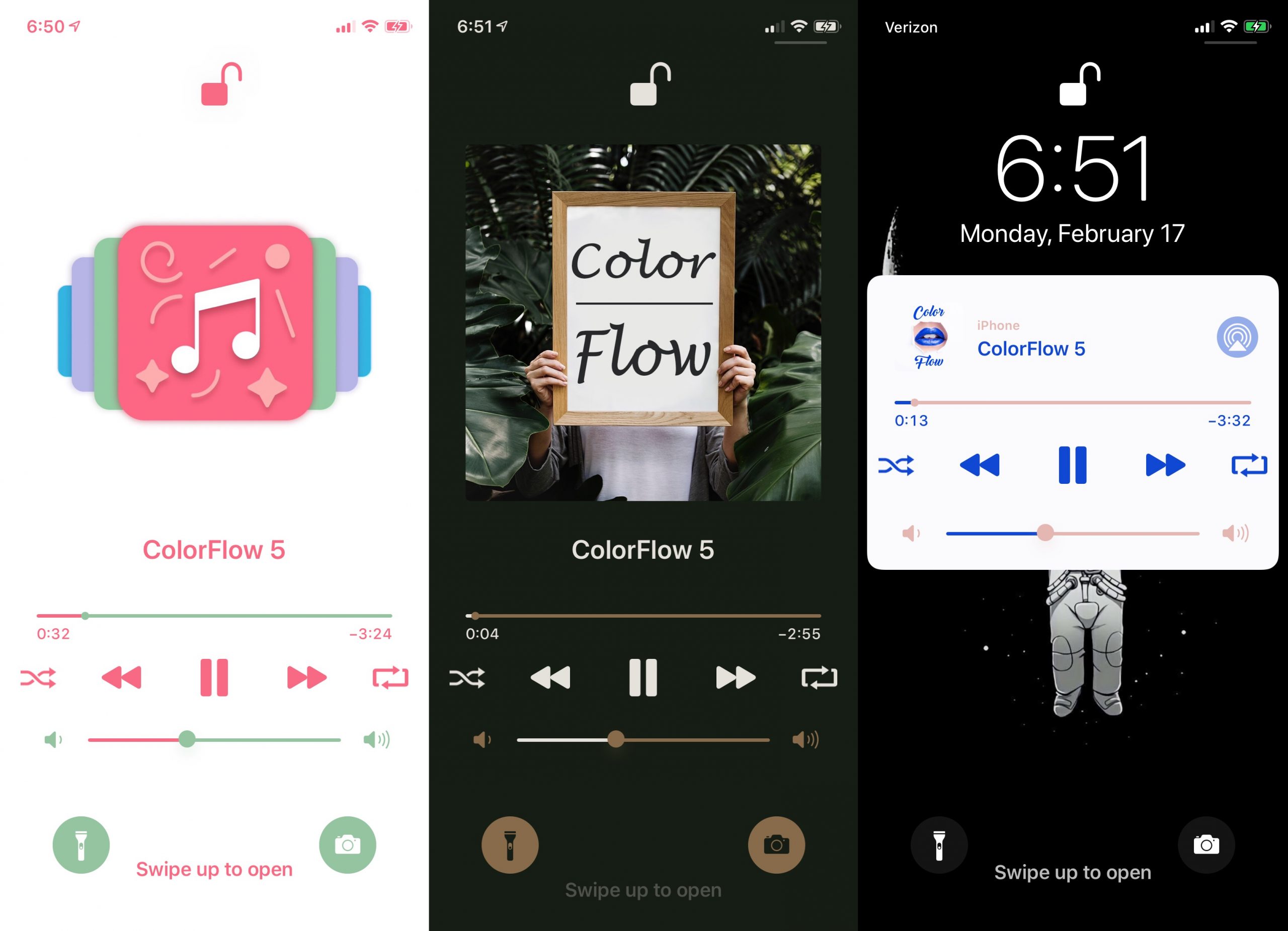
As you might’ve inferred from the tweak’s name already, ColorFlow 5 is the fifth iteration of this tweak, and it automatically colorizes the Now Playing interface using the dominant colors from the current track’s album artwork. Examples of this are shown in the screenshots above.