Security

How to use Google SafeSearch to filter out explicit web search results

Google SafeSearch enabled on iPhone

Whether you’re a parent trying to filter explicit content from the limitless Google searches your child could be searching on the web, or you’re simply trying to figure out why it seems like certain images or web results are being filtered from your Google search queries, chances are Google SafeSearch is the answer.

In this tutorial, we’ll show you how you can toggle Google SafeSearch on or off, depending on whether you need to start filtering explicit search results from your queries or stop doing so when the feature is already enabled.

MessageFilter: blacklist and whitelist words for specific conversations

If you have all kinds of contacts on your iPhone or iPad, ranging from friends and family, to significant others, to business partners and bosses, then you have a responsibility to take extra care to ensure your messages never go to the wrong person.

Helping to prevent sending messages that are intended specifically for certain people to the wrong person is a new free jailbreak tweak called MessageFilter by Frozen Penguin. It works by allowing you to set up a special blacklist and whitelist system to manage where certain kinds of messages are allowed to be sent.

PassButtonStyle allows you customize your passcode buttons look

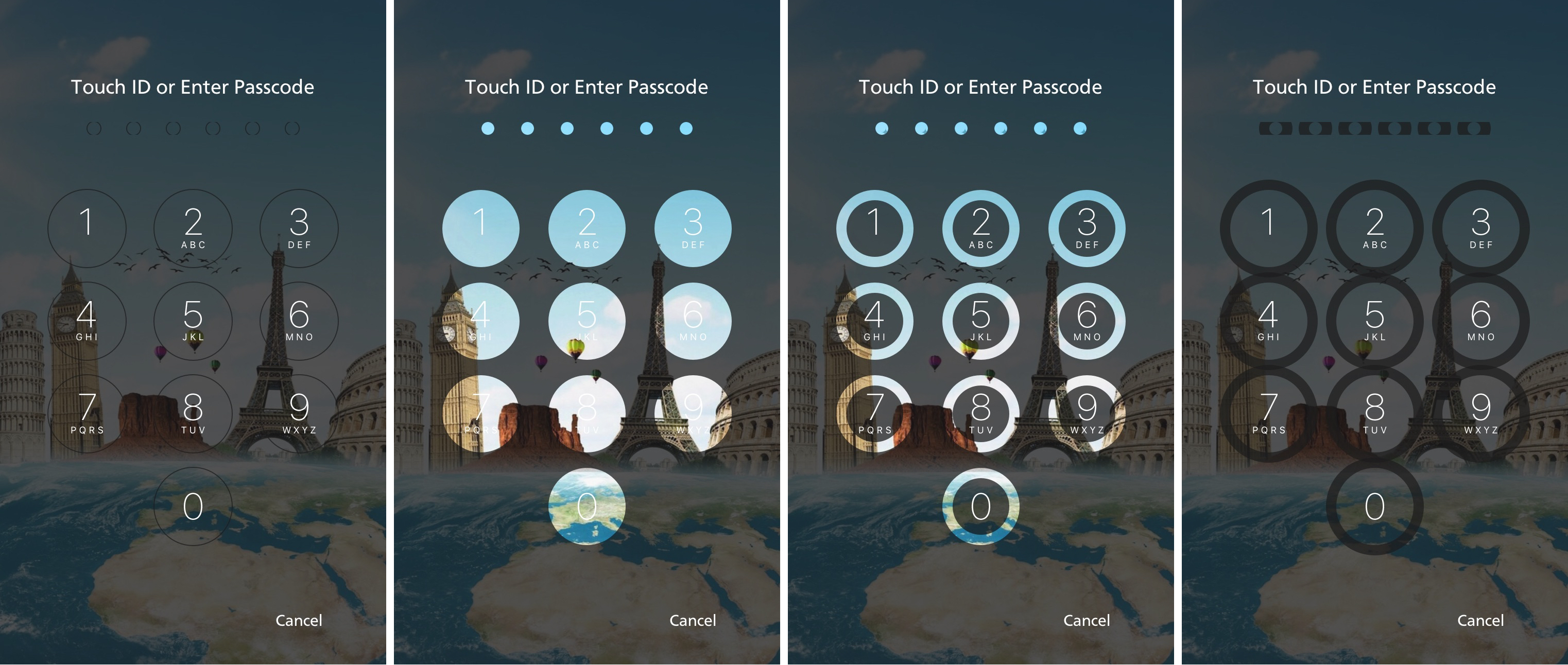
Most modern Apple mobile devices are Touch ID-enabled and rarely get any passcode button screen time at all; nevertheless, any time your Touch ID sensor decides not to work correctly, or when rebooting your device, you will be introduced to it from time to time.

For those who see the passcode input screen more than others, a new free jailbreak tweak called PassButtonStyle by developer CydiaGeek will let you customize the appearance of your passcode buttons.

New Mac malware from Russia targets your saved passwords and iPhone backups

It used to be that Mac computers were immune from the vast majority of viruses and malware plaguing Windows and other platforms. But as Apple's products have been growing in popularity, hackers and malware developers have been increasingly targeting macOS.

Following recent reports of Mac malware that uses a very old Windows trick which relies on Microsoft Word macros, a new strain of malware from Russian hackers has been found to steal your saved passwords and iPhone backups, security firm BitDefender said.

Apple co-sponsors security conference BSides

In another telltale sign proving that Apple's involvement in academic research and publishing related to security and privacy has been increasing as of late, the company is now publicly listed as one of the sponsors of the information and security conference, called BSides. Apple's name now appears on the conference's sponsor page alongside other companies like Google, Dropbox, Fitbit and more. Held today and tomorrow in San Francisco, the two-day event is centered around technical discussions aimed at security engineers and their affiliates.

SmartVPN toggles your iPhone’s VPN automatically on a per-app basis

Many people take their security very seriously, especially when they’re connected to the internet and personal sharing information with apps and websites.

If you’re one of the people who likes to stay secure and you also have a jailbroken device, then you might find yourself really interested in a new free jailbreak tweak called SmartVPN by developer zyb.

iCloud was storing deleted browsing histories, but Apple fixed the issue

A Russian forensics firm named Elcomsoft has discovered that Apple was storing users' Safari browsing histories in iCloud going back more than a year, possibly much longer. This was happening even after users had asked for any deleted records to be wiped from their iCloud-connected devices. Soon after Elcomsoft announced a way to extract deleted browsing histories from iCloud, Apple applied a server-side fix to stop the retrievals and apparently purged all records older than two weeks.

New malware uses auto-running macros in Word documents to infect your Mac

Taking advantage of a primitive Windows technique relying on automatically-running macros embedded in Microsoft Word documents, a new type of Mac malware attack has been discovered recently. As first noted in a research compiled by Objective-See, the technique used may be crude but once an unsuspecting user opens an infected Word document and chooses to run the macros, the malware installs itself silently on the target Mac and immediately attempts to download a hazardous payload.

This app keeps track of when your iOS 10 jailbreak certificate will expire

The Yalu jailbreak, just like the Pangu jailbreak before it, relies on certificates that have expiration dates. You have to re-sign the jailbreak with Cydia Impactor past the expiration date to keep your jailbroken state.

No matter what kind of certificate you have, whether it’s a regular 7-day certificate or a 1-year developer certificate, it won't last forever, and a new jailbreak app called CertRemainTime by lululombard can help you keep track of it.

Twitter announces three new features to curb abusive content

In a series of announcements today, Twitter said that its users will soon have a trio of new features at their disposal aimed at helping curb abusive content on the service. Users will soon be able to take additional actions to help stop the creation of new abusive accounts, search results will be safer than before and the system will be able to identify and collapse potentially abusive replies so that the most relevant tweets are brought forward.

How to SSH into your device from a Mac and change your root password

Sometimes it is necessary to connect to your mobile device from a computer, for troubleshooting purposes or to use a tool which runs from the computer. For example, tihmstar's Prometheus suite downgrades your device by sending commands to it from the computer on which it, and the files it uses, are stored. The connection used to do this is called SSH, and is normally provided by the OpenSSH package (or an equivalent client such as Dropbear).

In this guide we will show you how to use SSH to connect to your device from your computer. We will also go through how to change the default passwords on your device, because once you have installed OpenSSH, anyone can log in using the default passwords if you do not change them. This is a major security risk, and so everyone who has OpenSSH installed should follow this procedure.