Security

FBI paid $900,000 for the tool to break into San Bernardino shooter’s iPhone 5c

FBI and Apple logos

Just how much did the tool to break into the San Bernardino gunman's locked iPhone 5c cost US taxpayers? According to senator Dianne Feinstein, the Federal Bureau of Investigation coughed up a cool $900,000 to purchase the tool from a third-party.

The Associated Press said Monday that the classified information was revealed during a Senate Judiciary Committee oversight hearing, where senator Feinstein was questioning FBI director James Comey.

“I was so struck when San Bernardino happened and you made overtures to allow that device to be opened, and then the FBI had to spend $900,000 to hack it open,” said Feinstein, D-Calif. “And as I subsequently learned of some of the reason for it, there were good reasons to get into that device.”

While the tool's vendor wasn't named, it's been speculated that the FBI bought the software from Israeli digital forensics firm Cellebrite.

Comey called the sum “worth it” even though the FBI itself said it found “nothing of real significance” after gaining access to the device.

https://www.youtube.com/watch?v=PM7X-EUTowY

Subscribe to iDownloadBlog on YouTube

The FBI sought to protect the identity of the vendor it paid to do the work.

The organization considers the exact sum paid for the tool to be classified information, prompting The Associated Press and a few other news organizations to file a public records lawsuit seeking to force the government to publicly reveal both pieces of information.

Undercover factory worker spills the beans on security measures to prevent iPhone leaks

As part of his summer project, NYU grad student Dejian Zeng spent six weeks working undercover in a Chinese factory operated by iPhone manufacturer Pegatron. In a video interview with Business Insider's Kif Leswing, he reveals some of the security measures designed to prevent unwanted leaks as part of preparations ahead of iPhone 7 production.

Here's an interesting excerpt from the interview:

In the workshop, we were originally producing iPhone 6s and during that time that we were in the workshop they were already building up some facilities or infrastructure to build the assembly line for iPhone 7.

And they had this big curtain that blocked everything.

While we were in the same workshop, we saw nothing. And later on, we were moved to another sub-factory building to do work there for a while, because they need to rebuild the assembly line that we are working on also.

The following points from the interview stood out for me:

It's “impossible” for workers to take photos, let alone carry some components out Workers are required to leave their phones, keys and other metals in a locker room No metal is allowed inside the factories There are security cameras in every assembly line Security involves access cards, facial recognition cameras and metal detectors

The security level increased sharply ahead of iPhone 7 production.

For starters, management at the factories installed two metal detectors and increased their sensitivity, in turn creating problems for female workers wearing bras.

“All of a sudden, on that specific day, they couldn’t pass the security door, and they needed to go back and change everything,” said Dejian.

He says regular assembly line workers were strictly prohibited from bringing their cameras or phones inside the factories, unlike high-level managers who could bring their phones.

“I’m not sure whether photos can get leaked by that,” he said.

But even high-level managers were asked to wake up their phone's screen every time they went through the metal detectors so that security personnel could determine that they weren't carrying an unfinished iPhone unit concealed in a fake phone case. And if a worker does get caught attempting to carry an iPhone out of the factories, they're sent to the police.

In spite of all the security, leaks do happen and they're a fact of life.

Who's to stop a person from running to the press to tell them what they saw inside the factories? After they started building iPhone 7, some employees were able to confirm to the media that the device would come without headphone jack and with two cameras on the back.

“Those are some things that we can see and we can remember and we can tell the media later on,” said Dejian. Apple is known for holding its contractors to the highest security standards.

In that regard, the following excerpt is revealing:

When I was producing iPhone 6, I did see Apple come for audits. I think it was two or three times.

And every time when they come, the manger in the factories got very nervous. They would tell us you need to follow the procedure and sit straight, and don’t talk.

When they kicked off iPhone 7 production, Apple staff was there “every single day”.

Factory workers are reportedly aware of how popular the iconic smartphone is and think it’s “very cool” that they get to see Apple's unreleased products before anyone else.

The full video interview is available on Business Insider.

What you need to know about OSX/Dok malware

A new type of man-in-the-middle attack has been detected in the wild, targeting Apple's Mac. Dubbed OSX/DOK, it relies on a new strain of macOS malware which leverages a bogus security certificate to bypass Apple's Gatekeeper protection. Popular anti-virus programs are currently unable to detect OSX/DOK.

The Hacker News and researches at CheckPoint explain that the malware affects all versions of macOS by using a valid developer certificate signed by Apple. Here's what OSX/DOK does, how it works, how to tell if you're affected and what you can do to protect yourself and avoid these kinds of attacks in the future.

How to SSH into your jailbroken Apple TV 4 or 4K and change your root password

With several Apple TV jailbreaks in use by our readership, it's important to remember that with them comes both the power and risk of running SSH connections to your device.

Once jailbroken, you may want to tinker around with the device, grab your apticket off of it, copy files to and from it, or investigate the filesystem. To do this you'll need to connect to it from another device via SSH. In this guide we'll take you through how to do just that, as well as how to protect yourself by changing the default passwords.

LastTimeUnlocked displays when your iPhone or iPad was last unlocked

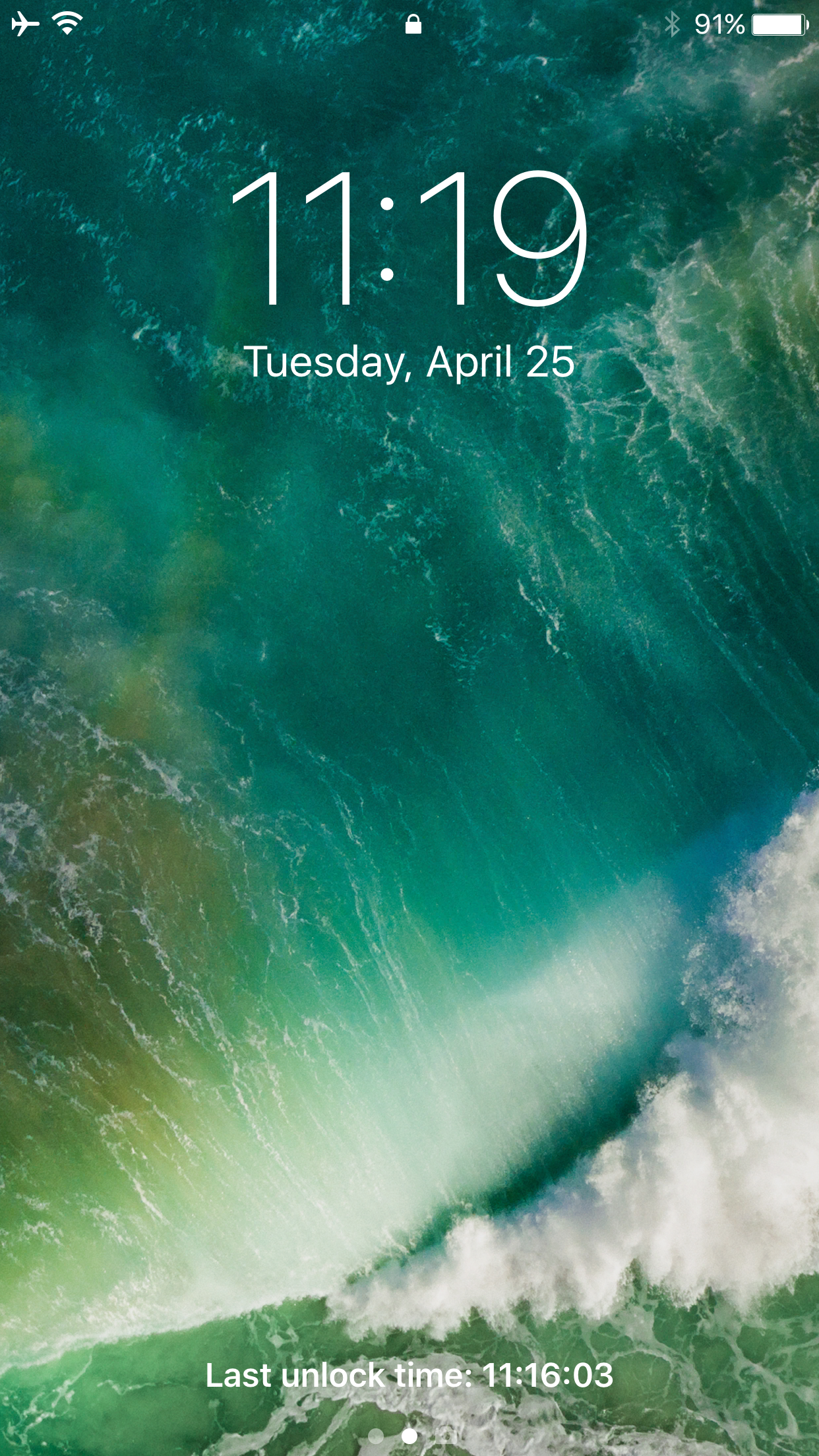
Do you really know when the last time your iPhone was unlocked? You might assume no one else knows your passcode, but it would be very easy for a family member or friend to unlock your device if they knew what it was and you left it unattended long enough.

A new free jailbreak tweak called LastTimeUnlocked by iOS developer ijapija00 works to your advantage in these scenarios by showing you exactly when your device was last unlocked.

The best VPN deals right now

There are so many VPNs to choose from, and if you’re having trouble deciding what one to choose for your own internet privacy and security, then we’re here to help.

One of the biggest deciding factors in purchasing a long-term commitment to software is the cost, so in this roundup, we’ll discuss some of the best VPN deals you can get right now.

This tweak customizes the ‘iPhone is disabled’ text that appears after failed passcode attempts

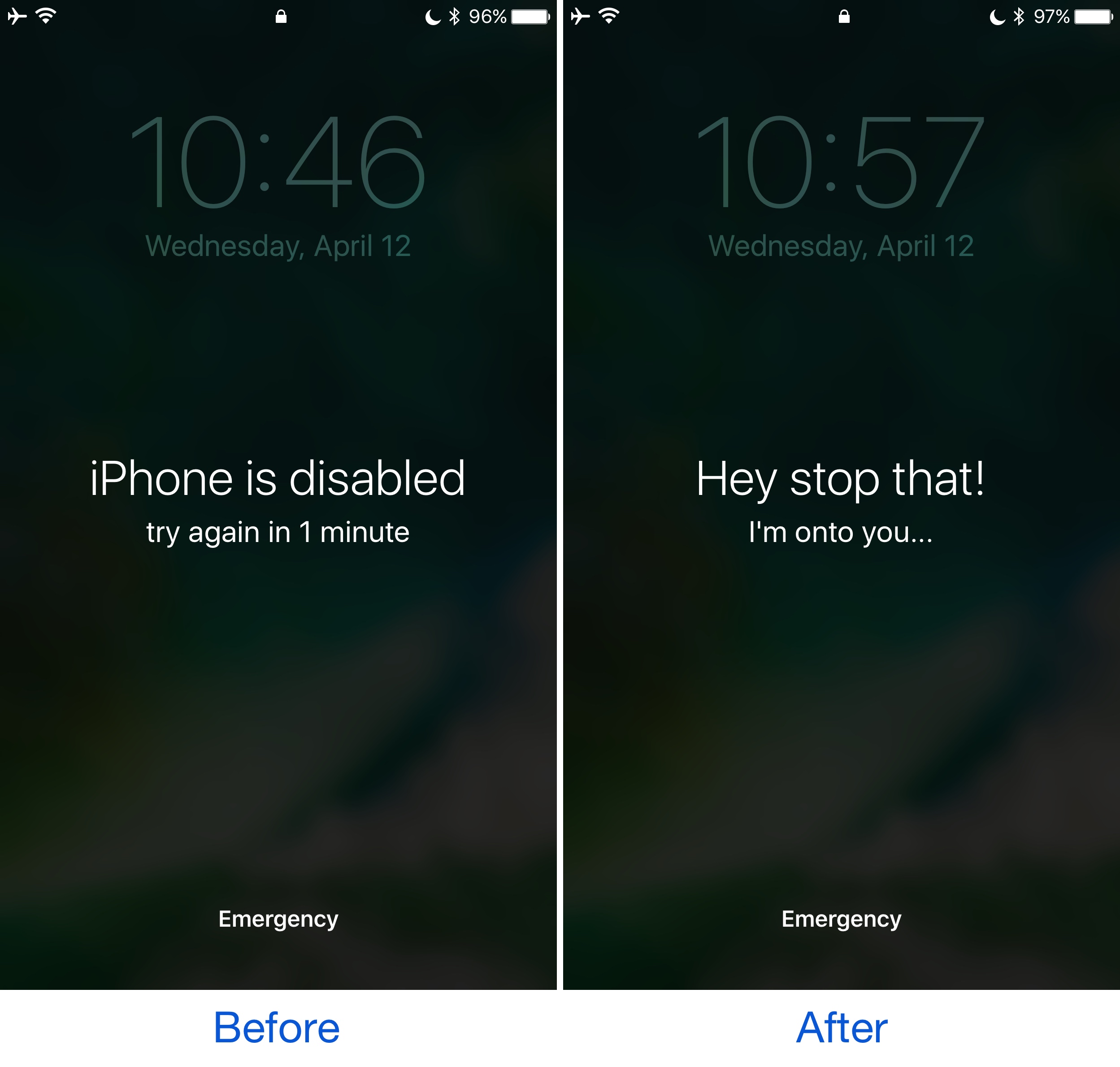
Whenever your iPhone passcode is entered incorrectly too many times, a message eventually pops up that says “iPhone is disabled.” This prevents the device from being used for a temporary period of time and is intended to deter people who try to gain unauthorized access to your device and personal information.

On the other hand, the stock message is pretty bland, and a new free jailbreak tweak called GoAway by iOS developer gilshahar7 paves the way to new ways of customization by letting you change the message and other information that gets displayed after too many wrong passcode attempts.

Researchers demonstrate passcode detection method that uses your phone’s motion sensors

A team of researchers from the United Kingdom's Newcastle University have demonstrated how criminals could steal your passcode simply by tracking the motion of your phone. Don't worry, Apple issued patches last year to prevent anyone from collecting sensor data, but Android users remain at risk of having their passcodes stolen if they visit a rogue website or tap a malware link. Although Google is aware of the issue, they're still looking into a fix.

How to disable comments on your Instagram posts

If you have problems with trolls leaving nasty comments on your Instagram posts, then it might be music to your ears to hear that you can disable commenting, a step that can prevent trolls from leaving hurtful comments on your posts while allowing you to maintain a presence on the popular media-sharing social network.

While the workaround certainly isn’t perfect, it can be effective if used correctly. We’ll show you how to disable comments on your Instagram posts in this tutorial.

The best VPNs for iPhone, iPad, and Mac

Amid all the recent conversation about ISPs retaining the legal right to sell your internet usage data, many are contemplating their VPN options so they can mask their internet activity for increased privacy and security.

In this piece, we’ll talk about some of the best VPNs for iPhone, iPad, and Mac.

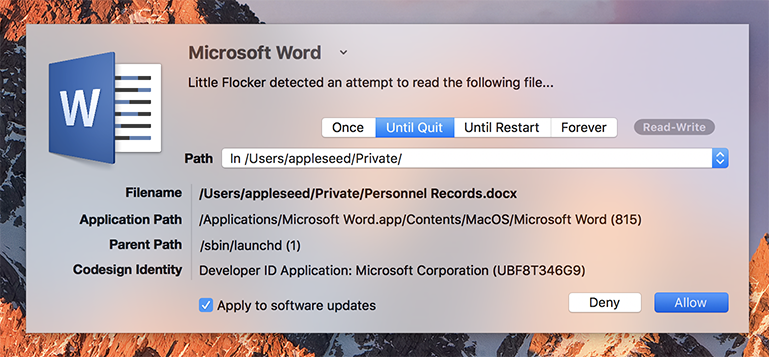
F-Secure buys Jonathan Zdziarski’s Mac security app Little Flocker

Finnish security company F-Secure announced the acquisition of the Mac security app Little Flocker created by iOS security researcher and former jailbreak developer Jonathan Zdziarski. As we told you, Zdziarski joined Apple’s Security Engineering and Architecture team last month.

Little Flocker offers protection against ransomware, spyware, malware, trojans, back doors, misbehaving applications and other threats to private data stored on your Mac.

NoLockScreenCam disables camera access on the Lock screen

Anyone with an iPhone should know by now that you can swipe to the left on the Lock screen to quickly access your camera. On the other hand, not everyone wants their camera to be readily accessible to anybody who picks the phone up.

A new free jailbreak tweak called NoLockScreenCam by i0s_tweak3r is the answer to this ongoing dilemma, as it disables access to the camera from the Lock screen.