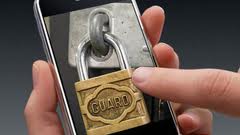
Security

Man Watches His House Get Robbed on His iPhone

Vincent Hunter was visiting relatives in Connecticut when his iPhone sounded an alert that his motion detectors were going haywire in his Dallas home.

When he opened the app on his iPhone he witnessed two burglars attempting to break an entering as he dialed 911.

iCam was the application he had installed on his phone, which is available in the App Store for $4.99. The app allows you to stream live video to your iPhone from up to 4 different webcams.

Apple’s New Patent Filing Raises Concerns

Last week iDB reported that Apple had filed for a patent that would grant them the ability to remotely wipe and disable your iPhone. According to Mac Rumors the concerns surrounding this ability continue to grow.

The vagueness of the term "unauthorized user" combined with leery methods of detection have some users questioning the control this would give Cupertino. Facial recognition, heartbeat detection and fingerprint analysis are among the ways listed of identifying whomever is in control of the handheld in question...

Behind the Places That Facebook’s iPhone App Goes [Rant]

Continuing in my short lived residency here at iDB is my Friday rant that is usually based off a particular story in the week that rubbed me the wrong way. When we reported about Facebook adding GPS check in capabilities I knew my topic had been sealed. I will preface my outburst by informing you all that I am one of the few individuals I know who doesn't have a profile in the world's biggest social platform. I had one for less than a month and every lousy expectation I envisioned came to life.

I have no bones to pick with users who have Facebook accounts. If I did I would have almost no one to talk to. My beef comes from the irresponsible undertones involved with the new Places feature embedded within the iPhone app. I have yet to hear a responsible or even reasonable explanation for desiring to participate in sharing your location with your "friends". The whole memories still not being captured song and dance that Facebook cites as motivation is as corny as a field in Iowa.

USB Spy Stick Allows Access to Deleted Content From Your iPhone

Well this sucks. Yesterday iDB reported on comments from the Chicago Police about the usefulness of recovering data from seized iPhones. Now Gizmodo says that a product eerily called the iPhone Spy Stick can access deleted data from your iPhone via USB.

For those asking how on earth a USB device could plug itself into your device, the stick comes with the necessary adapter. Nice eh?

Directly from the Spy Stick's website is the indicated abilities attached to the $199 priced accessory:

Features:

Get access to deleted information Download text messages and view calls made Recover deleted contacts and calendar items View pictures and other multimedia Get access to map history to see locations searched on the iPhone’s map with exact GPS coordinates Get access to notes, voice memos, multimedia files, and dynamic text data Downloading data is as simple as attaching the iPhone and iPhone Data Recovery Stick to a computer and pressing start iPhone information is saved on any computer and can be moved to other drives as a regular file Looks like an ordinary USB flash drive

Popular Uses:

Catch a cheating spouse Monitor your kids iPhone text messaging and Internet use Check on employees using company issues iPhones Restore deleted files

Before you freak out about your iPhone's security, it is worth mentioning that the not-so-friendly USB stick is currently only usable on iPhone iOS 3.2.1 and earlier. I'd venture to say this mostly targets those still using the original iPhone and the iPhone 3G. However the October version is said be coming for iOS 4 devices.

Will this stop users from selling their old iPhone when it comes time to upgrade? Please tell us your thoughts in our totally secure comment section.

PDF Loading Warner Protects Your iPhone From this Nasty Security Hole

Yesterday we told you that the exploit used by JailbreakMe to jailbreak your iPhone was a major security issue as it can download pretty much anything to your iPhone, including some malicious code, via a PDF glitch. We gave you a manual fix but there is now an easier way to patch this bad exploit that puts your iPhone at risk.

You can simply go to Cydia and download PDF Loading Warner. It's a free app that will display a warning before allowing your iPhone to download a PDF file. This will avoid you being duped by a malicious software.

While this app gives you another layer of security, you're in no way safe from having your iPhone compromised, at least until Apple officially patches this exploit. On the safe side though, chances of you being hacked are very thin so don't stress out too much over it.

AT&T Faces Yet Another Security Breach With iPhone 4 Pre-Orders

As if 114,000 compromised email addresses and a complete iPhone 4 launch failure weren't enough, AT&T is now facing another security breach, this time of a more important level.

Apparently, some AT&T customers logging into AT&T's website get access to other people's account.

According to Gizmodo:

This is how it happens: A customer tries to log into their AT&T account to order a new iPhone 4 upgrade. Despite entering their username and password, the AT&T system would take them to another user account. This gives access to all kinds of private information about the mistaken customer: Addresses, phone calls, and bills, along with the rest of private information, becomes exposed to random strangers.

An AT&T insider explains what really happened:

Over the weekend there was a major fraud update that went down on all of AT&T’s systems, from Saturday overnight to Sunday early morning. All systems were down and agents were unable to use any systems.

The issues people are seeing at AT&T stores and online are most likely related to this update that went wrong.

I do know that there was absolutely NO TESTING of this system done before the launch of the new iPhone. I know it’s just heresay at this point, but I can confirm that there was a major outage over the weekend that impacted all ordering systems and programs, and I can confirm that there were multiple systems being upgraded/updated, with some updates being related to fraud.

That's heavy. That's really heavy!

What says you?

[Image from Giz]

Using A PIN Barely Protects Your iPhone Data

So you thought that using a PIN was enough to protect your iPhone data? Think again! According to a recent report by Bernd Marienfeldt, your iPhone is highly vulnerable and leaves your data wide open, even if protected by a PIN.

Sure a PIN can protect you from having the average thief dig into your data but someone with more technical knowledge and a computer running Ubuntu Lucid Lynx can easily navigate into the guts of your iPhone, even if it is locked and not jailbroken.

According to Engadget: "The belief is that they're just a buffer overflow away from full write access as well, which would surely open the door to making calls. Bernd believes the iPhone's lack of data encryption for content is a real problem, and also cites the inability to digitally sign e-mails as reasons why the iPhone is still not ready for prime time in the enterprise."

What can you do right now to protect your data? Nothing. Just cross your fingers hoping that Apple will soon enforce data encryption for its devices.

You can read the full report here.

AndroidLock: A Better LockScreen to Protect Your iPhone

There are several ways to protect your iPhone by restricting access to it from the lockscreen. You can use the stock feature that allows you to set a password containing 4 numbers. You can use this hack to add an alphanumeric password, or you can use AndroidLock.

AndroidLock is a new application available in Cydia that brings Android's lockscreen protection to the iPhone. After installing the app, you have to activate it in the Settings.app. To do so, you first have to create a pattern and save it. Then, in order to unlock your iPhone, you have to connect the dots according to the pattern that you previously created.

On the example above, I have to go from bottom left to top right, then top right to top left, then top left to bottom right, in order to unlock the iPhone and gain access to the springboard. Obviously, you don't see the pattern until you have completed it.

I do think it's a great alternative to setting an alphanumeric password. However, the downside for me is that I can't really see the picture of iVan the dog anymore, which is the picture I have on my lockscreen.

As I am traveling quite a bit these days, thus increasing my chances of losing my iPhone, I have set AndroiLock to protect it. I created a simple unlock pattern that doesn't make it a pain in the butt for me to do, but it makes it very hard for a potential thief to figure out. That won't protect me from losing or having my iPhone stolen, but at least it won't be easy to access the data on it.

What do you think? It's a pretty nice mod, isn't it?

iPhone Hacking 101: Removing Passcode and Encryption

While Apple is struggling to get the iPhone adopted by business users, some more problems come their way as iPhone hacker NerveGas found yet another security hole that can allow anyone with a little technical knowledge to bypass the passcode and access encrypted and protected information on your iPhone 3GS. You can see NerveGas hacking an iPhone 3GS in the video below.

Zdziarski said it’s just as easy to access a user’s private information on an iPhone 3GS as it was on the previous generation iPhone 3G or first generation iPhone, both of which didn’t feature encryption. If a thief got his hands on an iPhone, a little bit of free software is all that’s needed to tap into all of the user’s content. Live data can be extracted in as little as two minutes, and an entire raw disk image can be made in about 45 minutes, Zdziarski said.

If you're an average iPhone user like me, chances are you don't care much about this security hole. However, if you're a business person, that can be a big threat to you.

Hey Apple, why don't you stop worrying about the jailbreakers out there and start working on making the iPhone a more secured device?

Thank you David for sending this in.

Protect Your iPhone With An Alphanumeric Password

You can easily passcode protect your iPhone by going to Settings > General > Passcode Lock. However, this only gives you the ability to set up a 4-digit code. If you're a security freak and want to add an extra layer of protection to your iPhone, there is a simple hack that will let you create an alphanumeric password of as many characters as you want.

Jailbreak App Cylay 2.0 Adds Security for your iPhone

iFoneTec Ltd released version 2.0 Cylay, a tool that helps you secure your phone and its data. Touted by the company's web page as the "the first security application for the iPhone", the company says the application will:

Report current user phone number when iPhone is lost; Backup iPhone data to Cylay Server or Google Server; Delete all of iPhone information when iPhone is lost; Find lost iPhone location; Report Call history and SMS log of lost iPhone; Remotely control lost iPhone: forward SMS, and restore data to iPhone; If you go to this web site, you can create an account and set up your iPhone profile. It looks like there is a trial membership for free and you pay 19.99 a year to get advanced features. It is a bit unclear what these advanced features are but the web site says the membership fee includes: No setup Server and Client fee. Free to update Cylay during in 1 year. unlimited access Cylay server , backup, restore iPhone information to Cylay server and iPhone unlimited the notices of warning unlimited to access Calllog,SMSlog, Contacts,Notes. Again unclear from the website, it looks like from the website you can register your phone number and iPhone serial number and report your phone through their web page when it gets lost. You can also identify the location of the iPhone.  It looks like you can also back it up remotely and send an SMS message to it to erase your iPhone to prevent your data from falling into the wrong hands. Cylay is only available for jailbroken phones and is available at http://app.ifonetec.com/cydia.

iPhone 2.0.2 security flaw puts private data at risk

You thought that password-protecting your iPhone would keep you safe? Think again! A pretty big security breach was found in iPhone firmware 2.0.2, putting some of your data at risk. Fortunately for the most paranoid of us, there is a way to avoid it.

What's this security flaw about?

Password protect your iPhone Slide and unlock and tap "Emergency call" Double tap the home button You're in! You're in the favorites more precisely

Now anyone using your phone can make a call to your favorites. On top of that, they can edit your contacts, view and listen to your voicemails, SMS, have access to email and Safari...

Apple will most likely fix this issue in the next firmware update but if you can't wait a couple weeks, here is how to fix it:

Go to Settings Tap General Tap Home Button Select either Home or iPod

This way, when someone uses the method described above, they will either be taken to the home screen or to the iPod screen.