Review

This tweak brings iPad-style tabbed web browsing to the iPhone

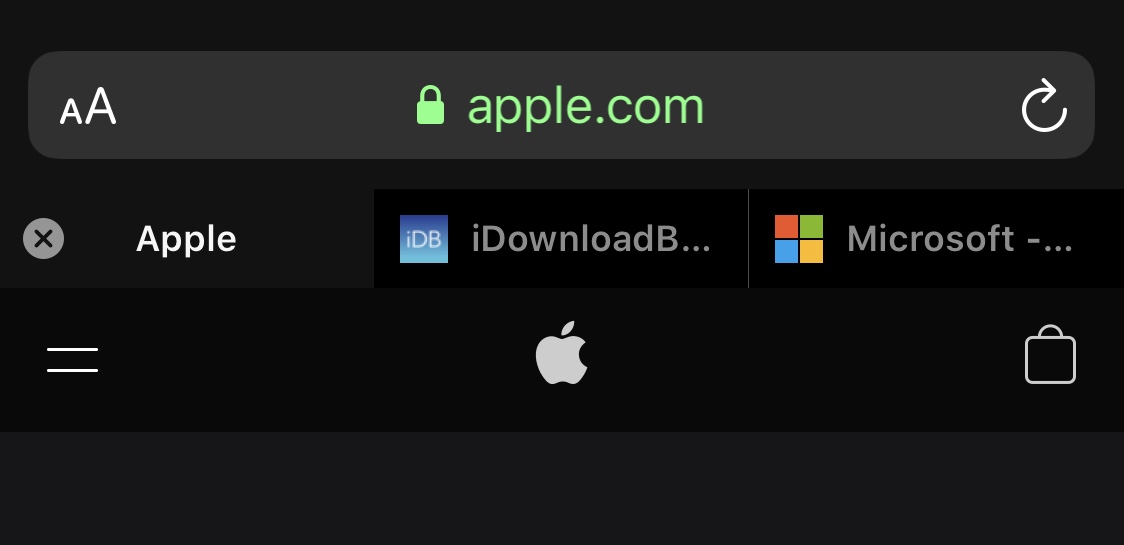
One of my favorite parts of browsing the internet on my iPad is having a near-desktop-class web browser at my fingertips. Unfortunately, many of the features that make the iPad version of Safari so convenient to use aren’t present in the iPhone version, such as tabbed browsing.

While you can certainly have more than one web page open at once on the iPhone, switching among them isn’t quite as satisfying as it is on the iPad. Fortunately, a newly released and free jailbreak tweak dubbed Safari Features by iOS developer HurouofTech brings the iPad’s incredible tabbed browsing experience to jailbroken iPhones and iPod touches.
FlatURL helps mobile Safari users embrace minimalism

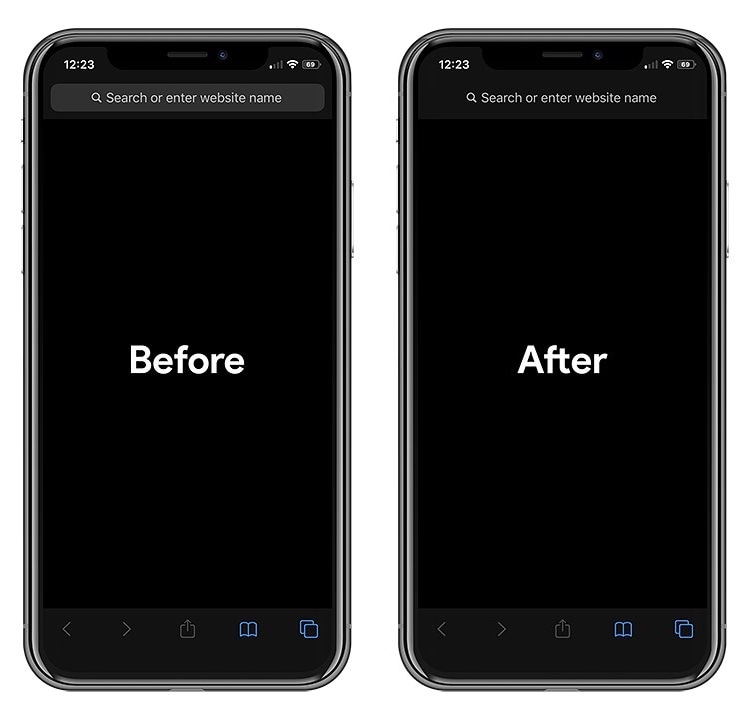
To all those jailbreakers out there that are looking for a spicy new way to tech out their mobile Safari web browser, a newly released and free jailbreak tweak called FlatURL by iOS developer MTAC just might satisfy your cravings.

FlatURL is a relatively simple interface-centric tweak that, as depicted in the screenshot examples above, gives the Safari app’s search/URL bar a minimal aesthetic by removing its background and making it appear totally unified with the header itself.

BetterWidgets offers more customization for iOS’ Today widgets

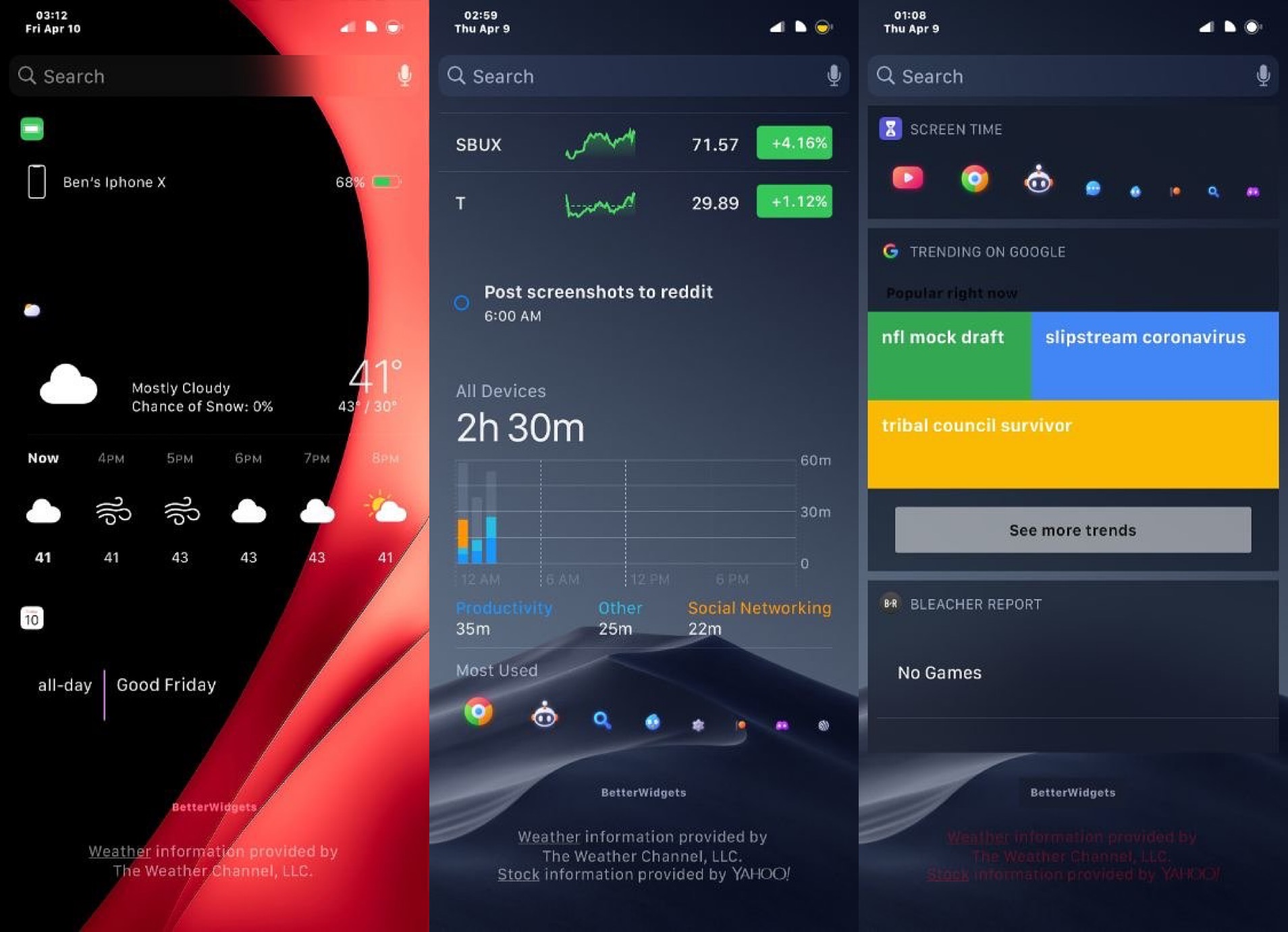
Lots of iPhone and iPad users take advantage of iOS’ Today widget system to snag a glance at pertinent information without needing to launch and navigate complex apps. But Apple doesn’t provide much in terms of widget customization.

If you have a jailbroken handset at your disposal, then you can take advantage of a newly released and free jailbreak tweak called BetterWidgets by iOS developer ShadowDev to get the customization options that Apple has deprived you of since the Today widget system came to be.

Command your iPhone’s Status Bar with peep

The Status Bar is used to display pertinent information about your iOS device at a glance, including the battery level, signal strength, and time, to name just a few of those things. While I like seeing the Status Bar in most cases, I can also attest to the fact that I sometimes wish I could hide it unobtrusively, such as when playing Pokémon GO for instance (as it doesn't blend in well with the game's background).

Here to help with such a whim is a newly released and free jailbreak tweak dubbed peep by iOS developer ConorTheDev, which lets users hide and show their iOS device’s Status Bar on demand with just a tap.

Veza is an aesthetically pleasing Lock screen toggle and shortcut interface

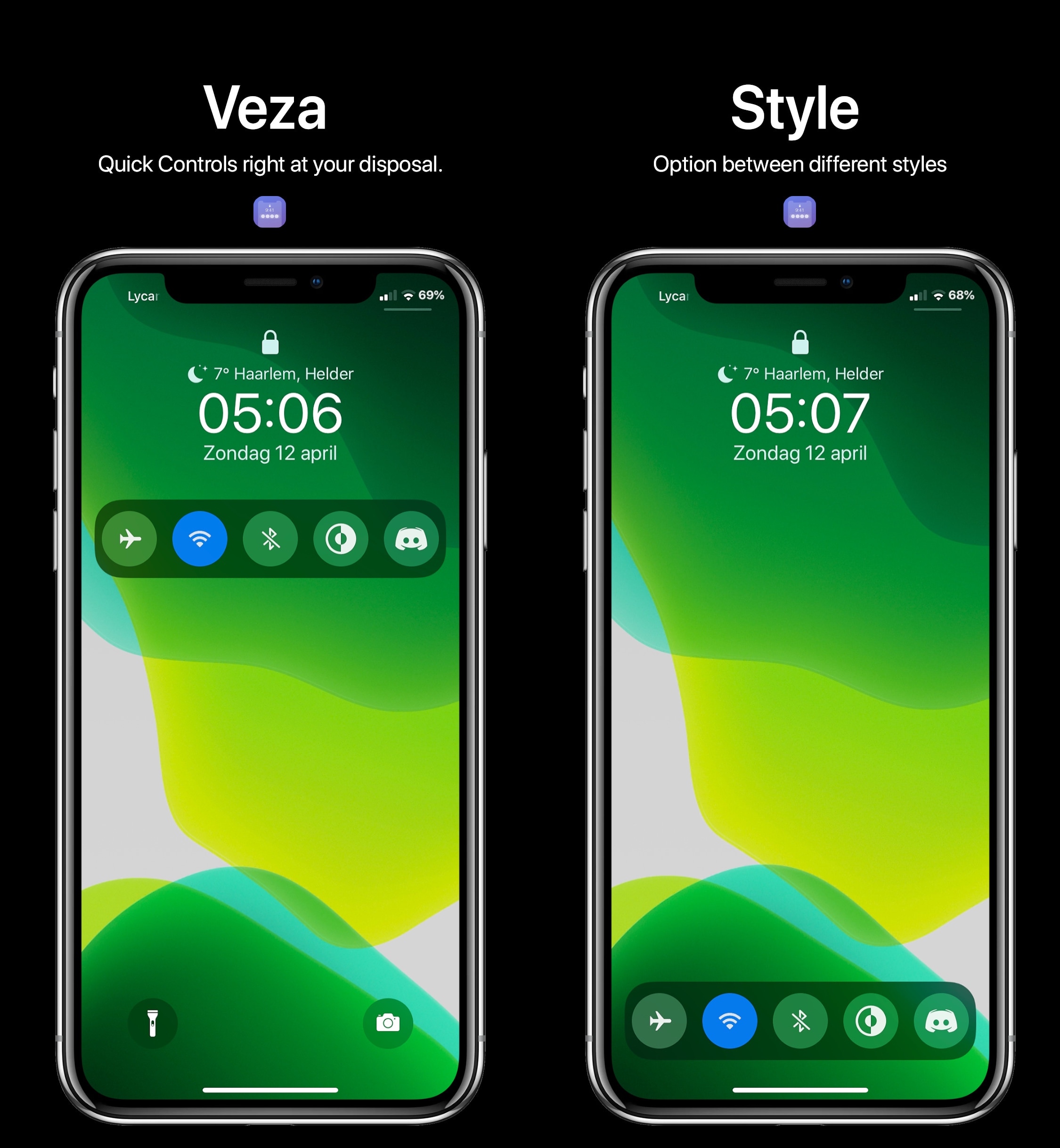
Upon refreshing your sources in your pwned handset’s package manager, you should be able to feast your eyes on a newly released jailbreak tweak dubbed Veza by ApexTweaks in your Changes tab.

Veza makes it easier to interact with your device by adding a myriad of handy Control Center-inspired shortcuts and toggles directly to your Lock screen. In the screenshot examples embedded above, you’ll notice that the tweak is as aesthetically pleasing as it is customizable.

DockSpring lets you use your iPhone’s Dock to respring

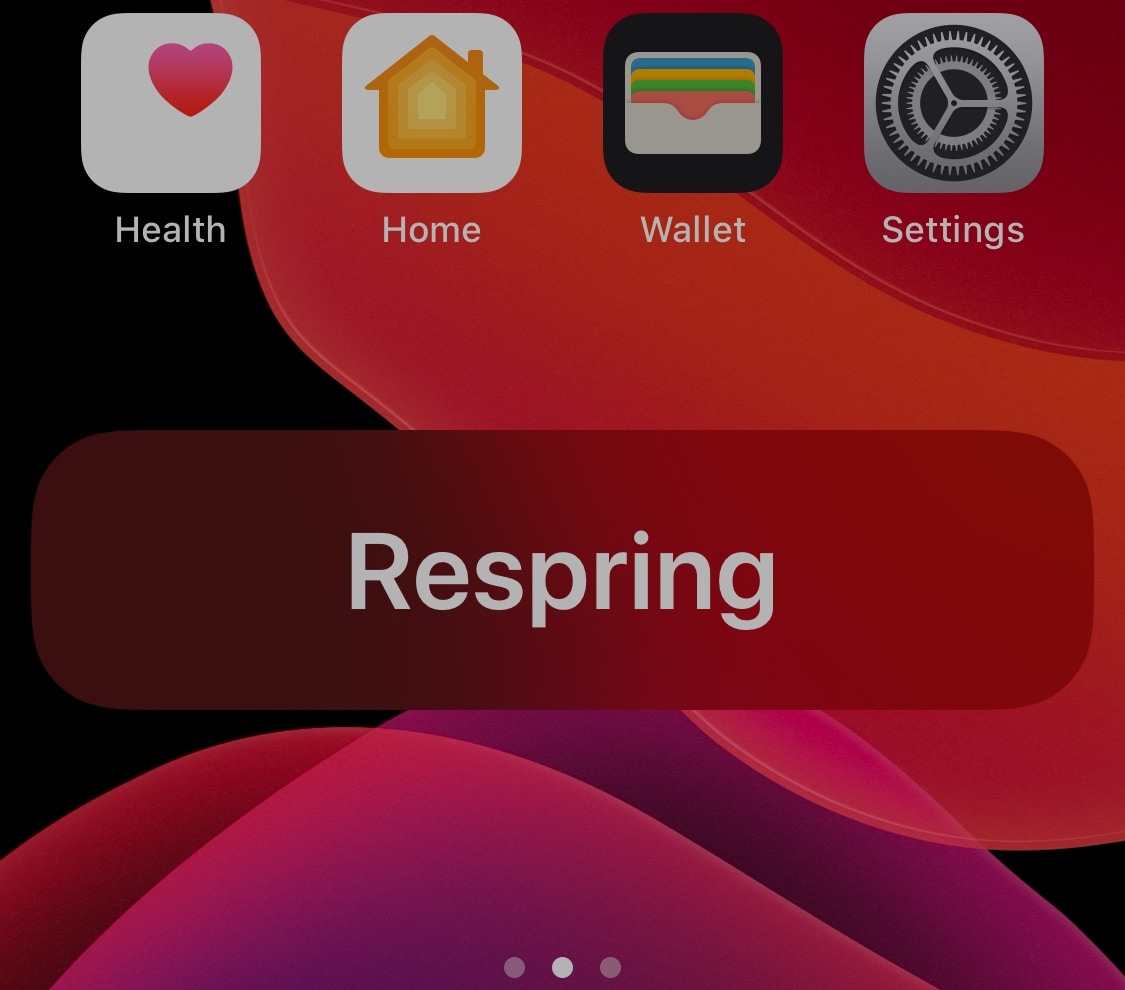
Jailbroken iOS device owners know just how important it is to respring after installing jailbreak tweaks or applying changes to their extensions. That’s precisely why it’s convenient to have a means of respringing your handset on demand.

DockSpring is a newly released and free jailbreak tweak created by iOS developer neoney that lets you respring your pwned iPhone with a simple slide-up gesture from the Home screen’s Dock. Not only is it incredibly convenient, but the animations are top-notch as well.

Jailbreak tweaks of the week: Arc, dotto+, DNDMyRecording, and more…

The COVID-19 situation hasn't gotten any better yet, resulting in yet more lock-downs around the world. Fortunately, jailbreakers can depend on the excitement of their pwned handsets as a means of coping with stir-craziness.

In this roundup, we'll discuss all the latest jailbreak tweaks releases from Monday, April 6th to Sunday, April 12th. As usual, we'll kick things off by discussing our favorite releases of the week first, and then wrap things up with an outline of the rest afterward.

Love fortune cookies? This tweak offers fortunes without the cookie

Opening fortune cookies and reading the words of wisdom inside are one of my favorite parts about ordering takeout from local Chinese restaurants. On the other hand, it seems like one fortune is never enough and I’m always reaching deeper into the bag for a second.

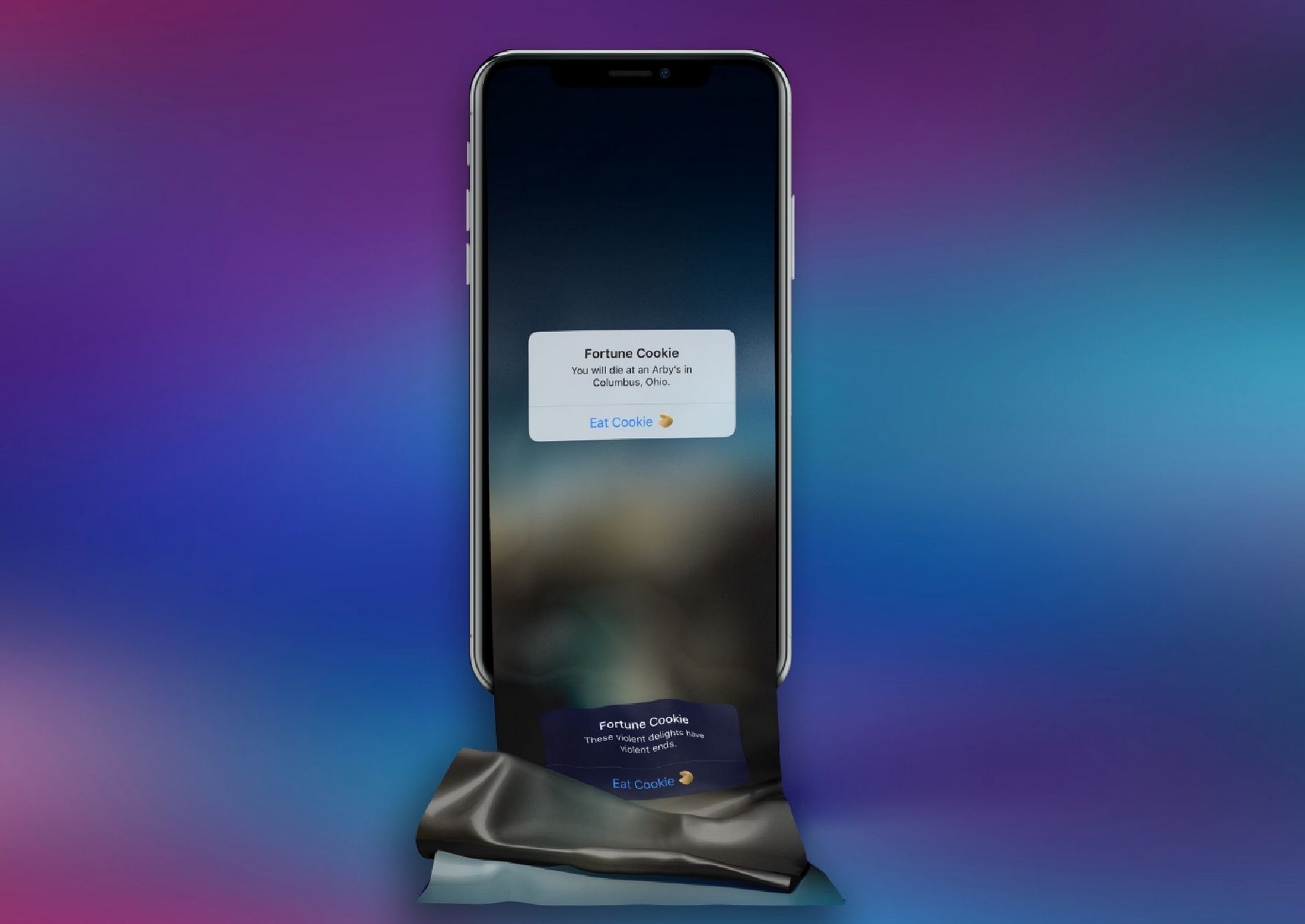
If you’re anything like me and easily entertained by these so-called ‘fortunes,’ then you just might take a liking to a newly released and free jailbreak tweak called FortuneCookie by iOS developer alex_png. This tweak lets you receive free fortunes right on your iPhone without having to eat any unnecessary calories to get them.

This tweak lets you delete all iPhone alarms in one fell swoop

Whether you use alarm clocks to wake up every morning for work or you casually use them to wake up for special events that occur every so often, you might find yourself in a situation where alarm times change or you no longer need an alarm you’ve used previously.

If you use your iPhone as an alarm clock and find yourself in either of the two scenarios described above, then you might enjoy a newly released and free jailbreak tweak dubbed Delete All Alarms by iOS developer 0xkuj. Just as the name implies, this tweak lets you delete all your Clock app’s alarms in one fell swoop as opposed to deleting them one-by-one as Apple currently compels you to.

Cydia update v1.1.32 resolves a known app crashing issue

Cydia, the default package manager installed alongside the checkra1n and unc0ver jailbreak tools, received a minor update last night that brought it up to version 1.1.32.

Checkra1n co-developer Sam Bingner broke the news about the update on /r/jailbreak, noting that this release is officially no longer marked a beta since the update fixed the last known issue with the app.

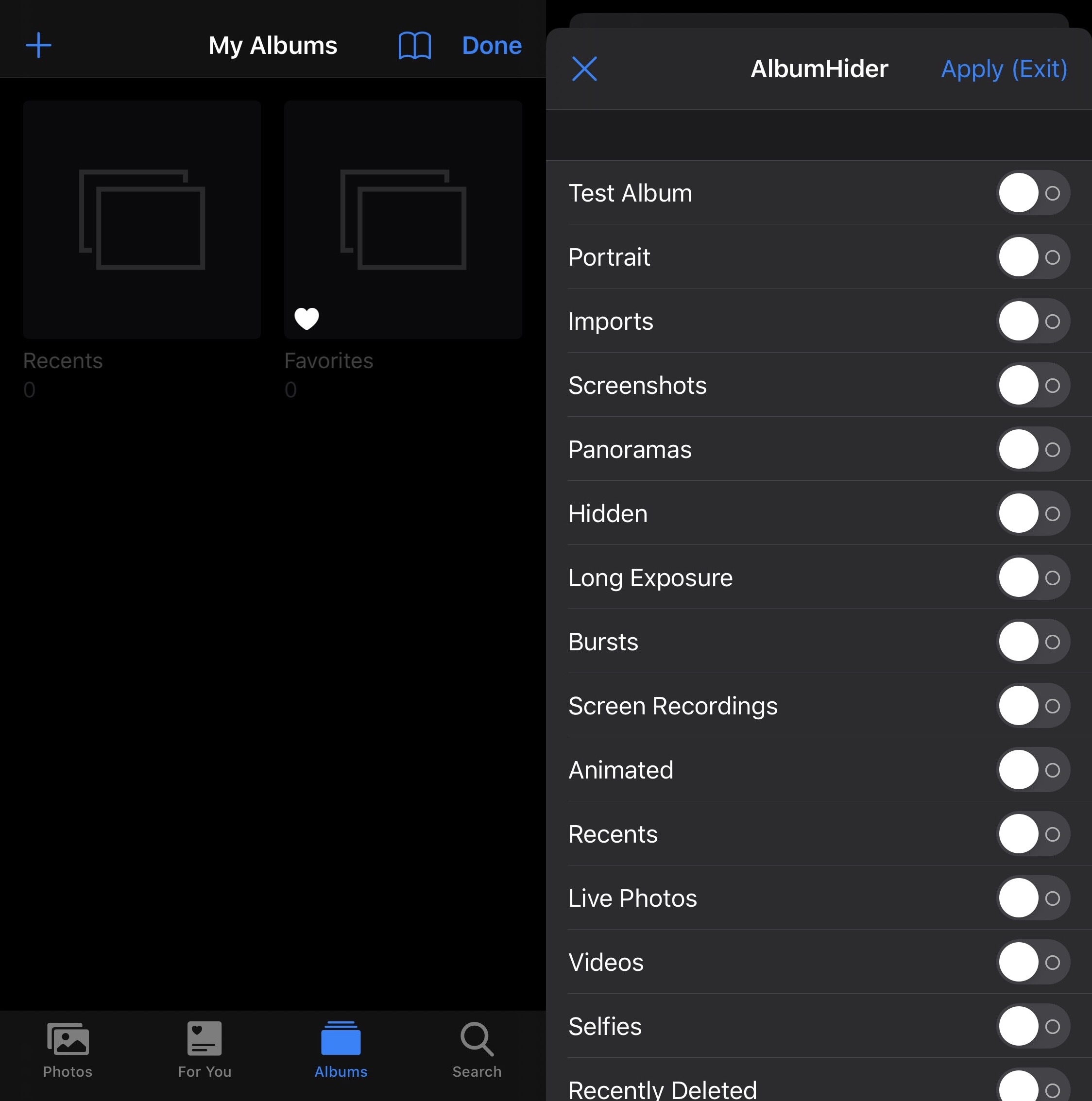
AlbumHider lets users hide or show Photos app albums on demand

As you use your iPhone to its fullest potential, you might come to realize that your Photos app accumulates a plethora of different albums. Beyond the Camera Roll and Recents albums that appear by default, you may find albums for Screenshots, Panoramas, Hidden items, Live Photos, People, Time-lapse, Slo-mo, and even for specific apps on your device that have saved items to your Photo Library.

But perhaps you don’t want all these excessive albums, or you’re happy with just the Camera Roll? If so, then we think you’re going to love a free jailbreak tweak dubbed AlbumHider by iOS developer Julio Verne.

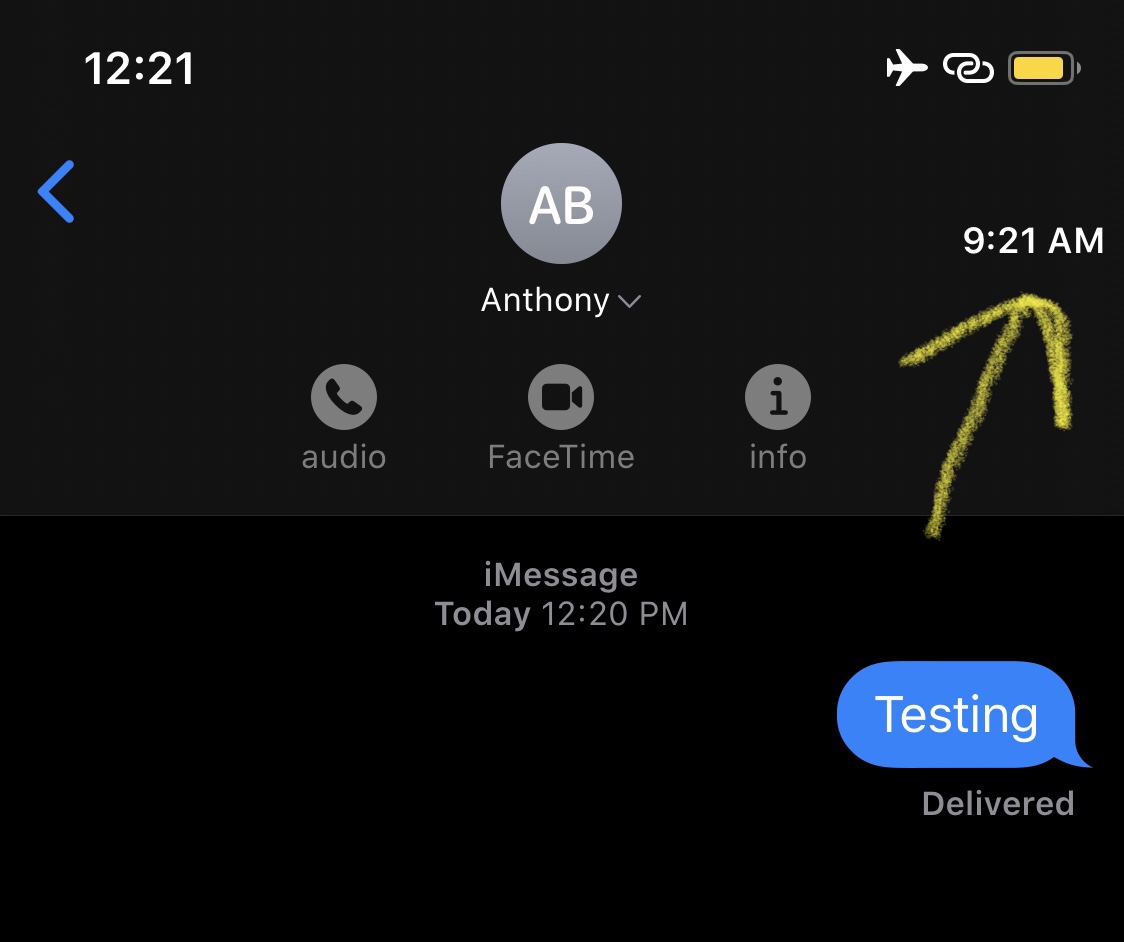
This tweak keeps you mindful about your Contacts’ timezones

Depending on how many friends or family members you have, chances are that not all of them reside in the same time zone. This can cause headaches when trying to determine when or when not to text somebody, as you almost certainly want a timely response, but also don’t want to wake that person up in the middle of (their) night.

Here to help with this dilemma is a newly released and free jailbreak tweak called ContactTime by iOS developer lint. Just as the tweak’s name implies, ContactTime integrates a full-fledged timezone tool into your Contacts list, and if that wasn’t neat enough, the tweak Even lists your contacts’ time zones in the Messages app for you to see at all times.