Productivity

Presentation Mode is now available in Evernote

Evernote, the hugely successful note-taking and productivity platform, today rolled out a new Presentation Mode to its mobile and desktop apps across Mac, Windows, iPhone and iPad devices.

Presentation mode allows you to connect your computer to an external monitor or projector to present your notes in style as beautiful full-screen scrollable layouts.

And if you're using Evernote for iOS, AirPlay will wirelessly beam the presentation to an external display through Apple's $99 Apple TV media-streaming box...
GoodReader adds new PDF editing features in paid update

Good.iWare's popular document and file management iOS app, GoodReader, is one of the best applications to help solve the lack of a dedicated file management system on your iPhone, iPod touch and iPad devices.

GoodReader can synchronize your documents and files with a number of sources, be it your computer, another iOS device or a host of frequently used cloud-storage solutions.

It has a robust PDF management and editing capabilities that have been vastly enhanced in the latest version 4.0 update. Having decided to release GoodReader 4 as a brand new paid app, Good.iWare is now offering a time-limited 60 percent discount with an introductory price of $2.99...

Microsoft updates OneNote for iPhone/Mac with new look, Office Lens and more

After updating Office for iPad apps with a new printing capability and a few other useful features that boost your mobile productivity, software maker Microsoft today issued a refresh for its note-taking app, OneNote, that contains some much appreciated enhancements on both the iPhone and Mac systems.

The new versions of OneNote, available free in the App Store and Mac App Store, have gained a dozen new features.

Most notably, OneNote for the iPhone now lets you create new notebooks and sections, includes a new design and comes with an optical character recognition feature called Office Lens. The Mac edition has received even more goodies...

Office for iPad updated: AirPrint, SmartGuides in PowerPoint, AutoFit in Excel

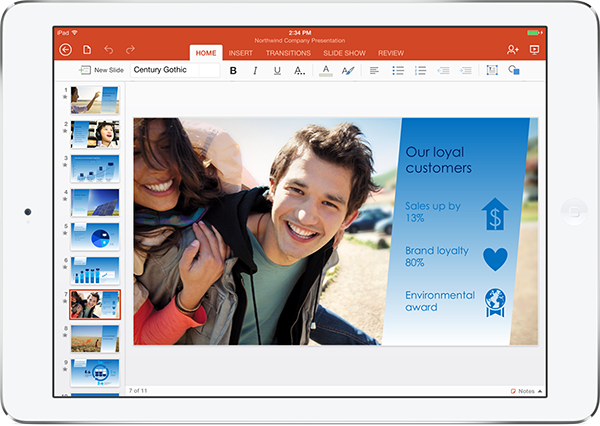
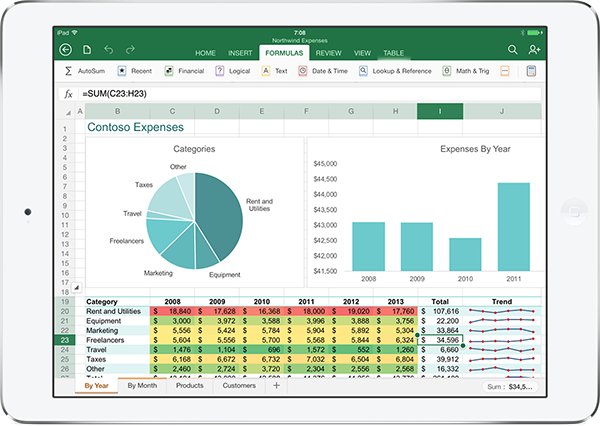
A glaring omission from the initial release of the free Word, Excel and PowerPoint for Apple's iPad, printing has now been added to these apps via Microsoft’s first major update to the Office for iPad suite. The software update has arrived on Tuesday, a little more than a month into the suite's iPad launch last month.

Besides printing support across all Office for iPad apps, SmartGuides are now available in PowerPoint making it easy to align the elements of your presentation.

Moreover, Excel users will be happy to learn that a new AutoFit feature has been added to both Excel for iPad and its desktop counterpart. This feature allows you to adjust the width and height of multiple rows and columns at once...

Clear to-do app gains Reminders and sound packs

Keeping true to its promise, the popular Clear to-do app for iOS and OS X by Realmac Software has received a nice little update today, bringing out a pair of new features you're going to love.

The first is the anticipated Reminders capability which lets you set up alerts that go off across all your Mac and iOS devices, similar to Apple's stock Reminders app in iOS and OS X.

And to go with Reminders, the team has added another much-requested feature: custom sound packs. Both the iOS and OS X edition have been updated with these features and are now live in the App Store, available free to existing users...

$7 per month Office 365 Personal subscription plan launches with iPad editing

Microsoft last month released its native and rather nicely done Word, PowerPoint and Excel iPad apps as free downloads from the App Store. You're limited to using these apps to view Microsoft Office documents on your tablet as editing and creating new ones requires one of the many Office 365 subscriptions available.

The iPad apps launched with Microsoft's entry-level Office 365 Home subscription plan costing $9.99 per month. If you don't want to pay ten bucks per month just to edit Office documents, Microsoft now offers a more affordable Personal plan for $6.99 per month...

Microsoft Word, Excel, PowerPoint and OneNote for iPad hit 12M downloads

Seven days into the Office for iPad release on Apple's platform, the native Microsoft Word, Excel, PowerPoint and OneNote applications for the iPad have been downloaded twelve million times, the Windows giant confirmed on Twitter this morning.

Microsoft released Word, Excel and PowerPoint as individual downloads for the iPad on March 27, 2014. The software giant's note-taking app, OneNote, hit the App Store ten days earlier, on March 17, 2014.

OneNote got refreshed the same day native Word, Excel and PowerPoint debuted on the App Store to bring it in line with the rest of the Office for iPad suite. You can download Word, Excel, PowerPoint and OneNote individually in the App Store, for free...

TextExpander updated for iOS 7, adds a bunch of snippet management features

If you're going to do serious typing on your iPhone and iPad, why not save yourself precious time by having short abbreviations automatically expanded into long snippets (i.e. have 'idb' auto-expand to 'iDownloadBlog')?

Although iOS 7 lets you create shortcuts in Settings > General > Keyboard that'll automatically expand into words and phrases as you type, the basic implementation of the feature leaves a lot to be desired.

Enter Smile Software's TextExpander, a tool that gets this job done better than any other software. Available for iOS since last summer, the app contains advanced features like clipboard integration, macros and fill-in snippets. And thanks to the official SDK, third-party apps can implement TextExpander functionality to use your commonly-used strings of text.

On Wednesday, Smile updated the iOS snippet expansion utility with iOS 7-friendly design and a host of group and snippet management improvements. The app is now available in the App Store free of charge for existing customers and I've included additional tidbits right after the break...

Apple updates iWork for iOS and Mac with read-only sharing mode and other new features

Hot on the heels of refreshing iWork for iCloud earlier today with updated design, Retina graphics support, the ability to share view-only documents, the option to open documents directly from iCloud Mail and other enhancements, related updates to the iWork suite of applications for iOS and OS X have now surfaced on the App Store and Mac App Store.

Pages, Numbers and Keynote for iOS and OS X have picked up a dozen new features each, including sharing view-only documents for cross-platform compatibility across the web, iPhone, iPod touch, iPad and Mac. Your download links and accompanying release notes are right after the break...

The best calendar apps for iPhone

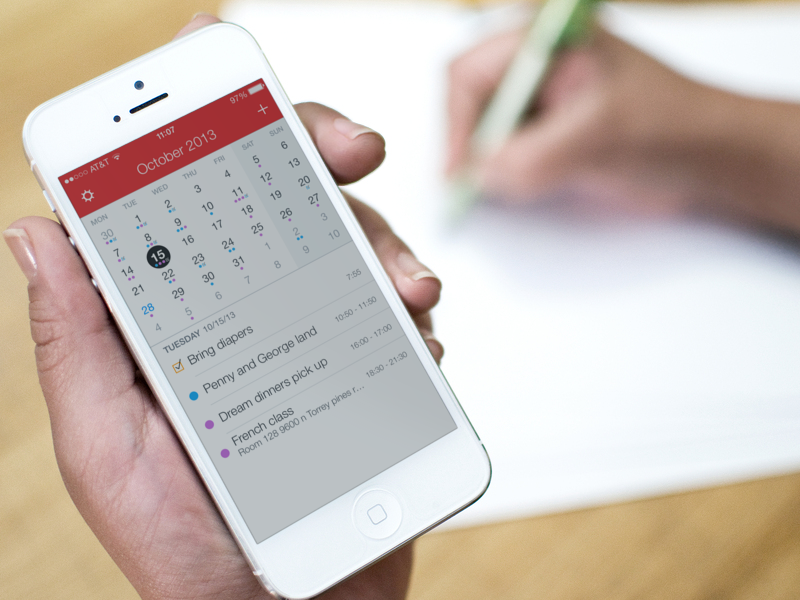
Calendar apps are like blue jeans. Everyone has a different idea of what makes them good, and oftentimes, they get more comfortable the more you use them. Especially when you haven’t washed them for a week. Different types of people have different needs from their calendar. Some want a simple design with very little clutter. Others want a productivity workhorse that will offer a wide variety of features.

Whether you know what kind of calendar app you prefer or not, we've done some research to track down the best in this category. We came up with a list of what we believe are the best calendar apps for iPhone. No matter what you're looking for in a calendar app, we think these are just the right fit for the wide variety of readers we have at iDB…

Microsoft Stores offering free 1-year Office 365 subscriptions, Amazon taking 33% off

If you visit a Microsoft Store today and bring your iPad with you, Microsoft may give you a free one-year subscription to Office 365, a $99 value.

Following yesterday's release of Office for iPad with native Excel, Word and PowerPoint applications, the Windows giant's retail stores are now promoting the apps by giving away a 1-year Office 365 subscription to the first 50 people who turn up at the door and bring in an iPad with them.

If you don't have the time to visit your nearby Microsoft Store or there's no store in your area, Amazon is now offering a discounted annual Office 365 subscription for $67...

Apple getting its standard 30 percent cut on Office for iPad subscriptions

Following today's long expected release of the Office for iPad applications, Apple's boss Tim Cook issued a nice tweet welcoming Word, Excel and PowerPoint into the App Store. Returning the favor, Microsoft's newly installed chief executive Satya Nadella took to Twitter to thank Cook, saying he was "excited to bring the magic of Office to iPad customers".

Redmond couldn't have wished for a better endorsement than this!

So, why are these powerful Silicon Valley executives droning politely on to each other, do you think? And how come Cook is promoting Office for iPad even though the software competes squarely with Apple's own iWork suite, free with iDevice purchases?

Could it be because folks at Cupertino are getting their standard 30 percent cut on Office 365 subscriptions sold within the app...