Photography

Add DSLR features to your iPad with the Padcaster

Apple loaded a number of new features into its third-generation iPad: a faster processor, more RAM, and let's not forget LTE. The company's latest tablet also includes a much-needed camera upgrade, bringing the backside sensor to 5MP.

This finally makes the iPad a viable option for taking photographs and shooting videos while on-the-go. And thanks to the folks over at Manhattan Edit Workshop, it could become the preferred method. Introducing the Padcaster iPad case...

‘CamFast’ now available on Cydia

[tube]http://www.youtube.com/watch?v=GsX5S7HrTO4[/tube]

Yesterday we brought you a sneak preview of CamFast (previously FastCam), and it's a tweak that allows you to invoke the iPhone's camera API using a simple Activator action.

The nice thing about CamFast is that it even works at the Lock screen, and is faster than Apple's 5.1 Lock screen camera improvements.

Be sure to watch our video demonstration above to see how it works in action.

‘FastCam’ lets you quickly access your iPhone’s camera interface

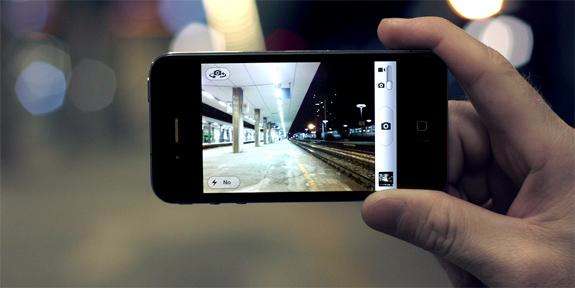
And you thought iOS 5.1's new Lock screen camera was fast? FastCam is an upcoming jailbreak tweak that allows you to access your iPhone's camera API using a simple Activator action.

The nice thing about FastCam is that it works anywhere, even at the Lock screen. In fact, it's faster than the Lock screen camera feature found on iOS 5, and still faster after the improvements made with iOS 5.1.

Check out our video preview of FastCam straight ahead...

Check out these photos taken with the new iPad

The new iPad features a new camera system from Apple, who detailed the new camera at its media event that took place today. The iPad features a 5-megapixel camera, which includes advanced optics, auto-focus, and white balance. The upgraded iSight camera also features 1080p video recording.

While we're going to have to wait until March 16th to take our own photos with the iPad's camera, Apple has posted sample photos (and video) taken with the new iPad on its website. And of course, the photos look stunning...

Adobe Photoshop Touch video walkthrough

[tube]http://www.youtube.com/watch?v=0fJuHt9__RE[/tube]

As you may have heard, Adobe's Photoshop Touch has been released officially for the iPad 2, and we're happy to report that it looks very promising judging from our initial walkthrough.

This is definitely one of the, if not the deepest photo editing apps we've ever used on a tablet, and I think the majority of Adobe fans and Photoshop users in general will be pleasantly surprised with the interface and design.

Photoshop Touch is iPad 2 only, and can be purchased from the App Store for $9.99. Take a look and tell us what you think.

iPhone meets analog camera with the Photojojo Rangefinder

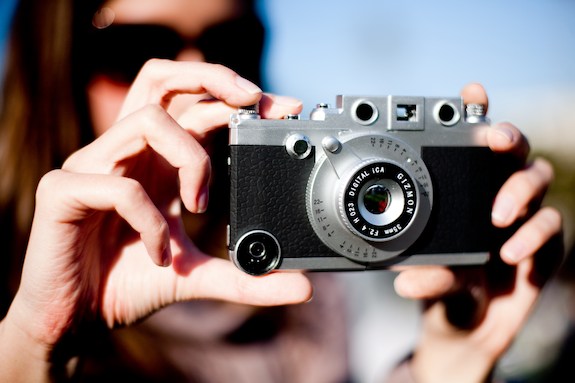
Have you been looking for a quirky photography accessory for your iPhone? Perhaps a case that looks like an old-school analog camera and has interchangeable lenses?

Well if you answered yes to either of the above questions, then you're going to want to check out Photojojo's new Rangefinder. The accessory gives your iPhone the look and feel of a retro-style camera, while utilizing its cutting-edge picture-taking technology...

Apple’s attention to detail extends to its product photos

Have you ever looked at the product images of the iPod touch or the iPad on Apple's website and wondered how the company was able to produce such a perfect photo? It almost looks like it was rendered in a computer program. But it wasn't.

What you see (most of the time) is actually a real photograph — one that Apple spent more time producing than you could imagine. Yes, the company's infamous attention to detail extends to its product photos as well...

Shoot Videos and Take Photos at the Same Time with QuickPix

Have you ever shot a video on your iPhone then uploaded it to your computer just so you could grab a few screenshots from the video? Well, it's now safe to say there's an app for that, and it is called QuickPix.

QuickPix allows you to snap photos while capturing video. The photos are sent directly to your camera roll for easy access. But that's not all...

College Introduces Course On iPhoneography

iPhone photography, dubbed 'iPhoneography', seems to be the new hip thing among iPhone users.

It's much easier to carry your iPhone around to take photos than an expensive DSLR, and with popular apps like Camera+, Instagram, and Camera Bag, you can take equally stunning shots.

Interestingly, a UK college wants to teach its students this new method...

‘LockscreenSureCam’ Checks Before Launching the Camera App

Do you have an ongoing issue with accidentally launching the Lock Screen camera in iOS 5? If so, then perhaps this is the jailbreak tweak for you.

LockscreenSureCam is a tweak that prompts you before launching the Camera on your Lock Screen. I don't know anyone who's ever had a problem with this, but I'm sure someone is out there that does. If that's you, then check inside for a brief video walkthrough.

SlyCam: Snap Photos From Notification Center

Every few months there seems to be a jailbreak tweak that's released to cater to the James Bond wannabes out there, and SlyCam is the latest addition to the cache.

SlyCam allows one to covertly snap photos directly from iOS 5's Notification Center. Check out our video coverage of the jailbreak tweak inside...

How to Add a Custom Background Photo to Siri

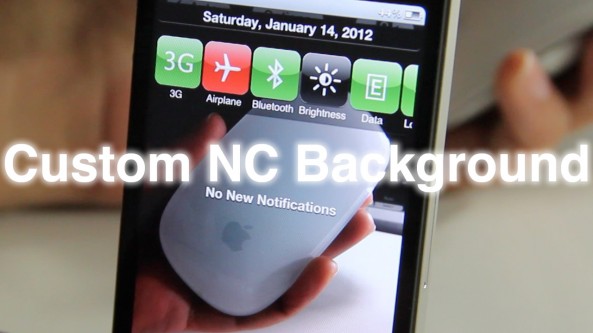
CustomSiriBackground, much like its cousin CustomNCBackground, allows you to add a photograph to Siri's backdrop to spruce it up.

If you've ever used CustomNCBackground, then you know exactly what to expect, as the interface is exactly the same.

For those growing weary of Apple's overuse of the linen background, then this tweak should add some much needed spice to your life.