News

New Beats ad features NBA all-stars LeBron James, Kevin Durant & others

Apple on Tuesday released a new television commercial promoting the Beats Studio Wireless on-ear headphones and the Beats Powerbeats3 Wireless in-ear headphones. “Beats powers the world’s greatest basketball players to make their statement on the biggest stage,” notes the ad.

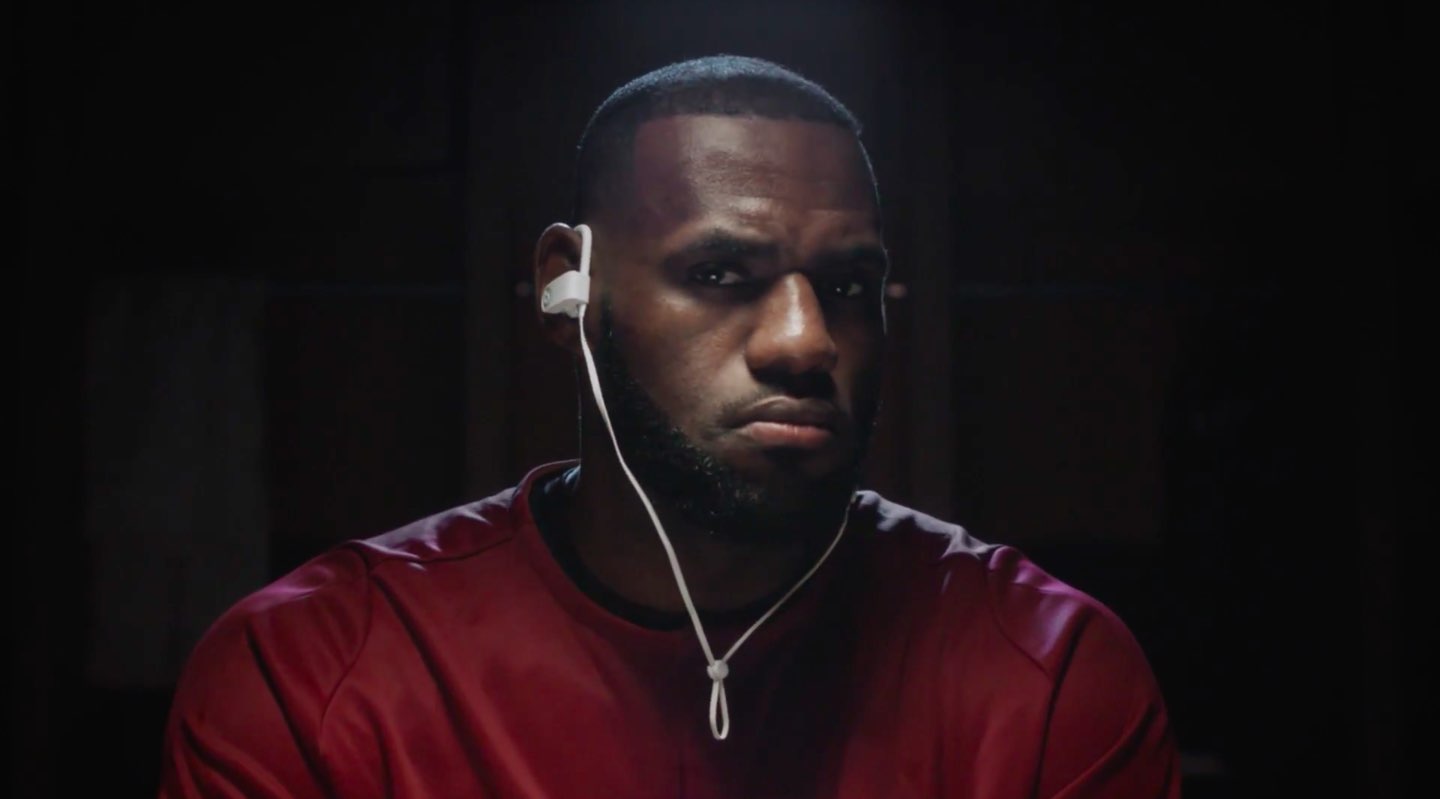
The 30-second commercial, titled “Be Heard”, features NBA all-stars LeBron James, Kevin Durant, Draymond Green and James Harden who can be seen listening to a song by American rock duo “The White Stripes” while warming up with their Beats headphones.

And here it is.

https://www.youtube.com/watch?v=pcnmfyYETD0

As mentioned, the commercial uses the song “Seven Nation Army” by The White Stripes from their album “Elephant”. You can purchase their album from iTunes or stream it on Apple Music.

How do you like Apple's new Beats ad?

Apple rumored to discontinue iPad mini

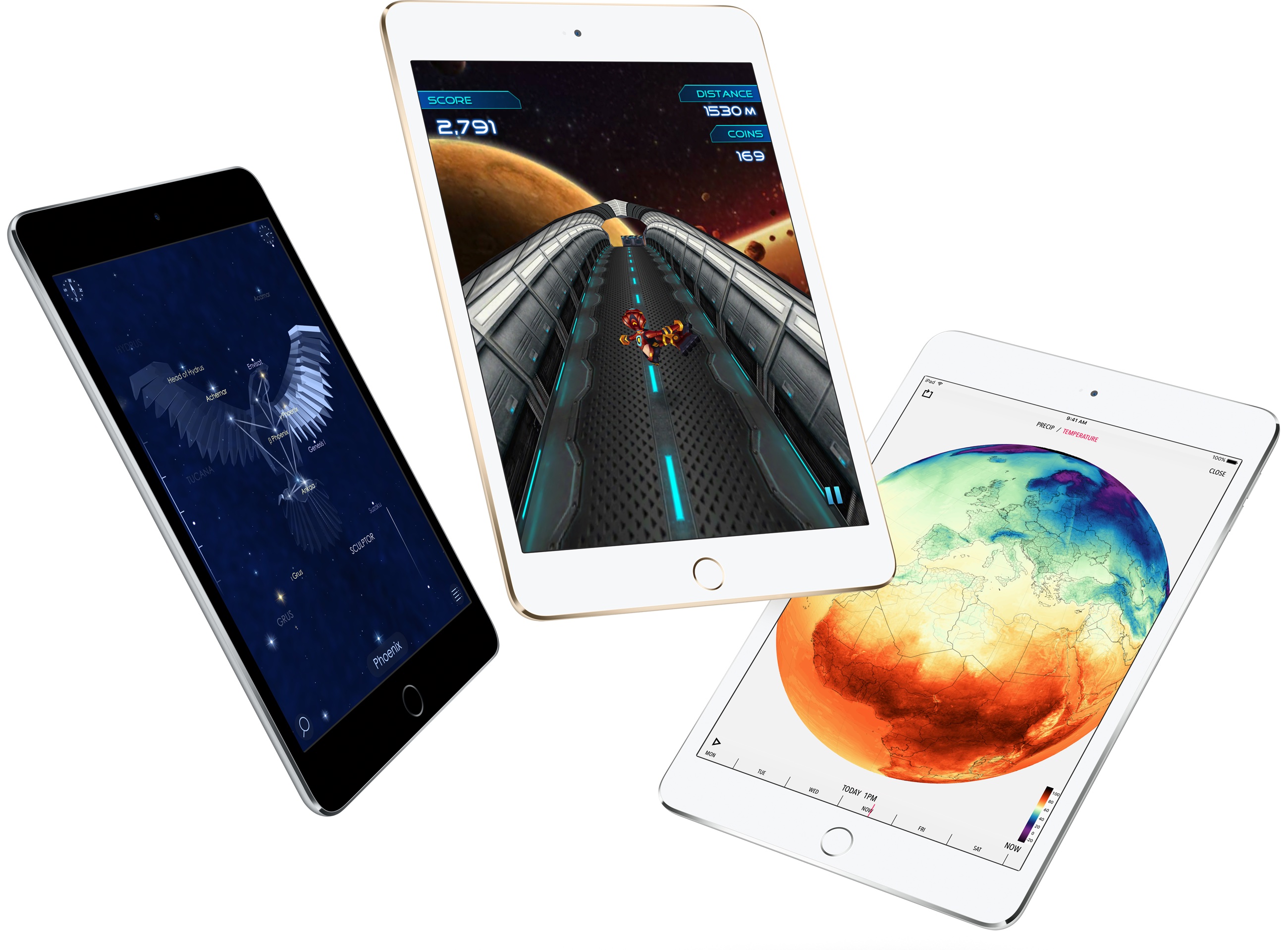
First introduced in 2012, Apple’s 7.9-inch iPad mini won't be updated going forward because the company is phasing out the device due to decreasing sales. A source close to the iPhone maker told BGR there’s “fierce cannibalism of Apple's own products” and that the iPad mini lineup has just been “sized out of its own category.”

The report does not detail when the device might be discontinued.

“We’re also told that the numbers are 'very clear' as far as sales are concerned, which is most likely the biggest reason the company plans to eliminate the littlest iPad,” reads the article.

Following the introduction of the new 9.7-inch iPad model in March 2017, Apple phased out both the original iPad mini and iPad Air 2 models.

Apple could unveil a new 10.5-inch iPad Pro at its annual developers conference next month. It's perfectly plausible that iPad mini won't be featured on Tim Cook's “2017 iPad lineup” slide.

The Cupertino company currently offers iPad mini 4 with Wi-Fi and 128 gigabytes of storage for $399. An LTE-enabled model goes for $529. Apple killed the 32-gigabyte iPad mini 4 edition after debuting the new 9.7-inch iPad model.

Japanese blog Mac Otakara claimed last October that Apple could release a fifth-generation iPad mini and market it as the 7.9-inch “iPad mini Pro.”

At any rate, iPad mini made a great choice for budget shoppers.

But with the September 2014 introduction of larger-screened iPhones, iPad mini has slowly but surely been losing its allure as a device that's perfectly suited for light tasks such as reading, checking email, browsing the web, gaming, messaging and so forth.

Should Apple discontinue iPad mini?

Post a comment below to let us know!

Instagram rolls out selfie filters, rewind option for videos, hashtag sticker & eraser brush

Instagram today announced several new capabilities for its mobile app, including selfie filters via the front-facing camera in what appears to be yet another effort to copy the last big Snapchat feature. Aside from face filters, Instagram 10.21 also includes a rewind playback option for videos, a new hashtag sticker an an eraser brush tool.

Face filters

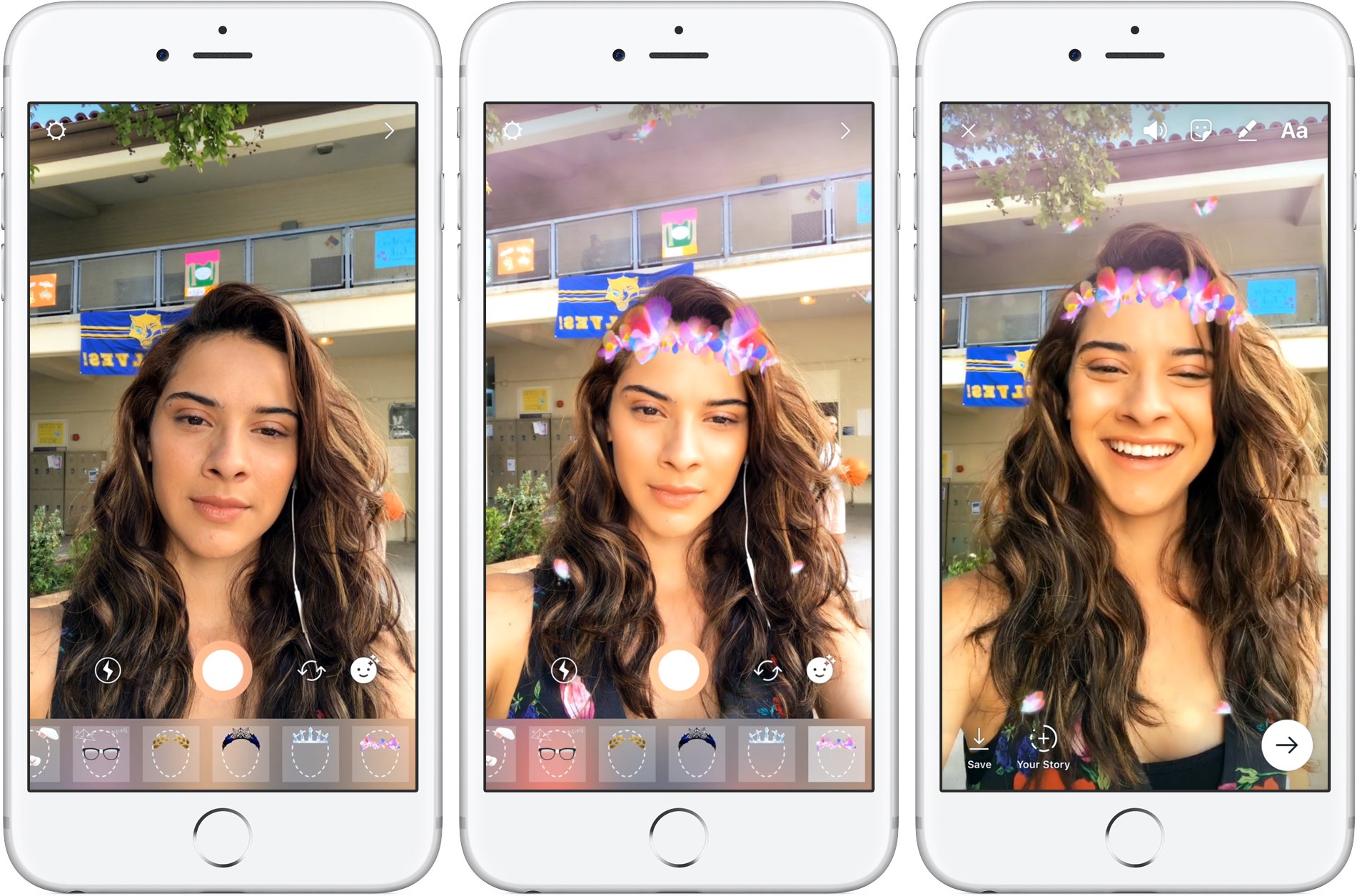
With all-new face filters in the Instagram camera, you can turn an ordinary selfie into something fun and entertaining. A total of eight different face filters are included at launch, with more to be added at a later stage via future updates. To get started with this feature, tap the new face icon in the bottom-right corner of the Instagram camera.

Simply tap a filter to try it on.

The filters include effects ranging from math equations swirling around your head to furry koala ears that move and twitch. “Whether you're sitting on the couch at home or out and about, face filters help you express yourself and have playful conversations with friends,” noted the Facebook-owned company.

https://vimeo.com/217551217

Some of the filters work with a friend.

Moreover, all the face filters included in this edition of Instagram work with Boomerang, meaning you can now add an unexpected twist to the videos you share.

Rewind option for videos

Instagram also provides a new Rewind playback option for videos.

A new camera format next to “Boomerang” and “Hands-Free”, “Rewind” lets you share a rewind of your video. This mode captures your video normally, then makes it play in reverse.

Hashtag stickers

A new hashtag sticker joins Instagram's existing stickers and geofilters. To get started with it, tap the sticker icon in the top-right corner, then choose and customize the new hashtag sticker before adding it to your own Story.

Like with mentions, you can add hashtags using regular text as well.

Hashtag stickers are interactive: folks watching your Story can tap the hashtag sticker or text to visit the hashtag page and explore related posts.

Eraser tool

With the new eraser brush, you can remove parts of drawings or color.

Instagram advises selecting the fill tool after you’ve taken a photo or video to fill the entire screen with color. Then, using the new Eraser tool, you can easily and quite creatively reveal parts of your photo or video underneath.

These new features are available as part of Instagram 10.21 for iOS.

To learn more about these updates, check out Instagram's Help Center.

Instagram is available at no charge from App Store.

Apple is looking for a programming chief

Highlighting Apple's ongoing initiatives in terms of producing original shows, The Information reported yesterday that Apple has been looking for a programming chief to lead its video efforts across the company.

“HBO’s former programming head Michael Lombardo met with Apple executives earlier this year to discuss Apple’s video programming strategy,” a person familiar with the talks told author Tom Dotan.

While the iPhone maker has been looking to fill that particular role, it's unclear if Lombardo could be a candidate to run the company's video efforts. Lombardo left his role as HBO president and programming lead in early 2016 to become a producer.

He is currently producing a 10-episode scripted series for HBO, based on true events, because the executive now has a production deal with the network he departed just earlier this year.

The publication speculates that having a programming chief would signal to the entertainment community that Apple was serious about making its own shows and movies. The Cupertino company is working on several video projects for Apple Music members, including reality competition show “Planet of the Apps” and the “Carpool Karaoke” spinoff.

Apple awarded key iPhone 8 patents for in-screen Touch ID, edge-to-edge display and 3D scanner

The United States Patent & Trademark Office (USPTO) on Tuesday awarded Apple patents for a bezel-less screen, a depth mapping system and an always-on Touch ID fingerprint sensor integrated into the display, which are the three key features expected from iPhone 8. The patents are part of a series of 56 newly granted patents for Apple today, according to PatentlyApple.

Edge-to-edge display

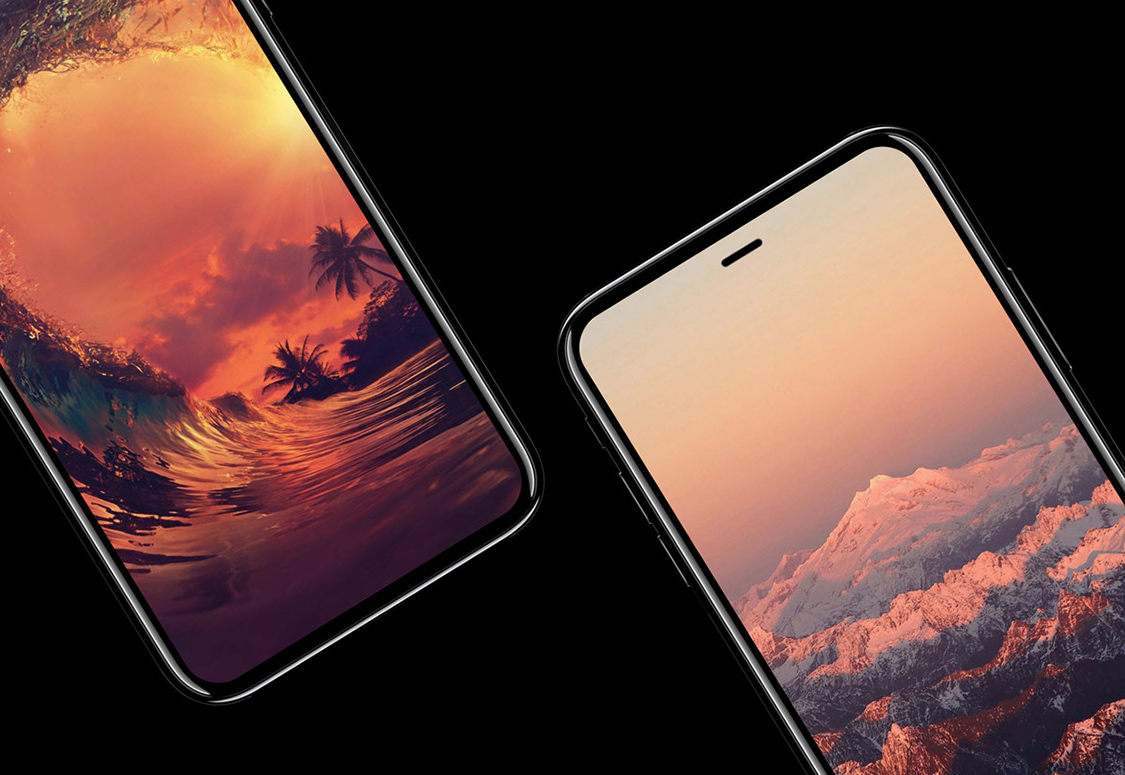
Titled ”Reducing the border area of a device”, the U.S. Patent No. 9,652,096 covers the process for bending the edges of a touch sensor panel and a display panel to help reduce the non-interactive border area of a mobile device.

The patent abstract explains that an electronic device could feature a flexible panel comprised of a flat surface, “an active area” and one or more bent borders “contiguous with and extending from the active area of the substantially flat surface”.

The panel can be folded back against the back surface.

This helps extend the active touch area closer to the edges, thereby reducing the overall width of a device. The patent was filed for in July 2014 and names Apple engineer Steven Martisauskas as its inventor.

In-screen Touch ID

The U.S. Patent No. 9,652,066 for an “Electronic device including finger biometric sensor including transparent conductive blocking areas carried by a touch display and related methods” covers moving Apple's Touch ID from the Home button to beneath the display itself.

The system would use at least one transparent conductive layer beneath a touch display to define “touch sensing pixels”. A finger biometric sensing layer, which includes an array of transparent conductive finger biometric sensing pixels, is capacitively coupled to the at least one transparent conductive layer of the display.

Apple also mentions switchable transparent conductive blocking areas between the finger biometric sensing layer and at least one transparent conductive layer of the touch display. These areas could alternate between blocking and reading states.

Apple argues that biometric authentication should occur automatically as the user is interacting with the device, not require them to scan their finger in a separate step which would force them to switch between tasks to authenticate themselves. In other words, Apple's proposed solution would allow auto-authentication because your iPhone could read the fingerprint that's already on the touchscreen, providing a more seamless experience.

According to the patent's description, an in-screen Touch ID may support iPhone, iPad and MacBook devices. The late-2016 MacBook Pro is the first Apple computer to come with Touch ID, found at the rightmost side of its Touch Bar OLED display.

This patent was first filed for in January 2015 and lists Apple engineer Dale Setlak as its inventor.

3D sensing

And lastly, we have the U.S. Patent No. 9,651,417 for a “Scanning depth engine” which covers optical 3D mapping associated with a Kinect-like device and details methods and devices for projection and capture of optical radiation.

The solution requires a bespoke transmitter and a scanner.

The job of the transmitter is emitting a beam comprising pulses of light. The scanner, basically a micro-electro-mechanical systems (MEMS) device then uses micro mirrors, receives the light reflected from the scene. Using time of flight calculations, the system is able to generate 3D models of any objects in a volume of interest, based on the calculated distance of the individual points in the scene from the scanner.

“A processor is coupled to control the scanner so as to cause the beam to scan over a selected window within the scan range and to process the output of the receiver so as to generate a 3D map of a part of the scene that is within the selected window,” reads the patent abstract. The scanner can be configured to scan the reflected light within a predefined scan range, over a scene, adds the company.

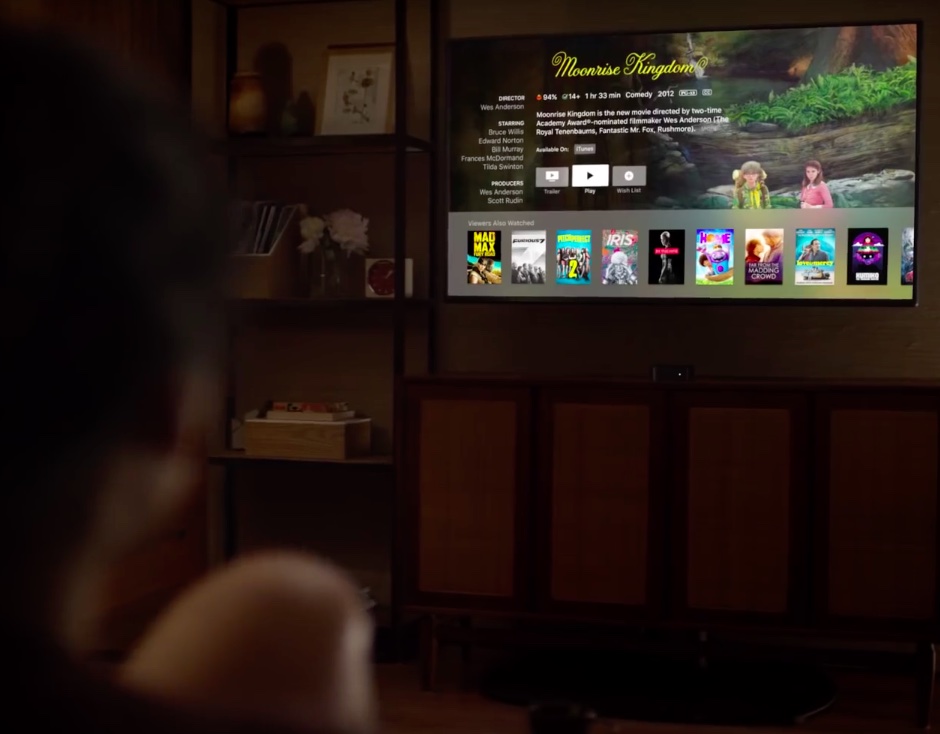
While this particular invention could power iPhone 8's rumored 3D scanning and mapping features, Apple specifically mentions a Kinect-like accessory that could be also integrated into a next-generation Apple TV to permit users to interact with games or exercise videos played.

This patent was filed for in February 2013 and lists Apple's Israel-based PrimeSense engineers Alexander Shpunt and Raviv Erlich as its inventors.

How to delete old Time Machine backups

Do you use macOS's incredibly useful zero-configuration Time Machine feature to keep the personal files, settings and documents residing on your Mac safely backed up to an external disk? If so, is your backup disk nearly full? The best way to make room on your backup disk is to delete old Time Machine backups using Finder.

For example, the disk in my AirPort Time Capsule is nearly full because I have backups dating back to 2010. In this day and age of iCloud Drive and other cloud-storage services, keeping years worth of backups is kind of useless. That precious disk space could be put to better use for storing your photos and videos, for example.

In this tutorial, you will learn how to delete old Time Machine backups to help clean up your disk and regain storage space on it.

Deleting old backups should be your first order of business in situations when your Time Machine backup disk runs out of space. By default, Time Machine deletes older backups to make room for new ones as your backup disk fills up.

There are a couple ways to remove entire backups created on specific dates. We will describe both, but note that Apple seem to prefer the first method

How to delete old Time Machine backups

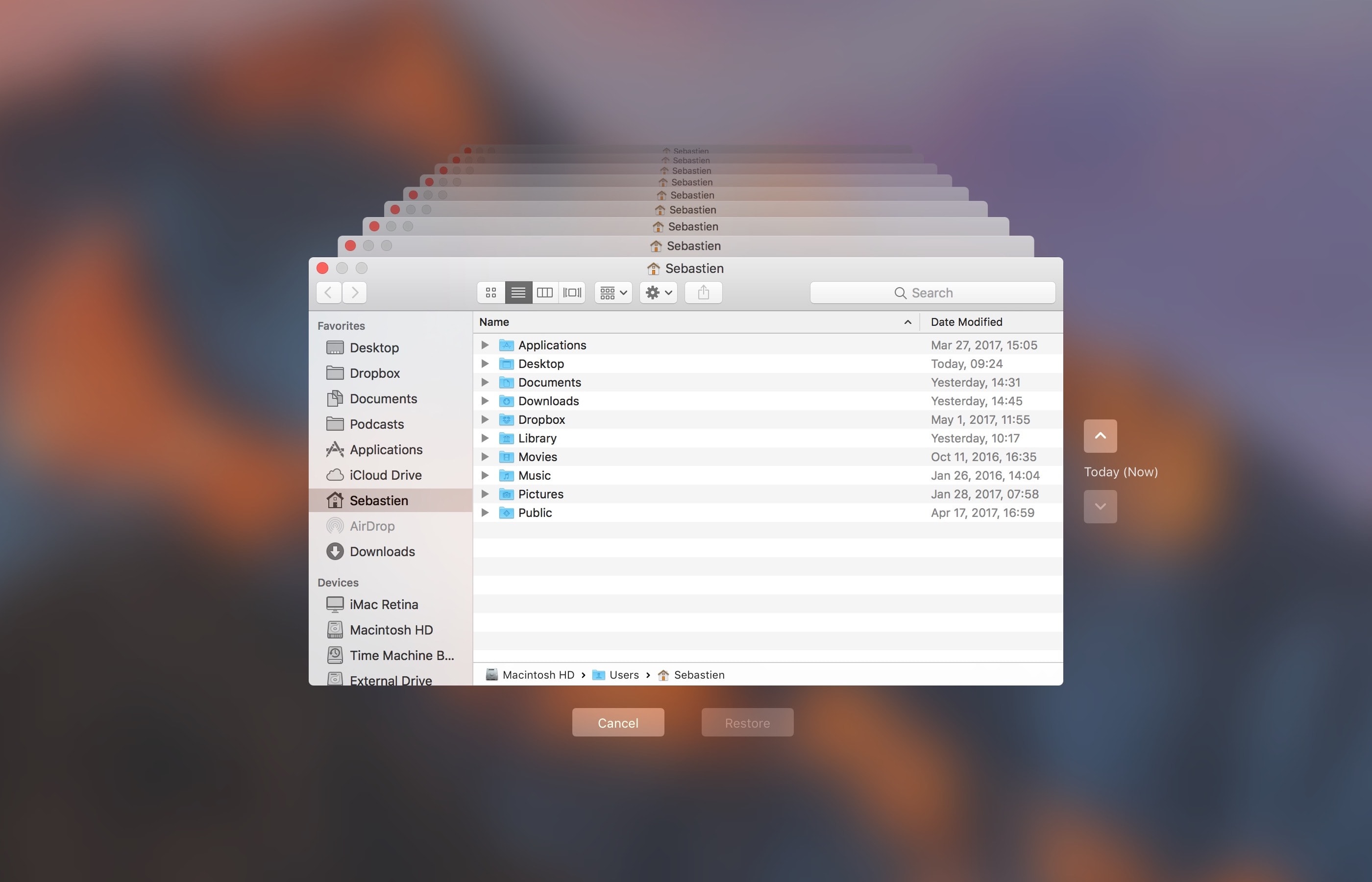
1) Click the Time Machine icon in your Menu Bar to enter Time Machine.

2) Navigate through the interface to the desired date.

3) Once you have located the day you want to delete from your backup, click on the gear icon and select Delete Backup.

4) You will be asked to confirm you indeed want to delete the backup, and you may be ask to enter your administrator password too. Once done, the backup for that specific day will be deleted.

How to remove old Time Machine backups using Finder

1) Click the desktop and open a new window by selecting New Finder Window from the File menu, or press the Command (⌘)—N keys on your keyboard.

2) Connect the disk containing your Time Machine backups to the computer and wait until its name appears underneath the Devices section in the Finder sidebar, then click it.

You may be asked to enter your administrator name and password to continue. If you use AirPort Time Capsule, you may be asked to enter a password to access the backup disk.

3) Navigate to the “Backups.backupdb” folder on your Time Machine backup disk as you would other folders. It should be a top-level folder of your backup drive.

4) Once inside the “Backups.backupdb” folder, navigate to the sub-folder named with your Mac computer's name. For instance, if your Mac is named “iMac Retina” in System Preferences, Time Machine will store backups inside the “iMac Retina” sub-folder.

TUTORIAL: How to change your Mac computer's name

5) You will see a bunch of sub-folders, each prefixed with the date of the backup in the YYYY-MM-DD format. For example, backups of your iMac created on April 19, 2017 would we stored in the sub-folder with the name beginning with “2017-04-19”. To delete a desired backup sub-folder, right-click or Control (⌃)-click it, then choose Move to Trash from the popup menu.

This will delete all copies of a backed-up file or folder from your Time Machine backup disk.

6) Repeat the process for other full-day backups you'd like to remove. When done, disconnect the disk by selecting its icon on the desktop, then choose Eject from Finder's File menu.

While you can safely delete sub-folders within the “Backups.backupdb” folder, you are not allowed to delete individual items inside the dated folders.

You're wholeheartedly discouraged from using Terminal or any other app other than Finder to move, copy or delete items from the Backups.backupdb folder.

You also cannot delete items from local snapshots stored on your internal drive.

To save space on the backup drive, why not exclude individual files or entire folders of files—like your Applications or Downloads folder—in the Time Machine preferences window?

That's all, folks!

If you have a question, post a comment below and we'll do our best to answer it. Please share this tutorial on social media and pass it along to the folks you support.

Submit your ideas regarding future coverage via tips@iDownloadBlog.com.
BGR: Next Apple Watch to use smart bands for game-changing diabetes treatment tech

Apple is reportedly working on a “game-changing” diabetes treatment technology for Apple Watch Series 3 which will allegedly use interchangeable “smart watch bands” said to contain specialized built-in sensors.

That's according to a source familiar with Apple’s plans who spoke with BGR. The iPhone maker has reportedly “identified the right part of the body and there’s so much more they can and intend to do with the watch,” said the source.

Jonathan Geller, who runs BGR, speculates that the glucose monitoring feature could use Apple's smart band system rather than being built into the watch hardware.

“Apple also plans to introduce interchangeable smart watch bands that add various functionality to Apple Watch without added complexity, and without increasing the price of the watch itself,” the author wrote.

30 million people suffer from diabetes in the US, as per the American Diabetes Association.

Currently, the only way to properly measure blood sugar levels is by using a blood sample or a device that penetrates the skin. That could change soon, if these reports are anything to go by.

Last week, CNBC learned that the Cupertino company has been developing non-invasive sensors that would continuously monitor blood sugar levels.

The super secret initiative is allegedly focused on developing optical sensors that would shine a light through the skin in order to measure indications of glucose.

Apple is even conducting feasibility trials at clinical sites across the Bay Area.

CNBC says Apple hired consultants to deal with regulatory approvals, yet another indication that these smart Apple Watch bands with built-in sensors could in fact see the light of day.

Apple is expected to preview a major new version of watchOS at WWDC next month.

Apple’s latest iPhone 7 Plus ad takes place in a barbershop

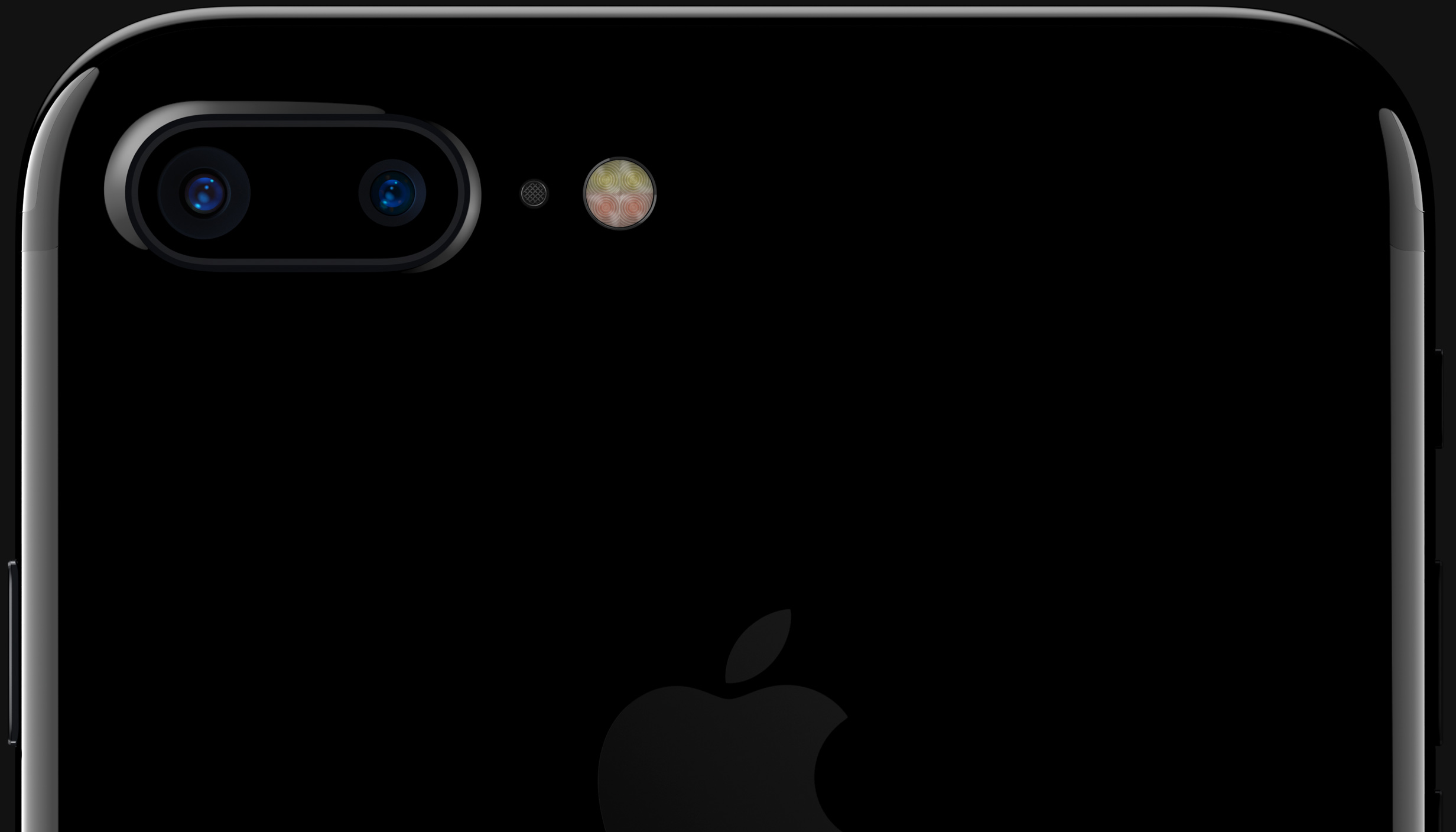
A brand new television commercial for iPhone 7 Plus's dual-lens camera surfaced Monday on Apple's official YouTube channel. Titled “Barber,” the ad showcases Apple's Portrait camera mode made possible by the dual-lens system found on the back of the company's latest Plus smartphone.

Running one minute and ten seconds long, the video takes place in a barbershop and shows the device being used to take depth-of-field shots of customers having their hair done.

Physical prints are then created and displayed on the front of the store to draw in new customers until a lone line emerges outside the shop.

“In Portrait mode on iPhone 7 Plus, you don’t just look good. You look fantastic,” says the video's description. Portrait shooting mode blurs out the background and focuses on the subject in the foreground to create a DSLR-like depth-of-field effect.

And here is the new television commercial.

https://www.youtube.com/watch?v=hcMSrKi8hZA

Song: “Fantastic Man” by William Onyeabor

According to Apple CEO Tim Cook, iPhone 7 Plus has emerged as the most popular Plus model the company has released yet. Last week, Apple posted more than three-dozen videos tips to help customers get the most from their iPhone 7 camera.

How do you like Apple's latest iPhone ad?

Let us know by leaving a comment below.

macOS 10.12.5 fixes issues with USB headphones & Windows 10, lays the groundwork for future macOS releases

Apple today released the mostly maintenance macOS Sierra 10.12.5 software update alongside updates to iOS, watchOS and tvOS. According to release notes accompanying the download, 10.12.5 fixes issues with USB headphones and Windows 10 installations while laying the groundwork for future macOS releases.

Plus, this version of macOS “enhances compatibility of Mac App Store with future software updates.” Apple is expected to preview the next major version of macOS at its annual developers conference next month.

macOS Sierra 10.12.5 can be installed via the Mac App Store's Updates tab.

Read Apple's support doc for detailed information about the update's security content.

Safari 10.1.1, which comes included in the 10.12.5 update, patches for more than half a dozen WebKit-related vulnerabilities while fixing yet another instance of address bar spoofing that could fool users into believing they're visiting a genuine rather than a maliciously crafted webpage designed for phishing attacks.

It's available for OS X Yosemite 10.10.5, OS X El Capitan 10.11.6 and macOS Sierra 10.12.5.

A minor update to iTunes for Mac and Windows was also pushed today.

iTunes 12.6.1 comes with unspecified app and performance improvements along with a fix for a WebKit exploit on Windows 7 and later which could result in arbitrary code execution after processing maliciously crafted web content.

Safari 10.1.1 for Mac fixes yet another instance of address bar spoofing

Safari 10.1.1, pushed out as part of today's minor macOS Sierra 10.12.5 software update, fixes yet another instance of address bar spoofing. This is good news because the browser can now protect you from phishing attacks that would typically attempt to fool you into believing you were visiting a genuine website rather than a maliciously crafted webpage.

According to the company's security document, the software fixes a flaw where visiting a malicious website may lead to address bar spoofing. “An inconsistent user interface issue was addressed with improved state management,” states Apple.

Even folks who are extremely mindful of phishing are susceptible to address bar spoofing.

The sophistication of today's phishing attacks came to light when Chinese security researcher Xudong Zheng demonstrated how easily users could be fooled into visiting a fake website that seemingly shows the correct URL in the address bar.

To protect yourself from such attacks in the future, manually type in the URL of the website you want to visit or choose your favorite website from Safari's Bookmarks menu. Of course, you should avoid clicking any suspicious links in an email message, even if they appear to originate from a contact you personally know.

The patched vulnerability was discovered in Safari for macOS, not for iOS.

Apple credits Zhiyang Zeng and Yuyang Zhou of Tencent Security Platform Department with the discovery of the vulnerability CVE-2017-2500 and Zhiyang Zeng of Tencent Security Platform Department with the discovery of the vulnerability CVE-2017-2511.

Moreover, Safari 10.1.1 fixed an issue in Safari's history menu that could lead to an application denial of service after visiting a maliciously crafted webpage. The issue was addressed through improved memory handling.

Lastly, Safari 10.1.1 also includes patches for as many as seven vulnerabilities that were discovered in the WebKit rendering engine, five of which dealing with universal cross site scripting, while fixing an issue with WebKit's Web Inspector where an app could execute unsigned code.

Safari 10.1.1 is available for OS X Yosemite 10.10.5, OS X El Capitan 10.11.6 and macOS Sierra 10.12.5. Apple also released a minor update to iTunes for Mac and Windows today.

iTunes 12.6.1 contains unspecified app and performance improvements and a fix for a WebKit exploit on Windows 7 and later which could result in arbitrary code execution after processing maliciously crafted web content.

iTunes 12.6.1 with minor app and performance improvements now available

Alongside public releases of the iOS 10.3.2, watchOS 3.2.2, tvOS 10.2.1 and macOS Sierra 10.12.5 software updates for iPhone, iPad, iPod touch, Mac, Apple Watch and Apple TV, Apple earlier this morning also posted a minor update to iTunes for Mac and Windows PCs.

iTunes 12.6.1 contains only minor app and performance improvements, according to Apple's release notes.

A security document reveals that the app fixes a WebKit exploit on Windows 7 and later which may allow arbitrary code execution after processing maliciously crafted web content.

“Multiple memory corruption issues were addressed with improved memory handling,” Apple states. The vulnerability was discovered by the user “lokihardt” of Google Project Zero.

Philips expands Hue smart lighting with new bulbs, fixtures and table lamps

Philips has expanded its Hue smart lighting family of HomeKit-compatible accessories with today's announcement of a brand new candle bulb alongside all-new fixtures and free-standing table lamps. All the new accessories support HomeKit, allowing users to control their lights with Siri on their iPhone or iPad.

The new 40W-equivalent Hue White Ambiance candle bulb provides “the perfect shade of white light for any moment”. It uses a smaller E12 base for fixtures like ceiling fans, chandeliers or decorative table lamps and can output light at up to 450 lumens of brightness.

The candle bulb joins the company's existing White Ambience family of lights, which includes the A19 bulb, GU10 spot light and BR30 downlight.

The newly announced products include:

$200 Philips Hue White Ambiance Being Flushmount $100 Philips Hue White Ambiance Wellner Table Lamp $100 Philips Hue Wellness Table Lamp $30 Hue White Ambience Candle Bulb

The new Hue White Ambiance Wellner and Wellness table lamps both include a White Ambinece light bulb for capable of outputting light at 800 lumens. The new Hue White Ambiance Being Flushmount and Hue White Ambiance Fair fixture feature a built-in White Ambience bulb with light output at up to 3,000 lumens.

https://www.youtube.com/watch?v=DQqgVxLO90I

Subscribe to iDownloadBlog on YouTube

The Fair fixture is available in flushmount, semi-flushmount and suspension styles for attaching to a ceiling.

Hue smart lights were designed to provide the white light needed to help you wake up and energize, concentrate, read, relax and go to sleep naturally.

Mark Cieri, Vice President and General Manager for Home Systems with Philips Lighting US, said:

To put it simply, consumers can have one light to support all of their daily activities. Think about all of the moments you enjoy in your kitchen. Select a cool daylight scene for your morning coffee to energize for the day ahead.

Help your child focus on their homework with a bright white light. Then, create a cozy ambiance for dinner under a warm light to wind down. With Philips Hue White Ambiance, you can personalize your lighting and truly feel at home.

Using HomeKit, Siri and the accompanying iOS app, users can create various hues of white light that can be dimmed or brightened throughout the day.

You can pre-order the new products via the Philips web store ahead of their arrival next month.

The new $30 candle bulb will be available for pre-order in June and launch in July.