News

Hey Siri, make some room for Google Assistant on my iPhone

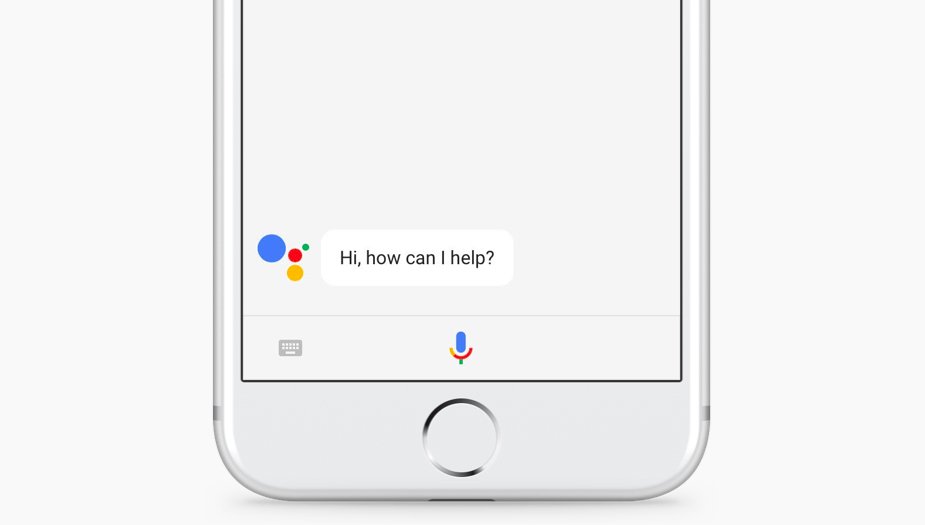
The rumors were true: the search giant Google today released a standalone Assistant app for iPhone to take on Siri. Available at no charge on App Store, it features a blend of the chat style functionality found in in the Google Allo version of Assistant and the voice-controlled version found on Android.

It even lets you call friends on Google Home or out on the town with your iPhone.

“Whether you need a reminder to pick up milk, help finding your travel photos or need to make a dinner reservation, your Assistant is ready to help,” says the company.

To get started with Assistant, press the microphone icon or start typing.

https://www.youtube.com/watch?v=VZ9MBYfu_0A

“And for when you want to see what you’ve previously asked, we’ll also soon add history within your conversation,” notes Google. And with an upcoming firmware update for Google Home, customers will be able to put responses to queries from Home's Assistant on a supported display, including your iPhone and even your TV (with Chromecast).

Apple users can use Assistant's chatbot-like capabilities as well as all of its interactive features without having to purchase Google's Pixel smartphone or another Android smartphone.

Here are a few things Assistant can help you with:

Make quick phone calls (“Call Mom”) Send text messages (“Text my bestie”) Send emails (“Email my boss the latest TPS report”) Set reminders (“Remind me to buy a birthday gift for Sarah”) Set calendar events (“Set a calendar event for dinner with Charlie tomorrow from 7-9”) Play music (“Play Jazz music on YouTube”) Navigate to places (“Get me directions home”) Ask it anything (“Will I need an umbrella today?”)

Google has promised to enhance Assistant with new features, including:

New chatbot abilities Integration with Google Lens technology

Google Lens will give Assistant for iPhone and Android some pretty cool camera capabilities with a little help from advanced artificial intelligence features. You'll be able to, for example, easily identify an object by pointing your phone's camera at it.

The company even demonstrated how Lens technology will permit Assistant users to snap up a photograph of a business's sign to quickly pull up useful information such as reviews, menu items, friend check-ins and other relevant data.

And in yet another example, Google demoed how Assistant could help Android users connect to a Wi-Fi network simply by taking a picture of a sticker on a router.

“If you see a marquee for your favorite band, you can hold up your Assistant, tap the Lens icon and get information on the band, tickets and more,“ said the firm.

Plus, starting today developers can build conversational apps for the Google Assistant on phones. In other words, soon you’ll be able to not only get help and answers from Google, but also from third party services.

The AI-powered helper will be rolling out to eligible Android phones in Brazilian Portuguese, French, German and Japanese, Google said. By the end of the year, Assistant will include additional language support for Italian, Korean and Spanish.

The company has more than 70 smart home partners supporting Assistant across Google Home, Android phones and iPhone, including August locks, TP-Link, Honeywell, Logitech and LG.

Assistant is already available on more than 100 million devices, said Google.

Grab Google Assistant for iOS for free via App Store.

The app requires an iPhone, iPad or iPod touch with iOS 9.1 or later.
AI powered, end-to-end encrypted calls now available in Telegram Desktop

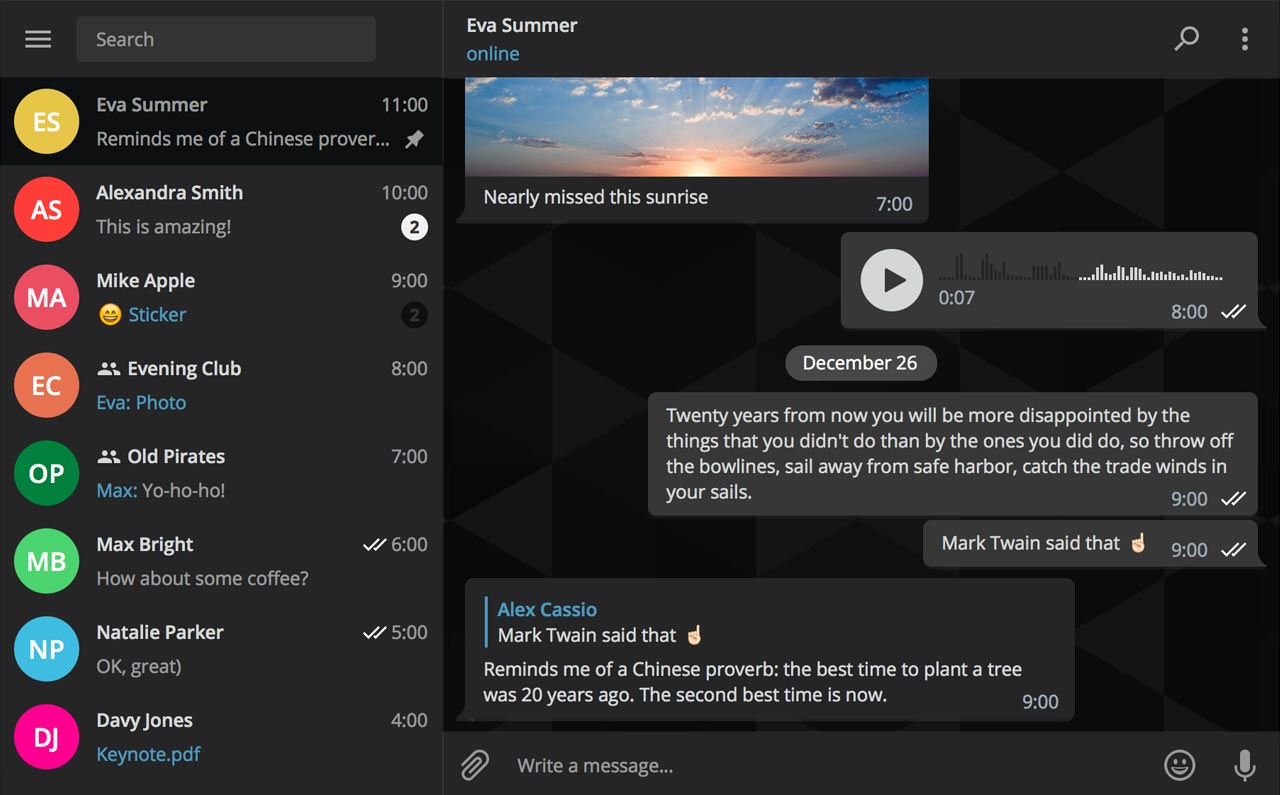
Secure instant messaging service Telegram today launched voice calls in its desktop app for Mac, Windows and Linux nearly two months after implementing the voice-calling feature in Telegram Messenger for iPhone and iPad.

To make sure Telegram calls are the best in terms of quality, speed and security, the app uses artificial intelligence to update its neural network after each call about things such as network speed, ping times, packet loss percentage and other factors that influence the quality of your VoIP calls.

Based on gathered data, the app optimizes dozens of parameters to improve the quality of future calls on the given device and network. By default, Telegram calls are lightweight.

https://twitter.com/telegram/status/864543129847955457

If there's a change in your connection during the call, the app will make necessary adjustments.

For instance, Telegram may boost your sound quality on stable Wi-Fi connection or use less data if your Wi-Fi or cellular coverage is spotty at best.

Whenever possible, your calls will go over a peer-to-peer connection using the best audio codecs to save traffic while providing “crystal-clear quality.” When a peer-to-peer connection cannot be established, the app will use the closest server to you.

Telegram has its own distributed infrastructure all over the world to ensure the fastest possible delivery of your texts and seamless voice calling experience. As mentioned, VoIP calls on Telegram use end-to-end encryption, just like the app's Secret Chats feature, to prevent eavesdropping.

For voice calls, however, they've improved the key exchange mechanism. “To make sure your call is 100 percent secure, you and your recipient just need to compare four emoji”, said the team.

Bottom line: the quality of Telegram calls will further improve as you and others use them, thanks to the built-in machine learning. And with group calling, video calling and screen sharing apparently on the team's to-do list, Telegram is bound to become a capable Skype alternative.

As soon as VoIP calls are enabled for your country, a phone icon will appear on every profile page in Telegram Desktop.

Telegram for iOS is available free via App Store.

Telegram Desktop can be downloaded from Mac App Store or through the official website.

Todoist gains 2-way Google Calendar integration, Dynamic Type support & more

Todoist, the popular cross-platform app for organizing work and errands, is launching a deep two-way integration between it and Google Calendar that lets the app directly pull information from Google Calendar and vice versa. In addition, the app now supports iOS's system-wide Dynamic Type feature and you can now mark individual notifications as read or unread.

Todoist + Google Calendar = winning combo

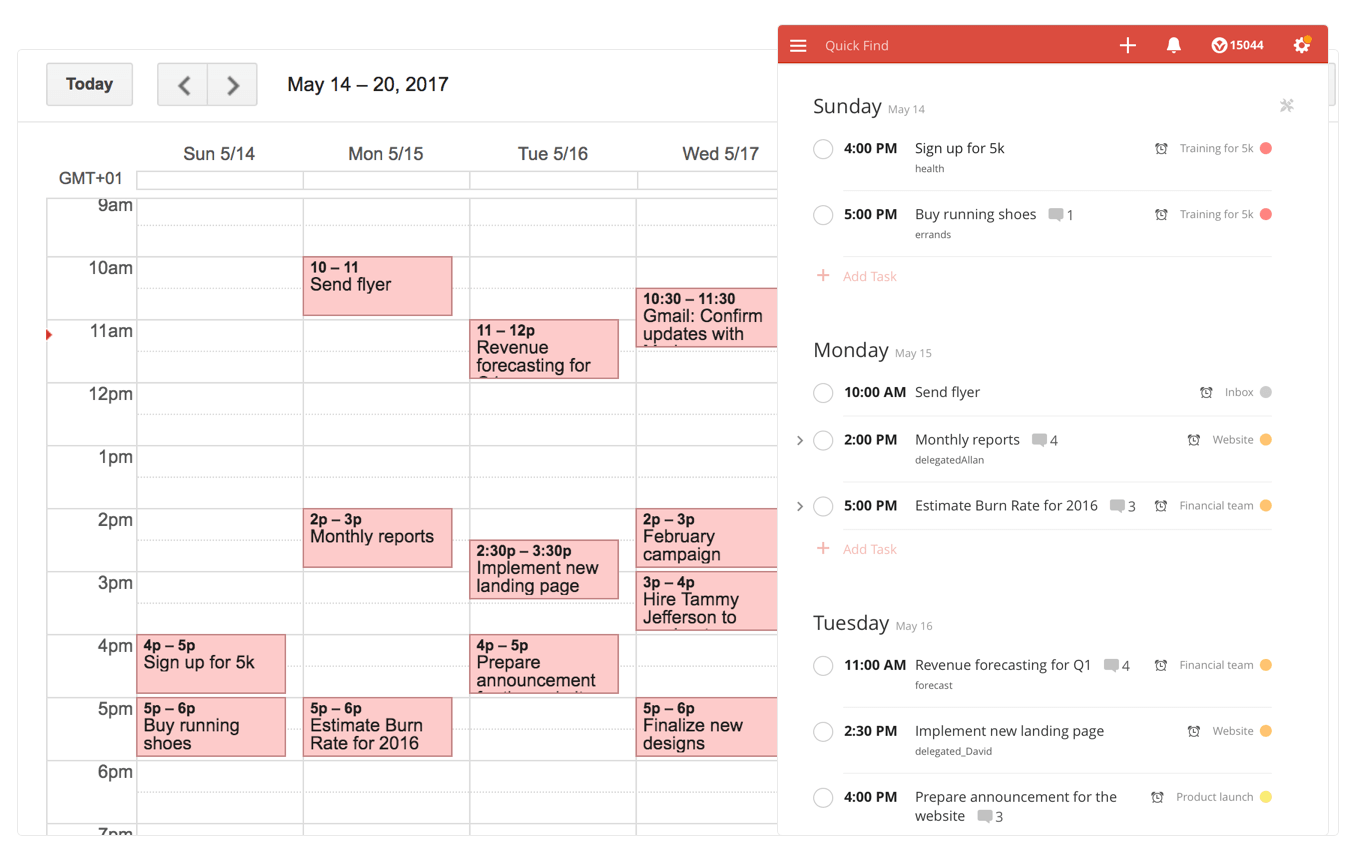
With a two-way sync between Todoist and Google Calendar, you can visualize, organize and prioritize your tasks from inside your calendar, with any changes made in Google Calendar being instantly reflected back in Todoist and vice versa.

To connect Todoist with Google Calendar, sign into the Todoist web app, click on the gear icon in the upper-right corner and choose Settings from the popup menu. Navigate to the Integrations tab and click Connect next to Google Calendar.

After signing into your Google Account, you’ll be asked which calendar you want your tasks added to, whether you'd like to sync your entire Todoist account or just a specific project, which Todoist project you want new Google Calendar tasks added to, a default event duration for new Todoist tasks in Google Calendar and whether or not you want to sync tasks with a due date but no time.

Once you authorize the integration, any tasks with a due date and/or time in Todoist will automatically be added to a Google calendar of your choosing (recurring tasks will create multiple events) The two-way sync allows you to create events in Google Calendar within Todoist, knowing they'll be automatically added to the Todoist project of your choosing.

All tasks created from Google Calendar have a default @gcal label, but you can change the label by editing the integration after you’ve connected the apps. You can even choose to only sync tasks from a specific project, if you'd like.

On the iPhone and iPad side, Todoist now supports Dynamic Type, a feature that makes it easy to adjust the font size in apps that support this feature. To make words in Todoist bigger or smaller, simply update to the latest version of the app on App Store and set your preferred text size but dragging the slider in Settings → Display & Brightness → Text Size.

To make sure you don’t miss any important updates in shared projects, Todoist for iOS now allows collaborators to mark individual notifications as read or unread.

As for Todoist for Mac, the app's design was refreshed yesterday to make it feel more at home on your Mac, including extending the theme color all the way to the top.

The smart-task Quick Add action has been overhauled as well. Faster than ever before, it now includes a shortcut to assign a task to someone else (just type “+” into the task name field to pull up a list of collaborators).

Todoist for iPhone, iPad and Apple Watch is a free download from App Store.

Todoist for Mac is available free via Mac App Store.

How to watch Google I/O keynote live

Google's annual conference for developers is kicking off today with an opening State of the Union-like keynote address by CEO Sundar Pichai. Will be providing remote coverage of the most important announcements from the event as they happen.

That said, you can tune in to watch a live-stream of the keynote if you'd like.

The keynote address is scheduled to kick off today at 10am Pacific Time / 1pm Eastern Time. Here's how you can stream the event live on your iPhone, iPad, Mac and other devices.

When does Google I/O keynote start?

As mentioned before, the three-day conference is scheduled to kick off with a keynote today, May 17, at 10am Pacific Standard Time / 11am Mountain Standard Time / 12pm Central Time / 1pm Eastern Standard Time.

If you’re watching the keynote from the United Kingdom, Beijing, Europe or elsewhere, here’s what times the event goes down in some of the major cities around the world:

London, United Kingdom—Wednesday, May 17 at 6pm Paris, France—Wednesday, May 17 at 7pm Berlin, Germany—Wednesday, May 17 at 7pm Central Europe—Wednesday, May 17 at 7pm Moscow, Russia—Wednesday, May 17 at 8pm Eastern Europe—Wednesday, May 17 at 8pm New Delhi, India—Wednesday, May 17 at 10:30pm Beijing, China—Thursday, May 18 at 1am Tokyo, Japan—Thursday, May 18 at 2am Sydney, Australia—Thursday, May 18 at 3am Auckland, New Zealand—Thursday, May 18 at 6am

If you're located overseas, but your country isn’t on the list, simply use an online timezone service to determine what time 10am PST is in your country or ask Siri what time it is in Cupertino to figure out how long before the keynote starts.

How to live-stream Google I/O 2017 keynote

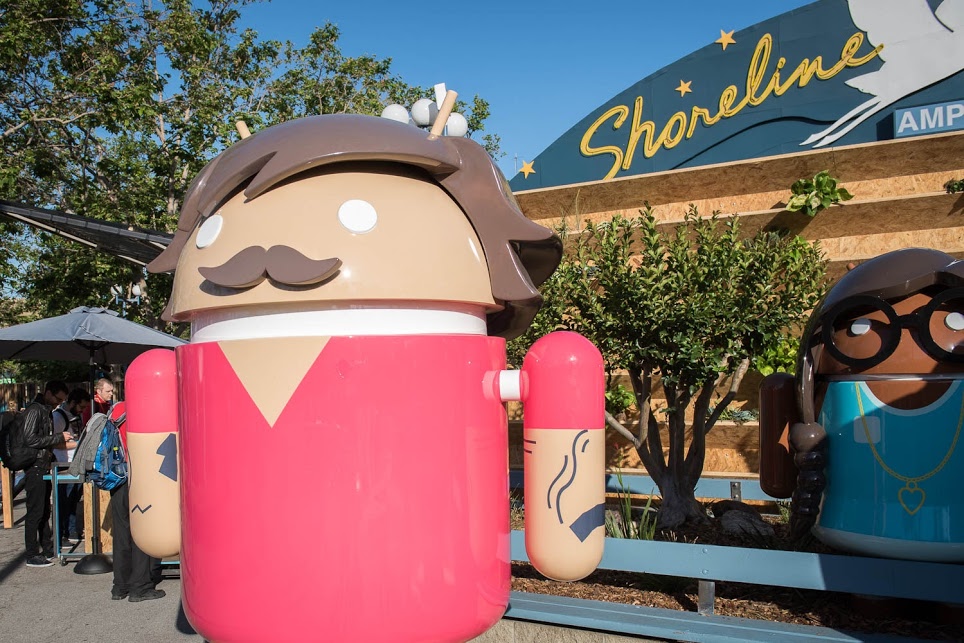
The main Google I/O keynote, featuring CEO Sundar Pichai, as well as the 150 other talks streaming from the Shoreline Amphitheater in Mountain View this week, will be hosted on Google's Developers channel on YouTube.

https://www.youtube.com/watch?v=Y2VF8tmLFHw

The live-stream YouTube video is embedded above.

If Google provides a 360-degree video of the keynote address, like it did last year, we'll be making sure to update the post with the video URL.

Will you be tuning in to Google I/O?

If so, which potential announcements are you looking forward to the most?

Leave a comment below to let us know!

“Today at Apple” classes launch at Apple retail stores globally

Announced last month, a series of revamped educational sessions, headlined as “Today at Apple”, launched on Wednesday at Apple's brick-and-mortar stores globally, with more than 4,000 classes being offered each day this week. The new sessions have been available at Apple Union Square since the store opened.

“Introducing Today at Apple—inspiring and educational free sessions happening every day at Apple,” said the iPhone maker, adding that “inspiration is now in session”. While content varies from one store to another, the 495 Apple Stores around the world are expected to offer "Photo Walks" and "Kids Hour" sessions by May 20.

Most sessions are an hour in length. In recognition of Global Accessibility Awareness Day, the Cupertino giant is hosting a bunch of accessibility-related sessions at its stores as well.

The company shared this promo video to mark the launch of “Today at Apple”.

https://www.youtube.com/watch?v=M-1GPznHrrM

As mentioned, these hands-on educational sessions are available starting today in all company-owned retail stores in the US and around the world. The classes range in topics from photo and video to music, coding, art and design and more.

In select cities, “Today at Apple” hands-on classes will be led by world-class artists, photographers and musicians, teaching sessions from basics and how-to lessons to professional-level programs.

To mark Global Accessibility Awareness Day, Apple shared this morning some inspiring videos showcasing how people with different disabilities are using assistive features built into iPhone, iPad and Mac to make their lives easier.

Watch inspiring Apple videos showcasing people with disabilities using iOS/macOS assistive features

Happy Global Accessibility Awareness Day, everyone!

To mark the occasion Apple is showcasing a series of more than half a dozen inspiring videos of some of its users with different disabilities, who can be seen leveraging the powerful assistive technologies built into macOS and iOS to make their lives easier.

The clips, first spotted by Jim Dalrymple of The Loop, demonstrate real-world usage of iOS and macOS accessibility features by the people who can’t move, talk, see or hear. The company is also hosting a bunch of accessibility-related sessions in its stores around the world.

Carlos Vasquez

Carlos is the lead singer, drummer and PR manager for his metal band Distartica. Using VoiceOver, with Screen Curtain on iPhone, he can hail a ride, take a photo and get the word out about his band’s album release while keeping his screen entirely black.

https://www.youtube.com/watch?v=EHAO_kj0qcA

Ian Mackay

Ian is an outdoor and birding enthusiast. With Siri on iPhone, he can play a bird call or chat with a friend via FaceTime, and with Switch Control he is able to capture the perfect waterfall photo.

https://www.youtube.com/watch?v=PWNKM8V98cg

Meera Phillips

Meera is a teenager who loves soccer and jokes. She uses TouchChat on iPad to talk with her friends and family, and deliver the occasional one-liner.

https://www.youtube.com/watch?v=3d6zKINudi0

Andrea Dalzell

Andrea is a nursing student and advocate for the disabled community. She uses Apple Watch to record wheelchair-specific workouts and share her victories with friends.

https://www.youtube.com/watch?v=SoEUsUWihsM

Patrick Lafayette

Patrick is a DJ and producer with a passion for music and excellent food. With VoiceOver, he has the freedom to express himself in his home studio with Logic Pro X and in the kitchen with TapTapSee.

https://www.youtube.com/watch?v=whioDJ8doYA

Shane Rakowski

Shane is a middle school band and choir director who uses Made for iPhone hearing aids in her classroom so she can hear every note.

https://www.youtube.com/watch?v=mswxzXlhivQ

Todd Stabelfeldt

Todd is the CEO of a technology consulting company and a prominent member of the quadriplegic community. With Siri, Switch Control, and the Home app, he can open his front door, adjust the lights in his house, and queue up a party playlist.

https://www.youtube.com/watch?v=4PoE9tHg_P0

Apple provided these links for the technologies and apps featured in the videos:

Accessibility on Apple Watch VoiceOver on macOS Switch Control “Made for iPhone” hearing aids HomeKit-enabled products Schlage Sense Smart Deadbolt TapTapSee for iPhone TouchChat for iPhone iBird for iPhone Logic Pro X for Mac Essential Elements for Pad

Today, May 18, marks the sixth Global Accessibility Awareness Day.

According to the official Global Accessibility Awareness Day website, the purpose of the initiative is to get everyone talking, thinking and learning about digital access and inclusion of people with different disabilities.

Apple Pay opens for business in Italy with support from three banks

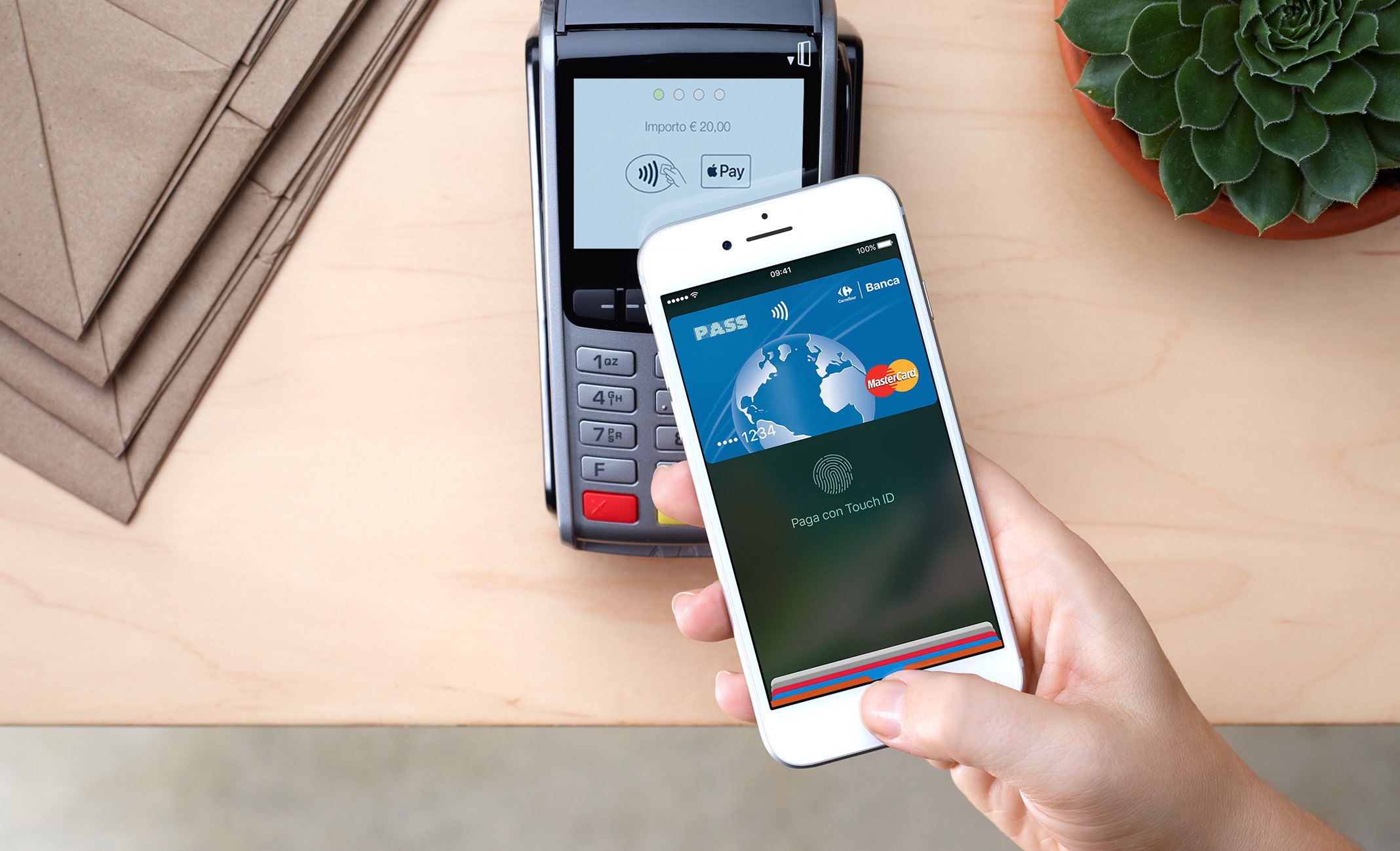
Apple has officially launched its mobile payments service in Italy, a 61 million people country and the third-largest national economy in the Eurozone. Apple Pay launched in the country with initial support for Visa and MasterCard debit and credit cards issued by Carrefour and UniCredit, as well as Boon prepay.

Boon is a European prepaid service and app that lets users conduct transactions at all point of sale terminals that accept MasterCard contactless payments. Boon customers are currently allowed to register prepaid MasterCard cards with Apple Pay.

According to Apple's website, support for additional banks will be added later this year.

Some of the official partners listed on Apple's website included merchants and companies such as Auchan, Autogrill, Eataly, LaGardenia, H&M, Leroy Merlin, Limoni, OVS, Simply Market, Unieuro and more.

After registering their card with Apple Pay by tapping Add Credit or Debit Card in the Wallet app on any iOS device with iOS 8.1 or later, Visa and MasterCard holders can start using the service to pay for their purchases in stores, within apps and on supported websites via their iPhone, iPad, Apple Watch or Touch ID-enabled Mac.

The service could soon launch in Belgium and South Korea, circumstantial evidence suggests.

Last month, Apple Pay launched in Taiwan.

Apple's mobile payments service is currently available in these 16 markets:

Australia Canada China France Hong Kong Ireland Italy Japan New Zealand Russia Singapore Spain Switzerland Taiwan United Kingdom United States

Visit the iOS Feature Availability webpage for the full, continually updated list of countries, banks, credit unions and other financial institutions that currently support Apple Pay.

In related news, Apple Pay in the US added support for more than two dozen new financial institutions earlier today. Additionally, Liaoning Rural Credit Cooperatives in Mainland China now supports Apple Pay, too.

According to Recode, the Cupertino giant is secretly developing a peer-to-peer service for transferring cash digitally between friends, plus virtual prepaid cards that would run on Visa’s debit network and work with Apple Pay.

Viber for iPhone gains chat pinning and adjustable notification sounds

Rakuten-owned messaging app Viber is launching a pair of interesting enhancements in its mobile app for iPhone and iPad. The first improvement comes in the form of handy new options for adjusting Viber's default notification sound on a per-chat basis. The other enhancement lets you easily pin your favorite conversations to the top of the chat screen.

Aside from these improvements, Viber 6.8.8 for iPhone and iPad, a free download from App Store, includes unspecified bug fixes and performance improvements.

Chat pinning

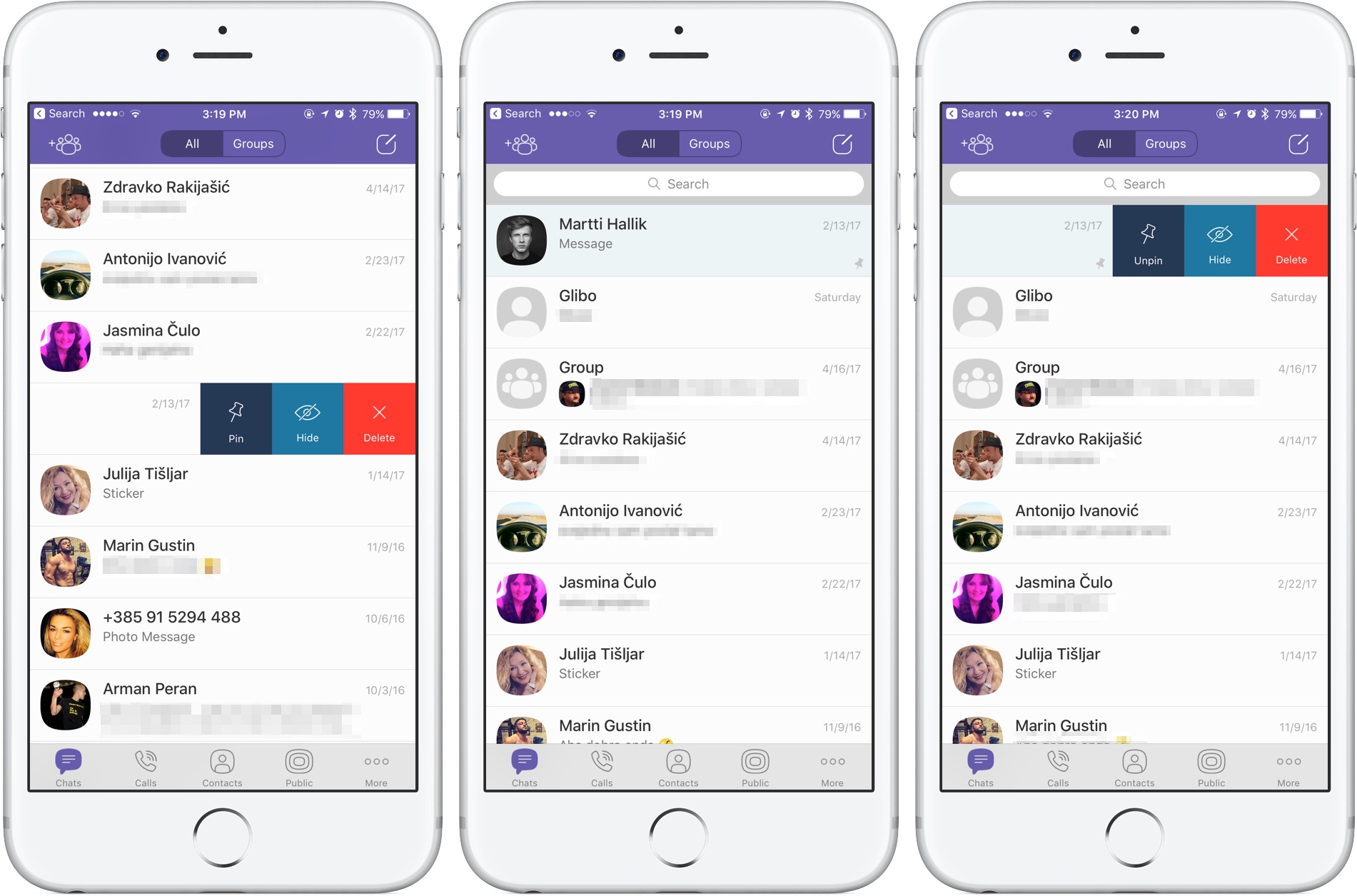
With this feature, you can pin your favorite conversations to the top of the chat list where they're easier to spot. To pin a chat, swipe the conversations in the chat list, then select Pin to pin it to the top of the screen or Unpin if it's already pinned and you'd like to unpin it, as shown on the screenshots top of post.

Rival WhatsApp from Facebook is said to be working on chat pinning, too.

Custom notification sounds

Viber now allows you to override its default notification sound and replace it with the sounds listed in Settings → Sounds. You can choose a new default sound for all Viber notifications or select a different notification sound on a per-chat basis to make it easier to audibly distinguish between notifications for new messages from, say, your Mom and a co-worker.

Download Viber 6.8.8 for iOS via App Store.

Apple kicks off iPhone SE production in India

Apple has officially kicked off the initial production run of an unspecified “small number” of iPhone SE handsets in its Bangalore plant in India, marking the first time the company has assembled any iPhone model in the vast 1.33 billion people market.

As previously suspected, the manufacturing of the cheapest iPhone model was handled earlier this month by Taiwanese contract manufacturer Wistron via its assembling unit located in Karnataka, a state in the south western region of India.

Apple confirmed in a statement that it has begun the initial production of a small number of iPhone SE handsets in Bangalore. The Cupertino company will begin shipping the devices to domestic customers later this month, with the first shipments potentially hitting retail stores as early as this week or next, according to a person familiar with the matter.

A state official with direct knowledge of the matter told the publication that the Cupertino giant “could seek more production” within the country in the future.

It's unclear if Apple will reduce iPhone SE pricing in India to better compete with inexpensive smartphones from rivals. In India, according to Deutsche Bank’s annual “Mapping the World’s Prices” survey, the 128-gigabyte 4.7-inch iPhone 7 model costs about $900 versus an average selling price of $815 in the US.

iPhone SE costs $399 in the United States. By comparison, the current average going rate for iPhone SE in India is about $320. Some analysts think Apple should price the phone really aggressively were it to move a good number of these devices in the country.

“In three to five years, these users will be able to graduate to a standard-priced iPhone,” said Faisal Kawoosa, principal analyst at research firm CMR.

According to IDC, the average smartphone price in India is about $250.

Local government officials reportedly believe Apple could sell iPhone SE in India for as low as the equivalent of $220 in Indian currency. Apple's manufacturing partners assemble most of the iPhones the company sells in massive factories in China, with a smaller number of older iPhone models being manufactured in Foxconn's facilities in Brazil.

First gameplay video of Oceanhorn 2 looks fantastic

The official sequel to Oceanhorn: Monster of Uncharted Seas is in the works and we already showed you a few screenshots taken from an early build of the game. Tuesday, developer Cornfox & Bros. shared the official gameplay video of the Oceanhorn sequel, titled Oceanhorn 2: Knights of the Lost Realm.

While still work in progress, the new gameplay footage clearly demonstrates that Oceanhorn 2 is shaping up to become one of the best-looking iPhone and iPad games on the market.

That's hardly a surprise given it's based on Epic's fantastic Unreal Engine 4.

“With Unreal Engine 4, we have hundreds of man years of video game development backing us up,” developers said. The gameplay video, embedded below, is actual unedited footage of Oceanhorn 2 captured on iPhone 7 Plus.

https://www.youtube.com/watch?v=YRp5_TvU3oI

Your hero's journey will take him around the world.

The game sports a vast world map littered with fields, forests, mountains, water, towns and dungeons. An updated battle system consists of sword fighting, utilizing powerful spells and finding creative ways to use various items that you discover along the way.

Oceanhorn 2's main protagonist lives near an ancient structure, called Beacon, located in Arne Village, which is the starting location of his adventures.

To help players solve complex puzzles, lure enemies into traps or cast directed spells at them, Oceanhorn 2 introduces a cool gun that shoots magical projectiles. As a bonus, your character can carry and throw all sorts of objects.

Developers will be demoing Oceanhorn 2 at Epic's booth at the Nordic Game conference in Malmö, Sweden.

Although Oceanhorn released in September 2016 on PS4 and Xbox One as Cornfox's very first console game, it was ported over to iOS and Android. Just recently, the original Oceanhorn game has been confirmed as coming to the PS Vita handheld console on May 17.

The sequel is still in development, but we'll be making sure to keep you in the loop.

Bloomberg: upgraded MacBook lineup coming at WWDC next month

Upgraded MacBook Pro models along with a second-generation twelve-inch MacBook Air with a faster Intel chip and possibly a refreshed MacBook Air are all reportedly coming at Apple's annual conference for app developers next month.

Bloomberg claimed Tuesday that MacBook Pro will get a faster Intel Kaby Lake processor. A new version of the current twelve-inch MacBook would pack in a faster Intel chip, too.

It should be noted that the Mac maker hasn’t announced new hardware at WWDC since 2013, when it launched Mac Pro and updated MacBook Air.

Apple and Intel declined to comment.

Here's a brief overview of the rumored MacBook upgrades:

MacBook Pro—The same looks as the latest model, but with Intel's faster Kaby Lake chips and updated internal architecture. It's unclear if Apple's rumored internally designed ARM-based chip for managing low-power mode is part of the new models. 12-inch MacBook—Last updated in spring 2016 with a rose gold color option, the ultra-thin machine will get a faster Intel chip. MacBook Air—Apple's cheapest laptop has not received a speed boost since 2015, but its sales remain “surprisingly strong”. The company “has considered updating” the MacBook Air notebook with a new processor.

Fun fact: it's been almost seven years since Apple last redesigned the popular Air.

In the March quarter, Apple sold 4.2 million Mac desktops and notebooks, generating fourteen percent more revenue on these systems than in the year-ago quarter.

Previously, it pledged to release a modular Mac Pro system, all-new pro displays, refreshed Mac mini models and major upgrades to its all-in-one iMac desktop with better specifications.

As mentioned, the upgraded Mac notebook lineup may be announced during Apple's WWDC keynote, which takes place on Monday, June 5, at 10am Pacific Time.

Asides from previews of the next major versions of iOS, watchOS, tvOS and macOS, Tim Cook & Co. may provide other updates during the keynote address, including announcements related to the company's rumored AI-driven Siri smart speaker, 10.5-inch iPad Pro model, 4K-capable Apple TV and the discontinuation of the iPad mini lineup.

Apple to soon require app-specific passwords to access your iCloud data

According to an Apple Support email sent out today, all native third-party apps for iPhone, iPad, Mac and other platforms will be required to use app-specific passwords to access user data stored in iCloud, not Apple ID credentials.

App-specific passwords went into effect in October 2014.

Back then, enabling two-step verification for Apple ID would turn on app-specific passwords for web-based apps and services. Starting on June 15, app-specific passwords will become a mandatory requirement for any native app that wishes to access user data in iCloud.

You can generate app passwords in the Password & Security section of the Apple ID website.

A password created for one app, like Outlook, doesn't work in another app like Spark.

Come June 15, you'll be automatically signed out of all apps that use your Apple ID credentials. As an example, if you set up Fantastical for Mac with your Apple ID to access your iCloud calendars, you'll need to generate an app-specific password to continue accessing your iCloud calendars from within the app on and after June 15.

In simpler terms, you'll be required to enable two-factor authentication for your Apple ID and generate individual passwords for each app after the cutoff date.

The change is platform-agnostic: if you use Windows 10's Mail app to receive your iCloud data like contacts and calendars, you'll need to create an app-specific password for it. This is for the sake of everyone's security because signing into third-party apps with your primary Apple ID password may expose you to various attacks and hacking attempts.

To be clear, this only affects apps which access iCloud in a non-native way, which includes email clients like Outlook, Thunderbird and others. If an app has been updated to use iCloud Drive, it won't need an app-specific password to access user data in iCloud.

Bottom line: Apple still lets you grant apps access to your iCloud data, but soon you'll be able to do so in such a way that keeps your primary Apple ID password safe and secure.

Apple's first-party apps are not affected by this change.