New Apps & Games

Review: Password Chef—enjoy untethered password entry with recipes

The App Store offers several high-quality apps that help you create strong passwords for various services, manage your passwords and synchronize them between devices with ease, AgileBits' freemium 1Password being perhaps the most popular one.

But there's now a brand new password manager on the block which takes a clever approach to securing all your online accounts with strong passwords but without having to actually remember them.

How about re-creating passwords from recipes?

Welcome to Naranja Studio's Password Chef, a novel $2.99 app for the iPhone, iPod touch and iPad which takes advantage of unique recipes to basically turn any site name into an easy-to-recall password, canceling the need for additional software or devices.

Microsoft releases Invite for iPhone for organizing and scheduling group meetings on the go

Not to be outdone by Google which just released a note-taking iPhone and iPad app called Keep, software giant Microsoft today rolled out a brand new productivity app of its own, Invite for iPhone.

A Microsoft Garage project, Invite was designed to help groups “agree on a time to meet, even when they can’t see each other’s schedules.”

Recognizing that scheduling group meetings is no easy task on desktop, let alone on mobile, Invite keeps things simple enough to help you effectively coordinate multiple people’s schedules on a small screen.

You simply suggest times that work for you, and then invite attendees. After attendees select all the times they can attend, and once everyone has responded through Invite or via the web interface, you simply pick the time that works best for everyone and your group meeting is a go.

Google’s Keep app makes its way into App Store

Following its Android debut nearly two and a half years ago, Google's note-taking mobile software, called Keep, is now available to download from the App Store.

Featuring Google's Material Design, the iPhone, iPod touch and iPad app offers a nicely rounded set of features commonly found in other note-taking apps but with less bloat and clutter. Needless to say, Keep benefits tremendously from seamless integration with other Google products and technologies.

Notes created in Keep can be accessed, edited and managed on iOS, Android and on the web, via a Keep web app. Google Keep is a free download so give it a try and let us know how you like it in comments.

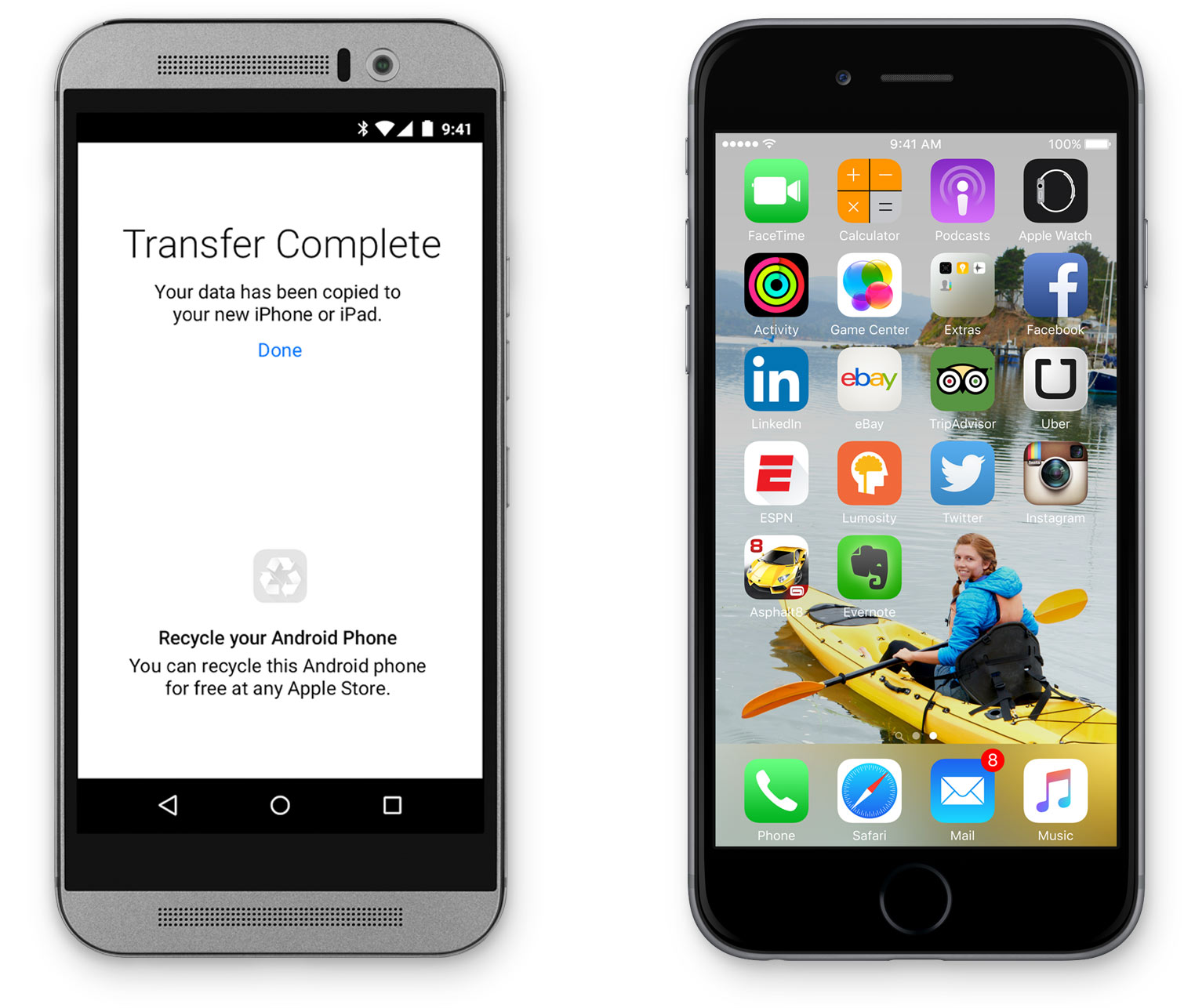
Apple said to release ‘Move to iOS’ Android app alongside iOS 9 tomorrow

At its 'Hey Siri' media event last Wednesday, Apple said it would soon be releasing a brand new Android app, called 'Move to iOS,' to make it even easier for Android customers to switch to an iPhone.

It seems that 'Move to iOS' and 'Move from Android' apps will be released on the App Store and Google's Play Store, respectively, alongside the iOS 9 software update tomorrow, September 16, Czech blog LetemSvetemApple reported Tuesday.

“Just download the Move to iOS app to wirelessly switch from your Android device to your new iOS device,” Apple writes on its iOS 9 webpage.

Review: this is my ‘Next Keyboard’ for iPhone

In my December 2014 preview of Next Keyboard I wrote the app had the potential to become “the first iOS keyboard done right”.

What started out as the most funded app project on Kickstarter by Toronto-based award-winning studio Tiny Hearts Apps has become a reality.

I'm pleased to report that Next Keyboard is now available for download in the App Store.

Rather than mindlessly pile features one on top of the other like many other developers do, Next enables efficient typing in a stylish environment that's easy on the eyes, without distracting you from the task at hand.

It's got everything you've come to expect from a software keyboard, including predictive typing, lightning fast editing, playful stickers and colorful themes, instant access to all the emojis you love, including stickers, and much more.

I've spent some quality hands-on time with Next Keyboard, here's what I found.

Google releases standalone Street View app for iPhone and iPod touch

A month ago, Google promised to release a standalone Street View mobile app “early next month.” Today, the Internet giant has made good on that promise as the all-new Google Street View app just hit the App Store (actually, it soft-launched in August 2014, but today's update feels like a whole new app and anyone can use it now).

Available for the iPhone and iPod touch, it lets you browse and enjoy Google's awesome street-level photography.

With this software, you can move and pan around by dragging your finger on the screen and even upload your own 360-degree photography to Google Maps to share your photo spheres with the world.

Review: WatchWeb for Apple Watch kinda brings web browsing to your wrist

Like the Apple TV, your Apple Watch lacks the built-in Safari browser. Even though the case can be made quite easily for surfing the web on a big screen TV from the comfort of your couch, who in their right mind—and why— would want to squint at the tiny screen to read webpages?

No one, that's right. But still, what if you could browse the web from your wrist? If you argue that an Apple Watch web browser is a terrible, terrible idea, I'm with you.

But what if there was a way to quickly look up information, sports scores or anything else on the Apple Watch that Siri can't do for you? Enter WatchWeb, a web browser of sorts for the Apple Watch by Conifer Apps.

It's a novel idea that certainly has legs, but boy is it iffy. I had mixed results during my hands-on time with WatchWeb so read on my review for the full reveal.

Review: ReBoard keyboard boosts your productivity and cuts down on app switching

The biggest thing about iOS 8 for me is a productivity boost stemming from new technologies such as pervasive inter-app communications, third-party actions in system-wide Share sheets and more. But for all the good work Apple's done from a productivity standpoint, iOS (version 9 included) still has some way to go before it's capable to exceed multitasking features on Microsoft's Surface tablets or Samsung's Note phablet, for example.

ReBoard, a new software keyboard for the iPhone, iPod touch and iPad created by India's independent developer Gursimranjeet Singh, puts useful actions for performing common tasks and all sorts of look ups right into the keyboard itself so you won't need to switch back and forth between apps like an animal.

By embedding useful third-party shortcuts within the context of the keyboard, ReBoard can save you a lot of time and boost your productivity.

Review: Lara Croft GO is the essence of adventure that feels unmistakably Tomb Raider-y

It only took a few minutes for me to get hooked on Lara Croft GO, a new premium title from Hitman GO creators Square Enix Montréal.

Created in partnership with Crystal Dynamics, this gorgeously done puzzle-solving adventure takes Hitman GO's turn-based strategy concept and simplicity of action to a whole new level while managing to incorporate several marquee aspects of the traditional Tomb Raider formula and gameplay.

But Lara Croft GO, a $4.99 download in the App Store, is hardly the same game as Hitman GO. More than the collection of its impressive parts—mesmerizing soundtrack, artful animations and gorgeous visuals—Lara Croft GO manages to distill the famed series down to its essence.

I spent a few hours playing and reviewing this game in the days leading up to its release, here are my hands-on impressions and findings.

Google’s new YouTube Gaming app is now available in the App Store

As expected, Google's YouTube Gaming app has begun rolling out in the App Store. Earlier this morning, Google launched a new website which sits at gaming.youtube.com, dedicated to watching and live-streaming gameplay videos.

The free of charge companion mobile app should be now available for download in your local App Store. Featuring a selection of live-streaming and on-demand content, the app acts as your one-stop shop for not just gameplay videos but video how-tos and walkthroughs as well.

Portal for iOS: wireless file transfers from your computer to iPhone made easy

Portal, an Android app that launched earlier this summer, is now available on your iPhone free of charge in the App Store.

Created by a company called Pushbullet which makes a namesake cross-platform notification mirroring utility, Portal for iPhone uses QR codes and takes advantage of peer-to-peer connectivity to transfer very large files and folders between your devices in a snap.

With Portal, you can transfer files from your computer to an iOS device via a simple interface that can be accessed through any web browser. The app lets you transfer as many files as you’d like and imposes no file size limits.

Here's a quick review of Portal based on my brief hands-on time with the app.

Check out The Amazing Bernard, a gorgeously done platformer hitting iOS soon

The Amazing Bernard by Kumkwat Entertainment is arriving on iOS devices in the coming weeks and boy does it look beautiful. I'm a huge sucker for adventure/platform games such as Leo's Adventure and can't wait to put my hands on The Amazing Bernard.

The game appears to offer a unique blend of action and exploration as you'll be overcoming obstacles, jumping on platforms and running around like there's no tomorrow. You play as a cartoonish character named Bernie O'Tag but the game packs in even crazier characters to meet and many mysteries to be revealed.

We have a full preview ready for your reading pleasure further below.