Mac

Stay up-to-date on the latest Mac news, and tutorials. Get expert tips and tricks to optimize your Mac’s performance and learn about the latest Apple products and software updates. Discover the best Mac apps and accessories to enhance your user experience.

Apple seeds macOS Sierra 10.12.2 beta 6 to developers

Just 24 hours after iOS 10.2 beta 7 dropped and three days following macOS Sierra 10.12.2 beta 5, Apple on Thursday issued a sixth beta of what would become the second major update to macOS Sierra. macOS Sierra 10.12.2 beta 6 (build number 16C63a) is now available to registered developers.

The update can be deployed via the Mac App Store's Updates tab on Macs which are registered with the Apple Developer Program. The full installer is on Dev Center.

10 great gift ideas for MacBook users

Welcome to the latest edition of iDB’s ongoing Gift Ideas series, where we provide curated roundups of some of our favorite products. Throughout the year we cover and test a number of devices and accessories, so we decided to use that experience to help those searching for the perfect present. Today’s roundup is focused on MacBook users.

Latest macOS 10.12.2 beta fixes MacBook Pro graphics glitches, says Apple’s Federighi

An annoying graphics glitching issue that some owners of the new MacBook Pro are seeing should become a thing of the past when macOS 10.12.2 Sierra software update releases for public consumption, according to a purported email message from Apple's software boss Craig Federighi.

Portland-based MacRumors forum member Dennis reportedly received a reply from Federighi after asking Tim Cook via email about the reported glitches, which range from screen tearing and broken textures to brightly colored flickering and checkerboard patterns to issues with translucency, transparent graphics and other visual artifacts.

How to fix TinyUmbrella v9.3.4 crashing on launch

Many jailbreakers will be familiar with the program TinyUmbrella, which has traditionally been one of the best ways to save SHSH blobs for their iOS devices onto their Macs for safekeeping. What SHSH blobs are, their function, and how to save them is outside the scope of this article, (I will put something together soon on this), but suffice to say that saving these blobs is of some importance to many jailbreakers and that TinyUmbrella has been the go-to application for doing so for a long while.

Whilst the application was updated as recently as August by its creator Semaphore, many Mac users (myself included) have noted that the new version, 9.3.4, gives an error on launch and cannot be used at all. This guide will walk you through the fix to get your umbrella back up again on Mac, so you can carry on wishfully saving those blobs.

Some new MacBook Pros are shutting down repeatedly and unexpectedly

Some proud owners of the new MacBook Pro with TouchBar are reportedly seeing their notebooks shut down repeatedly and unexpectedly. According to a report from Jeff Porten of TidBits, the problem might be related to external hard drives connected to the notebook through its Thunderbolt 3/USB-C ports.

Apple declined comment. This is yet another in a series of teething issues that have been plaguing early adopters of the new MacBook Pro. Just a few days ago, for example, some MacBook Pro owners reported an annoying graphics glitching issue.

MacPaw unveils Setapp, the Netflix of high-quality Mac apps

The way you get apps is about to change: Setapp from MacPaw is one of the best things to happen to third-party Mac development in years. Think of Setapp as the Netflix of quality software or an “unstore” alternative to Apple’s store. But unlike the Mac App Store which continues to disappoint with sandboxing requirements, lack of paid upgrades and other missing features, Setapp unlocks dozens of high-quality, cherry-picked Mac apps in exchange for a flat-fee monthly subscription of $9.99.

You won't find subpar software in Setapp and all of the apps are fully functional and available without trials or In-App Purchases, including ones like Screens, Ulysses, RapidWeaver 7, Reveal and Eltima Player.

After testing Setapp for approximately two weeks, I've come to the conclusion that it is the best source of premium Mac apps that you can get for a fraction of their combined price, all at once.

How to enable AirDrop file transfers between unsupported Macs and over Ethernet

The AirDrop file transfer protocol, introduced with Mac OS X Lion and iOS 7, is a fast and convenient way to transfer files between Apple devices. The current version of the service is interoperable between iOS and macOS, but requires both Bluetooth and Wi-Fi to be active in order to work. It also requires Mac OS X Yosemite or newer and a hardware model from 2012 or later.

However, the version of AirDrop that shipped as standard with OS X between 10.7 (Lion) and 10.9 (Mavericks), whilst unable to send files to iOS devices, works without Bluetooth and on Mac models going back as far as 2008. Luckily, alongside the newer version, this legacy mode is still included on all Mac models to date, and as this guide will show, can be modified to have an even broader functionality.

The best apps for the Touch Bar on the new MacBook Pro

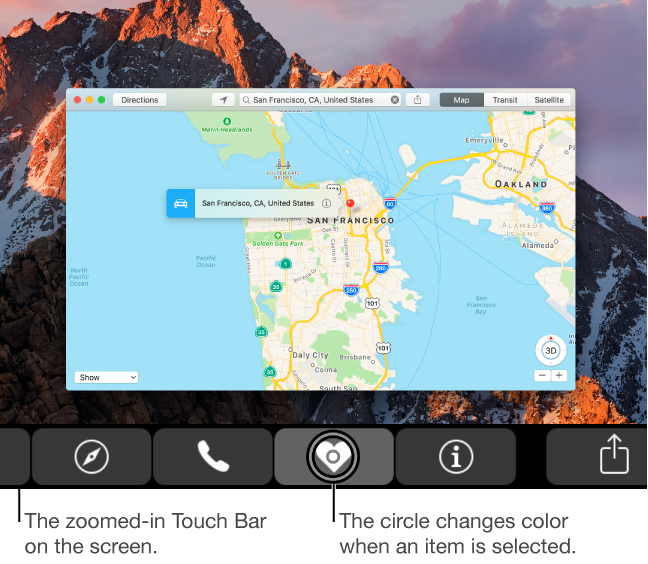
If you just picked up a new 2016 MacBook Pro, you may be wondering: aside from the stock apps, what are other great apps that take advantage of that shiny new Touch Bar? While apps are constantly being updated, we've gone ahead and picked out some of our favorites that are currently available.

How to hide specific mounted volumes from your Mac’s desktop

We've already covered how to completely prevent partitions from mounting under macOS, but sometimes you want a partition mounted and ready to use but still want the benefit of it not cluttering up your desktop. For example, many people want their Time Machine partition constantly mounted and backing up throughout the day but don't need it to be visible at all.

Finder's preferences allow for hiding all volumes from the desktop but offer no control on a volume-by-volume basis. Therefore, we'll show you how to use the Terminal to hide mounted volumes on a case-by-case basis.

Spark email app launches on Mac with Touch Bar support, snoozes, swipes, smart inbox & more

After more than a year of hard work, Spark for Mac is finally available on the Mac App Store. Like its iOS counterpart, the Mac app is available at no charge. Ukrainian developer Readdle has ported all the marquee features you like about Spark for iPhone and iPad over to the Mac edition, allowing you to triage your inbox, quickly see what’s important and easily clean up the rest.

The fast, well designed native app includes Touch Bar shortcuts on the new MacBook Pro, swipes on the trackpad, snoozing, quick replies, natural language search, unified inbox, full macOS Sierra compatibility, seamless settings sync across devices and other productivity-focused perks.

“It is created for people who live by their inbox and who want to have an amazing experience with email,” Readdle told me via email.