Mac

Stay up-to-date on the latest Mac news, and tutorials. Get expert tips and tricks to optimize your Mac’s performance and learn about the latest Apple products and software updates. Discover the best Mac apps and accessories to enhance your user experience.

iOS 10.2.1 and macOS Sierra 10.12.3 now available to public beta testers

After seeding iOS 10.2.1 beta 1 and macOS Sierra 10.12.3 beta 1 to members of the Apple Developer Program yesterday, Apple today released versions of these software updates for public beta-testing. If you sign up at the Apple Beta Software Program website to become a beta tester and install an appropriate configuration profile on your device, you too will be able to install the first beta of macOS Sierra 10.12.3 on your Mac and take iOS 10.2.1 for a spin on your iPhone, iPad and iPod touch.

Apple seeds first beta of iOS 10.2.1, macOS Sierra 10.12.3 and tvOS 10.1.1 to developers

Following yesterday's public releases of iOS 10.2, macOS Sierra 10.12.2, watchOS 3.1.1 and tvOS 10.1, Apple on Thursday seeded to its registered developers first betas of what would become minor software updates in the form of iOS 10.2.1 beta 1 (build 14D10), macOS Sierra 10.12.3 beta 1 (build 16D12b) and tvOS 10.1.1 beta 1 (build 14U707). These betas are available via Apple's portal for developers and can be installed over the air on devices with an appropriate configuration profile installed.

Here’s why macOS Sierra 10.12.2 removes your battery’s estimated time remaining

Aside from a number of fixes, GPU improvements and a few new features in macOS Sierra 10.12.2, the update's introduced a significant change related to the Mac's Battery menu. Long story short, Macs with macOS Sierra 10.12.2 or later no longer display the battery's estimated time remaining in the Mac's menu bar.

Here's what prompted Apple to make this change, according to The Loop.

iTunes 12.5.4 is out with support for TV app, Touch Bar-enabled scrubber & more

In addition to releasing macOS 10.12.2 Sierra today, a second major update to the Mac operating system following the initial Sierra release in October, Apple also released iTunes 12.5.4 today. The new version of iTunes includes minor app and performance improvements, as well as official support for Apple's new “TV” app and the ability to jump to different parts of your media during playback using a Touch Bar-compatible scrubber.

Apple releases macOS Sierra 10.12.2 update

Following yesterday's iOS 10.2, tvOS 10.1 and watchOS 3.1.1 releases, Apple today completed its OS updates by launching macOS 10.12.2 software update (build 16C67) for Sierra-compatible Macs. In addition to bug fixes and performance improvements, macOS Sierra 10.12.2 packs in 100+ new and redrawn emoji available across iOS 10.2 and watchOS 3.1.1 as well.

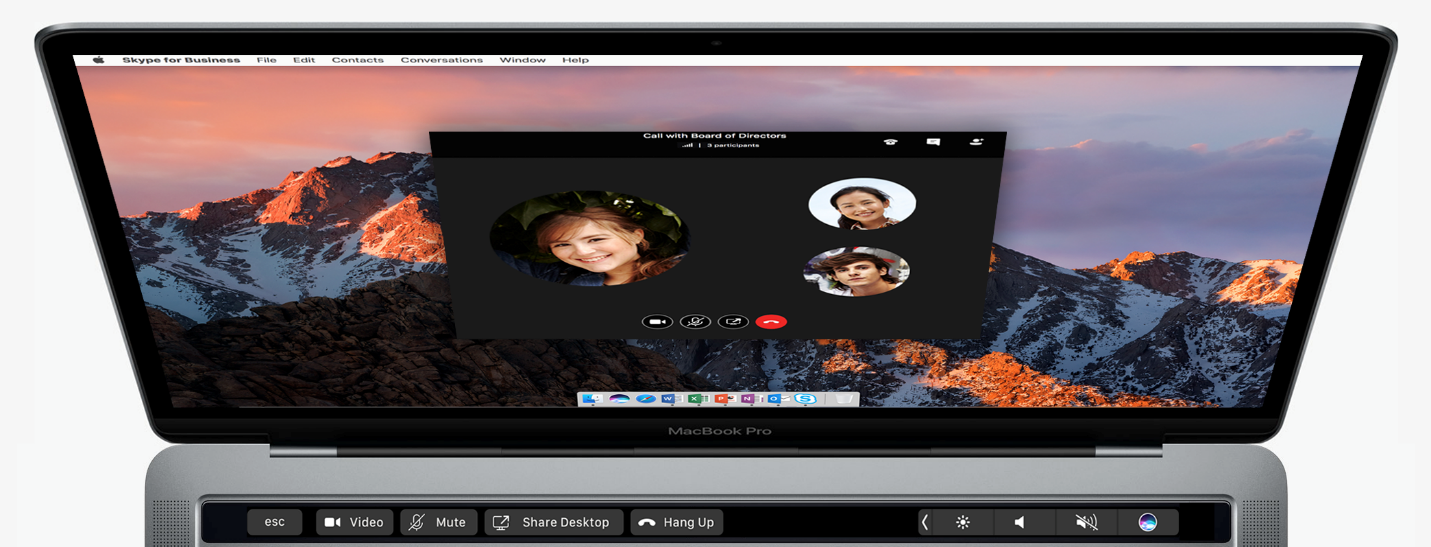
There's a new shortcut for taking screenshots of the Touch Bar and Chinese users can put a new Chinese Trackpad Handwriting button to the Touch Bar's Control Strip. If you use Boot Camp, Sierra now supports new installations of Windows 8 and Windows 7 on supported Macs.

Adobe updates Photoshop CC for Mac with rich support for Touch Bar shortcuts

Adobe today refreshed Photoshop CC 2017 for Mac with support for customizable shortcuts on the new MacBook Pro's Touch Bar. Apple showed off Touch Bar shortcuts in Photoshop during its Mac event last month, and now you can try them out yourself. This release brings three categories of Touch Bar-supported functions to Photoshop CC for Mac: Layer Properties, Brushes and your Favorites.

Microsoft: more Mac users than ever switching to Surface over MacBook Pro “disappointment”

If you believe Microsoft, Apple fans are so disappointed with the new MacBook Pro that they're now switching to Surface PCs and laptops in droves. In a blog post Monday by Brian Hall, CVP Microsoft Devices Marketing, trash-talked the new MacBook Pro, openly calling it a “disappointment”.

In the same breath, he suggested that the excitement of new Surface products coupled with the supposed MacBook Pro disappointment is now encouraging more people to switch from Macs to Surface than ever before.

You can now report calendar spam on iCloud.com, support for iOS devices coming soon

A new kind of spamming technique relying on iCloud Calendar has caused and continues to cause a lot of pain as these unwanted invites hit users' email inboxes and trigger a notification. As noted on Reddit, the iCloud Calendar web app seems to have gained a new link for reporting spammy calendar invites and blocking their senders.

This feature will be rolling out to the stock Calendar app on iOS devices soon, an Apple representative allegedly told a disgruntled customer.

Convert and push media into any Apple device with WALTR 2, no jailbreak or iTunes needed

Softorino, a purely European crew packed with talented developers, recently released WALTR 2 as a successor to the original app that's captured more than 500,000 downloads worldwide in just under 20 months since its debut.

A well-deserved success, if you ask me, because WALTR made it super easy to convert audio and video files encoded in “foreign” formats, such as DivX/MKV movies with subtitles and FLAC audio files, without requiring a jailbreak.

I raved about WALTR in my review, underscoring how its drag-and-drop simplicity allows just about anyone to bypass the mess that is iTunes. And boy, does it fly: in my tests, WALTR transcoded a 2.64-gigabyte MKV file on my 1.3 GHz Intel Core i5 mid-2013 MacBook Air into an iOS-friendly format and sent it over USB to my iPhone 6 in under two minutes.

Building on this remarkable engine, WALTR 2 is now available with new features like support for more than two-dozen legacy iPod models and other devices starting from iOS 5. It uses automatic metadata recognition that works perfectly, gives you the ability to transfer media to your device wirelessly, supports PDF and ePUB file formats and much, much more.

10 great gift ideas for iMac users

Welcome to the latest edition of iDB’s ongoing Gift Ideas series, where we provide curated roundups of some of our favorite products. Throughout the year we cover and test a number of devices and accessories, so we decided to use that experience to help those searching for the perfect present. Today’s roundup is focused on iMac users.