Mac Apps

VMware Fusion 7 now available with OS X Yosemite and Windows 8.1 support

Following the recent release of Yosemite-enabled Parallels Desktop 10, rival WMware on Wednesday announced immediate availability of VMware Fusion 7 and VMware Fusion 7 Pro, major new versions of its virtualization software which now includes built-in support for OS X Yosemite, OS X Yosemite Server and Windows 8.1, along with a bunch of other perks.

Also compatible with OS X Mavericks and OS X Mountain Lion and available in English, German, French, Italian, Spanish, Simplified Chinese and Japanese, WMware Fusion 7 and VMware Fusion 7 Pro take virtualization on the Mac to the next level with a speedier performance, a redesigned appearance, improved connectivity, support for Macs with Retina displays and more.

Notability finally arrives to the Mac

Notability by Ginger Labs, the powerful iPhone and iPad note-taker to annotate documents, record lectures, sketch illustrations and more, has leaped to the Mac.

Now available in the Mac App Store for $9.99, the Mac edition completes the experience by extending functionality found in the iOS app to your desktop.

The app makes it easy to create notes by dragging PDFs, photos or audio files from your desktop to Notability.

Handwriting and sketches can be scaled, transformed, rotated, nudged and restyled to your liking. Most crucially, your notes will look the same on your Mac, iPad and iPhone and of course sync seamlessly between devices through iCloud.

Latest Wunderlist update enhances mobile editing of your to-dos and tasks

Wunderlist, the beautiful cross-platform to-do and task list application by German developer 6Wunderkinder, has received its second update following the release of the major version 3.0 edition which brought out an overhauled appearance and more than sixty new features.

Today's update focuses on mobile editing of your items. Wunderlist 3.0.2, which is free in the App Store and Mac App Store, now finally allows iPhone, iPod touch and iPhone owners to move, complete and delete multiple items on the go.

Jump past the fold for the full reveal.

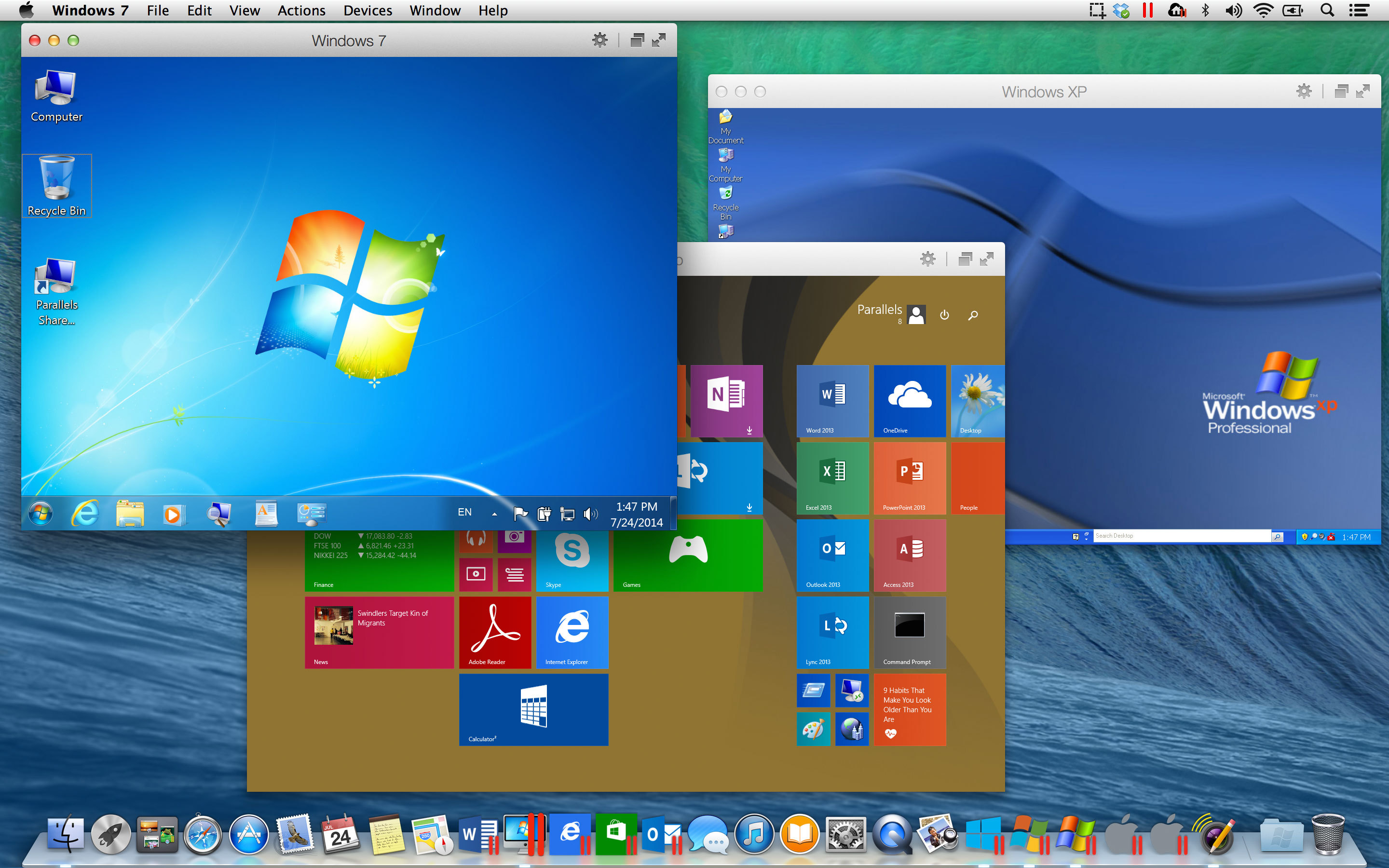
Parallels Desktop 10 is out with OS X Yosemite support, better battery life, and more

Parallels this morning announced the launch of Parallels Desktop 10 for Mac, the highly anticipated update for its popular virtual environment software. The new version is available now as an upgrade for existing users, and will launch on August 26th for new customers.

For those unfamiliar with it, Parallels Desktop makes it extremely easy to install and run alternate operating systems on your Mac such as Windows or Linux. And today's update adds in [experimental] support for OS X Yosemite, better battery life, and other improvements...

Hands-on with Mailbox for Mac: a fast, powerful, gestural mail client

We first heard rumors of a Mac version of the popular Mailbox app last year, and it was since confirmed as being in development, with a public beta sign up for those interested in early access. Although it's been a while, users who signed up for the beta are finally getting their invites.

I've had the privilege of getting a pre-public beta copy of Mailbox for Mac, and I've been putting it through its paces ever since. Here are some thoughts on the OS X edition of this incredible mail client.

Good deal: 95% off Mac app bundle featuring djay, Keyboard Maestro and more

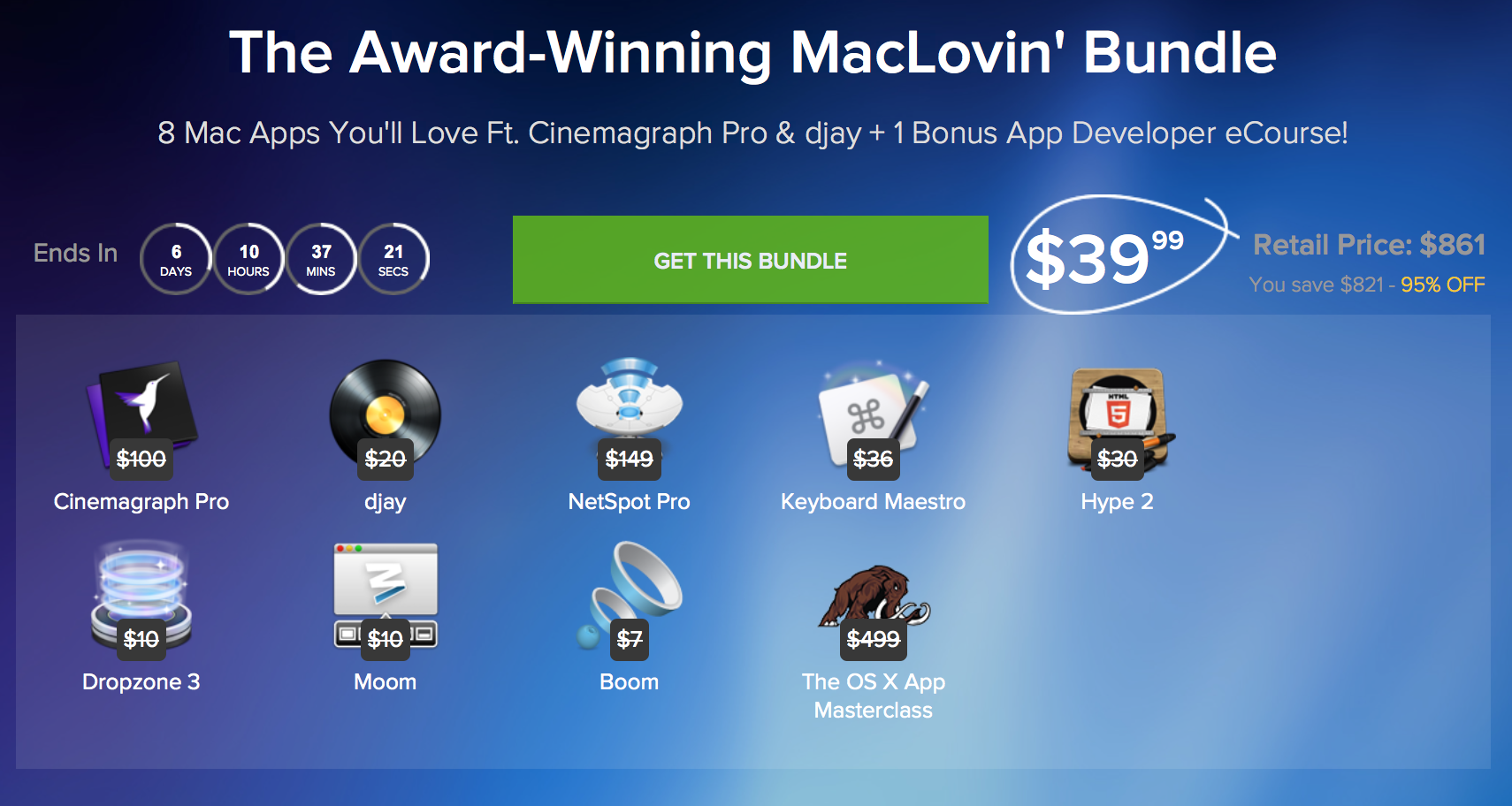
Folks in the market for some awesome Mac apps may want to check out this new promotion from StackSocial. For a limited time the deal site is offering 8 Mac applications and, for the first 5,000 buyers, a bonus developer eCourse for up to 95% off their original retail prices.

The bundle features popular apps like djay, the award-winning DJ software, Keyboard Maestro, a popular productivity app for creating keyboard shortcuts, and Apple Design Award-winner Cinemagraph Pro. Keep reading for a full breakdown of the software and other details...

StatusDuck moves your Mac dock to the Menu bar

The dock in OS X is one of the most used areas of the operating system, so replacing it with another program isn't an easy task. However, StatusDuck does an excellent job of compacting the dock into a much smaller collection of running applications. Whether the dock takes up too much precious screen real estate or right-clicking to exit programs is growing tedious, StatusDuck can help.

With StatusDuck installed, applications can be launched and terminated, Finder windows and folders can be opened, and active programs can be sorted and managed, all from your Mac's menu bar...

1Password news: iOS and Mac apps discounted, free iOS 8 update

If you're an avid user of 1Password, an excellent password-management application for the iPhone, iPad and Mac, a forthcoming iOS 8 edition will be supplied to you free of charge, developer AgileBits has confirmed.

And those who've been sitting on the sidelines waiting for a not-to-be-missed opportunity to get in on the action, now's the time to get a move on as AgileBits has 1Password for Mac on sale for 30 percent off.

As a bonus, the iPhone and iPad edition down by a cool 40 percent! So there you have it: now you can download the app in the Mac App Store for just $34.99 (regularly $49.99) and get 1Password for the iPhone and iPad for $9.99 (regularly $17.99)...

The Sims 2: Super Collection is available now in the Mac App Store

As Electronic Arts is gearing up to release the PC version of Sims 4 on September 2 , the latest installment in its iconic life simulation game, Aspyr Media has now released the ultimate Sims 2 collection pack on the App Store.

Featuring all of the content from the original game, in addition to six expansion packs and three 'Stuff Packs' never before packaged together, The Sims 2: Super Collection can be exclusively purchased through the Mac App Store as a $29.99 digital download.

The game has been rewritten from the ground up with modern hardware in mind, featuring a new renderer and support for native resolutions. As a cherry on top, you can import a neighborhood from SimCity 4 Deluxe, play around with custom content via the 'Body Shop' and much more...

Notifyr app goes free: receive iOS notifications on your Mac

Today seems to be the day for app discounts, as Apple is giving away Rise Alarm Clock, and now the developer of Notifyr, an app for receiving iPhone push notifications on your Mac, is giving his app away for free every other day for a week.

We first wrote about Notifyr on its launch back in May, and it took the tech community somewhat by surprise, as many thought Apple would remove it from the App Store per one of their many regulations. Regardless, it's been available for download at a $3.99 price tag up until today, as Notifyr has gone free for a limited time.

RebootToHDD: an easier way to switch between Mac partitions

Following our post on how to switch between Mavericks and Yosemite, iDownloadBlog reader Jack Stean took the script we featured and turned it into a full-fledged Mac application that sits in OS X's status bar. RebootToHDD does everything we explained in our tutorial, but without the hassle of copying and pasting script...