Jailbreak

Check out the most comprehensive jailbreaking coverage on the internet, including the latest news, apps, tweaks, and detailed tutorials about everything jailbreak.

How to remove uppercase text headings in the Settings app

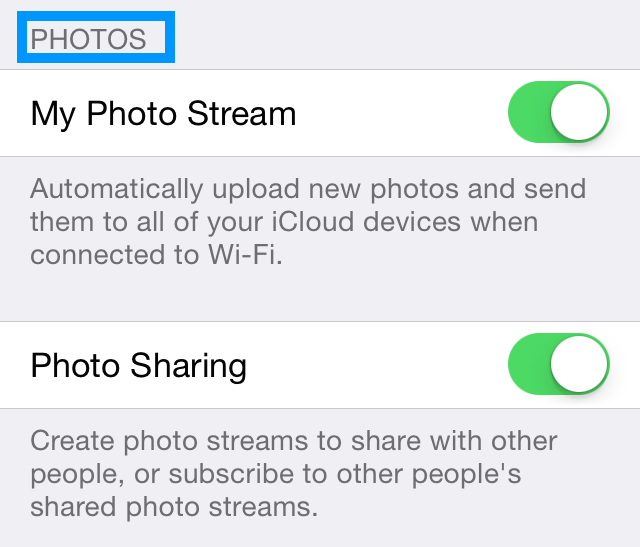
If you look closely at some of the pages in iOS' stock Settings app, you'll stumble upon UITableView text with all capitalized characters. It's not something that's bothered me before—I barely noticed it—but apparently it's an annoyance to more than a few users out there.

You can find a good example of the capitalized text in Settings > Photos. There, you'll find various headings in capitalized text.

Wouldn't it be cool if you could tone down this text and make it consist of lowercase characters? That's the exact premise behind a recently released jailbreak tweak entitled NoUpperCaseTable. Have a look at our video demonstration inside.

Let’s Talk Jailbreak 65: The death of an intro

Episode 65: We dissect Saurik's latest thoughts on competition and community, and talk about the viability of a bonafide Cydia competitor, its effect on the jailbreak community, and much more. We also discuss a whole lot of new jailbreak tweaks, including Vestigo, OneThumb, FullyMaskedPasswords, and many more.

Sponsor: Use hired.com/jailbreakpodcast to get 5-15 job offers in San Francisco, New York, and Los Angeles, and also get a double signing bonus of $4,000 bonus when you accept a job by using the hired.com/jailbreakpodcast url.

HUDSpeed: speed up the volume HUD fade out animation

One of my personal iOS pet peeves is how long it takes for the volume HUD to fade away after adjusting the volume. It seems to linger there for an absurd amount of time, wearing out its welcome in the process.

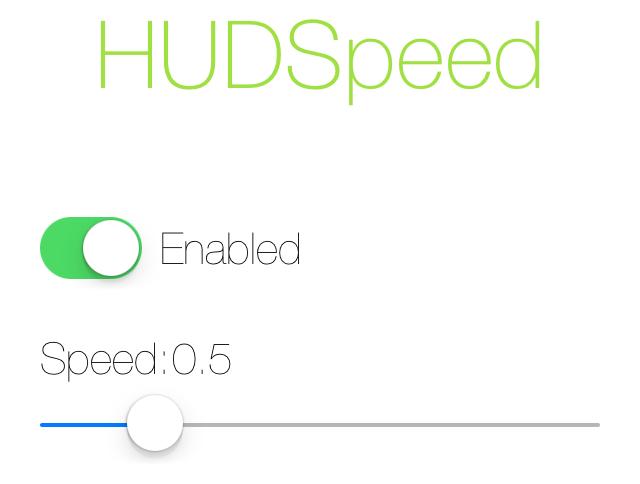
A new jailbreak tweak called HUDSpeed has been released to combat the extended presence of the overlay. HUDSpeed is a tweak that takes a logical approach to fixing this issue—it speeds up the HUD animation forcing it to disappear quicker.

Does it work? Have a look at our video walkthrough past the break for the answer.

BookSong: make the Music app remember where you left off

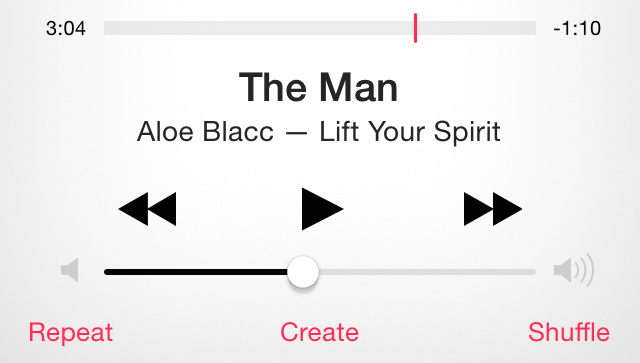
BookSong is one of those jailbreak tweaks that sounds a bit silly in description, but turns out to be fairly interesting when you begin using it. It's a tweak that allows you to automatically reestablish the spot where you left off on a song even if you kill the stock Music app or perform a respring.

Without this tweak, iOS will not remember where your song left off, regardless of where you were mid tune. With BookSong, iOS remembers exactly where you left off, and picks up the jams from that exact spot. Have a look at our video walkthrough after the break to see BookSong in action.

Hermes: a lightweight cross-platform quick reply solution

Are you itching for a lightweight quick reply solution, and feel that existing tweaks don't work for you? What about being able to quickly reply to WhatsApp, Kik, and iMessage messages from the same quick reply interface. If you answered yes to one or both questions, then you may want to check out Hermes, a brand new $0.99 quick reply solution for jailbreakers.

CCSliders: an all-in-one slider for Control Center

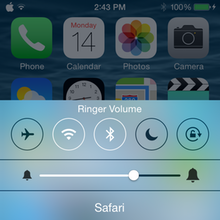
Ever since the iOS 7 jailbreak was released, there has been no shortage of tweaks for Control Center. Nonetheless, there's always room for more refinements to iOS 7's quick settings panel. CCSliders isn't a new tweak, but, for the most part, it has remained tucked away in a third-party repo without a lot of attention. That is, until now.

CCSliders allows users to tap on icons to the left or right of the brightness slider in Control Center to cycle through several other types of sliders, including media volume, ringer volume, and flashlight brightness. There's even an add-on for a f.lux slider in the same repo. CCSliders is simple in concept, but it adds unique and handy functionality to iOS 7's Control Center...

SwipeExpander: a new keyboard shortcut tool for jailbreakers

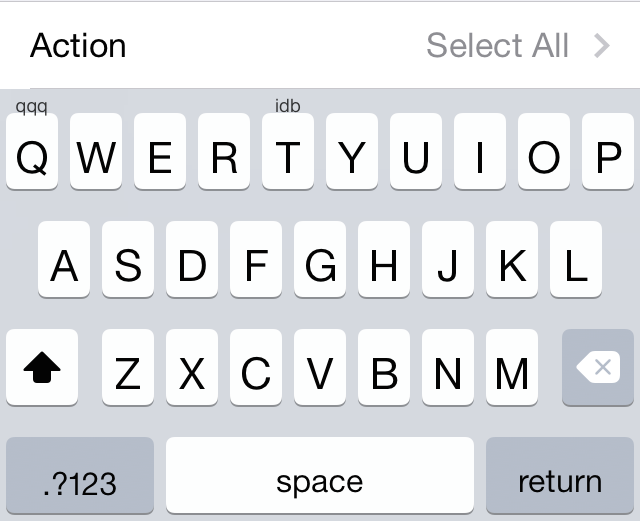
SwipeExpander is a new jailbreak tweak that brings powerful keyboard shortcut gestures to the iPhone à la AltKeyboard. The tweak employs swipe-up and swipe-down keyboard gestures to invoke a variety of different actions, from mundane copy/paste shortcuts, to insert text shortcuts.

One of the cool things about SwipeExpander is that lowercase and uppercase keys are deemed separate, meaning you can have a large variety of keyboard gestures across the 26 letters in the english alphabet. But that's not all, SwipeExpander plays nice with well-known and respected keyboard related tweaks like SwipeSelection, PredictiveKeyboard, and more. Check out our hands-on video inside.

Saurik on competition and community

Every once in a while, a group of individuals surfaces to offer a new "Cydia alternative." Full of good intentions, these individuals usually realize quickly enough that building a replacement or even a complement to Cydia isn't an easy task.

The latest Cydia alternative to generate interest within the community is iMods, an elegant installer that doesn't necessarily aim to take on Cydia, but rather target a different user base, as one of its developer explains. The concept, both in terms of design and engineering sounds promising, but is it viable?

Does it even make sense to try to bring a new installer to market? What does it take to do so, and what hurdles should the developers of such a tool be ready to face? These are some questions that Saurik tries to answer in a 5,600 word essay...

xNotiLockColor: change the colors of Lock screen notifications

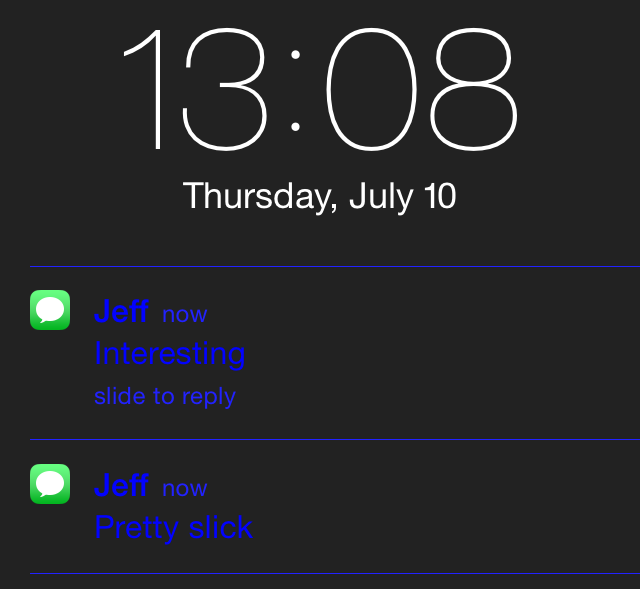
xNotiLockColor is a new tweak that allows you to change up the colors present on Lock screen notifications. It's a simple tweak that allows you to individually alter the primary color, secondary color, subtitle, time/slide, and separator colors for Lock screen notification messages.

Each section contains over a dozen different color selections to choose from and you can combine multiple colors to come up with some pretty wacky Lock screen looks. Have a glance at our video demo inside to see how easy it is.

PopSearch adds new search options to Action Menu

Ryan Petrich's Action Menu is such a classic jailbreak tweak that many developers continue to make add-ons for it years after its release. Case in point, PopSearch, an add-on that brings new search options to the classic tweak.

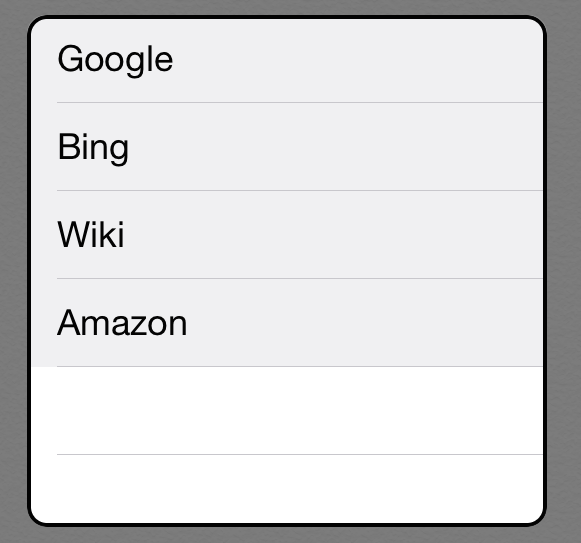
PopSearch allows users to highlight specific text and quickly search that text using a pop-over menu. Search engines include Google, Wikipedia, Amazon, and Bing. Settings can be configured from Action Menu's settings. Take a look inside for a video demonstration of PopSearch in action.

HandsFree lets you answer calls with a wave of your hand

HandsFree is a recently released jailbreak tweak that works in conjunction with iOS 7's Phone and FaceTime apps and introduces the ability to answer incoming calls straight to speaker with a simple wave of your hand. The key phrase here is "straight to speaker," as this tweak eliminates the two-step process previously required to answer a call and enable speakerphone.

HandsFree works with FaceTime Video and Audio in addition to cellular calls, so answering an incoming call is seamless across the board...

TapToSnap brings LG G3-like picture taking functionality to iOS

Have you ever wanted to tap the viewfinder while in the Camera app to take a picture? LG's flagship phone, the LG G3, includes a similar feature, but if you don't want to go out and buy a new smartphone just to experience it, we've got good news.

TapToSnap is a jailbreak tweak for jailbroken iPhones that mimics the LG G3's tap to snap feature. All you need to do is install this new jailbreak tweak, and you'll be well on your way. Have a look at the video after the break to see it in action.