Jailbreak

Check out the most comprehensive jailbreaking coverage on the internet, including the latest news, apps, tweaks, and detailed tutorials about everything jailbreak.

This tweak adds an auto-brightness toggle button to Control Center

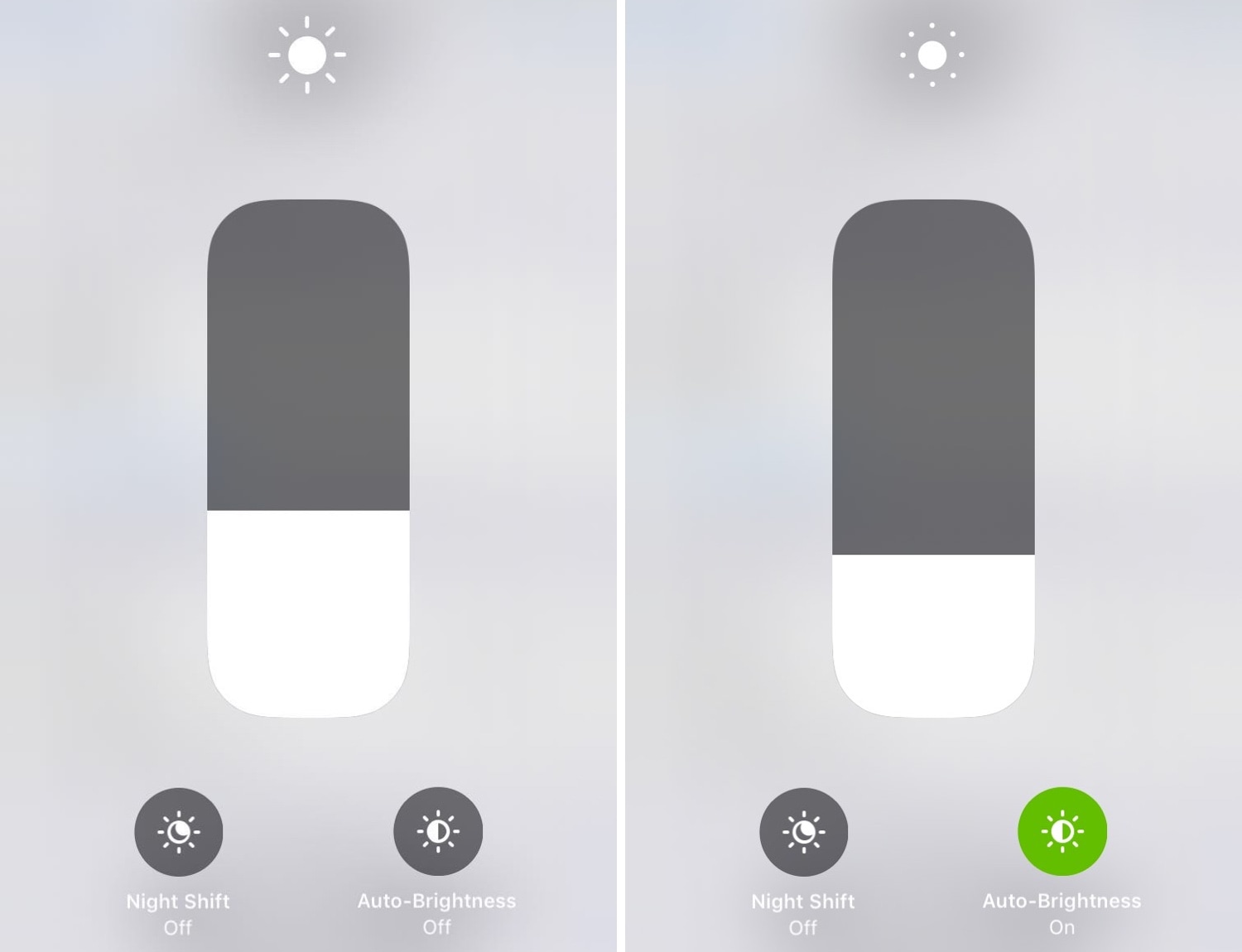
If you’re ready to upgrade Control Center’s display brightness module, then we’d recommend turning your attention to a newly released jailbreak tweak called CCBrightnessExtended by iOS developer Paparajote Team.

In the screenshot examples above, you can see that CCBrightnessExtended augments Control Center’s display brightness module by integrating a toggle that can be used to turn automatic display brightness on or off on demand.
Rhino brings powerful media downloading tools to the Instagram app

If you frequently use the Instagram app on your free time and you have a jailbroken handset at your disposal, then you might want to turn your attention to a newly released jailbreak tweak dubbed Rhino by iOS developer Michael Lema.

Rhino is a powerful extension for the official Instagram app that lets users download images, videos, and even live videos from anything that appears in the News Feed. As you’ll notice in the screenshot examples above, the tweak adds a new Download button just to the left of the native Bookmark button.

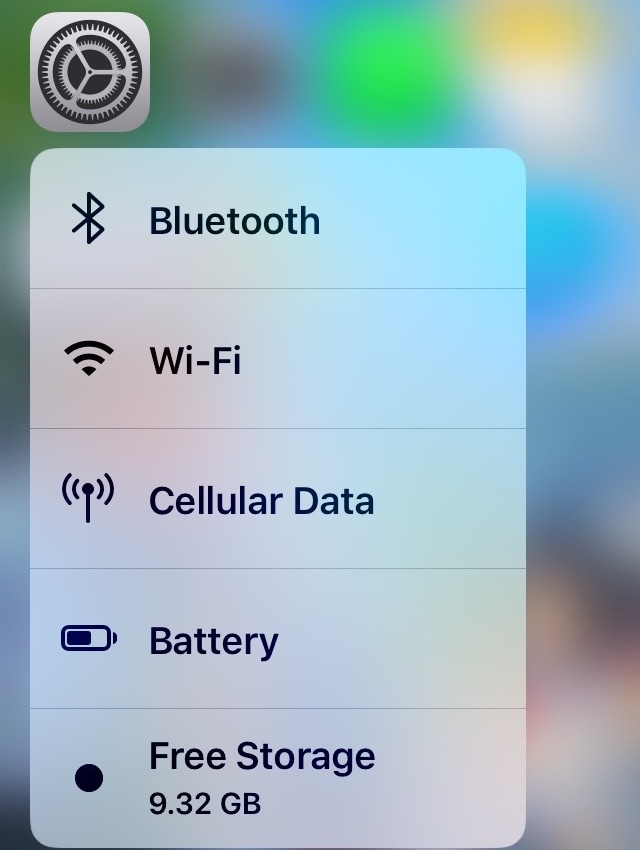
Storage3D: View your iPhone’s remaining storage space with a 3D Touch gesture

Every so often, I happen upon new jailbreak tweak releases that incorporate ‘no-brainer’ functionality into iOS, and this prompts me to wonder why the software design team at Apple hasn’t implemented similar features into their platform out of the box.

Storage3D by iOS developer Wh0ba is one such release, and as you can discern for yourself in the screenshot example above, this tweak lets you view your handset’s remaining storage space in the 3D Touch menu that appears when you use a 3D or Haptic Touch gesture on the Settings app icon via the Home screen.

Chimera v1.3.8 released with more nonce-based improvements for A12(X) devices

Chimera Banner Image.

Just yesterday, the Electra Team released v1.3.7 of the iOS 12-centric Chimera jailbreak tool with extended nonce generator support on A12(X) devices running iOS 12.1.3-12.4, but the Electra Team is out with another update on Wednesday, officially bringing Chimera up to version 1.3.8.

The Electra Team announced the latest update Wednesday morning via the team’s official Twitter page, and from what we can gather, this update, much like the last, improves the setting of nonces on A12(X) devices running iOS 12.1.3-12.4:

Sileo v1.4.0 brings speed boosts, adds more support for Swift & native depictions

The Sileo Team released an updated version of the Sileo package manager late Tuesday evening with a plethora of improvements, officially bringing the Chimera and Electra jailbreak-centric package manager to version 1.4.0 in the process.

The Sileo Team announced the update via the official @GetSileo Twitter page, and from what we can gather, this is a particularly ‘big’ update for users and repositories alike:

Chimera v1.3.7 released with updated generator support for A12(X) devices on latest firmwares

Chimera Banner Image.

The Electra Team has dropped an updated version of the iOS 12-centric Chimera jailbreak tool on Tuesday, bringing the public release up to version 1.3.7.

Citing the official announcement, which was shared early this morning via the Electra Team’s official Twitter account, this update implements support for getting and setting nonce generator on A12(X) devices running iOS 12.1.3-12.2 and 12.4:

This tweak removes the Dock’s background to make your wallpaper more visible

While there are slight variances in the Dock's background appearance between iPhone models, such as the iPad-style rounded corners on the iPhone X, XR, XS, and XS Max when compared to the rectangular appearance on every other handset, the fact remains that all iOS devices have a Dock background of some sort.

If you’re in the market to do away with the Dock’s transparent background to maximize your Home screen wallpaper’s visibility, then we think you’ll take a liking to a newly released jailbreak tweak called ClearDock12 by iOS developer NoisyFlake.

Jailbreak tweaks of the week: AOD, Carabiner, SwitchShades, and more

It’s a great time to be an active participant in the jailbreak community – not only because you can jailbreak iOS 12.4, Apple’s latest non-beta public mobile operating system, but also because A12(X) support with Cydia is just around the corner.

That said, if you’re jailbroken and you’re looking for ways to trick out your handset, then you’ll definitely want to check out this roundup. Below, we’ll discuss our favorite jailbreak tweak releases this weak and then outline the rest afterward.

Carabiner gives your iPhone’s Home screen a more unified user experience

Apart from a few refreshed application icons and a nice new wallpaper here and there, Apple hasn’t done much to improve the Home screen experience since the original iPhone. With that in mind, it should come as no surprise to anyone that it’s a point of interest when it comes to customization on jailbroken handsets.

One such example is a brand-new jailbreak tweak release dubbed Carabiner by iOS developer LaughingQuoll. As shown in the screenshot example above, Carabiner crams several interfaces into the Home screen, providing a gorgeous all-in-one experience that provides more information at a glance.

Add new features to your App Switcher with XSwitcher

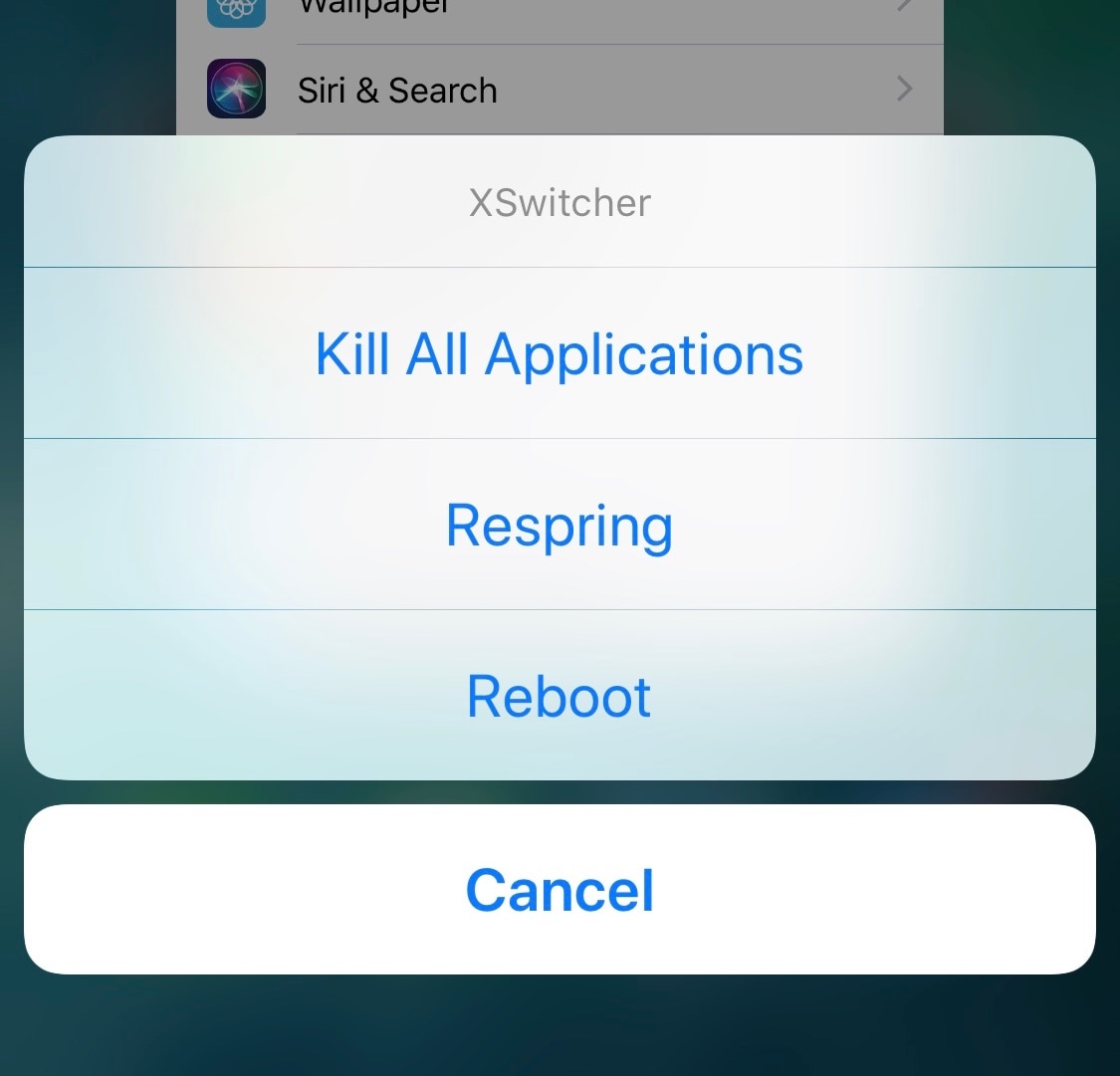
If you’re in search of a way to make your jailbroken iPhone’s App Switcher more useful, then you may want to turn your attention to the likes of a new and free jailbreak tweak dubbed XSwitcher by iOS developer CUNSTUCK.

As shown in the screenshot example above, XSwitcher lets you access various useful shortcuts in the App Switcher by just swiping down on any of your available application preview cards in the App Switcher interface.

2dock doubles the real estate of your jailbroken iPhone’s Dock

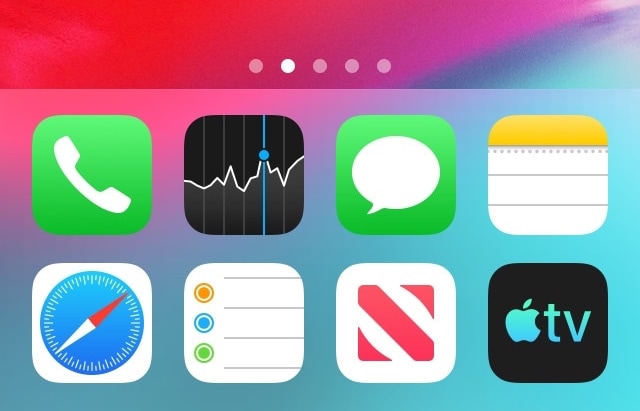
The Dock on any stock iPhone’s Home screen is limited to just four application icons, but with a newly released jailbreak tweak dubbed 2dock by iOS developer Nepeta, you can effortlessly double the app real estate for any iPhone’s Dock.

As you might’ve noticed from the screenshot example above, 2dock doesn’t make the Dock scrollable, nor does it push all the app icons together and cause crowding. Instead, it transforms the Dock we all know and love by turning it into a dual-row interface.