Jailbreak Apps & Tweaks

These are the latest jailbreak apps and tweaks available for your iPhone or iPad. We save you time by highlighting only the best tweaks.

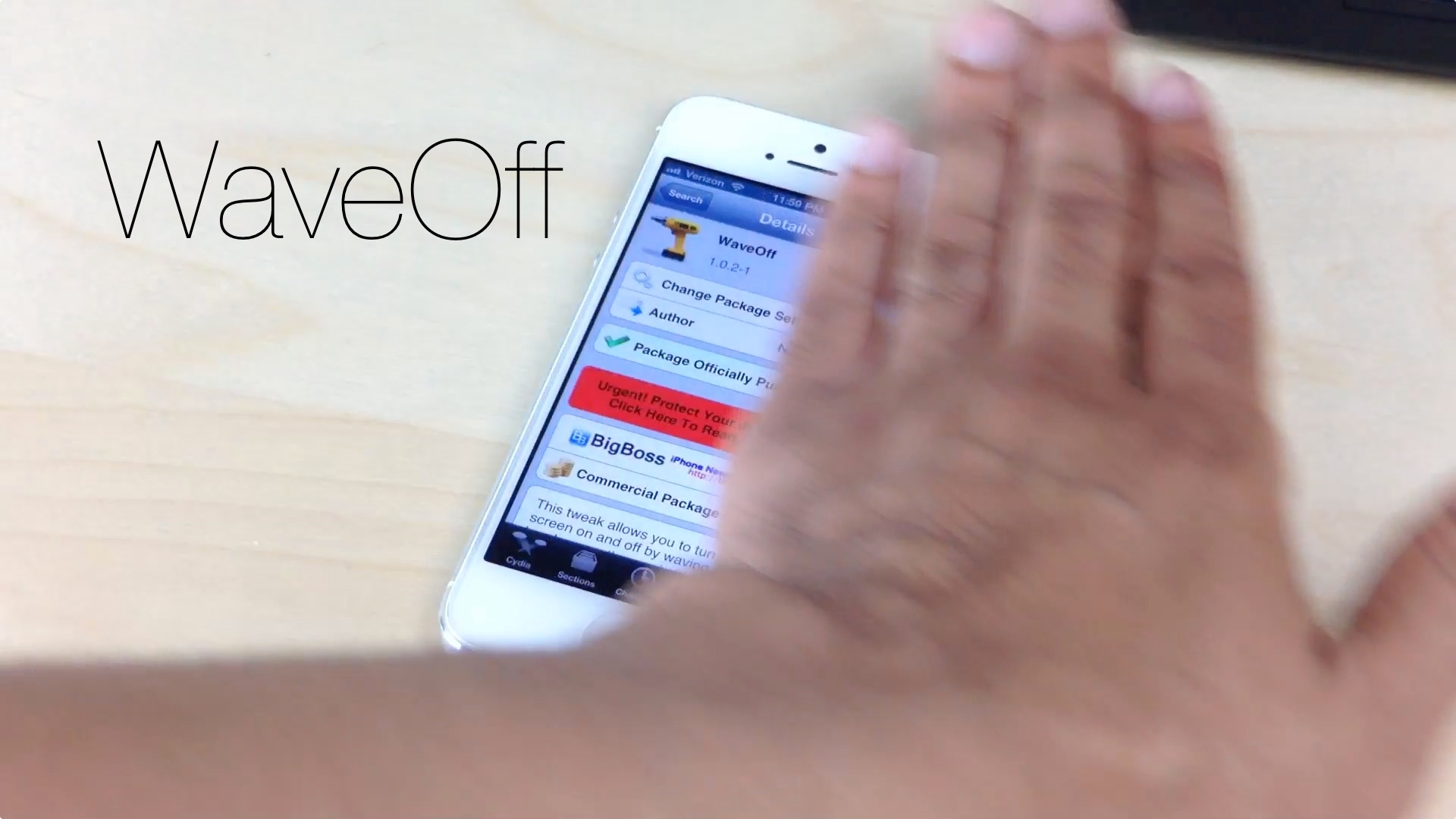
WaveOff: toggle your iPhone’s screen with a wave gesture

If you own a jailbroken iPhone, you can now toggle its screen on and off using a simple wave gesture. WaveOff, a tweak released yesterday on Cydia's BigBoss repo, allows end users to move their hands to and from across the devices proximity sensor to turn toggle its screen.

It's a bit on the gimmicky side, but WaveOff is a good tweak for those moments when you want to show off in front of your friends and family. Have a look at our video walkthrough inside to see what I mean.

Anemo: a minimalistic quick reply tool for texters

Anemo — the quick reply tweak that we previewed some time back — is now available on Cydia. It's been a long time coming, but for those of you desperate for a simple quick reply solution, the wait was well worth it.

Instead of a full fledged Message app replacement, Anemo take a more anemic approach. Using existing banner notifications, it provides a simple, yet extremely handy quick reply solution for jailbroken iOS users.

TapTapFolder: launch the first app in a folder with a tap

TapTapFolder is an innovative new jailbreak tweak that just recently appeared on the Cydia store. It's a tweak that allows end users to launch the first app contained within a folder using a single tap on the folder itself.

You may be wondering to yourself: "How do you launch any of the other apps contained within a folder?" It's actually pretty simple: you utilize a double tap gesture on the folder to open its contents.

I really dig TapTapFolder, because not only is it useful, but it does something that, to my knowledge, has never been done before on the Cydia store. Have a look at our full video walkthrough inside.

CopyDock: an iOS 7 inspired dock for iOS 6

If you're looking for a subtle way to imitate some of the features of iOS 7 on your lesser firmware, then CopyDock is a new jailbreak tweak you might want to try. CopyDock brings an iOS 7 inspired dock to iOS 6 devices with no options or settings to configure.

CopyDock isn't a perfect 1:1 match of the dock found in iOS 7, but it's close. Have a look at our brief video inside to see what I mean.

Let’s Talk Jailbreak 26: Cydia on iOS 6.1.3

This week, Sebastien and Jeff talk about the iPhone 4S 6.1.3 Cydia installation. The duo also discusses this week's top jailbreak tweaks, which include Celeste 2, CamBright, NetworkList, and GlyphPatch. The pair then chit chats about cable modem upgrades, the lack of AirDrop compatibility between iOS and OS X, and more. Of course, Sebastien and Jeff both sound off with predictions for Apple's upcoming September 10th iPhone event.

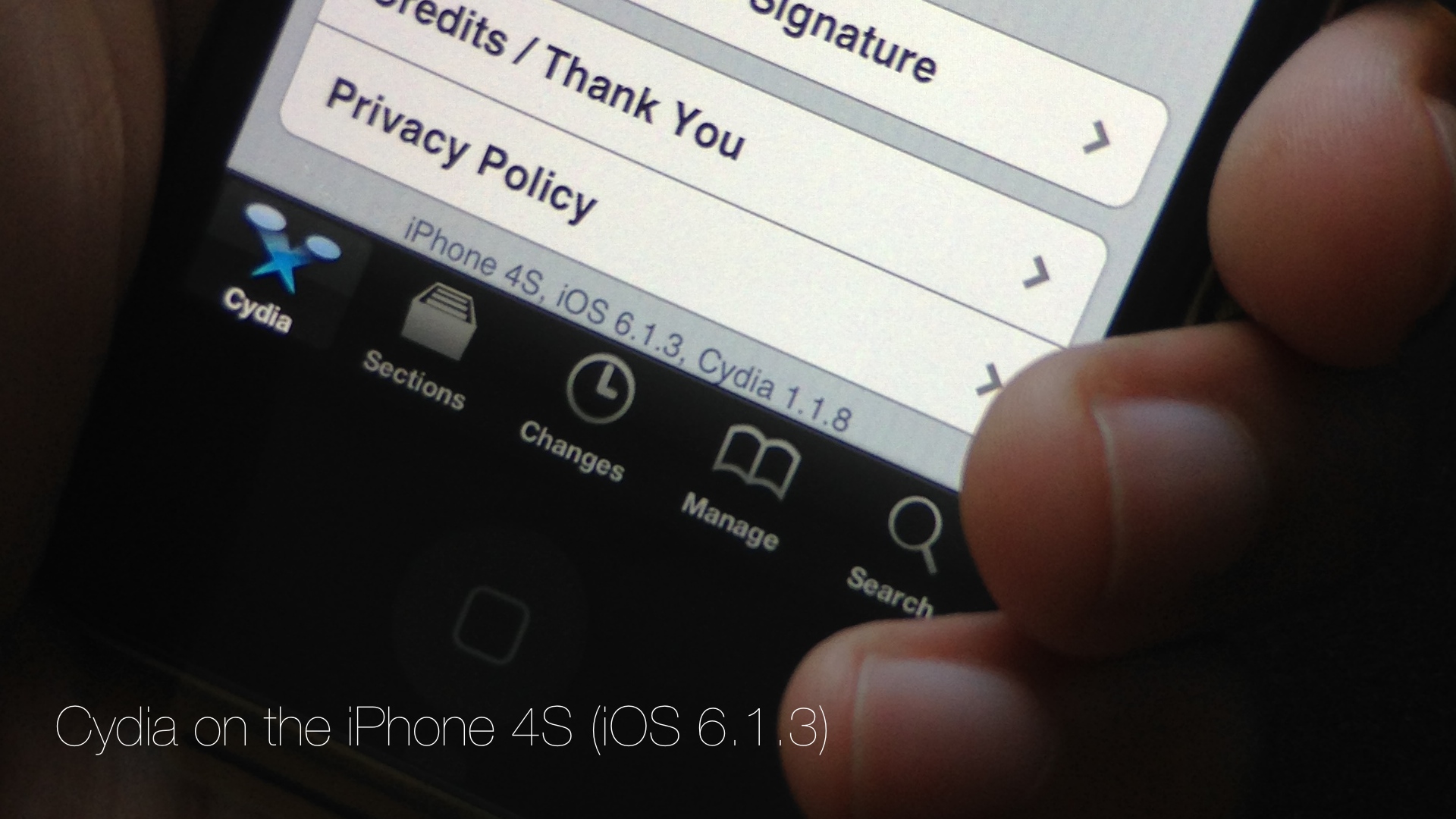
Cydia is installed on my iPhone 4S running iOS 6.1.3

Developer @winocm has been pretty vocal as of late about his intentions to eventually release a jailbreak for iOS 6.1.3 and iOS 6.1.4 devices. Although we generally take such claims with a heaping helping on my favorite seasoning, winocm is, from what I've been able to gather, a respectable member of the jailbreak community.

After all, this is the same developer that worked on an iOS 6.x downgrade, the jailbreak tweak Accentify, and has had various other contributions to the community. Needless to say, when he announced that he had an untether binary that still needed a bit of work, my ears perked up.

A few days ago, winocm reached out to iDB about his progress on the jailbreak. Although the project is still knee deep in its development phase, he did allow us to go hands on with some of his work. Today, with the help of winocm, I was able to install Cydia on my iPhone 4S running 6.1.3. If we're ever going to see a proper tool released for the iOS 6.1.3 jailbreak, he just could be the developer to do so.

Yes, we have video of Cydia running on my iPhone 4S, and yes it's legit. Although he has asked us not to speak about the process involved in getting a working Cydia on my 4S, I was there and watched him perform the process from start to finish. In other words, I can vouch for the Cydia install, and I can certainly vouch for video's legitimacy. Have a look...
New GlyphPatch tweak patches recently exposed DoS exploit in iOS

Filippo Bigarella has released a new jailbreak tweak this weekend called GlyphPatch. The utility patches the recently exposed DoS exploit which targets Safari's WebKit engine and causes apps to crash when rendering a malicious sequence of characters.

The bug, which was made public last week, affects users on both iOS and Mac and can be triggered through a few different surfaces: SMS, iMessage, the web, and network SSID. But jailbroken iOS users can protect themselves from it with this new tweak...

Hacker claims to have iOS 6.1.3 untether binary

With iOS 7 on the horizon, many rumblings have been surfacing lately about the possibility of an iOS 6.1.3 jailbreak. First there was UnthreadedJB, who after releasing an obscure iOS 5.1 jailbreak for CDMA enable iPhone 4's, claims to have an iOS 6.1.3 jailbreak. Those claims have never been solidified by any independent sources, so the verdict is definitely still out about its legitimacy.

But there's still hope. iOS hacker winocm, well known throughout the jailbreak community, took to twitter this morning to confirm that he has a binary for an iOS 6.1.3 untethered jailbreak.

Celeste 2 brings much improved Bluetooth file sharing to iOS

The CocoaNuts' original release of Celeste went down as one of the most hyped jailbreak apps in the history of jailbreaking. The fanfare of the release seem to rival some of the more prominent apps to appear on the App Store at the time.

I remember waiting up until 3:00 AM in anticipation of Celeste. It never lived up to the astronomical amount of hype it generated, but it was a decent app, if not a little buggy and complicated to use.

The sequel to Celeste, simply entitled Celeste 2, is a vast improvement over its predecessor. Whereas the original Celeste never quite lived up to its claim to bring simple Bluetooth sharing to iOS, Celeste 2, for the most part, just works.

The purpose of the app is to allow users to transfer files between compatible Bluetooth devices. These devices can include a fellow iOS device such as an iPhone, iPod touch, or iPad. It can also include Macs, and even Windows machines. Generally speaking, if the device supports Bluetooth file transfer, then chances are your iOS device can talk to it by means of Celeste.

Want to see Celeste 2 in action? Have a look inside at our full video walkthrough after the break...

Let’s Talk Jailbreak 25: Let’s really talk jailbreak

Today we discuss the iOS 7, and the decision to keep our jailbreak or upgrade and lose our jailbreak. We also talk about the new OpenJailbreak portal, JailbreakCon 2013, Unthreaded Jailbreak, TweakWeek 2, and much, much more. Of course, like we always do, we talk about the top jailbreak tweaks of the week. This week's tweaks include Reminisce, VLC Gestures, GingerLock, and others.

How to make your iPhone jump to full brightness when launching the Camera

A new tweak from Auxo co-creator Jack Willis recently hit the Cydia store, and it fixes an issue that likely plagues more than a few iPhone photographers. CamBright is the name of the tweak, and it forces the iPhone's screen brightness up to 100% whenever the stock Camera app is launched.

The tweak is great for those of you who don't walk around all day with 100% brightness on your iPhone, but who like to have the full brightness whenever snapping photos or video. Have a look at our video that showcases how CamBright works.

NetworkList: save Wi-Fi passwords and SSIDs

NetworkList is a recently released jailbreak tweak that allows you to keep a running list of the Wi-Fi networks known to your device. This list makes it easy to remember the Wi-Fi network names, and you can even use a tap gesture to copy the SSID or the password (which is shown in the clear) to your pasteboard.

Some may balk at the potential security concerns, but if that's not something you worry about, NetworkList may be worth your time. Have a look at our video walkthrough past the break for more information.