Jailbreak Apps & Tweaks

These are the latest jailbreak apps and tweaks available for your iPhone or iPad. We save you time by highlighting only the best tweaks.

List of iOS 7 compatible jailbreak tweaks

Ok, now that you've jailbroken your iOS device running iOS 7 with evasi0n7, what do you do? Which tweaks work and which ones don't? This is one of the most frequently asked questions we've received this morning, so we figured we'd better start making a list.

Most tweaks that rely on Mobile Substrate aren't working, as it's currently broken, but there are a few that seem to be ok. Below you'll find all of the iOS 7 compatible jailbreak tweaks that we're aware of, broken down into those working, and those 'sort of' working...

Improve Do Not Disturb with ‘DNDPro’

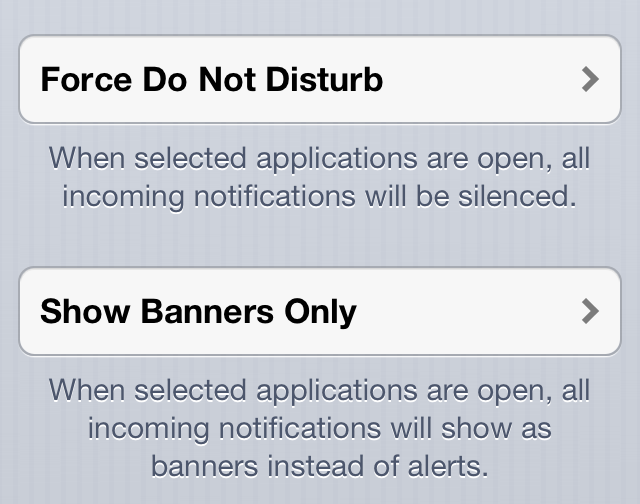
DNDPro is a new jailbreak tweak from dba Technologies. It serves to improve iOS's native Do Not Disturb capabilities by letting you control notifications while using certain apps.

DNDPro offers more granular control than the stock Do Not Disturb functionality. You can decided to disable all alerts while within a specific app, or only let banner notifications through.

If you like Do Not Disturb, but don't feel like it caters enough to power users, DNDPro is a tweak that should pique your interest. Have a look inside as we break down its features.

MultiShortcut: add handy shortcuts to various areas of the stock Settings app

If you've been able to resist the draw of iOS 7 and maintain a jailbroken device on iOS 6 or below, you are to be commended. As a reward for you dedication, you get to try out jailbreak tweaks while everyone else has to wait until an iOS 7 jailbreak.

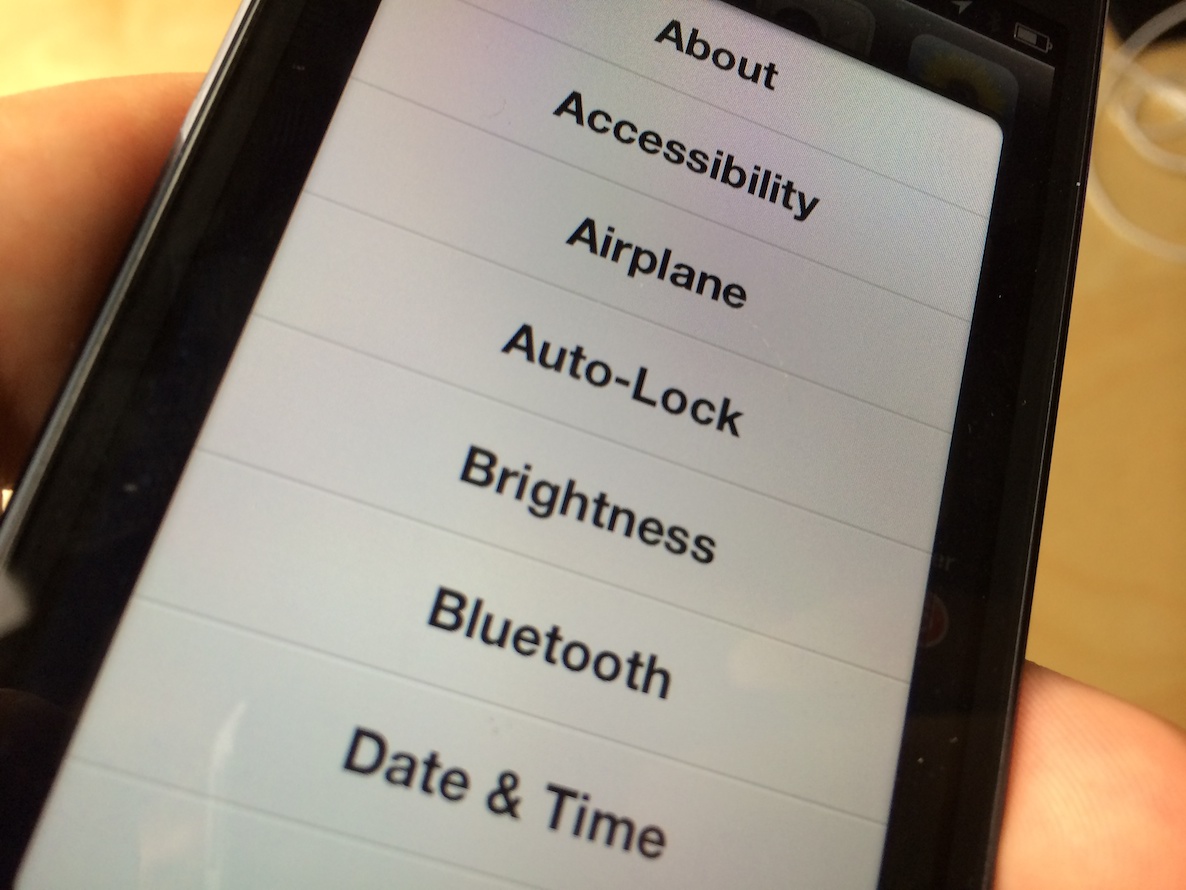
One such tweak, a recent release dubbed MultiShortcut, allows users to quickly access specific sections of the Stock settings app. This is done by tapping and holding on the Settings app icon. Instead of invoking wiggle mode like normal, you're greeted with a sheet providing links to a variety of areas found inside the Stock settings app.

This new jailbreak tweak lets you easily toggle alarm clocks on or off

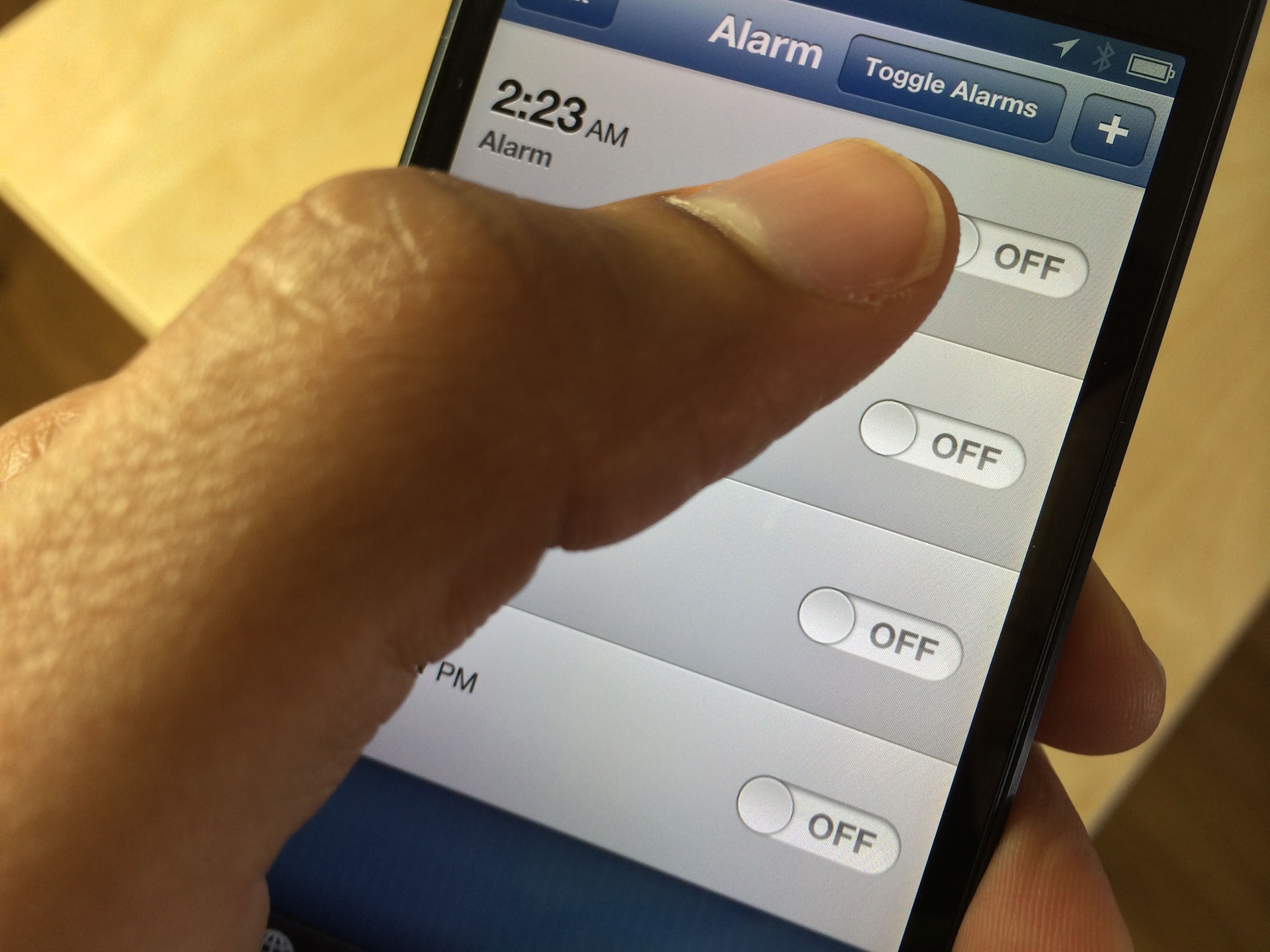
AlarmControl is a recently released jailbreak tweak that's perfect for those of you who use multiple alarm clocks. I use a few alarms when there's something extremely important that I have to wake up for, such as a new iPhone or iPad release. I know that sounds a bit ridiculous, but that's the truth of the matter.

At any rate, this new jailbreak tweak allows you to disable or enable all of the alarm clocks configured in the stock Clock app. Have a look inside at our video walkthrough to see how easy it is to use.

MultiLS: Place Lock screen notifications on a hidden page

MultiLS is a brand new jailbreak tweak that just appeared on Cydia's BigBoss repo. The tweak, which is a $0.99 purchase, allows its users to hide the notifications that would normally appear on the Lock screen.

An iOS 6 only tweak, MultiLS completely moves the entire Lock screen notification list off of the primary Lock screen. When you receive a new message while on the Lock screen, MultiLS will display a pulsating blue bar on the right-hand side of the screen. This glowing bar lets users know when new Lock screen notifications have arrived.

We've taken the initiative to create a video walkthrough showcasing MultiLS in action. Have a look inside for all of the details.
How to add burst mode to the stock camera app in iOS 6

A recently released jailbreak tweak, called Burst Mode, allows users to continuously take photos with iOS 6's stock Camera app. It's not as feature rich as the burst mode found in iOS 7 for the 5s, but it's a nice compromise for jailbroken iOS 6 users.

Burst Mode allows you to take as many photos as you want using a simple tap and hold on the shutter button, or a press and hold on your iOS device's physical volume button. Along with its burst mode capabilities, the tweak features a nice array of bonus features to take advantage of as well. Have a look inside as we look at what makes this free jailbreak tweak tick.

Let’s Talk Jailbreak 34: It’s getting weird

Cody kicks off this week's episode as we discuss lots of new jailbreak tweaks, Apple's earnings call, and the new iPad Air and iPad mini with Retina Display. As you might expect, we talk about our upcoming purchase decisions, carrier choices, and the accessories we're thinking about picking up come iPad launch day.

Keep tabs on your device’s vitals with Free Space Cam

Free Space Cam is a $0.99 jailbreak tweak that allows users to keep tabs on the iPhone's vital statistics while using the stock Camera app. It lets you know how much battery life and free storage space you have for snapping photos. For videos, it will alert you to the amount of available time remaining for your video shoot as well.

Free Space Cam isn't for everyone, but for those of you who are jailbroken and are tight on space, it may be worth looking into. Have a look inside, as we take Free Space Cam through a brief video walkthrough.

Create passcode free intervals with PasswordTime

PasswordTime is a jailbreak tweak that let's you disable the passcode on your device during specific user defined time intervals. In theory, this could allow you to disable the passcode at 6 PM, the time when you arrive home from work. It could then be set to reenable the passcode before you leave the next day.

It's not a fail safe method of security, but if you're looking for something to add a little bit of convenience to your device, while still maintaining a passcode, then PasswordTime is worth your attention.

‘Show My Touch’ lets you visualize your touch screen taps

Show My Touch is a recently released tweak that brings a touch screen overlay indicator to jailbroken iPhones. The tweak, which is available for free on Cydia's BigBoss repo, makes it easy to identify your touches on screen by means of a colorful indicator.

Sure, this isn't the first time this has been done, but Show My Touch puts its own unique spin on things. Have a look at our video walkthrough inside to see what I mean.

How to add iOS 7 slide to unlock functionality to older firmwares

One of the biggest differences between the Lock screen in iOS 7 and the Lock screen found on previous firmware, is the way one goes about unlocking the device. Gone are the days where you had to position your finger in just the right location in order to do so.

With iOS 7, users can slide their fingers anywhere on the Lock screen to unlock, as long as the motion is from left to right. Unlock7 is a recently released jailbreak tweak that seeks to mimic this functionality for devices not running iOS 7. How does it work? Have a look at our hands-on session inside.