Jailbreak Apps & Tweaks

These are the latest jailbreak apps and tweaks available for your iPhone or iPad. We save you time by highlighting only the best tweaks.

How to customize the Lock screen on iOS 7

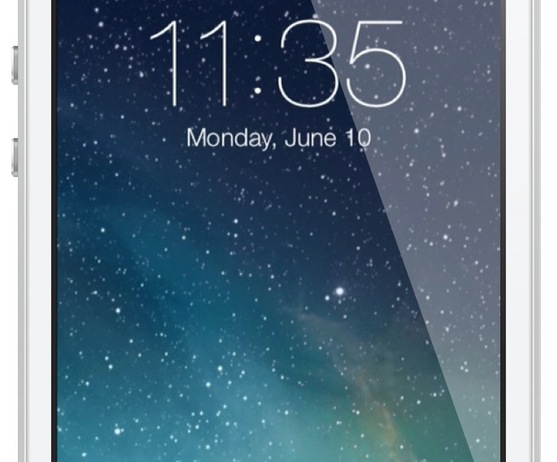
One of the biggest advantages to jailbreaking an iOS device is the ability to customize nearly any aspect of the user interface. In fact, being able to customize or theme is one of the primary reasons that I jailbroke my first-generation iPod touch over six years ago—and I've been doing so ever since.

An important and sometimes overlooked element is the Lock screen. It can be a lot of fun to customize your Lock screen, and the results often look beautiful, so look inside for a few tips on how to perfect yours… 
1Pal: a new jailbreak tweak for saving 1Password’s master password to the Keychain [updated]

I know, I know. It's very stupid to use any tweaks with something as crucial as 1Password. I know, I know, it's identity theft waiting to happen.

Not exactly. 1Pal is a new jailbreak tweak that works in tandem with existing Touch ID tweaks like BioLockdown. It allows you to save the Master Password to iOS' keychain for quick logins. Since the 1Password app itself is protected with Touch ID, the process is innately secure. The only real way this poses a security issue is if someone gains access to your fingerprint. Not impossible, but not exactly likely either.

At the end of the day, 1Pal is an awesome tweak for 1Password users. If you're like me and you use 1Password each and every day, you'll find 1Pal to be a real time saver.

Remember, you must have a Touch ID enabled device for this to work. Right now, only the iPhone 5s features Touch ID. Have a look at our video walkthrough inside as I showcase how it works.

CCLoader: rearrange and disable Control Center sections

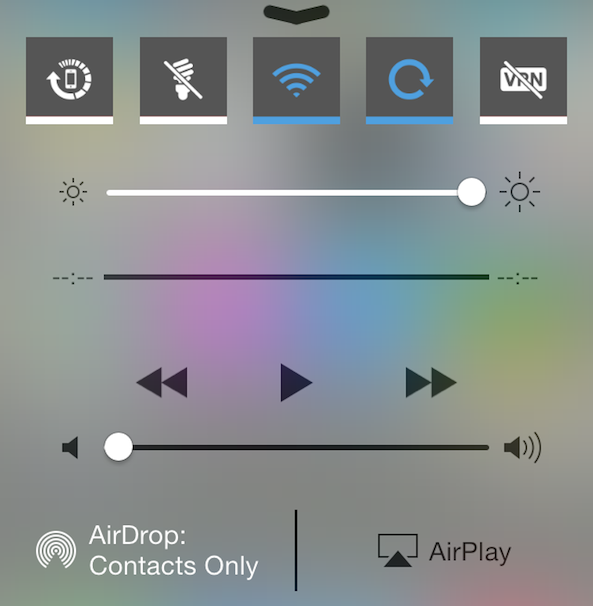
An interesting new Control Center tweak by the name of CCLoader just hit Cydia. The tweak, which is targeted at users and developers, allows you to rearrange and disable the various sections found within Control Center.

CCLoader makes it possible to do the reordering and disabling on the fly without the need for any resprings. The tweak uses drag handles to let you easily and quickly rearrange sections in any manner you see fit.

RePower: add new features to iOS 7’s power down screen

Have you ever felt that the real estate available on iOS 7's power down screen goes to waste? If so, you definitely want to check out this new jailbreak tweak called RePower.

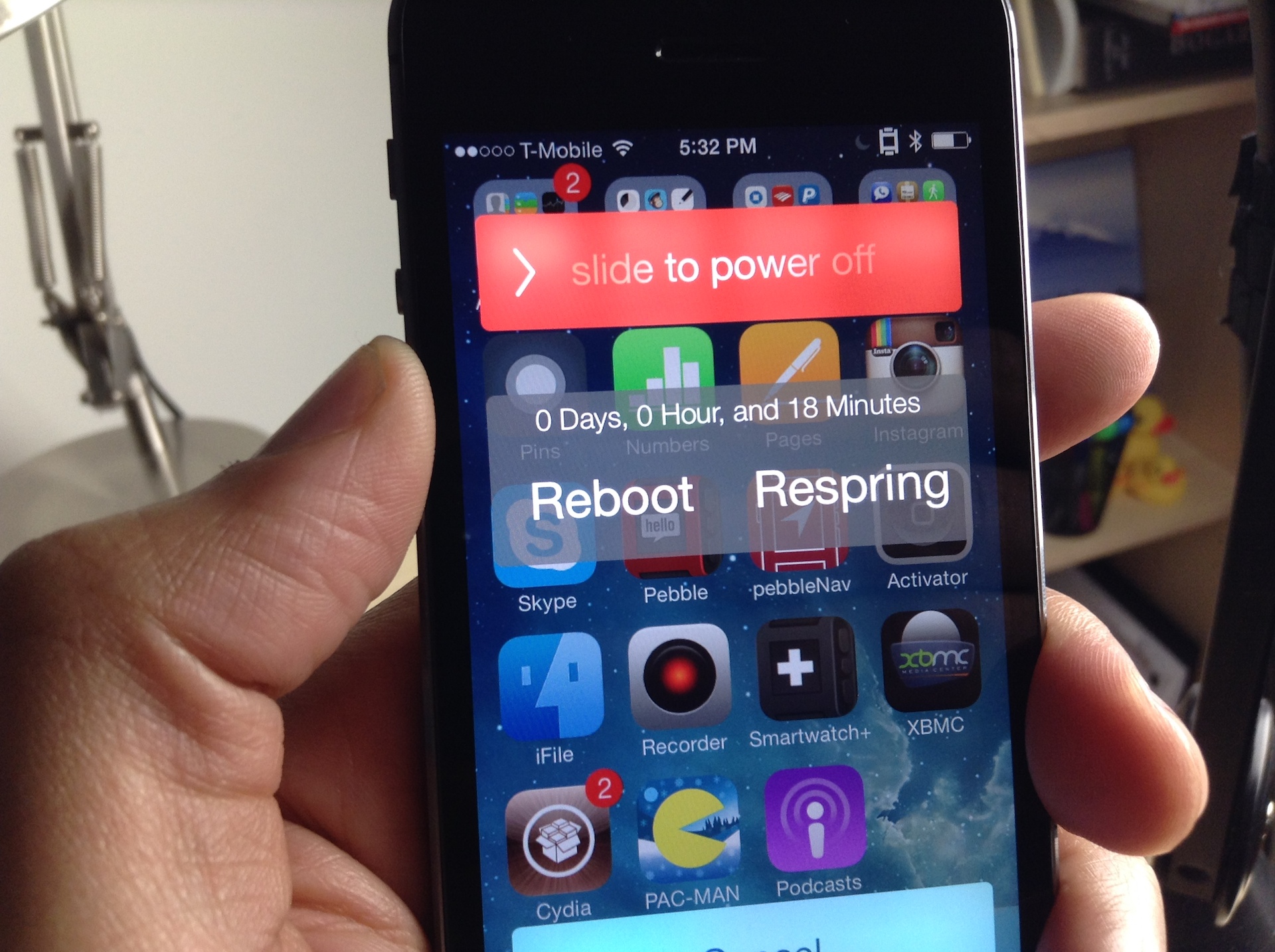
RePower is a simple tweak that adds several new features to the power down screen. It adds a button for respring, a button for rebooting, and an uptime readout for your device.

After installing RePower, you can respring, reboot, or power off from the convenience of the power down screen. Have a look inside to see how it works on video...

Preview: ClassicSwitcher

ClassicSwitcher is an upcoming jailbreak tweak that brings the old school app switcher to iOS 7. I firmly believe that a lot of jailbreakers out there are going to love this tweak.

Not only does it bring the old school switcher functionality to iOS 7, but it brings along with it several goodies as well. We've taken ClassicSwitcher for a spin on video, take a look inside for our exclusive hands-on sneak peak.

How to add live weather effects to the Weather app icon

One of my favorite jailbreak tweaks of all time was WeatherIcon. It was a simple tweak that placed the live current temperature on the stock Weather app, significantly improving the app's usefulness.

LiveWeatherIcon is like the next generation of that legendary tweak. Not only does it tell the current temperature, but it also features animated weather effects to further emphasize the status of the temperature in your area.

Spectral: Improved Lock screen album art backgrounds

Spectral is a new jailbreak tweak from one of my favorite developers, Adam Bell. It's a tweak that improves the look of the now playing album artwork on iOS 7's Lock screen.

The stock Lock screen on iOS 7 features a boring blue background when music is playing. Spectral spices up the Lock screen's background by utilizing a blown up and blurred version of the now playing album art as a background.

I've created a comparison video and have a comparison screenshot inside for you to analyze. I think you'll be surprised when you see how much of a difference Spectral makes to what most would consider to be a minor change.

How to add a Now Playing shortcut to Control Center

I don't like to do it all the time, but sometimes I'm jamming to a song so hard that I just have to let the world (or at least my own corner of the Internet) know what I'm listening to. For moments like these, CCNowPlaying is a great jailbreak tweak to have in your repertoire. It allows you to quickly send a tweet or a Facebook status update telling your followers what song you're currently playing. It's a tweak that integrates directly into Control Center, and features a stock look and feel.

I put CCNowPlaying through its paces on video and I was impressed with what I saw. Have a look past the break as I showcase how the tweak works in action.

How to flatten the stock Notes app in iOS 7

If you've been listening to our podcasts as of late, you've probably heard one of us spew off our dislike for the look of the Notes app. It's one of the only stock apps in iOS 7 that retains some semblances of skeuomorphism from the pre-iOS 7 era.

Flat Notes is a new jailbreak tweak that alters the look of the Stock notes app. It makes the notes app look more like the rest of the stock apps in iOS 7. Have a look at our video comparison inside...

How to turn the iOS 7 app switcher into a musical instrument

Every so often, a jailbreak tweak is released on Cydia that does something completely different. These tweaks usually have no real benefit other than the fact that they do something weird or obscure.

MusicalSwitcher is one of those tweaks that fits the aforementioned description to a tee. It has no real benefit, but it allows you to use your app switcher pages as if they were keys on a piano. You're just going to have to watch this video to see what I mean.

How to remove the separator lines in Control Center

CC Deseparator is an awkwardly named tweak with a great premise: it allows you to remove the separator lines found within the Control Center overlay in iOS 7.

As you might imagine, CC Deseparator is an extremely simple tweak. In fact, the tweak features no settings, options, or other means of configuration; it's an install and go affair. We've shot a video showcasing how CC Deseparator works in action. Take a look inside for the full scoop...

How to add Twitter and Facebook share widgets to Control Center

A few days ago, I wrote a post showing how to bring Twitter and Facebook share widgets back to the Notification Center using an app called Share Widgets for iOS 7. In this post, I noted that Apple probably didn't add these share widgets in the iOS 7 Notification Center because that's not the right place for them. When you think about it, sharing something on Twitter or Facebook has nothing to do with notifications.

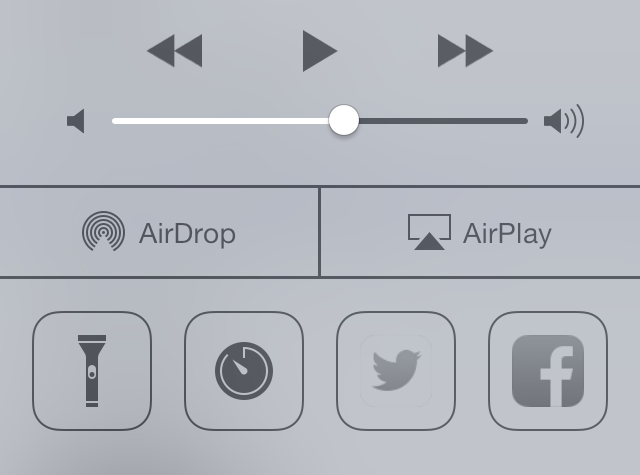
A more natural fit for Twitter and Facebook share widgets is Control Center. With an array of tweaks now being developed for Control Center, one in particular grabbed my attention as it allowed me to do what I really wanted from the beginning: add Twitter and Facebook share widgets to Control Center.

This tweak, some of you may have already guessed, it CCToggles...