Jailbreak Apps & Tweaks

These are the latest jailbreak apps and tweaks available for your iPhone or iPad. We save you time by highlighting only the best tweaks.

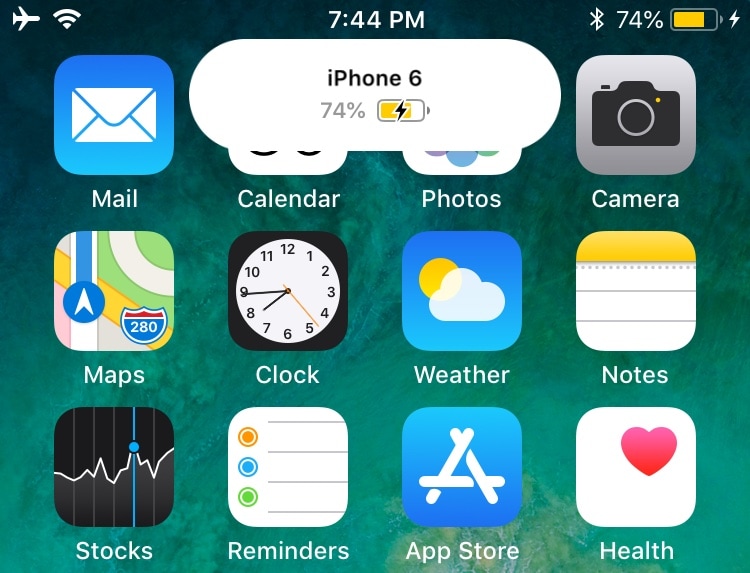
This tweak ports the Apple Pencil 2 charging interface to other devices when charging

Ever since getting my 2018 iPad Pro, and an Apple Pencil 2 to go along with it, I’ve become mainly accustomed to seeing the Apple Pencil 2’s charging status when it magnetically snaps to the side of my tablet. On the other hand, this beautiful charging interface often left me wondering: why hasn’t Apple implemented a similar charging interface for other devices?

Enter PencilChargingIndicator, a free jailbreak tweak created by iOS developer shiftcmdk that brings the Apple Pencil 2-esque charging interface to other devices. Once installed, it makes the interface appear whenever the host device gets connected to a power source, as shown above.
Mute specific apps for certain periods of time with QuietDown

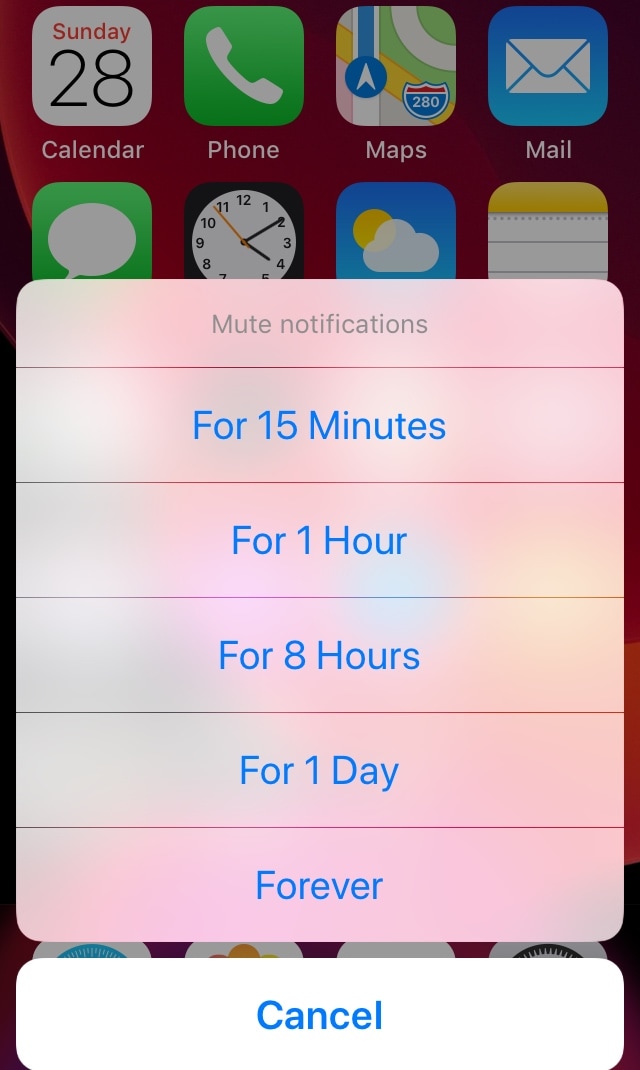
Notifications can be useful, but some apps tend to be a little bit noisier than others. iOS’ native Do Not Disturb mode sometimes comes in handy in this instance, but it mutes all your apps at the same time, and this isn’t always ideal. For that reason, iOS developer Skitty has come out with a new free jailbreak tweak release called QuietDown.

QuietDown allows users to mute specific apps for certain periods, and it does so in such a user-friendly manner. With a simple swipe up on an application icon or a 3D Touch gesture on that same icon, you can bring up the muting interface shown above.

CustomLock lets you personalize your iPhone’s Lock screen text

The Lock screen is the first thing you see every time you pick up your iPhone to use it. With that in mind, it’s not hard to see why some jailbreakers are quick to customize the appearance of it.

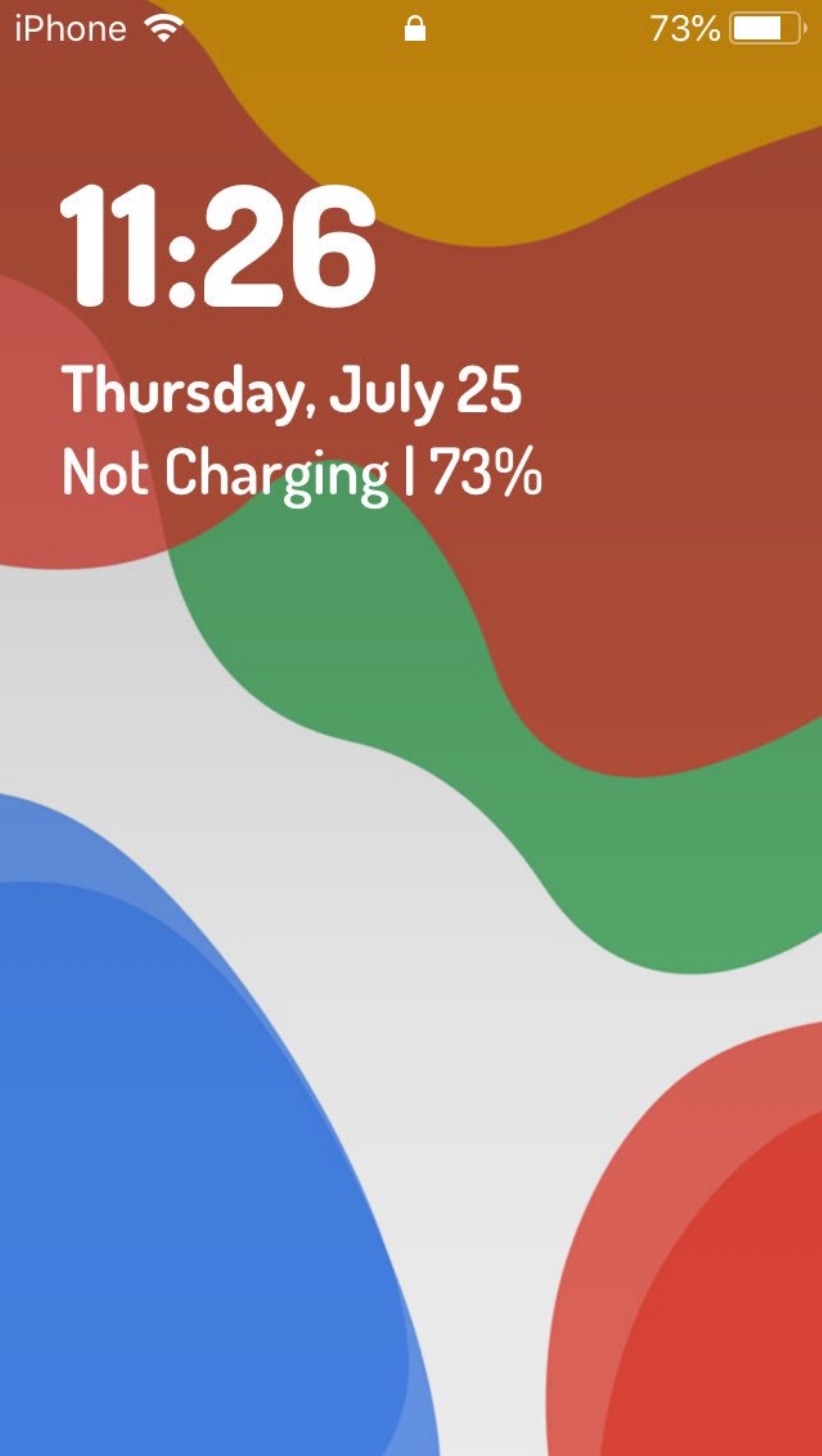
If you’re a minimalist and you appreciate the small things in life, then you might take a liking to a newly-released jailbreak tweak called CustomLock by iOS developer TylerD3V, as it provides users with two great ways to change the Lock screen’s aesthetics: text alignment and third-party fonts.

Jailbreak tweaks of the week: Iconator2, LiveSafari, Pusher, and more

If you’re as excited about all the latest jailbreak tool updates as we are, then you’re probably looking for new add-ons and extensions that can boost the usability and augment the aesthetics of your pwned handset.

In this roundup, we’ll talk about all the latest jailbreak tweaks to be released from Monday, July 22nd to Sunday, July 28th. As usual, we’ll kick things off by discussing our favorite releases and then wrap everything up with an outline of the rest afterward.

Sileo v1.2.5 released to address more repository issues

Two more consecutive updates were released for Sileo Saturday afternoon, officially bringing the Chimera and Electra-centric package manager up to version 1.2.5. The same update is also available as a Demo for non-jailbroken handsets.

The Sileo Team announced Sileo versions 1.2.4 and 1.2.5 via Twitter just hours ago, with each update further addressing repository issues that were introduced in a previous update:

Like rainbows and hearts? You may also like these Dynamic Wallpapers for jailbroken devices

Your iPhone supports three different types of wallpapers, including still images, Live Photos, and Dynamic Wallpapers. The latter is particularly interesting because it's the closest thing to video wallpapers that Apple has ever provided, but iOS’ native selection of Dynamic Wallpapers out of the box leaves a lot to be desired.

It was only a few weeks ago that we showed you a jailbreak tweak called Dynamic Apples by iOS developer JGeorge, which replaced the stock Dynamic Wallpaper with Apple-esque ones, but if that didn’t do it for you, then perhaps a new free release called Dynamic Rainbow Hearts.

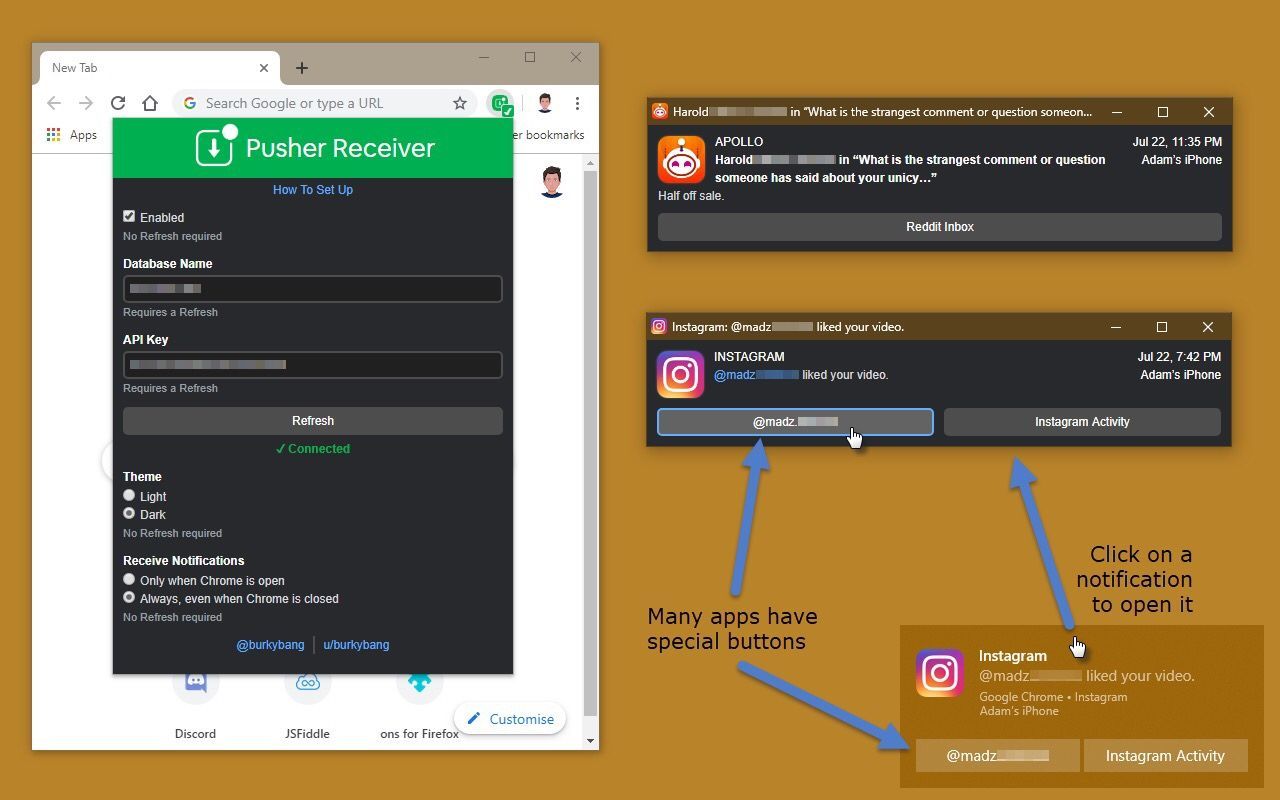
Pusher streams your iPhone’s push notifications to non-Apple devices

If all your devices – mobile and desktop alike – are of the Apple variety, then you’re probably accustomed to receiving push notifications from your apps on every one of your devices. On the other hand, this won’t necessarily be the case if you have, say, an Apple iPhone, an Android tablet, and a Windows computer.

Pusher is a newly-released jailbreak tweak by iOS developer Noah Saso that aims to help unify your push notification experience across all your devices, and astonishingly, this still applies even if your devices aren’t all manufactured by Apple.

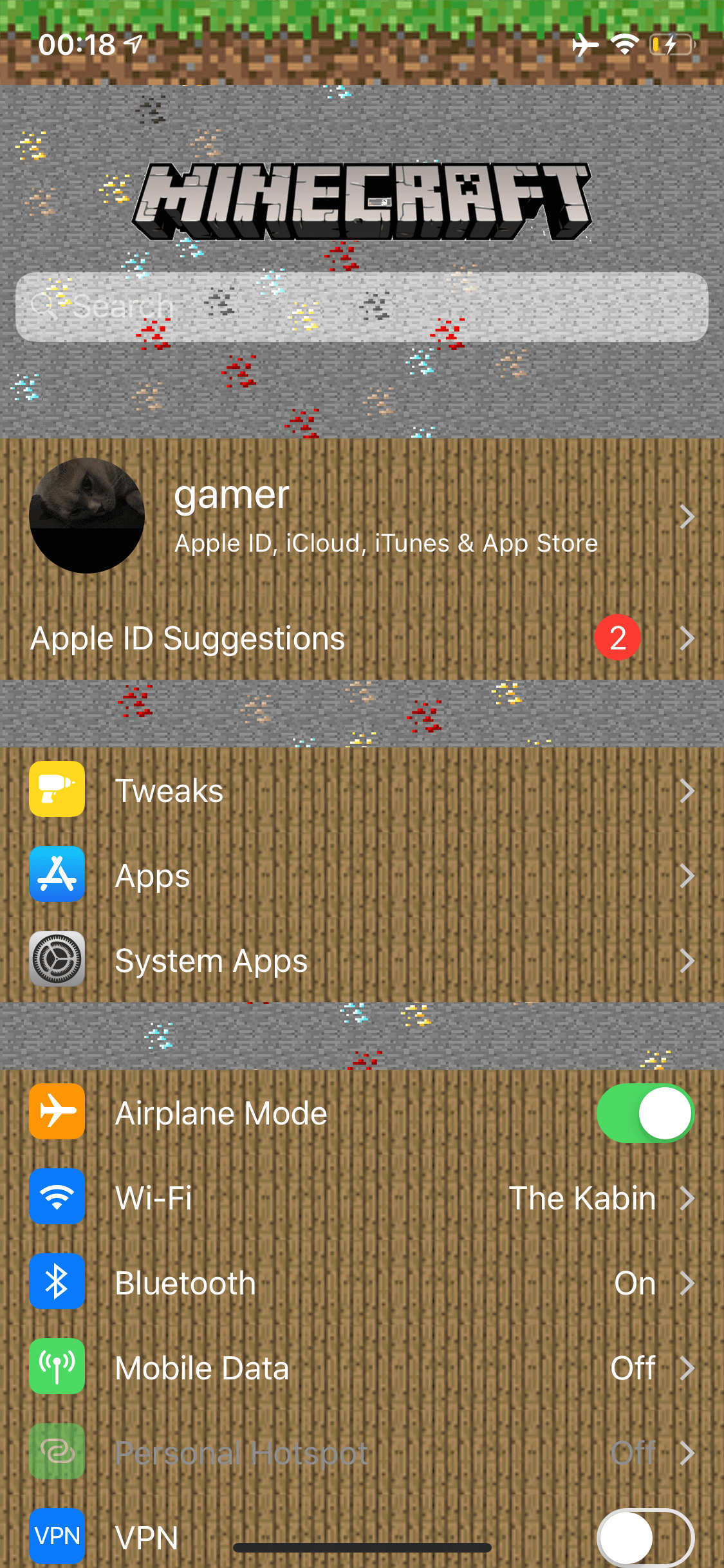
Love Minecraft? This tweak makes your iPhone’s Settings app look more like the game

If you’re a huge Minecraft fanatic, then McSettings is a newly-released and free jailbreak tweak by iOS developer kushy that you won’t want to miss.

As you might’ve noticed already from the screenshot example provided above, McSettings themes iOS’ Settings app to look and feel like some of the textured resources that appear in the eccentrically popular Minecraft game by game publisher Mojang.

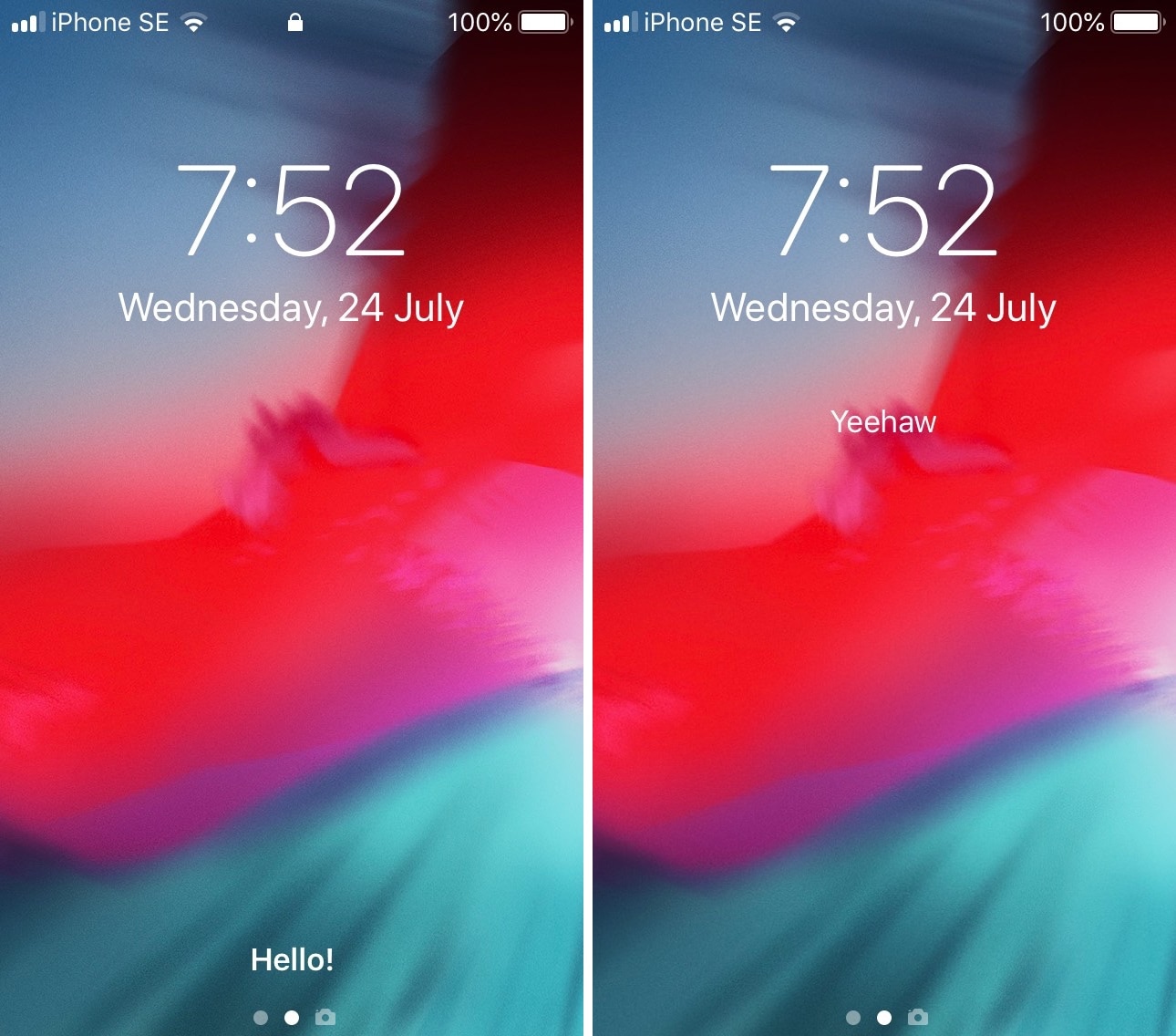
Customize iOS’ various system text strings with Label

As you use iOS, you’ll come to notice a variety of labels throughout the user interface that display redundant or non-useful information, such as the Status Bar's carrier text, the Lock screen’s ‘Press home to open’ text string, and Notification Center’s ‘No New Notifications’ text.

If you aren’t jailbroken, then you can’t customize any of these labels, but if you are, then you can take advantage of a newly-released and free jailbreak tweak called Label by iOS developer archergs to do just that.

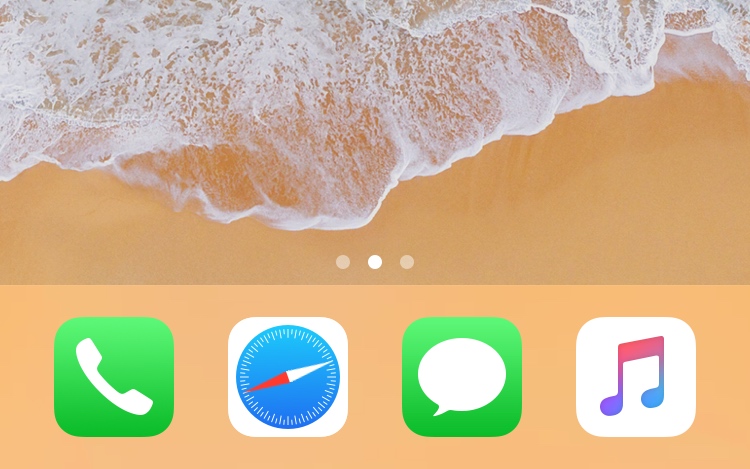
This tweak turns the Safari app on your Home screen into a real compass

Make the Safari app icon point north like a true compass.

One of my all-time favorite jailbreak tweaks was once LiveClock by iOS developer Ryan Petrich, and while Apple has since implemented its functionality into iOS right out of the box, that never changed my appreciation for small, yet fun and quirky jailbreak tweaks of similar nature.

One of the latest jailbreak tweaks to fall under this category of fun and quirkiness is a new and free release called LiveSafari by iOS developer Skitty. Perhaps unsurprisingly, LiveSafari animates the native Safari app icon on your Home screen such that the compass arrow always points to the North.

Unc0ver v3.3.8 released with updated Sock Port exploit for more devices

We can almost always count on the jailbreak community to have something interesting going on during the week, and today is no different. Pwn20wnd released an updated version of the iOS 11.0-12.2-centric unc0ver jailbreak tool on Monday, officially bringing it up to version 3.3.8.

Pwn20wnd announced the update just this morning via Twitter, noting that it would implement an updated iteration of Jake James’ Sock Port exploit:

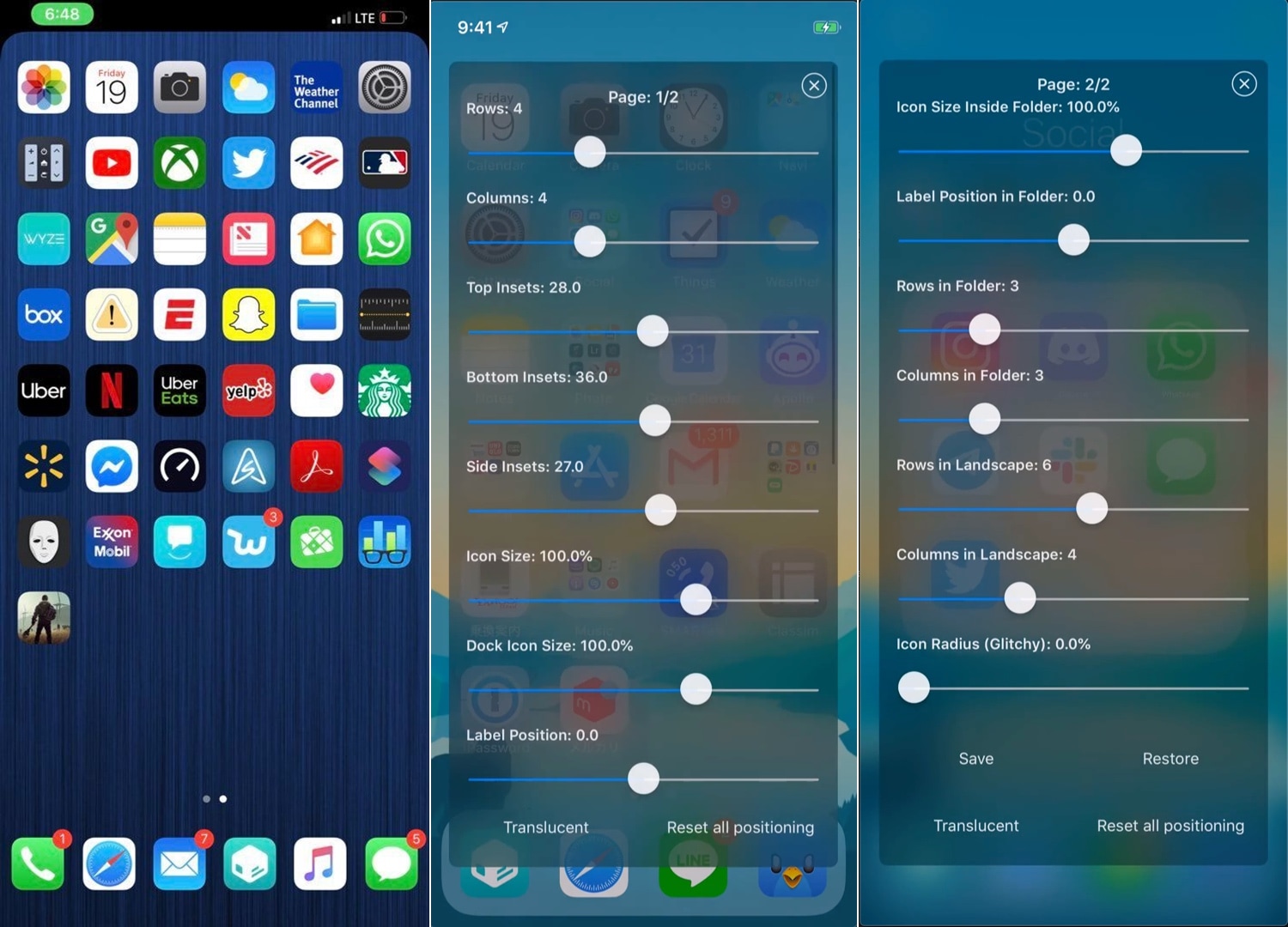
Iconator2 lets you take control over your iPhone’s Home screen layout

While Apple occasionally slaps a fresh coat of paint on your Home screen’s app icons, the grid-centric Home screen functionality has remained mostly unchanged since the very first iteration of iOS. That said, it should come as no surprise to anyone that changing the layout of the Home screen is one of the most popular things to do with a jailbroken iPhone or iPad.

If you’re one to tinker with the Home screen’s layout, and you’ve recently jailbroken iOS 12 with Chimera or unc0ver, then you might take a liking to a newly-released jailbreak tweak called Iconator2 (iOS 12) by iOS developer Soh Satoh.