Jailbreak Apps & Tweaks

These are the latest jailbreak apps and tweaks available for your iPhone or iPad. We save you time by highlighting only the best tweaks.

This tweak replaces your iPhone’s ‘swipe up to unlock’ text with weather info

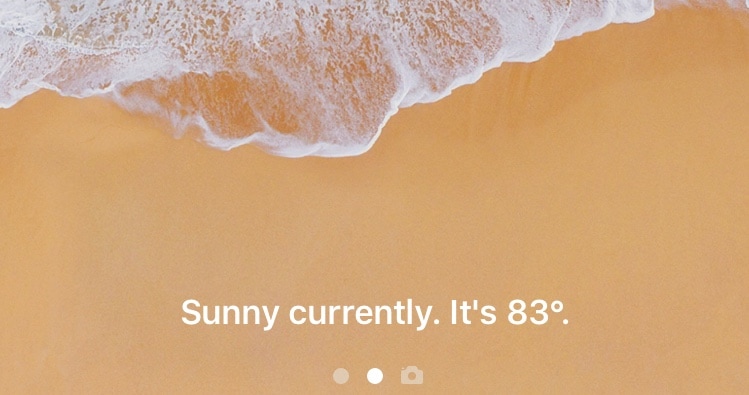
If you’ve been using an iPhone for more than a week, then you probably don’t need to be reminded to “swipe up to unlock” or “press home to unlock.” Apple designs its devices to display this text whenever you’re looking at your locked handset’s Lock screen, and to some, it feels unnecessary.

If you’re ready to rid yourself of that silly text with something more useful, then chances are you’ll come to appreciate a newly-released and free jailbreak tweak called WeatherUnlockText by iOS developer XCXiao. This tweak replaces the standard text string with weather information for your current location, as shown in the screenshot example above.

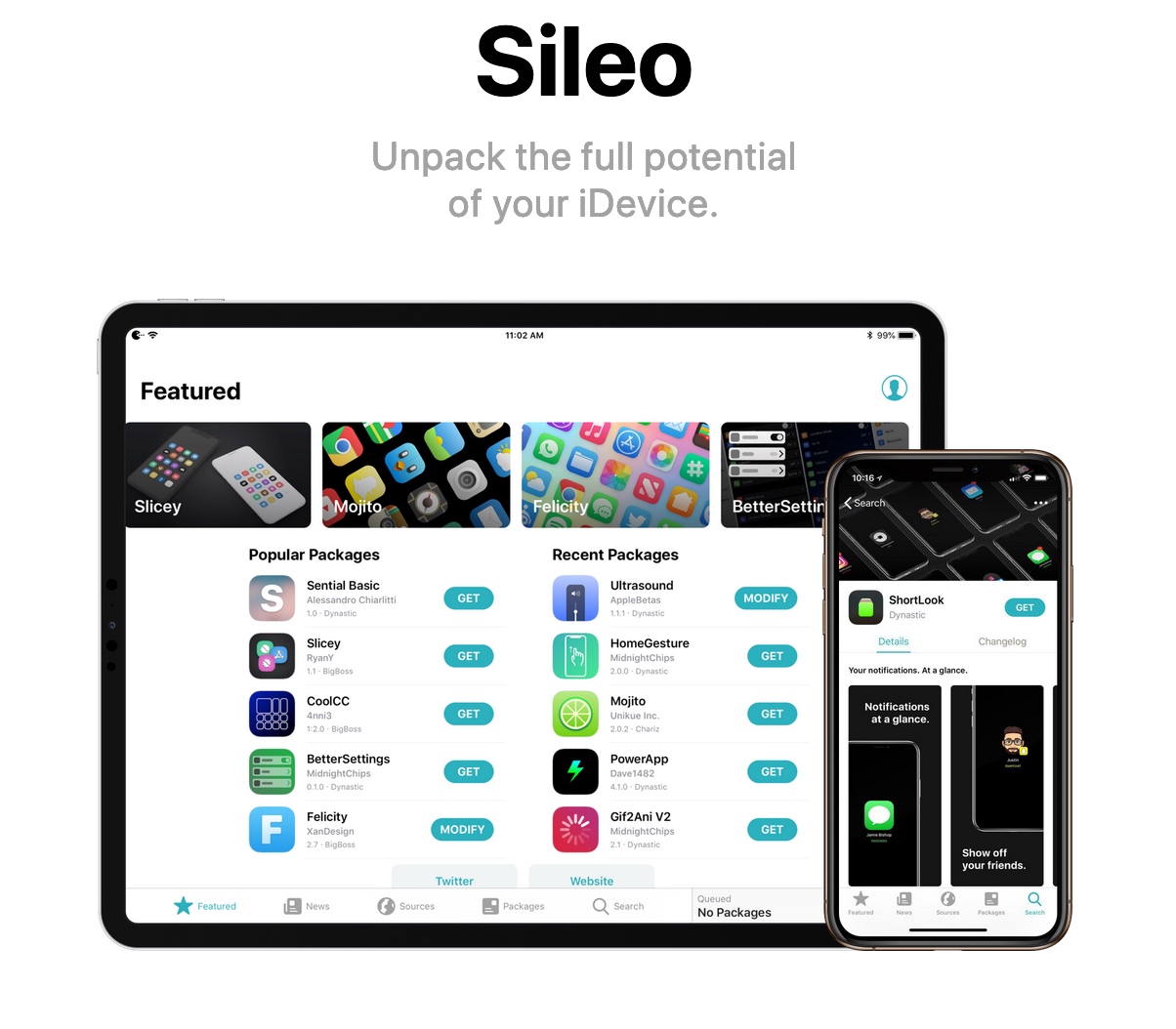
Sileo v1.2.9 released with improved download manager, faster interface, and more

If you’re enjoying an iOS 11 or iOS 12 jailbreak by way of the Electra Team’s Chimera or Electra tools, then you might be excited to learn that the Sileo Team released an updated version of the Sileo package manager Sunday morning, bringing the public release up to version 1.2.9.

The Sileo Team announced the update early this morning via Twitter, noting that it would make the user interface significantly faster when doing critical tasks such as refreshing sources or downloading packages:

Jailbreak tweaks of the week: AwesomePageDots, QuickCC, StickAround, and more

It's been a crazy a week with all these jailbreak tool updates and what not, but if you've been keeping up with it all and you're interested in tweaking your pwned handset, then you're in the right place.

In this roundup, we’ll talk about all the latest jailbreak tweaks to be released from Monday, July 29th to Sunday, August 4th. As usual, we’ll kick things off by discussing our favorite releases and then wrap everything up with an outline of the rest afterward.

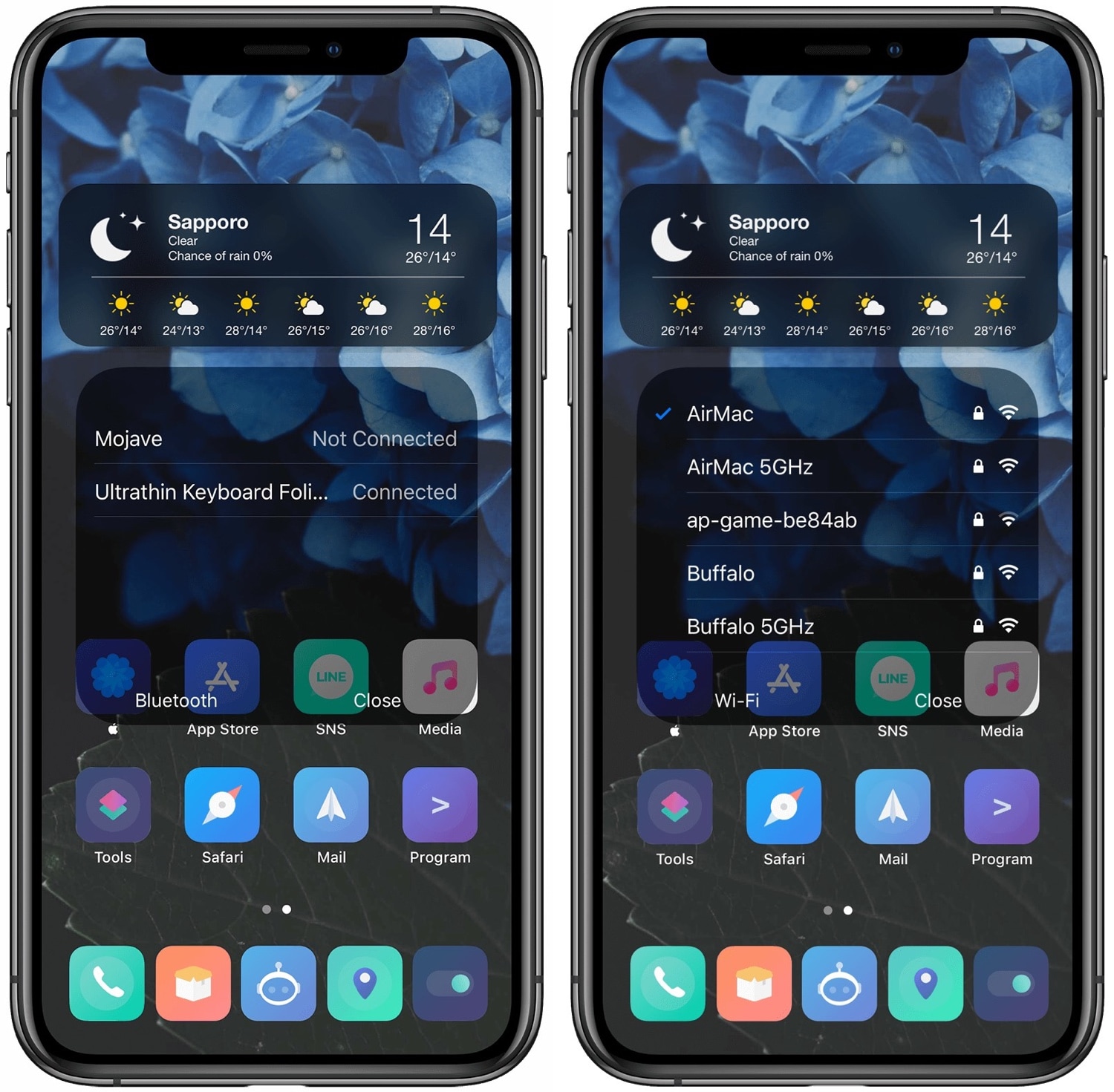
This tweak makes Control Center’s Bluetooth and Wi-Fi toggles more interactive

The Bluetooth and Wi-Fi toggles that Apple tucks away inside of Control Center can be useful at times, but they lack the level of interactivity that I’d expect from 21st Century software. Apple’s iOS 13 update this Fall will change this by letting users interact with nearby Bluetooth and Wi-Fi devices directly from Control Center, but those running iOS 12 or earlier aren’t so lucky.

Enter QuickCC, a newly-released and free jailbreak tweak by iOS developer ichitaso that brings this iOS 13-centric functionality to pwned iOS 11 and 12 devices for users who demand more from their software.

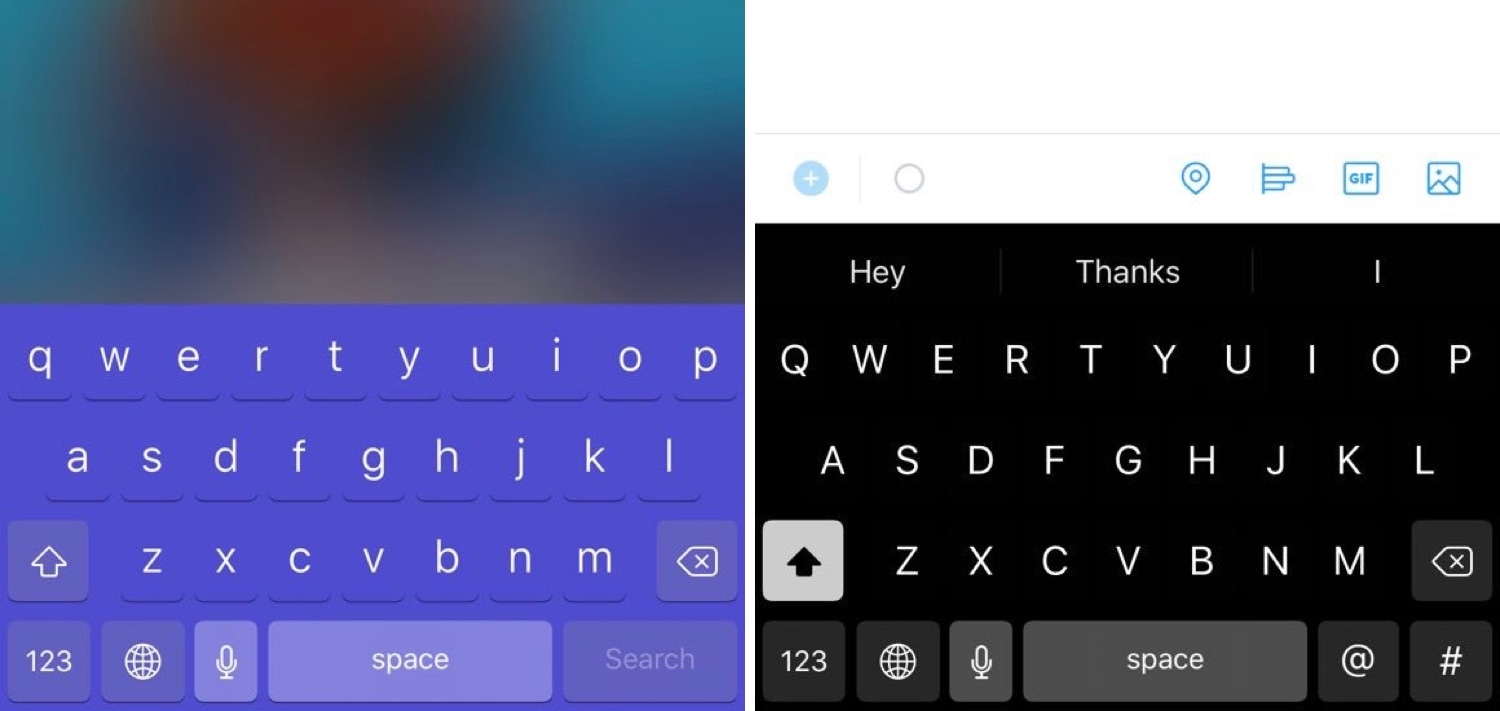
Customize the sound and appearance of your iPhone’s keyboard with CuKey

The keyboard is something that most iPhone and iPad users will interact with on a daily basis, and with that in mind, it makes sense that some users might want to make it theirs.

If you agree with the idea above, then you’ll likely come to appreciate a newly-released and free jailbreak tweak called CuKey by iOS developer DevelopApple. This tweak lets you customize a variety of keyboard-centric attributes, such as its appearance and sound, among other things.

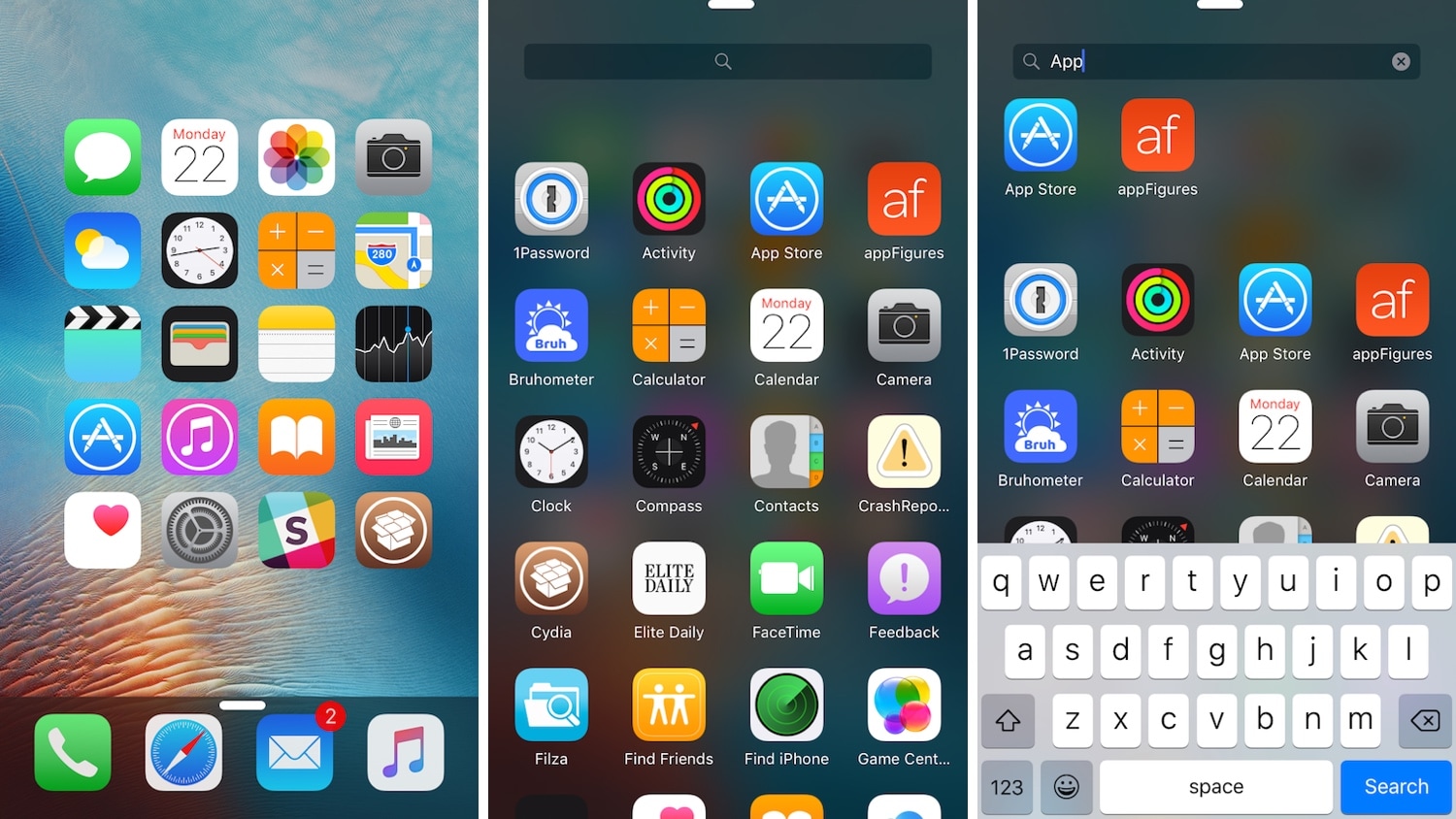
Vinculum brings a Nexus-inspired app drawer to your jailbroken iPhone

If you’re any bit familiar with the Google Nexus 7.0 Nougat app drawer, then it might’ve crossed your mind once or twice about what it might like to have a similar experience on the iOS platform.

If you’re keen about the idea thus far, then you’ll definitely want to try a refreshed jailbreak tweak dubbed Vinculum by iOS developer William Vabrinskas. As you’ll see in the screenshot examples above, this tweak brings app drawer-like functionality to your pwned iPhone or iPad.

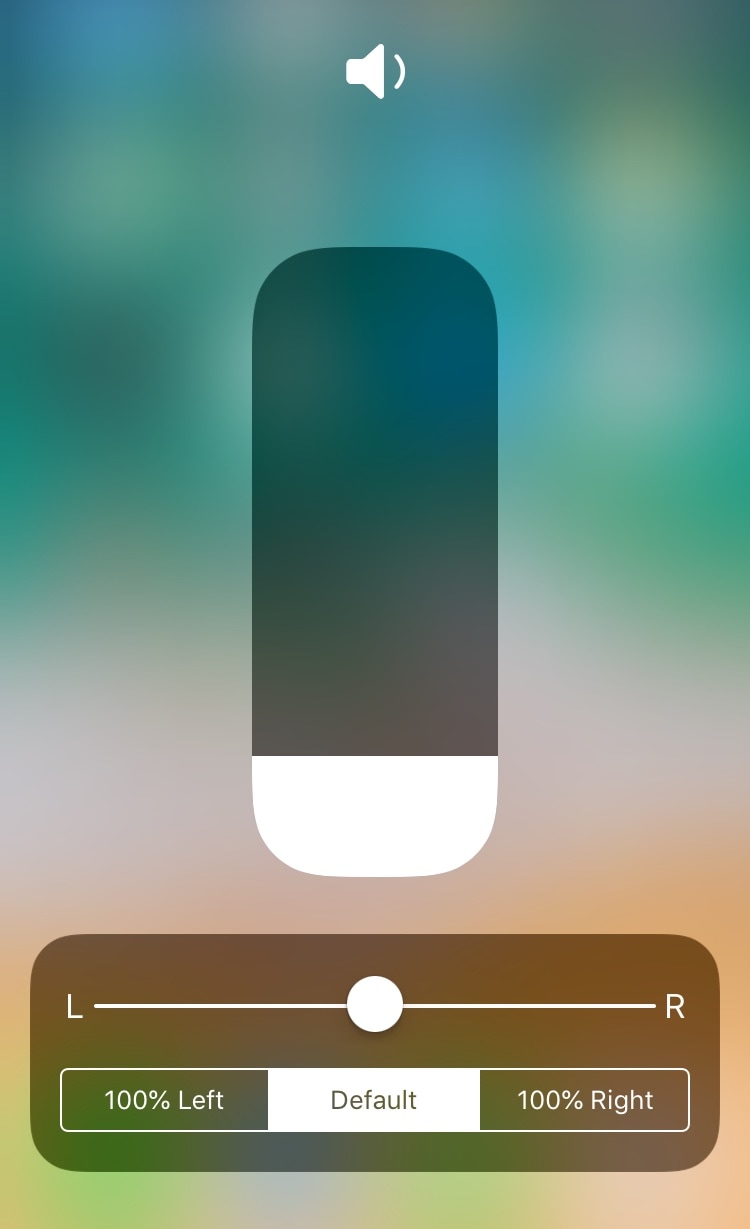
This tweak adds audio balance controls to Control Center

You can easily fine-tune your handset’s volume level with the Control Center-centric volume scrubber, but have you ever wished that you could have easier control over your handset’s audio balance from the same place?

If you answered yes to that question, then you’ll absolutely love a free jailbreak tweak dubbed CCAudioBalance by iOS developer shiftcmdk, because this tweak adds a full-featured audio balance adjustment tool to Control Center’s full-screen volume scrubber interface, as shown above.

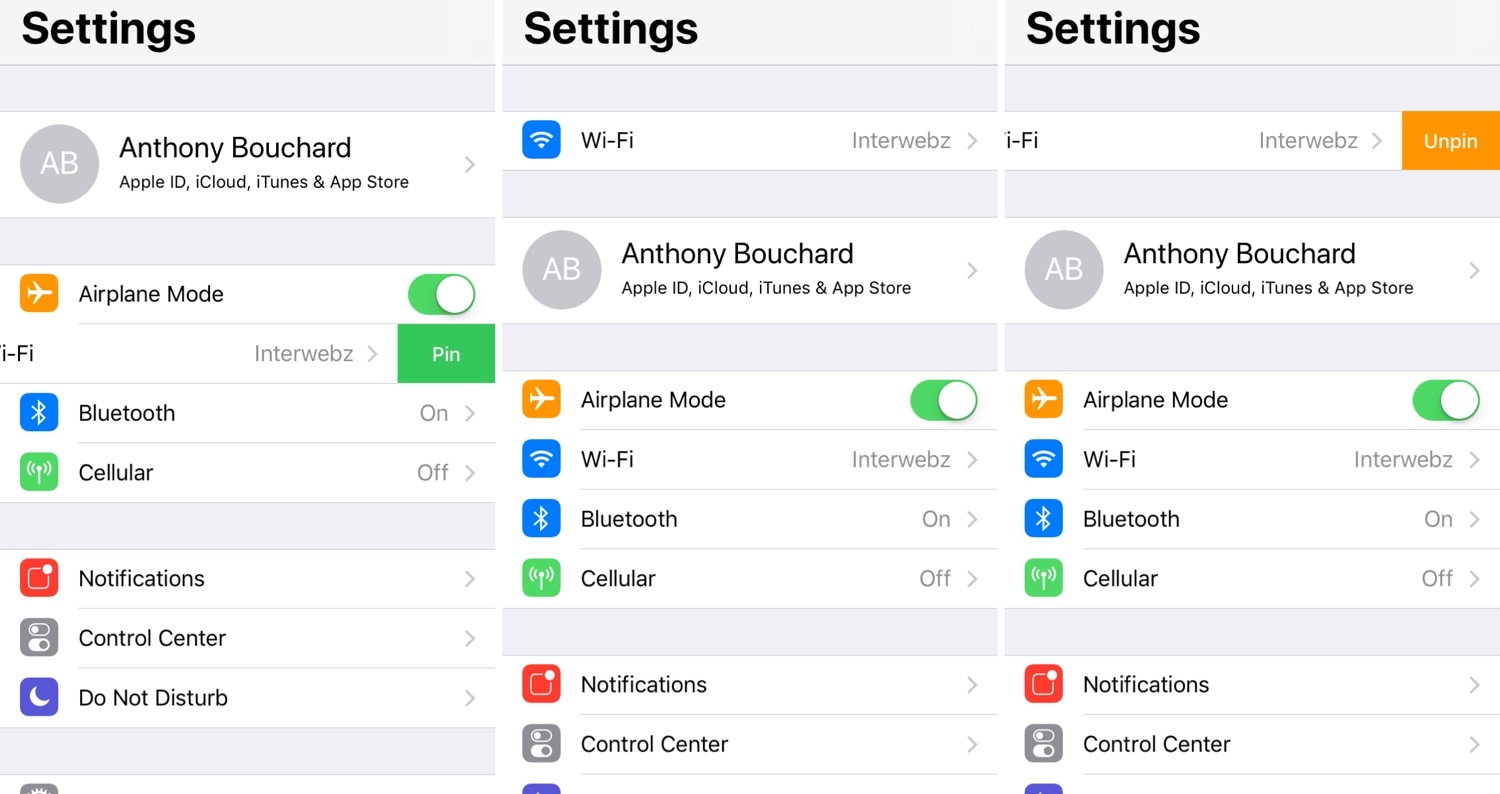
Pin your favorite preference cells to the top of the Settings app with StickAround

If you’re anything like me, then you probably use certain things in the Settings app more than others. Unfortunately, iOS doesn’t make it any easier to get to those things, regardless of how often you use them.

Here to change that about iOS’ Settings app is a newly-released and free jailbreak tweak called StickAround by iOS developer Squ1dd13. With this tweak, you can pin your favorite preference panes to the top of the Settings app, making it significantly easier to get to the things that matter to you the most.

CustomSiriBG lets you change the Siri interface background

If you’re interested in changing the default background of the Siri interface to something new, then you just might want to check out a newly-released and free-to-download jailbreak tweak dubbed CustomSiriBG by iOS developer TylerD3V.

In the screenshot example above, you’ll notice that the default Siri background has been changed to something more Pokémon-centric, and of course, you can always use something different if Pokémon isn’t your thing.

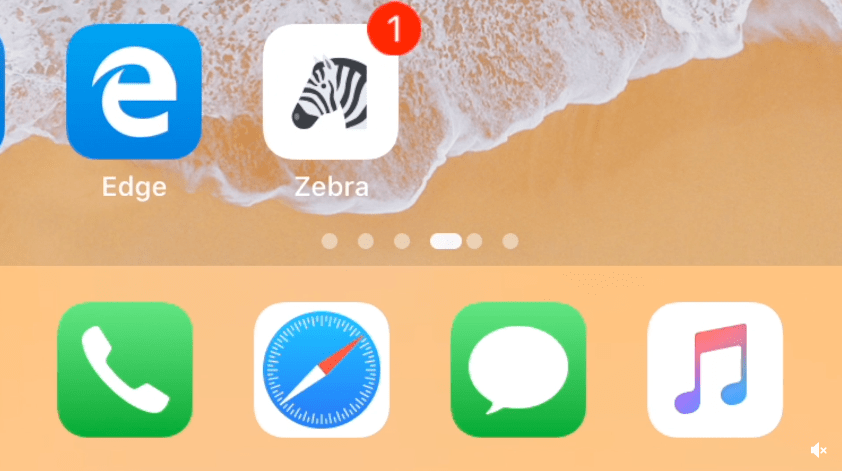
Breathe new life into your Home screen’s page dots with AwesomePageDots

At the bottom of any stock iPhone or iPad’s Home screen are a set of page dots that help you discern what page you’re on at any given time. As useful as this might be, it hasn’t changed much over the years.

If you’re looking for a fresh take on iOS’ Home screen page dots, then you might come to appreciate a newly-released and free jailbreak tweak called AwesomePageDots by iOS developer shiftcmdk, as it reinvigorates your Home screen’s page dots with a much more appealing animation.

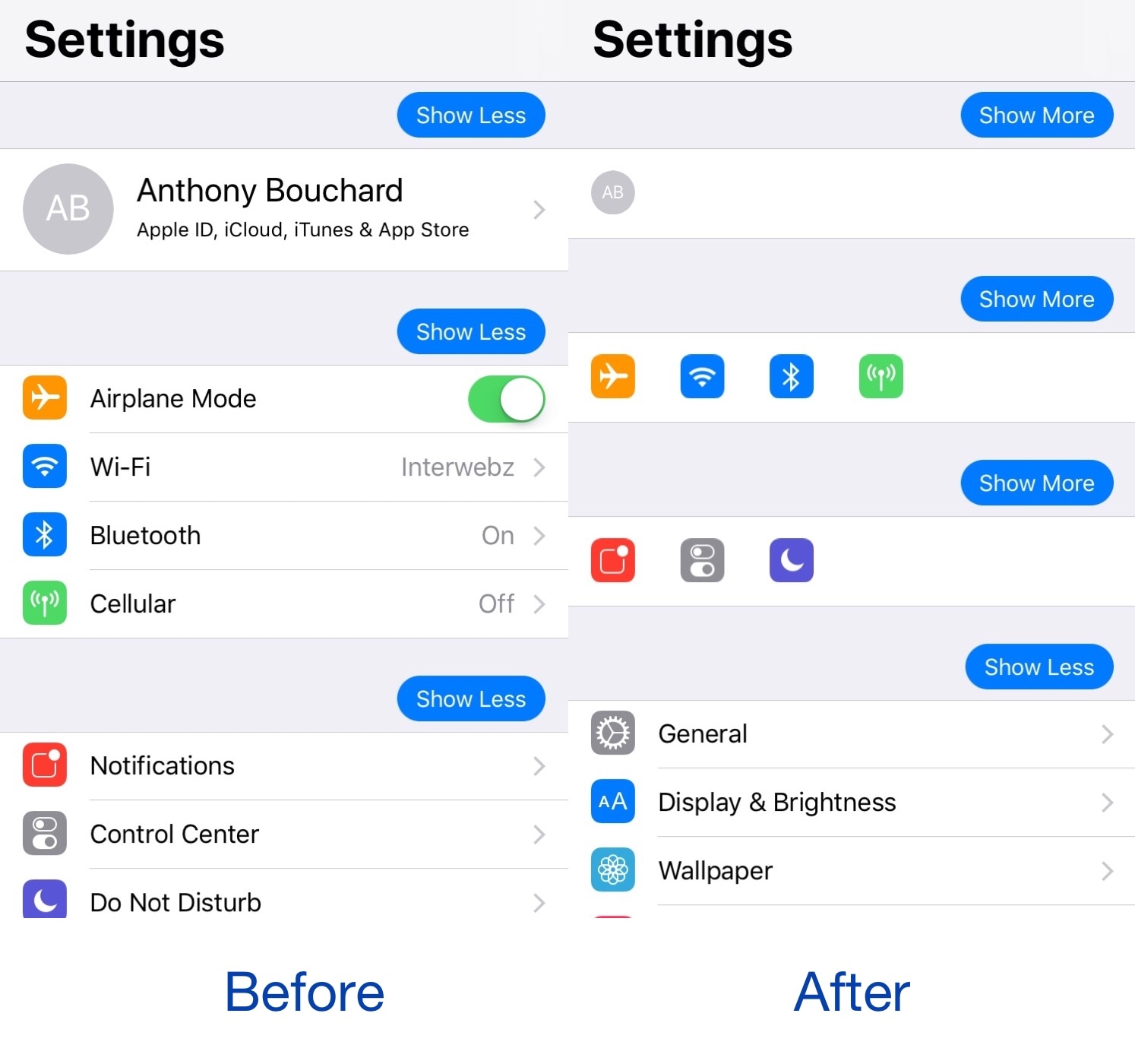
SettingsCollapse lets you de-clutter the Settings app for easier navigation

Most of your iPhone or iPad’s configurable options can be found in the native Settings app, but sometimes this app can feel like a maze with a substantial amount of clutter that hinders the process of getting to what you’re looking for.

Those interested in de-cluttering the Settings app will likely come to appreciate a free jailbreak tweak called SettingsCollapse by iOS developer shiftcmdk, as it lets you collapse sections of the Settings app into compact blocks that are significantly easier to scroll through.