Jailbreak Apps & Tweaks

These are the latest jailbreak apps and tweaks available for your iPhone or iPad. We save you time by highlighting only the best tweaks.

ConfirmRotate prevents accidental display rotations, especially in bed

I often take the fact that I can rotate my iPhone’s screen between portrait and landscape orientation for granted when I’m watching videos. But there’s no disputing the fact that iOS’ auto-rotation feature can be just as annoying as it is handy, and this is why Apple provides a toggle in Control Center for turning auto-rotation on or off on demand.

While it’s nice to have the ability to toggle auto-rotation on or off on demand, that very process can be just as cumbersome as dealing with accidental auto-rotations. With that in mind, we believe that a newly released jailbreak tweak called ConfirmRotate by iOS developer CardboardFace meets us all halfway by providing the functionality we truly want.
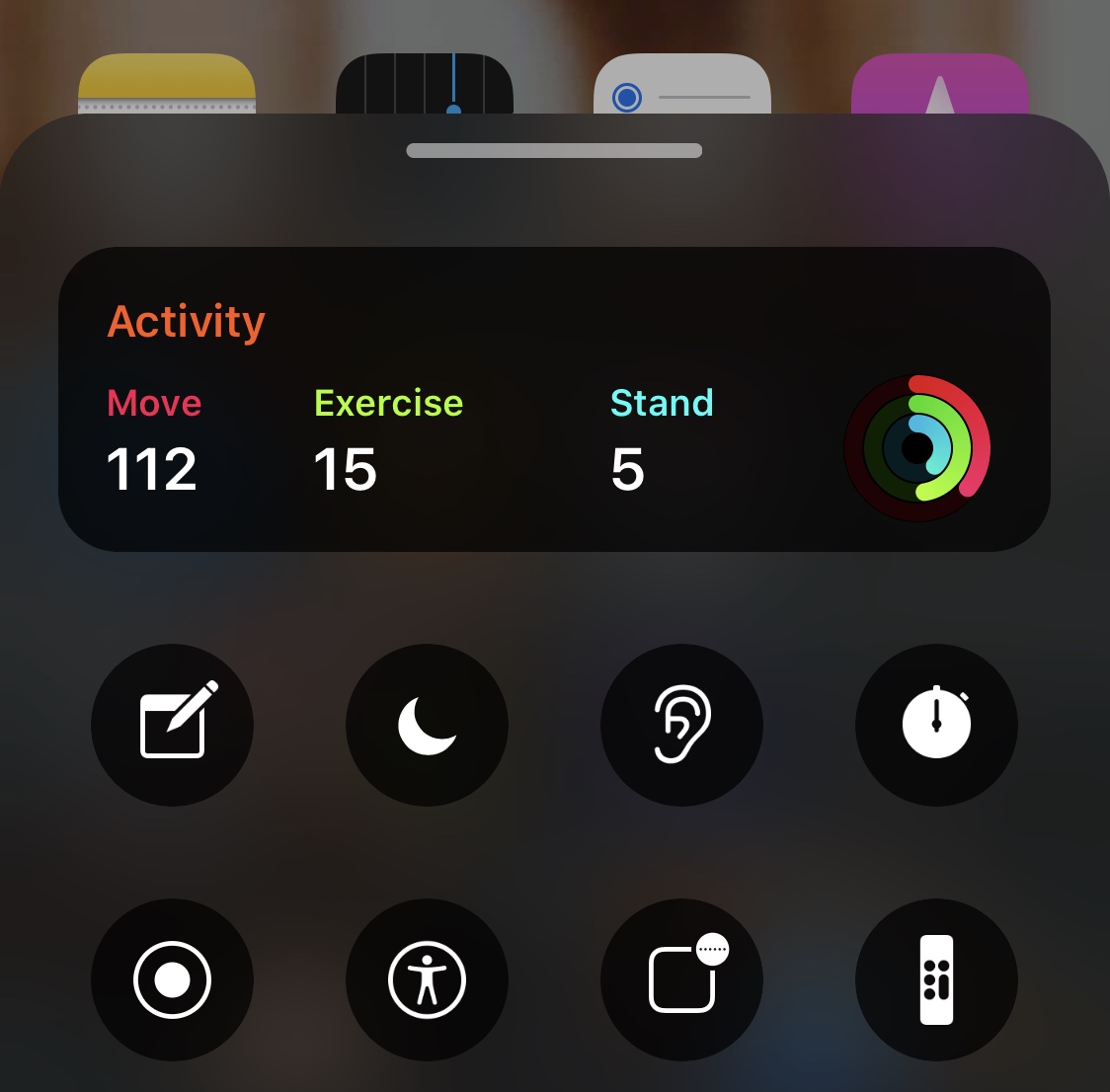
This add-on puts Activity rings in the BottomToolBar interface

Just last year, we showed you a rather intriguing jailbreak tweak called BottomToolBar that made pertinent toggles and information easier to reach with just your thumb while using your iPhone one-handed. But we never imagined that we’d eventually see compatible add-ons capable of augmenting the user experience.

Enter Activity-BottomToolBar, a newly-released extension for the BottomToolBar tweak by XCCiao that adds Activity ring information to the interface for those who avidly concern themselves with their health.

Cask 2 animates iOS’ table views in fun and quirky ways

Messing around with your iPhone or iPad’s standard animations is sometimes one of the most exhilarating ways to get the most out of a jailbroken handset. But what jailbreak tweaks should you use to do just that?

A good question, and perhaps a newly released and free jailbreak tweak called Cask 2 by iOS developer Ryan Nair should be somewhere near the top of that list.

Jailbreak tweaks of the week: Ayedapt, QuitAll, Velox Reloaded, and more…

Thanks to developments involving both the checkra1n and unc0ver jailbreaks, it's never been easier to have a jailbroken iOS 13 device. If you have one, and you're looking for new extensions and add-ons to augment the stock iOS experience, then you've come to the right place.

In this piece, we'll discuss all the latest jailbreak tweaks released from Monday, March 2nd to Sunday, March 8th. As always, we'll kick things off by discussing our favorite releases first and then wrap things up with an outline of the rest afterward.

Customize iOS’ Home screen folders with Cartella

If you’re looking for a way to spice up your iPhone or iPad’s native Home screen folder behavior, then there’s a fairly good chance that a newly released and free jailbreak tweak called Cartella by iOS developer burrit0z could be right up your alley.

Cartella was designed to let jailbreakers adjust the look and feel of their handset’s Home screen folders. Straight out of the box, it incorporates a plethora of different customization options, including:

Ayedapt forces your iPhone’s Home screen icons to obey iOS’ dark mode setting

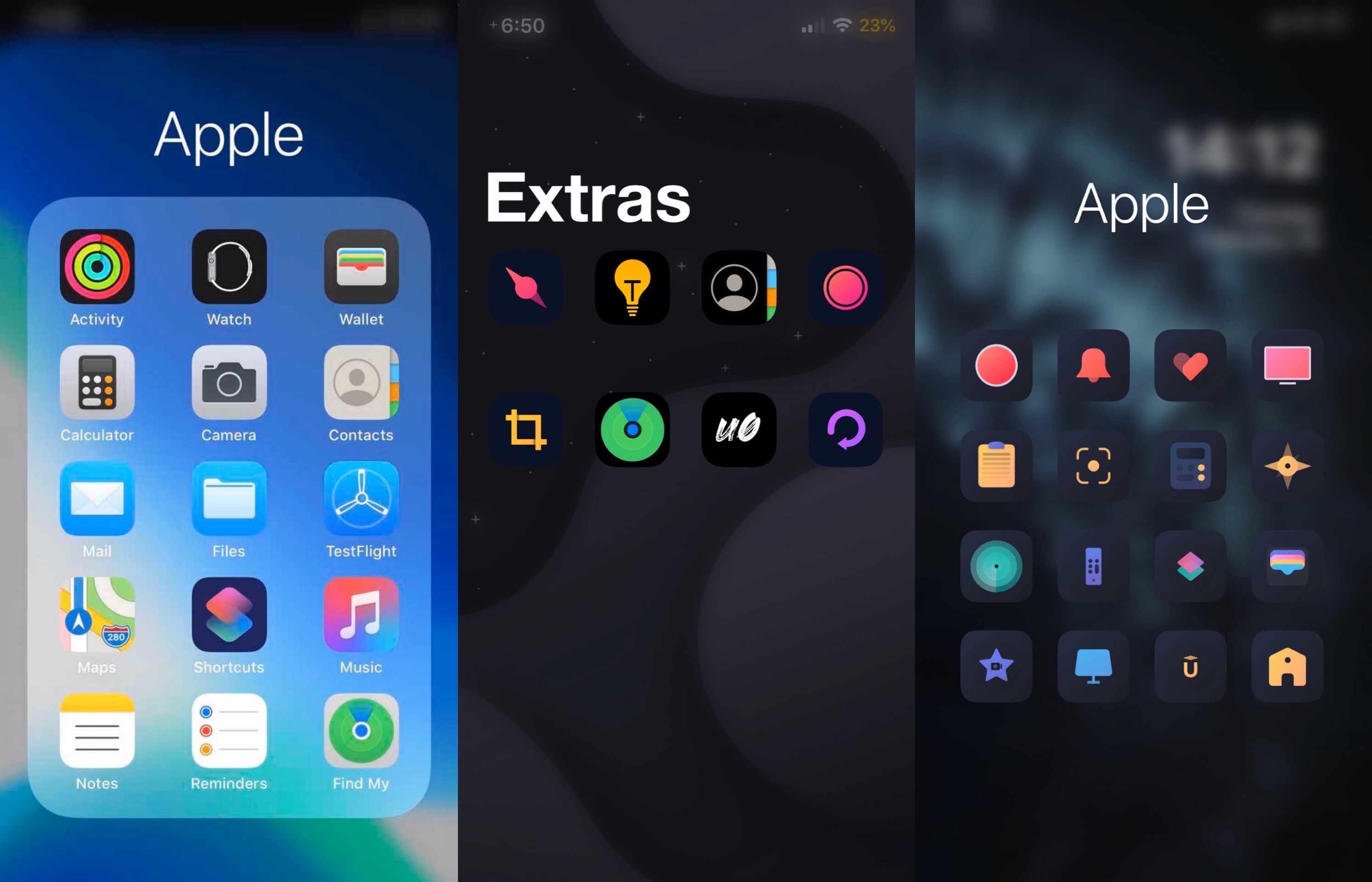
One of my favorite features that shipped with iOS 13 was a native system-wide dark mode that’s both aesthetically pleasing and easy on the eyes at night. Unfortunately, Apple left the Home screen’s app icons out of the picture when making dark mode a reality for stock iOS devices.

Here to address that issue head-on is a newly released jailbreak tweak/theme hybrid called Ayedapt by Surenix – a renowned graphic designer in the jailbreak community.

Velox Reloaded brings widgets to the iPhone’s Home screen the right way

iOS has come a long way in recent years, especially in terms of widgets and information displays. But when compared with a lot of the smartphone competition on the market today, iOS (and even iPadOS) still lag behind.

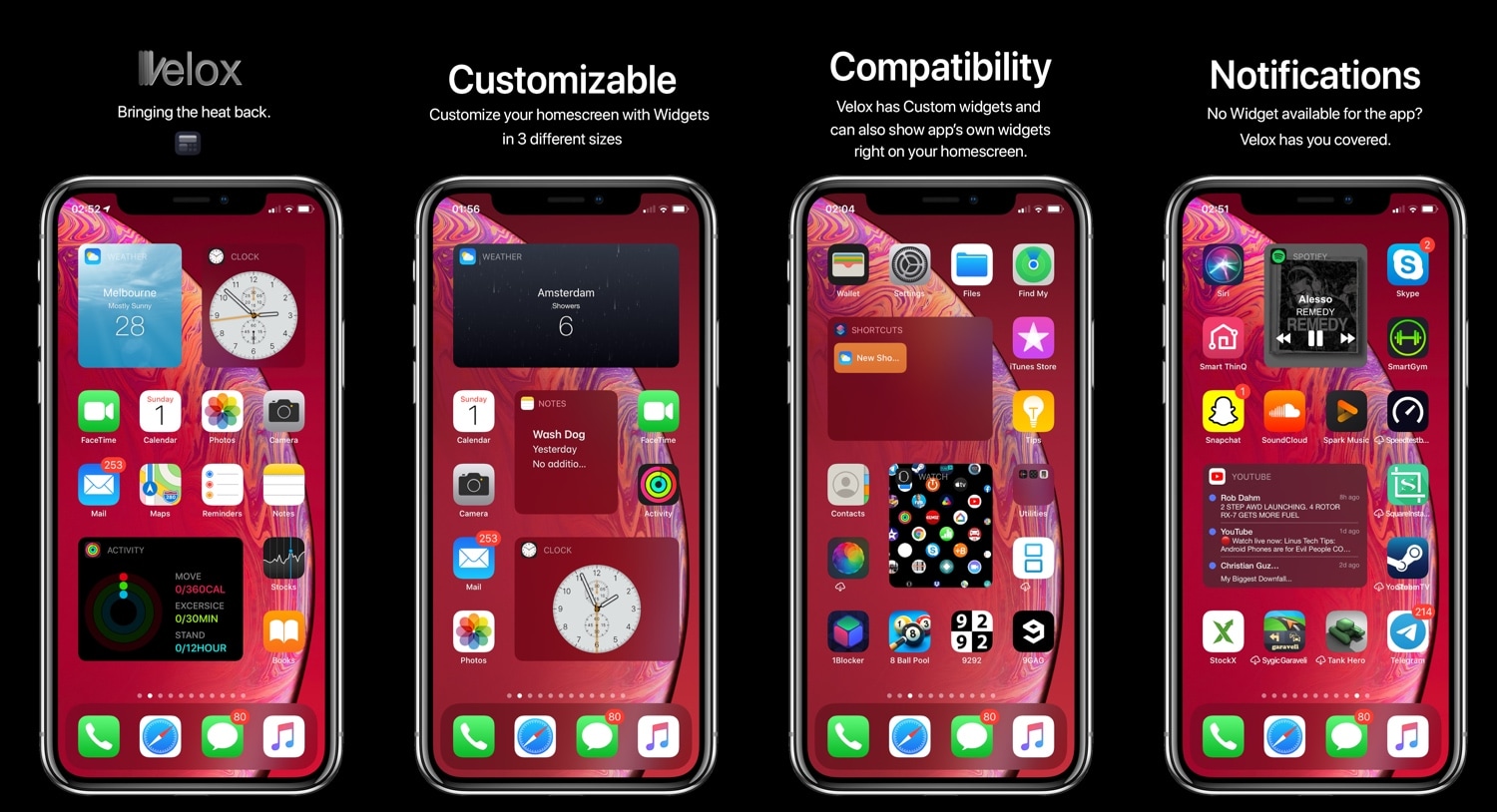
Enter Velox Reloaded, a stunning new jailbreak tweak by ApexTweaks that introduces quirky system widgets with handy functionalities directly to your iPhone or iPad’s Home screen via the very same grid-space that you use to store application icons.

QuitAll lets you force-close all App Switcher apps with one tap

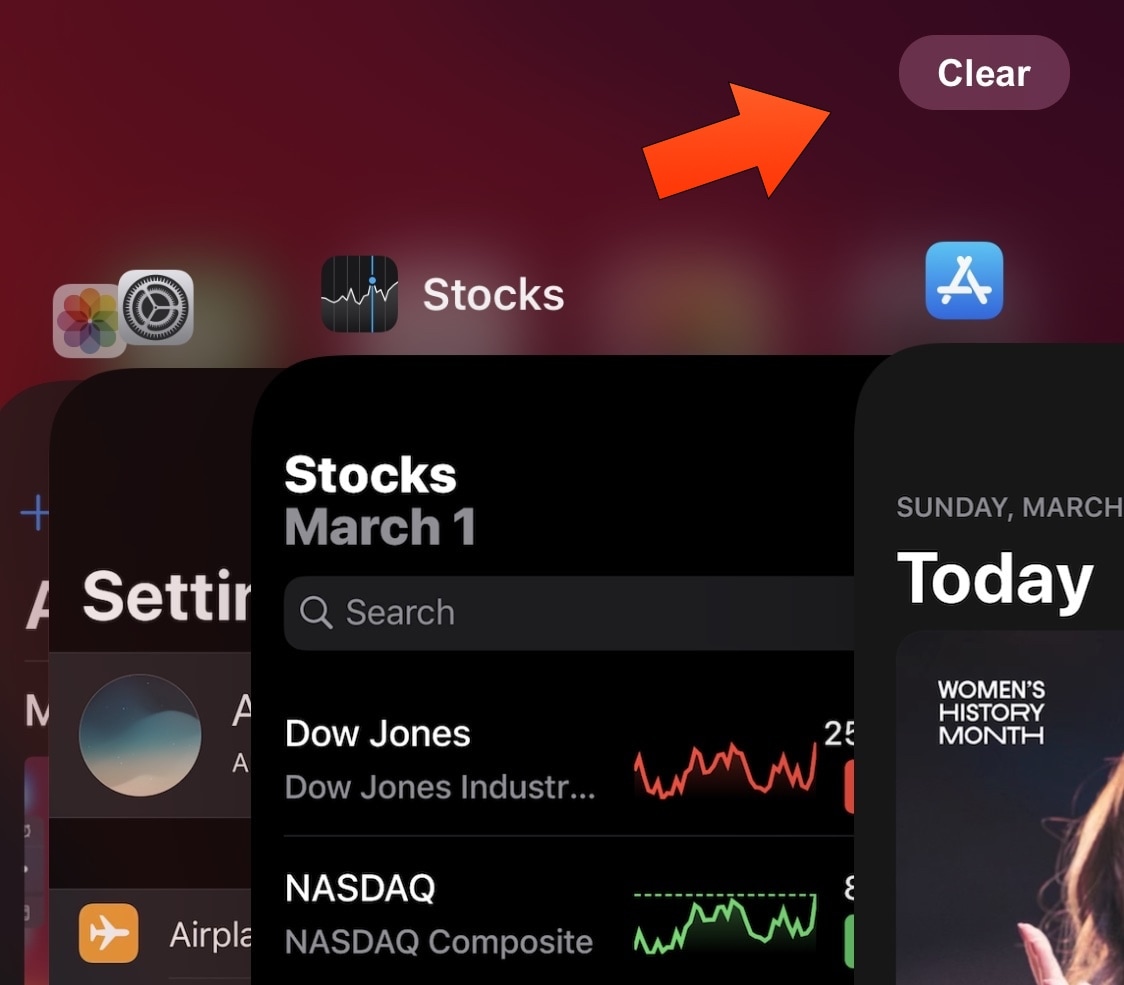
As you use apps on your iPhone or iPad, your App Switcher begins to accumulate a running history of recently used apps in the order you’ve use them. These apps are suspended in a frozen state to make multitasking more efficient, but even suspended apps use some of your handset’s RAM to make relaunching them faster.

iOS automatically manages your device’s memory to ensure smooth operation, but if you’re a RAM nut then you may habitually force-close all your App Switcher’s suspended apps when you finish using your device. QuitAll is a newly released and free jailbreak tweak by iOS developer Dave van Wijk that lets you do this in one fell swoop as opposed to swiping up on each of the App Switcher’s individual app preview cards.

Give your pwned iPhone quirky aesthetics with FireflyX

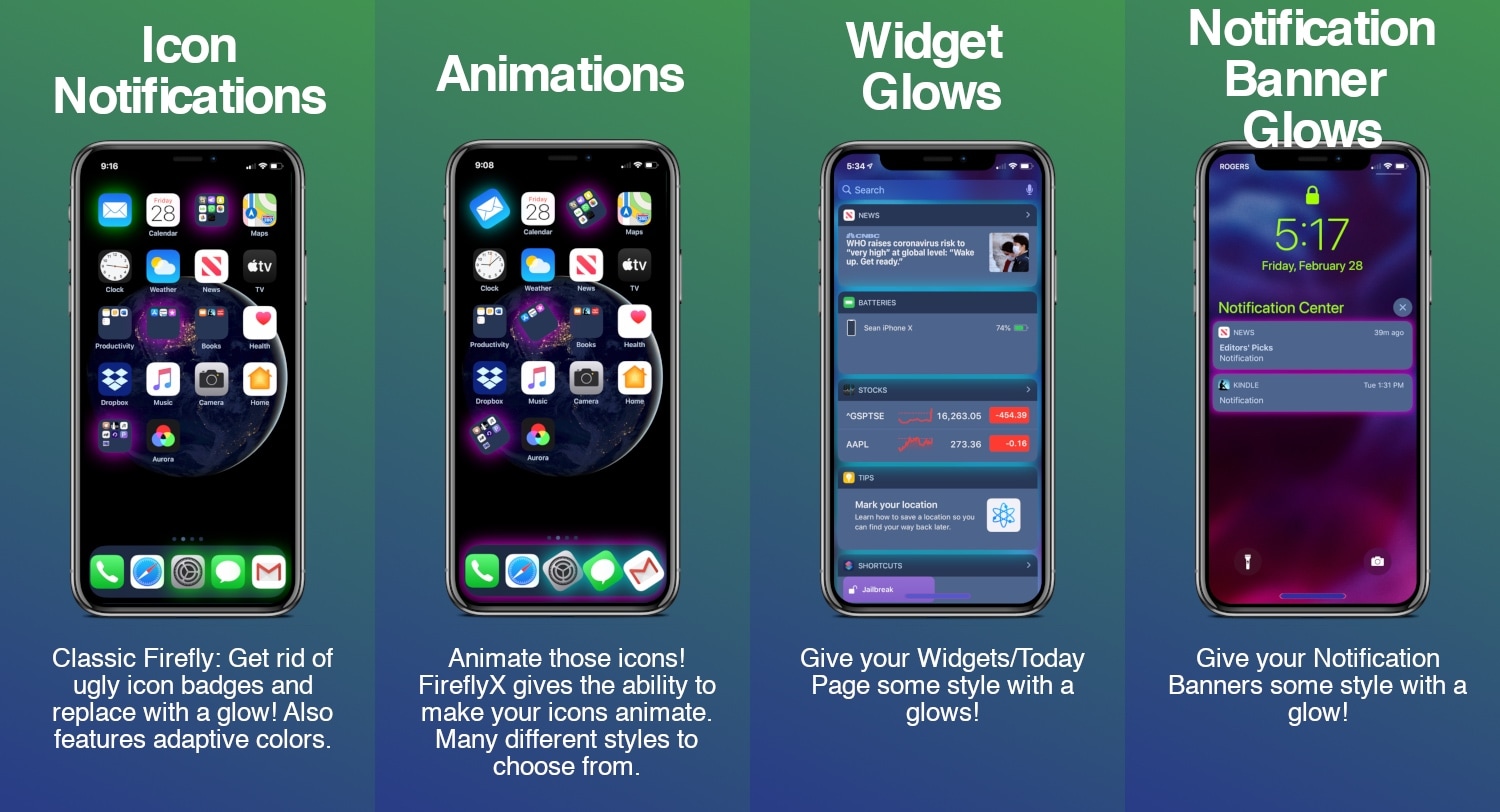
If you’re jailbroken and you’re ready to do away with the same-old boring iOS interface that you’ve been gawking at for years, then you might take a liking to a newly released jailbreak tweak called FireflyX by iOS developer Sirius24.

FireflyX empowers jailbreakers with the ability to customize their device’s aesthetics at the molecular level with colorful borders, underglows, and animations, among other things. These effects are applicable to a several of user interface elements including the Home screen’s app icons, Dock, Folders, and even the notification banners or widgets that appear in the Today view.

Jailbreak tweaks of the week: Winter Mode for Apple Watch, FloatyTab, Prysm, & more…

No matter what jailbreak you might be using, or what package manager you might prefer, one thing we all have in common as a community is the desire to customize our liberated handsets beyond that of Apple’s stock parameters.

Those looking for new jailbreak tweaks will find this piece helpful, as it contains all the latest releases from Monday, February 24th to Sunday, March 1st. As usual, we’ll kick things off by discussing our favorite releases and then wrap things up with an outline of the rest afterward.

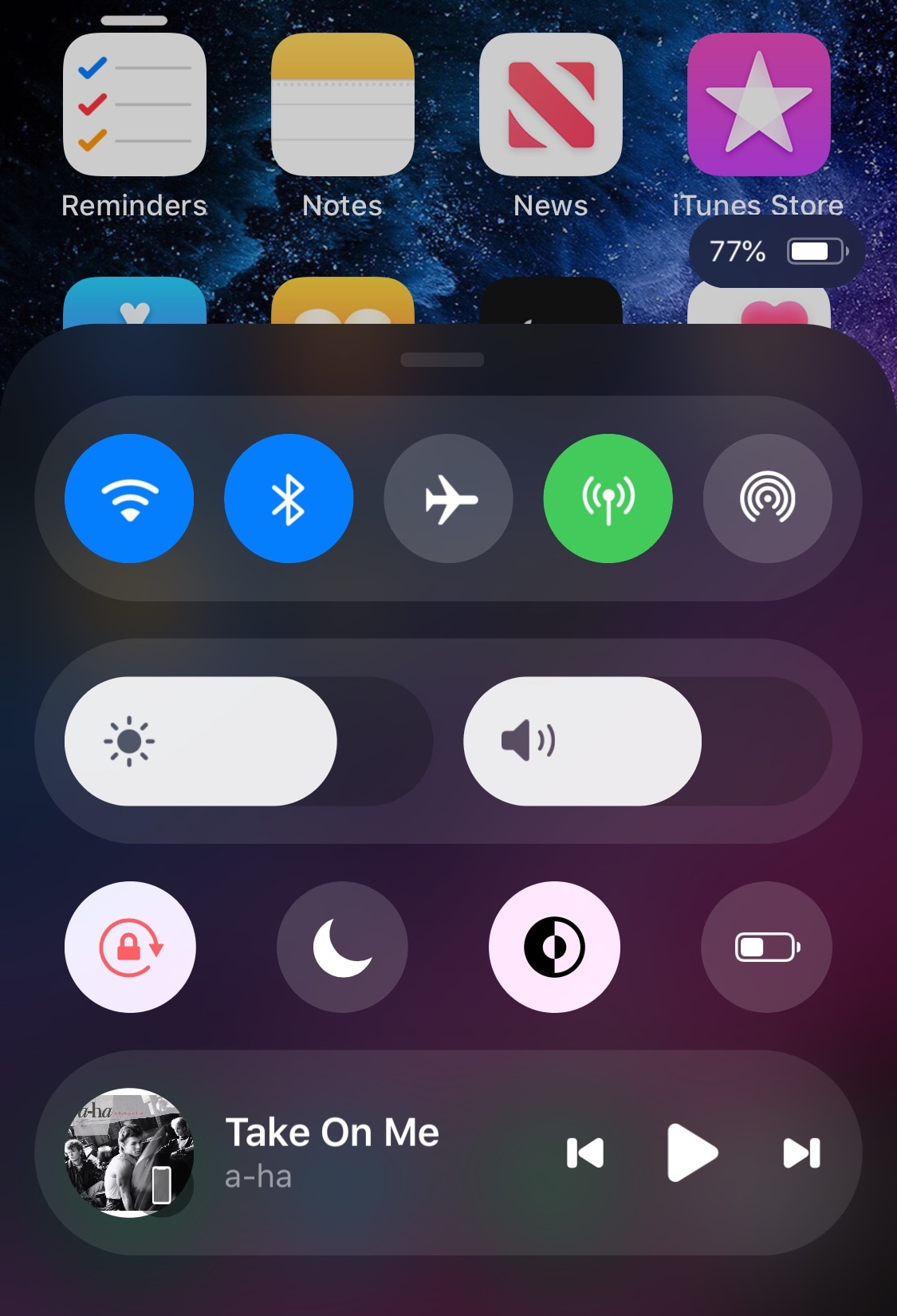
Prysm redefines what you’ve come to expect from Control Center

Control Center is one of the interfaces I use the most often on my iPhone, and while I applaud Apple for having an all-in-one command center for toggles and shortcuts, that doesn’t stop me from thinking that the design is beginning to look stale and that it’s a bit light on features.

A new jailbreak tweak called Prysm designed by thetimeloop and brought to life by iOS developer LaughingQuoll aims to resolve some of these gripes by giving Control Center a complete aesthetic overhaul and adding useful features to the interface while maintaining compatibility with other Control Center-centric add-ons for jailbroken handsets.