If you've been wondering about another practical, genuinely useful and indispensable real-life use case for ARKit beyond mapping and navigation, this might be it.
Finding your festival friends with ARKit
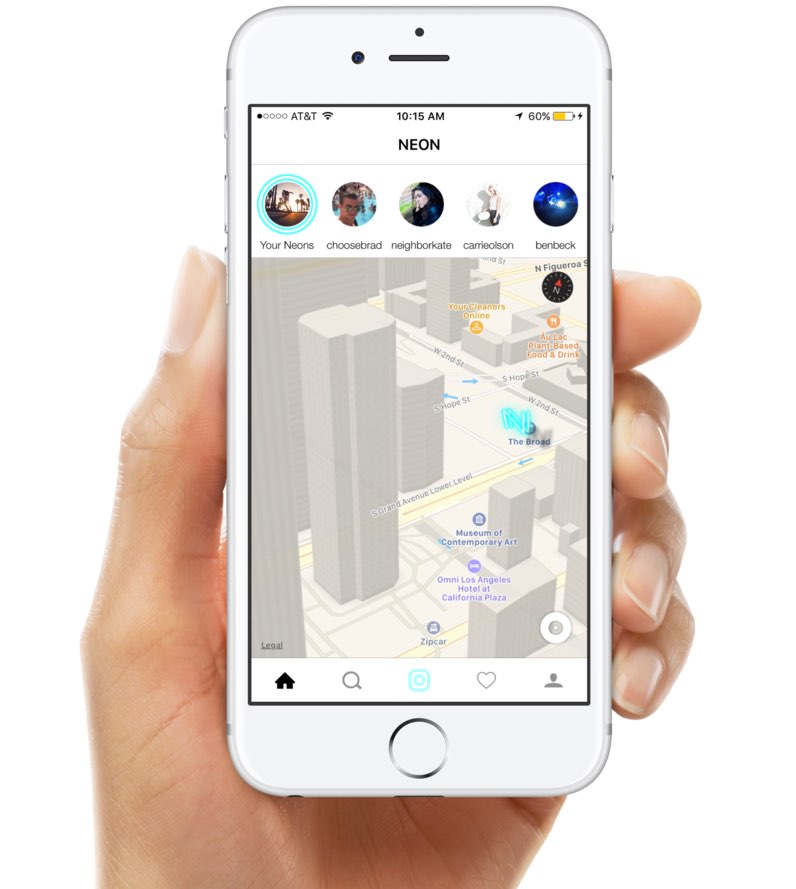
If you've been wondering about another practical, genuinely useful and indispensable real-life use case for ARKit beyond mapping and navigation, this might be it.
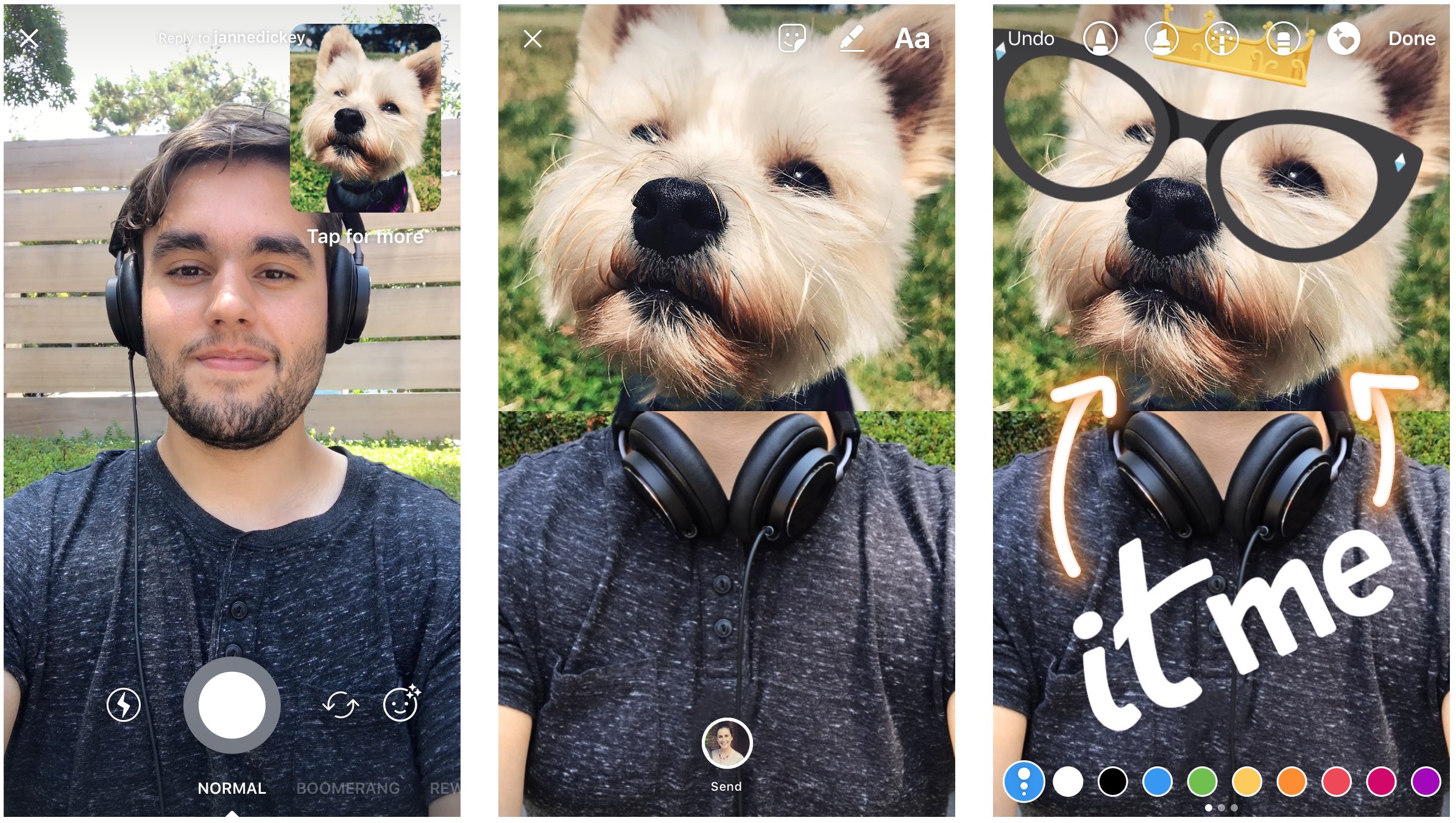
Instagram on Thursday announced new ways to reply with photos and videos in Direct that the company hopes will help users conduct fun conversation with their friends in a more visually appealing manner, including one feature that permits you to send a split-screen reply.

In order to make it easier to keep track of conversations and respond to a specific thread, Instagram today announced comment threading in its mobile app for iPhone and iPad.
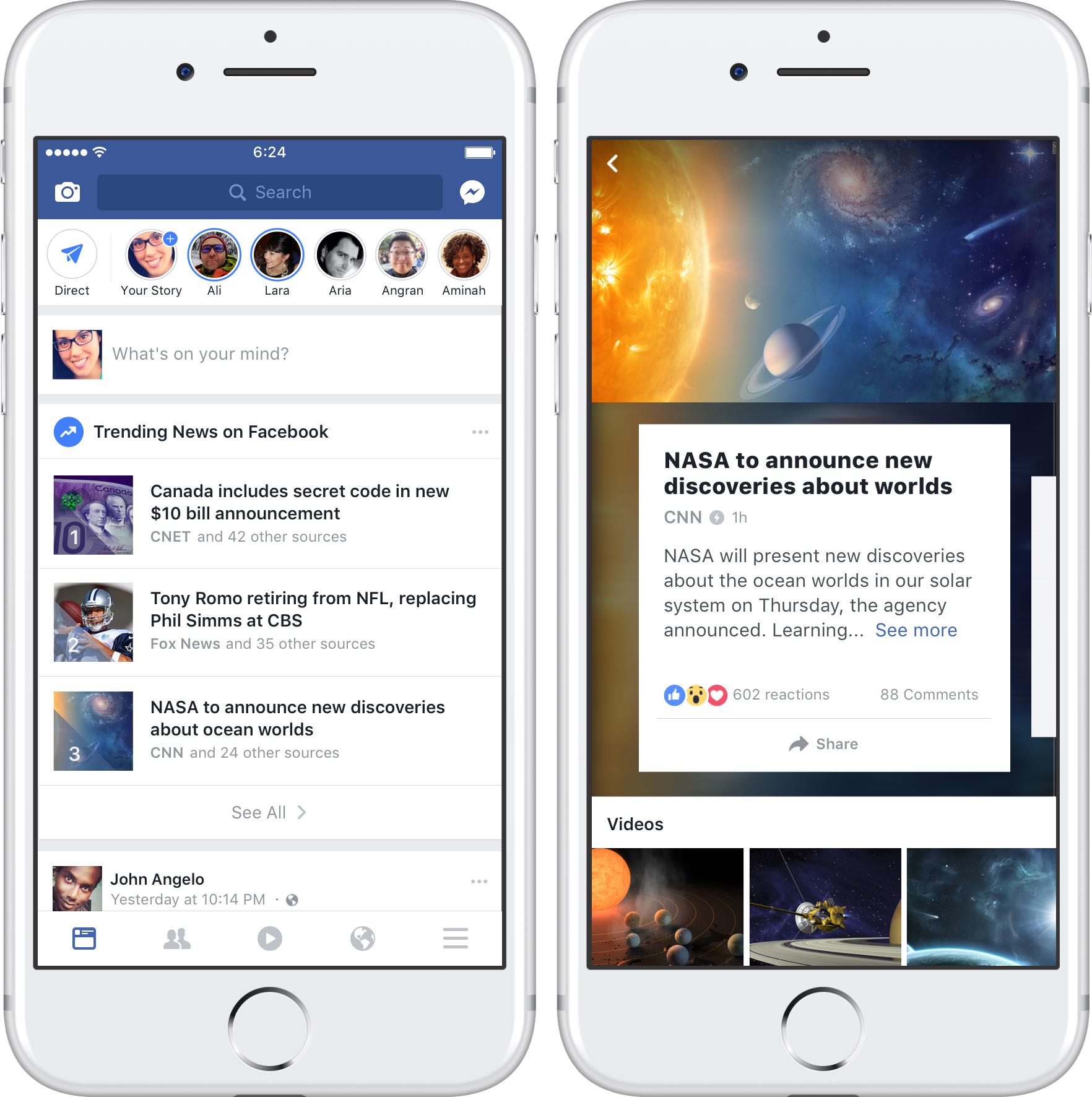
Facebook has begun rolling out a brand new Trending News section within its iPhone and iPad app for users in the United States, TechCrunch reported on Monday.
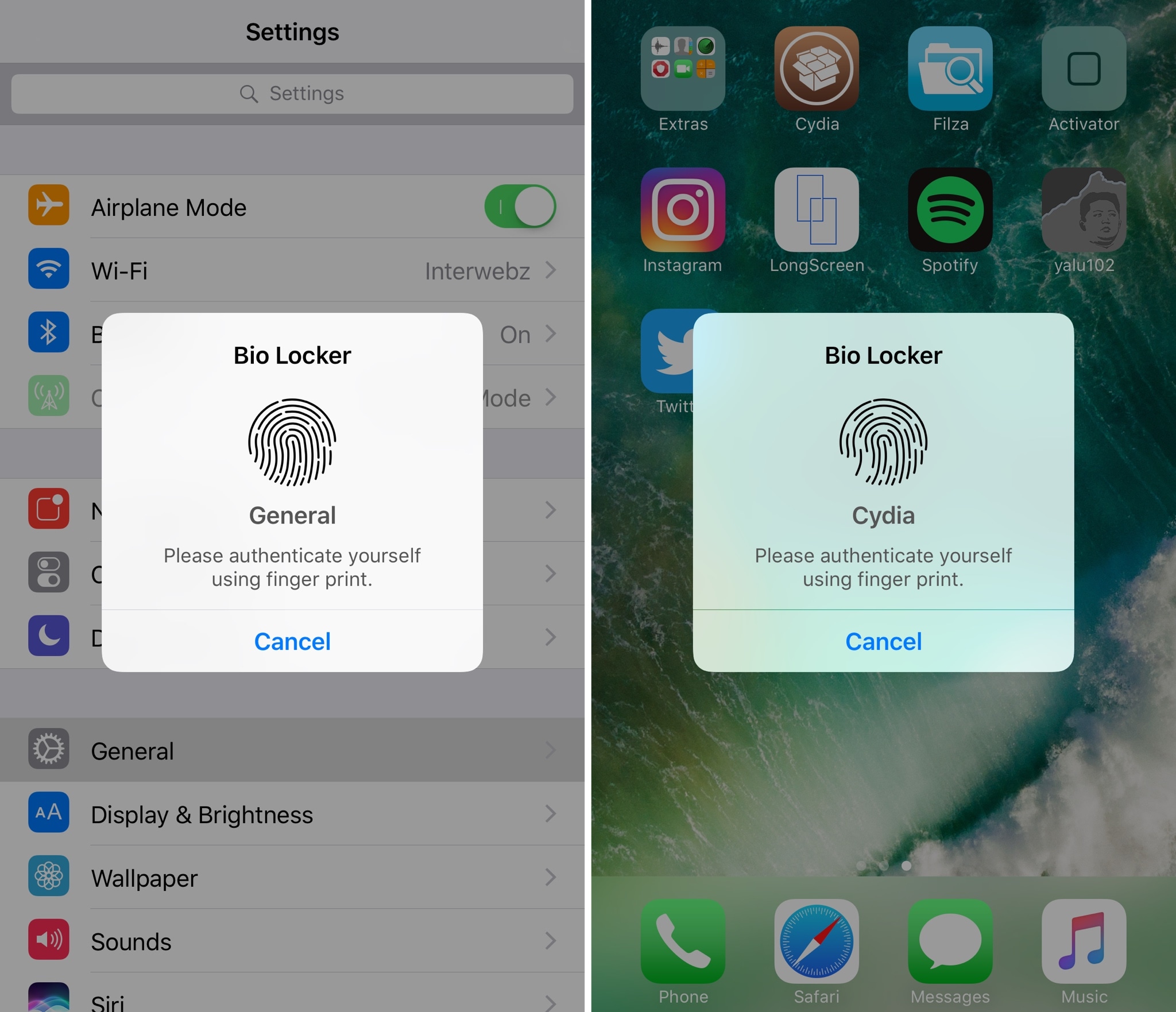
For most people, using a passcode or Touch ID authentication on the Lock screen is enough for keeping an iPhone secure from intruders. On the other hand, many share their passcodes with those near and dear to them or give their unlocked iPhones to others to show off photos or videos.
If you’re worried about someone rifling through your data when they shouldn’t be, and you fall under either of the two scenarios above, then a new jailbreak tweak called Bio Locker by iArrays might be worth checking out.

You can turn off Background App Refresh on your iPhone or iPad to save cellular data and extend the battery life.
In this tutorial, we'll tell you what Background App Refresh is and how to disable it for all apps or only selected apps. Plus, we'll show you how to turn it off only for cellular data or for both cellular data and Wi-Fi.

Instagram announced today it's testing a new feature that will permit users of its mobile app for iPhone and iPad to go live with a friend.
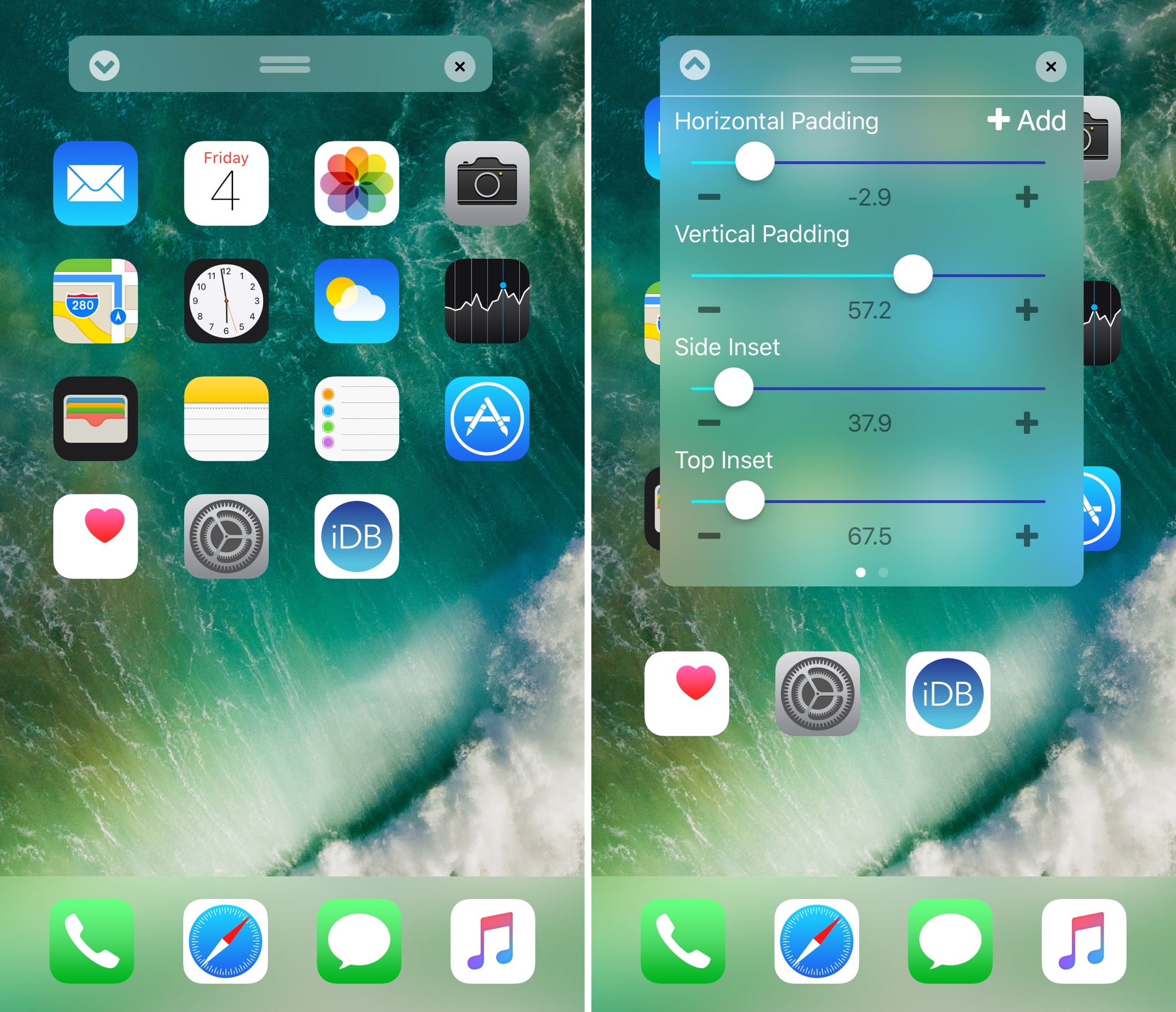
Perhaps one of the most popular things people do after jailbreaking their device is modify their Home screen app icon layout. Jailbreak tweaks of this nature have been released for almost every jailbreak iteration to date, and iOS 10 is no different.
With a new jailbreak tweak dubbed Boxy 3 by iOS developer William Vabrinskas, you'll have access to a whole host of Home screen app icon layout settings to your device.
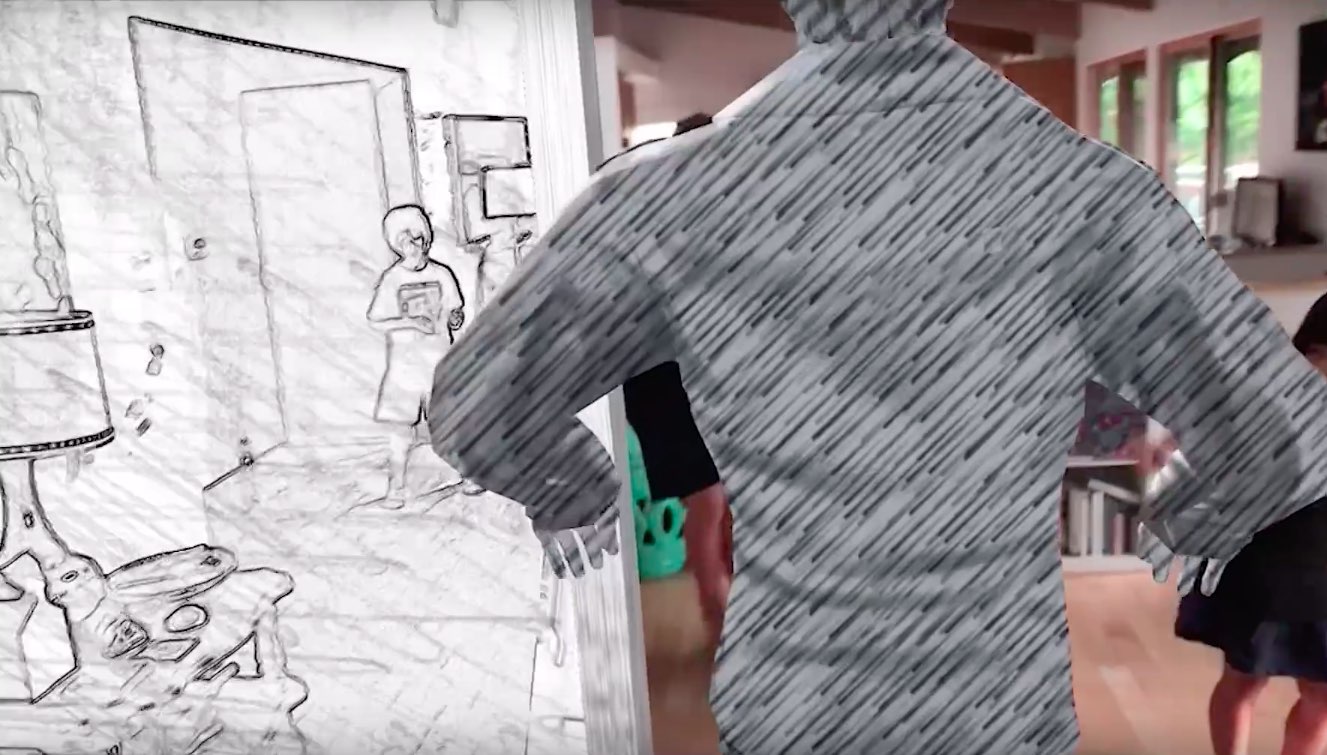
ARKit, Apple's new framework in iOS 11 for building augmented reality experiences for iPhone and iPad, has been used to recreate the music video for the 1980s hit song “Take on Me” by Norwegian band A-ha in real-time, highlighting ARKit's potential for film-making.

Google today announced a major update for its popular Earth app for iPhone and iPad, bringing many new features that debuted on the desktop and web app in April of this year.
Importantly, it's received much needed support for 64-bit iPhone, iPad and iPod touch devices to ensure that it will continue to run on iOS 11 which does not support 32-bit apps at all.
But first, check out the key highlights of this release:
Choose your own adventure with Voyager—Experience interactive stories from around the world. Discover new places with Knowledge Cards—Flip through cards and learn about local landmarks. Orbit the world in 3D—Use the new 3D button or tilt the map with two fingers. Snap and share a Postcard—Capture snapshots of locations and share them with your friends. Feeling Lucky?—Roll the dice and see where the world takes you.If you like the Flyover feature on Apple Maps, you'll love 3D imagery in Google Earth for iPhone and iPad. To switch to the three-dimensional view, tap a new 3D button and use two fingers to rotate and tilt your vantage point (hint: use this mode to explore Apple Park in all its glory).
You can also capture snapshots of the various locations you find in Earth and share them with your friends. To snap a virtual postcard, tap a new camera icon in the app's toolbar section.
And to help you plan your trip, Google Earth for iOS allows you to experience interactive stories from around the world. Called Voyager, this feature is available Under the Travel category.
There, you’ll find detailed multi-day itineraries for seventeen major cities around the world, including tours like “Paris with Kids”, “Beyond the Beaches of Rio de Janeiro” and many more.
Here are a few other Voyager tours worth checking out:
Natural Treasures from BBC Earth—Journey to six habitats, from islands to mountains to jungles, and learn about the unique and thrilling wildlife in each. Gombe National Park in Tanzania—Hear from Jane Goodall about her team’s chimpanzee research and conservation efforts. Mexico with Lola—Check out the little monsters featured in Sesame Street’s Girl Muppets Around the World, and learn about modern Mayan cultures.If you'd like to jump to someplace new, you should try Google's “I'm Feeling Lucky” feature by tapping a new dice icon in the toolbar. Lastly, Knowledge Cards, another new feature in Google Earth for iPhone and iPad, makes it easy to see related facts for a place.
Just pull up from the bottom of the screen to bring up a card with rich information about the thousands of places and landmarks around the world. As I mentioned before, the app now supports 64-bit hardware and comes with a brand new icon for your Home screen.
Grab Google Earth for iOS for free from App Store.

Apple's actions in China regarding the removal of unlicensed VPN apps are not at odds with its refusal in the US to unlock an iPhone that belonged to a San Bernardino shooter, Apple's chief executive said during Tuesday's post-earnings conference call with investors and analysts.
Living in a time where mindless entertainment is only one touch (or app) away can make it incredibly hard to focus on the simplest tasks and really get your head down for uninterrupted, productive work. If you can relate to the struggle, Forest, an app best described as a good-natured trojan horse inside the world of apps, could be a service to tickle your fancy.