Learn how to view carrier information on your iPhone to confirm whether the device you’re buying or selling is locked or unlocked.
How to view carrier lock status to verify if iPhone is unlocked
From the latest news to the most comprehensive tutorials, learn how to get the most out of your iPad with our step-by-step guides and expert tips.
Learn how to view carrier information on your iPhone to confirm whether the device you’re buying or selling is locked or unlocked.
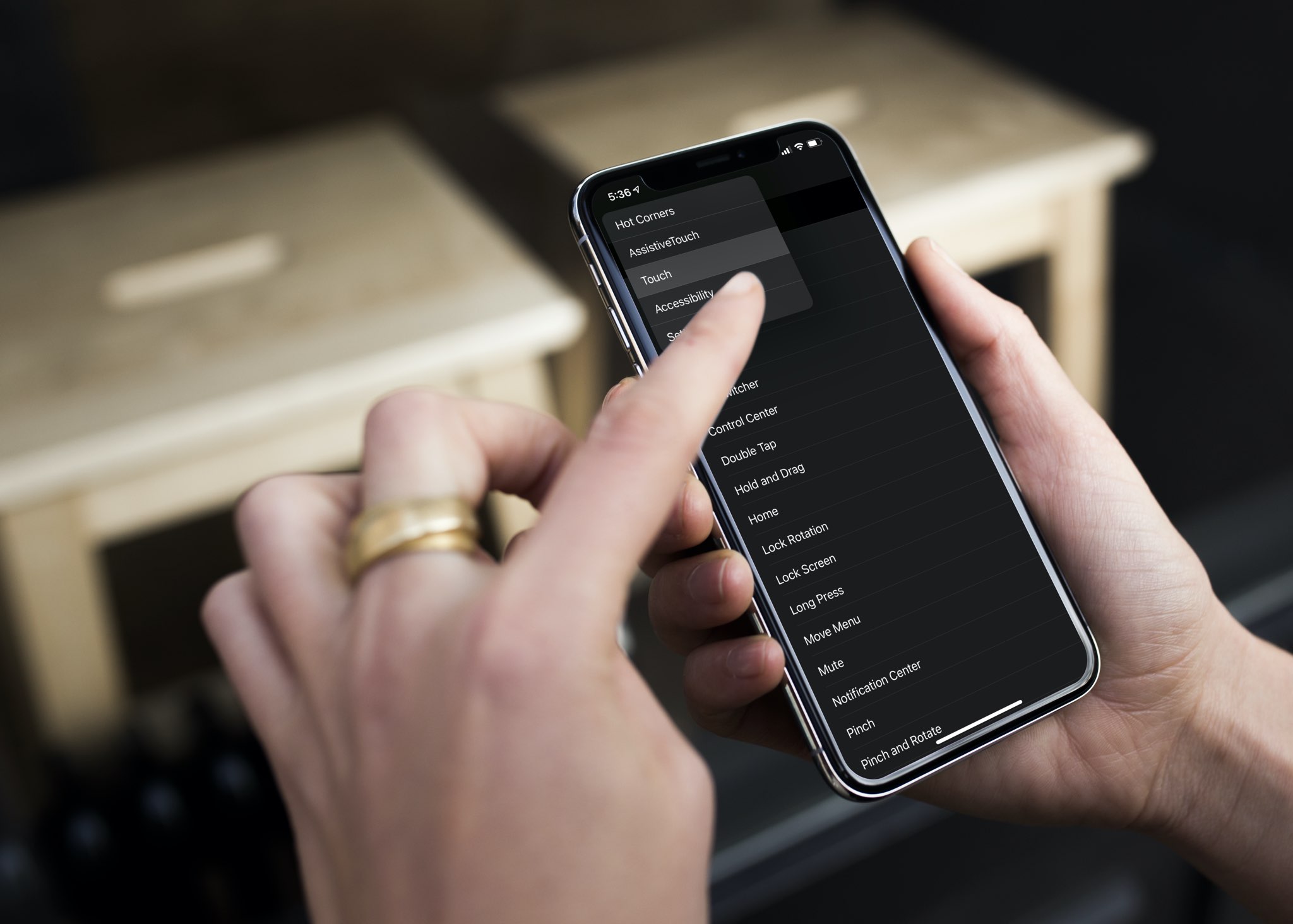
Check out this pro tip to navigate Settings and System Settings on your iPhone, iPad, and Mac faster using the hidden navigation menu.

It's that time of the week again, and as usual, we'll be kicking off a roundup of all the latest jailbreak tweaks in case you didn't already catch a glimpse throughout the week. This roundup will encompass releases from Monday, July 27th to Sunday, August 2nd.
As usual, we'll start things off by showcasing our favorite releases first and then wrap things up with an outline of all the other releases afterward.
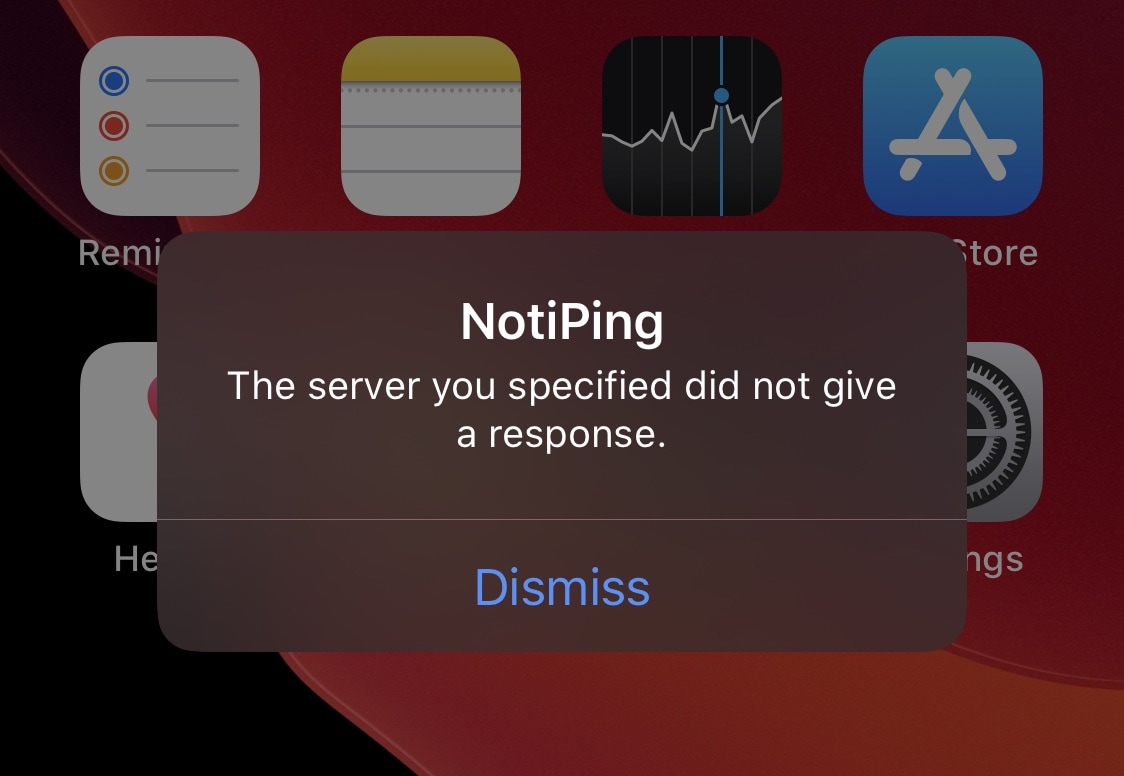
If you spend a lot of time on certain websites, you may happen upon instances where some of those go offline temporarily either because of a small server blip, intentional maintenance, or other circumstances. I often find myself using online utilities like DownDetector to determine whether a site isn’t responding or if it’s my own internet connection, but it sure would be nice to get the heads up that a site was down before I tried to use it.
That’s the idea behind a newly released and free jailbreak tweak dubbed NotiPing by iOS developer ItHertzSoGood. Just as the tweak’s name implies, NotiPing sends occasional pings to a server of your choice and then provides you with a notification if or when that server goes offline for any reason. An example of the aforementioned notification is depicted in the screenshot above.
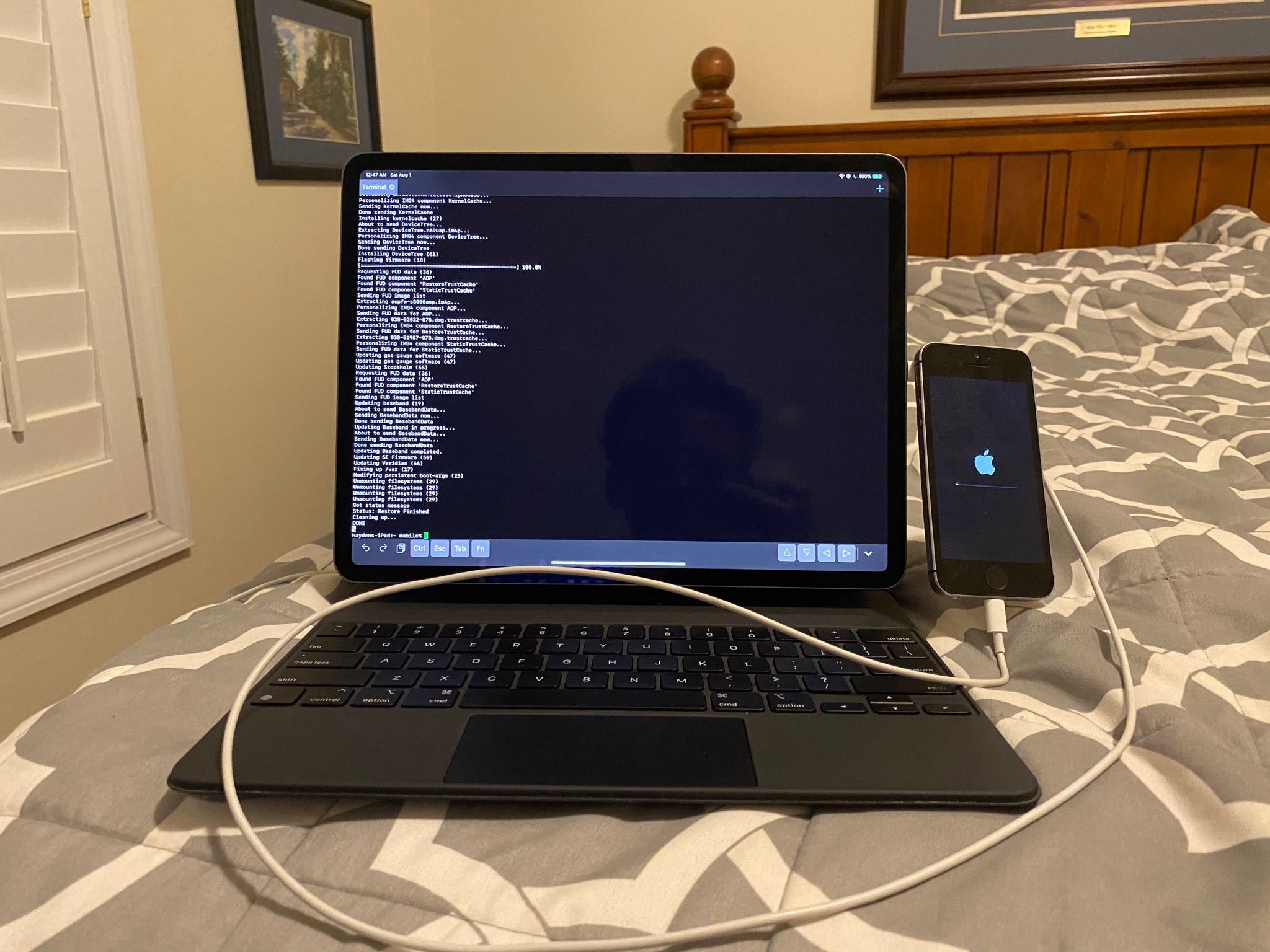
The slew of revitalizing jailbreak news recently is nothing short of exciting for anyone that’s heavily invested in the process of pwning of iPhones and iPads. Fortunately, it seems like there’s still a lot of exciting news and teasers to be witnessed by devoted members of the community.
Odyssey Team member Hayden Seay (also known by his online handle Diatrus) took to Twitter early Saturday morning to share a particularly captivating picture of what seems to be an iPhone getting its operating system restored via software running on an iPad:
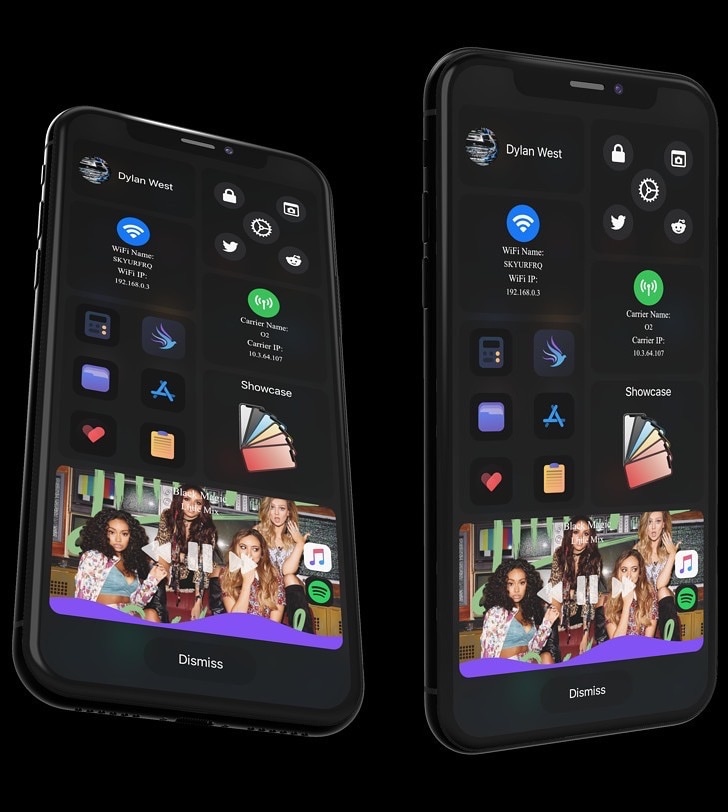
Apple’s iOS and iPadOS are among some of the most advanced mobile operating systems in the world, but one thing they tend to lack is a singular one-stop-shop interface for doing just about anything you set your mind to. Given the circumstances, it may not come as much of a surprise that the jailbreak community has developed with ways around this shortcoming.
Enter Rapid, a newly released jailbreak tweak by iOS developer Dylan West (iOSthemem0d) that incorporates your handset’s most important things into a single interface. As you’ll notice in the screenshot examples above, Rapid is as feature filled as it is fun to use, and we’re prepared to show you why that is.
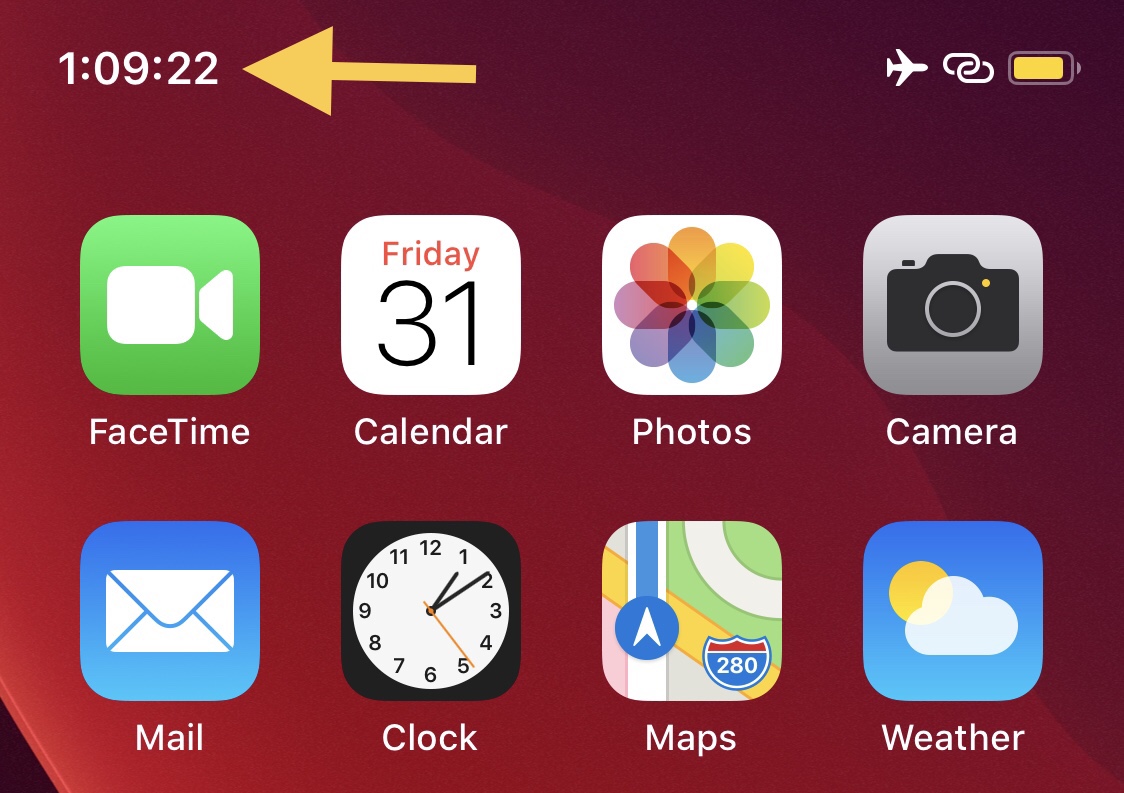
If you’re anything like me and you’d rather see more information than less, then you probably wouldn’t mind having a seconds indicator in your iPhone’s Status Bar-based time display.
Apple doesn’t provide an option for the aforementioned scenario out of the box, but by installing a newly released and free jailbreak tweak dubbed TimeSeconds by iOS developer Netskao, you can circumvent the controlling tech giant and add this feature to the Status Bar all by yourself.
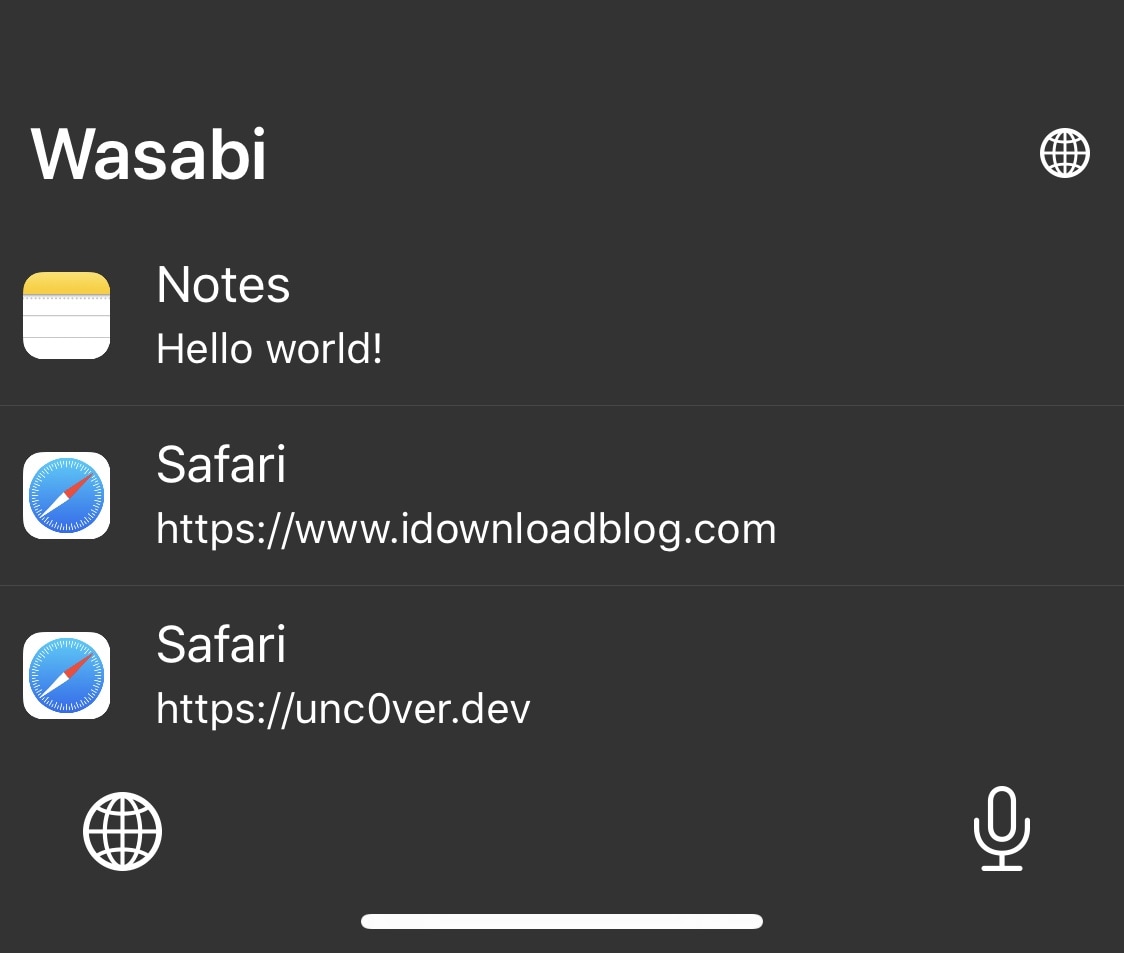
In a world where multitasking becomes more and more important to the average iPhone and iPad user, the clipboard experience on both the iOS and iPadOS platforms leaves a lot to be desired out of the box. Unfortunately, this doesn’t look like an area that Apple aims to improve any time soon.
The bright side of this particular scenario is that a newly released jailbreak tweak dubbed Wasabi by iOS developer Nepeta provides jailbreakers with the clipboard experience that all iPhone and iPad users deserve.
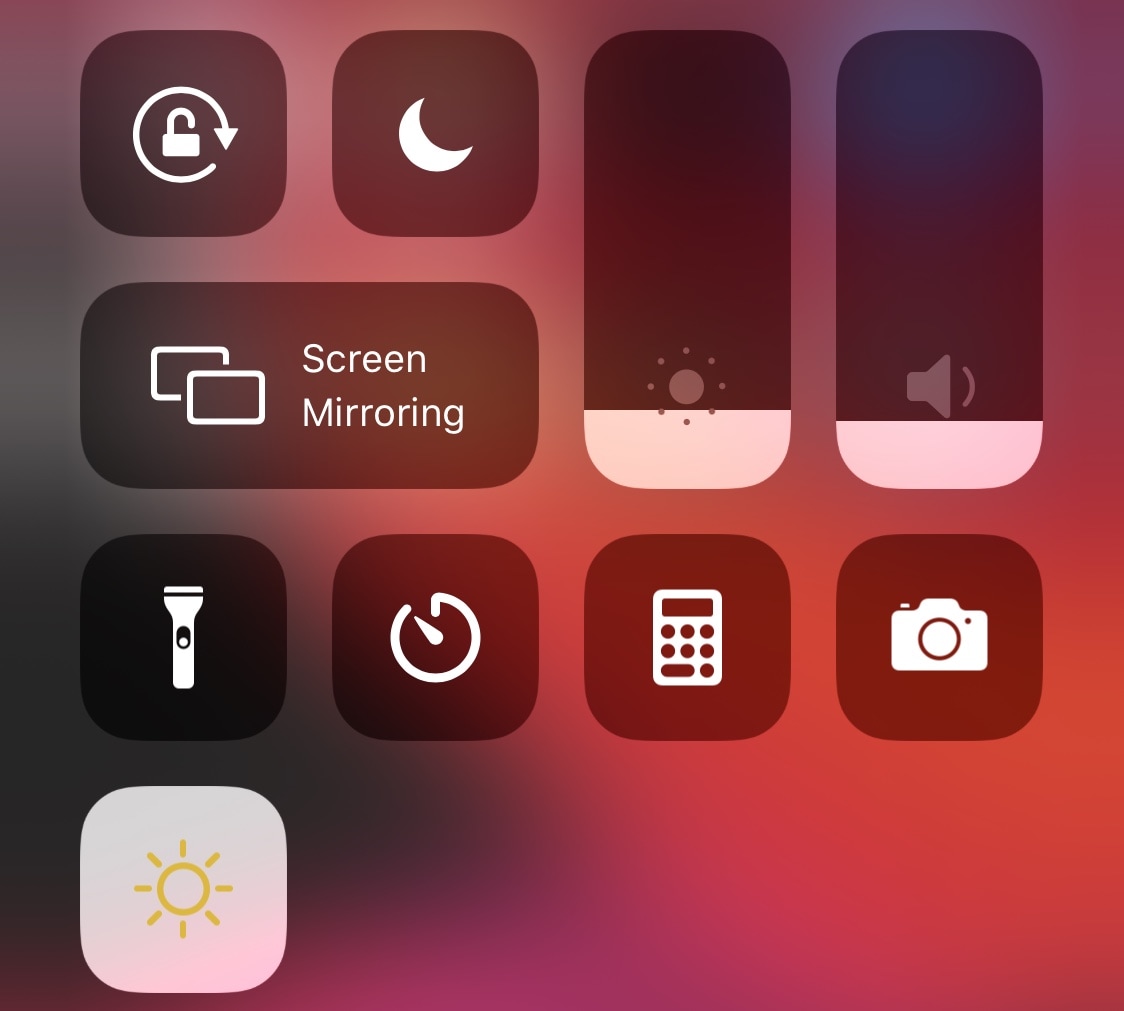
When Apple introduced Dark Mode with iOS 13, they were smart enough to integrate a convenient toggle button into the Control Center interface so that users could easily switch between the dark and light interfaces on demand without much headache. That said, it’s somewhat of a head-scratcher as to why Apple didn’t do the same for Night Shift, instead choosing to obfuscate it by hiding it inside of the display brightness module.
If you want a non-obfuscated Night Shift-centric Control Center toggle button, then we’ve got good news for you – jailbroken devices now have access to a newly released and free CCSupport extension dubbed Night Shift Module by iOS developer shepgoba that brings this simple concept to life.

Apple's latest quarterly earnings results show how the company fared selling its products in the middle of an ongoing global pandemic.

Learn how to improve your online privacy by sharing only your approximate location with apps that request it.
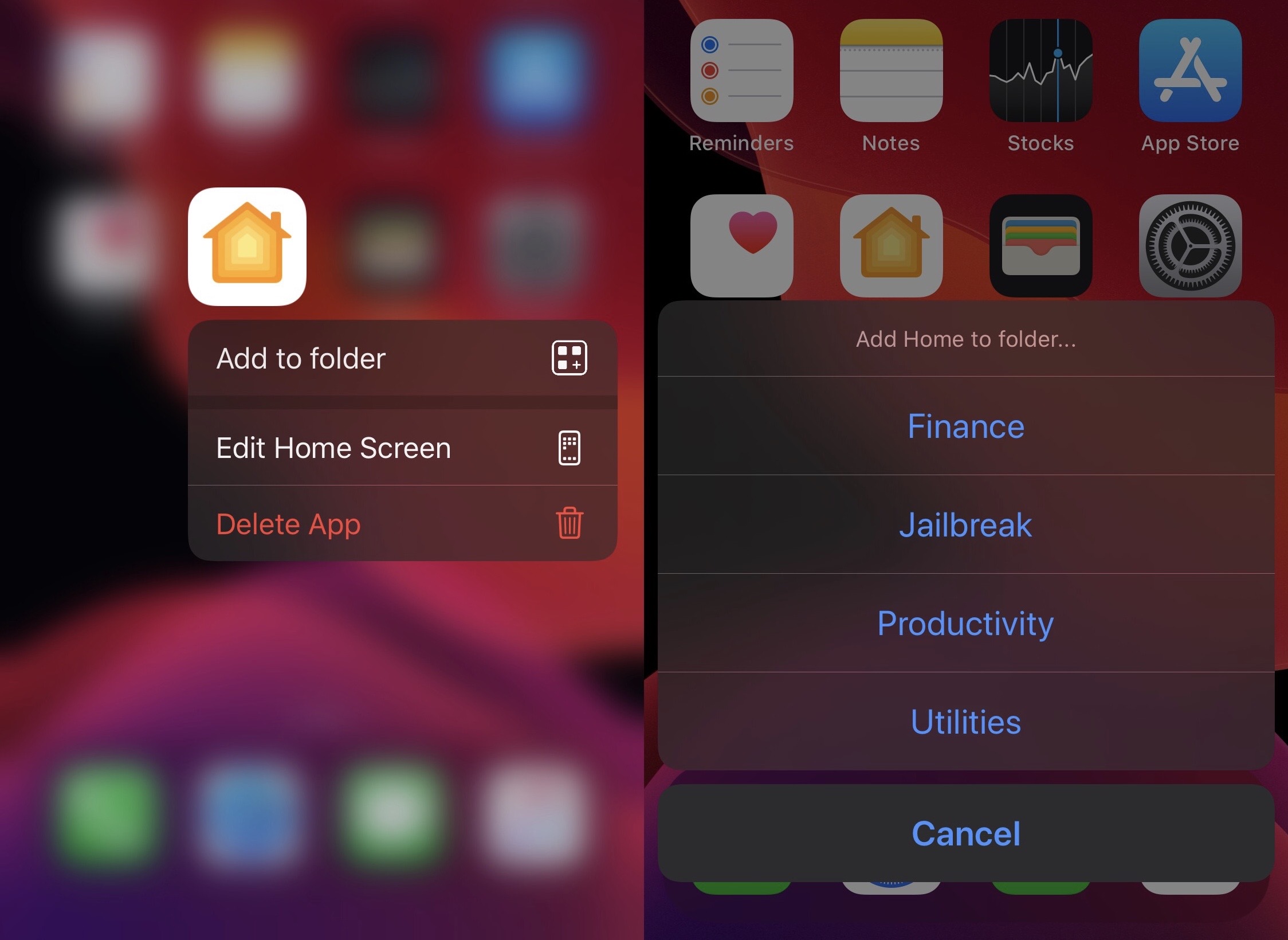
If you’re one of many who find the process of adding apps to folders on the iPhone’s Home Screen to be a cumbersome and tedious process, then we think you’re going to have a lot of fun with the likes of a newly released and free jailbreak tweak dubbed AddToFolder by iOS developer AnthoPak.