Apps

How to Watch the Super Bowl On Your iPhone

Over half of the US population is expected to be in front of a TV set today watching the Super Bowl. But for those of you that for one reason or another can't get in front of a television this afternoon, there's other ways to catch the game.

If you happen to have access to a computer, you can watch it there. The game will be streamed live via NBCSports.com and NFL.com. No computer access? That's ok, we've come up with a few ways to follow all of the action on your iPhone...

NFL Releases Free Super Bowl App for iOS

This Sunday, much of the United States will shut down as millions of people tune into this year's Super Bowl. The annual event, which determines who is the best of the best in the NFL, is one of the most-watched TV broadcasts in America.

And for those of you lucky enough to be attending the game in person (ticket prices average around $3800), or if you just want to see what all of the fuss is about, the NFL just released the official Super Bowl app for iOS...

Chrome Sync: Keep Your iOS Bookmarks Synced With Your Computer

One of the biggest benefits of using Apple's Safari web browser on your computer to compliment Mobile Safari on your iOS device is sync-ability. Safari will sync your bookmarks and history, and even has that cool new Reading List feature.

So what about the folks that use Google Chrome? We get the benefit of a much better browser, but get gypped on device-syncing. Well now we can have our cake, and eat it too, with VoyagerApps.com's Chrome Sync Pro...

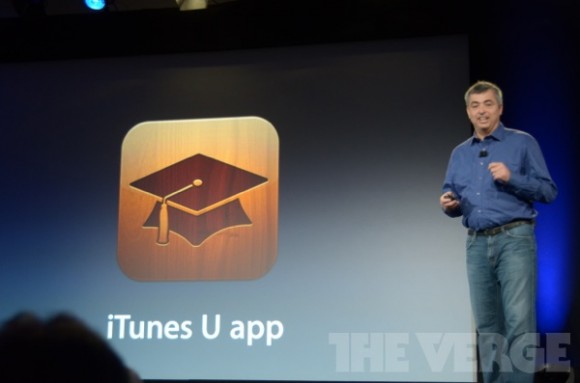
Apple Unveils New iTunes U Application

We've seen Apple introduce some pretty cool applications this morning during its education event. iBooks 2 looks like a great place to download interactive digital textbooks, and iBooks Author seems like a great tool for creating them.

But Apple didn't stop there. The company wanted to make it easier for teachers to bring "everything you need to take a class" to the iOS ecosystem. And it looks like they've done it with the new iTunes U application...

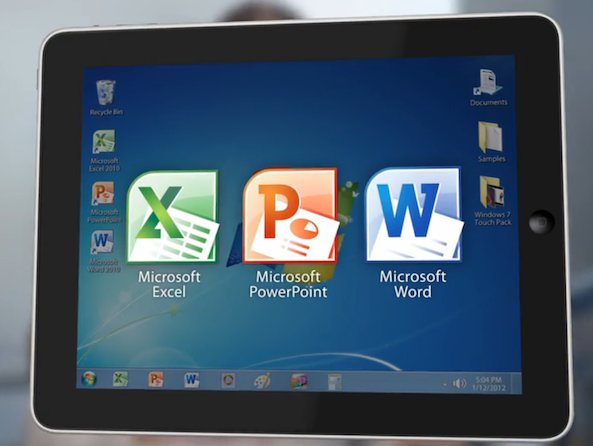
OnLive Desktop App Brings Microsoft Office and More to Your iPad

The iPad has made significant progress in the enterprise world, but there's still a lot of market left to capture. Some companies still maintain that because the tablet can't run critical software like the Microsoft Office suite, it's not a viable business tool.

But OnLive is looking to change that with its new OnLive Desktop iPad application. The program allows you to run full-featured versions of Microsoft Word, Excel and Powerpoint, and a virtual Windows 7 desktop, all from your tablet.

Developers Working on iPad App for British Prime Minister

We knew the iPad was making its way into governments around the world, but we had no idea to what extent. The Telegraph is reporting that the British Prime Minister is having a customized iPad app built for government use.

No, Apple's tablet isn't going to help David Cameron run his country. But it is going to enable him to stay on top of news and other important information. Think Flipboard, but with a lot more classified information...

Pulse News Reader Gets Major Update

We've seen a lot of iPhone news reader apps surface in the last month. First there was Flipboard, the popular iPad-turned-iPhone app. And then Zite, another prominent iPad news application, surfaced.

But my favorite news reader for both the iPhone and the iPad still has to be Pulse. Its image-driven interface is both attractive and user-friendly. And the app just got even better with the latest update...

Quickpick: Set Shortcuts in Notification Center Without Jailbreaking

Since Apple released iOS 5, users have been running out of reasons to jailbreak their devices. The software update replaced several tweaks and utilities that were only available to jailbreakers in previous versions of iOS.

So, why are people still jailbreaking iOS 5? A major reason is for the ability to customize the Notification Center with widgets and system shortcuts. But you may not even have to jailbreak for that anymore, thanks to a new app called Quickpick.

EA Launches Daily Deals Page for its iOS Games

With Christmas just two weeks away, developers are undoubtedly going to start rolling out their app specials soon. It's the holidays, and just as publishers hosted major app sales over Thanksgiving week, we expect to see tons of deals this month.

EA, or Electronic Arts rather, was at the forefront of the discounting in November, shaving up to 80% off of some of its most popular titles. And apparently it has even bigger plans in store for December, as the company has setup a dedicated Daily Deals site...

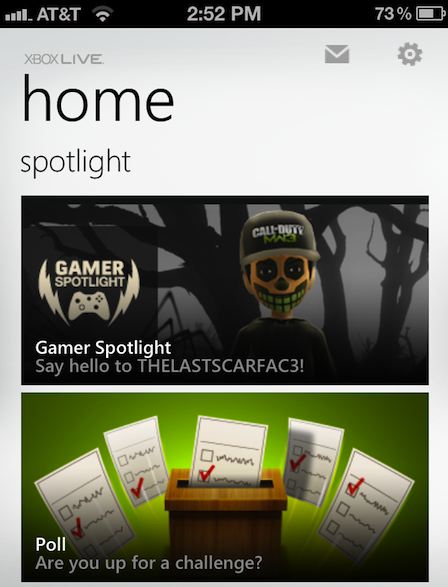
Official Xbox LIVE App Hits the App Store

Members of Microsoft's popular online gaming community, Xbox LIVE, will be happy to hear that an official iOS app has just surfaced in the App Store. There had been some doubt on whether Microsoft would port the app to Apple's mobile OS.

Xbox LIVE integration has been one of the Windows Phone features that Microsoft touts as an advantage over other mobile platforms. But with millions of users across the globe, Microsoft couldn't continue to ignore the massive iOS crowd...

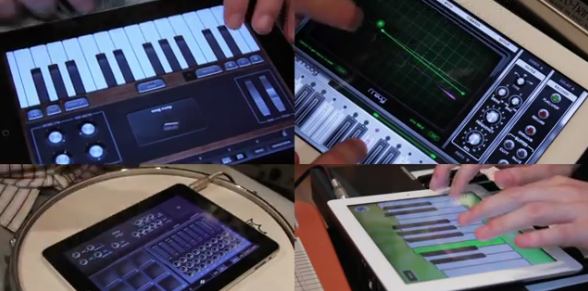
Incredible: Song Made Completely With iPad Instruments

Apple's tablet has drastically changed several industries over its nearly two years in existence. The iPad has made voting easier for handicap voters, NFL playbooks more intuitive for players, and flight bags much lighter for pilots.

It also has the potential to heavily impact the music industry, replacing rooms full of studio equipment and instruments. The EastMidWest music group proves the theory with its new video: Jason Derulo's "It Girl" (iPad Remix)...

How to Use Facebook’s Timeline Feature on the iPad

In September, Facebook unveiled one of the biggest changes to its user profiles since the social networking site launched in 2004: Timelines. The new addition takes boring news feed-based profiles and gives them a storyboard-like feel.

The feature not only makes profiles appear more personal, but also seems perfectly suited for a tablet display. Given Facebook's track record with iPad releases, however, don't expect it to incorporate Timelines into its iPad app anytime soon...