iOS

You can add photos to Notes app in iOS 8

Here's another nice-to-have in iOS 8: you can finally add photos to your documents in the Notes app.

This is yet another small but very appreciated improvement in a long list of useful enhancements that haven't gotten any air time during Apple's keynote, or even deserved a mention on Apple's iOS 8 webpage for that matter.

Earlier in the day, I told you about a new Today summary and 10-day forecast in the stock iOS 8 Weather app, the ability to hide images in the Photos app and Apple's use of the power-sipping M7 chip and motion sensors for accurate indoor positioning in iOS 8...

New in iOS 8 Weather: 10-day forecast, Today summary

If you're a fan of weather apps, you're going to love the minor but welcomed changes Apple has made to its stock Weather software in iOS 8. In addition to replacing Yahoo with Weather Channel for weather data, the stock iOS 8 Weather app now finally gives you a 10-day forecast as opposed to the current five-day forecast in iOS 7.

Moreover, it's now easier to get an at-a-glance overview of daily weather conditions right inside the Weather app...
iOS 8 uses M7 chip and motion sensors for accurate indoor positioning

Apple with iOS 8 is advancing the CoreLocation API with new features designed to provide users with even more reliable, faster and precise indoor positioning in supported venues. Currently, iOS determines your location using a combination of GPS, a crowd-sourced location database of nearby Wi-Fi hotspots and the cellular triangulation technique that determines your rough location based on cell tower signal strength.

As GPS/cellular are often unavailable or perform poorly inside buildings and in underground places like parking lots, iOS 8 can resort to using a combination of iBeacon transmitters, if any, and motion data provided by your device's accelerometer, compass and gyroscope sensors...

Apple asking developers to enable Family Sharing for their apps in iOS 8 and OS X Yosemite

Apple has begun asking its registered Mac and iOS developers to enable Family Sharing in their apps, a feature specifically designed for the upcoming iOS 8 and OS X Yosemite operating systems. As we detailed Monday, Family Sharing allows you to share purchased iTunes media such as apps, books, music and more among up to six devices, without requiring them to use the same Apple ID as Home Sharing.

But not all purchases are eligible for Family Sharing. In fact, Apple is giving developers the freedom to choose whether or not they want their apps to be enabled for Family Sharing and now the firm has started emailing developers suggesting they enable the feature in their iTunes Connect developer portal...

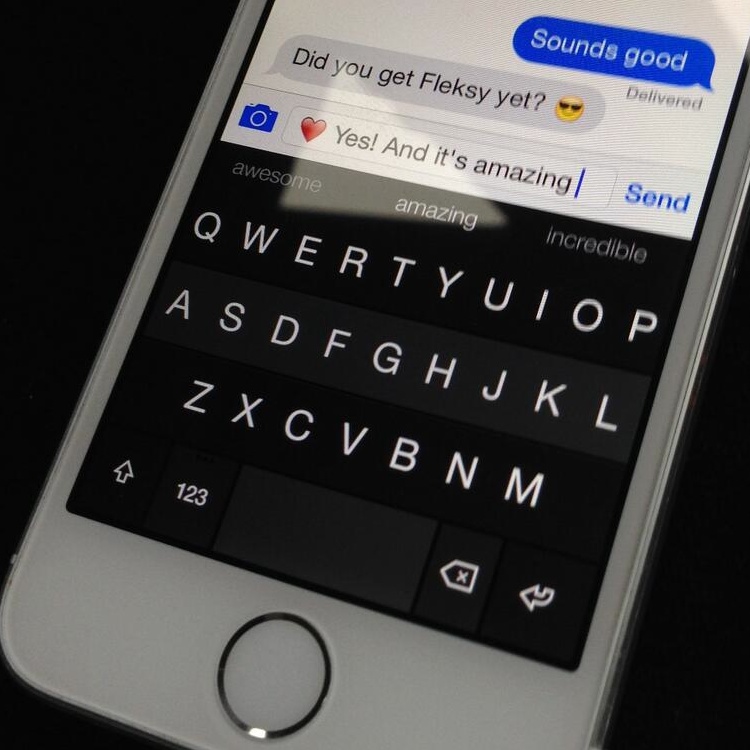
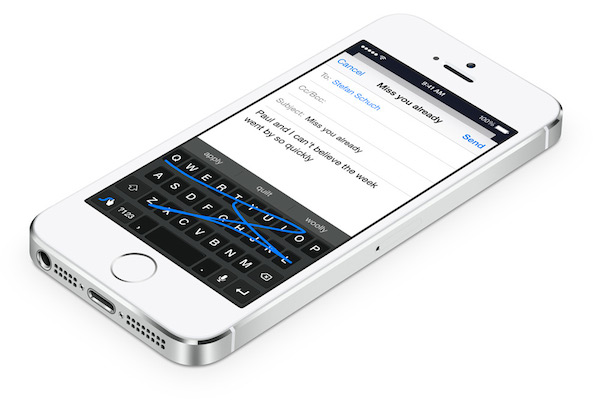
Fleksy teases its upcoming iOS 8 keyboard

Aside from customizable Share sheets and support for third-party Share Extensions, downloadable soft-keyboards is yet another feature making iOS 8 more flexible and way more customizable than ever.

As we explained yesterday, registered iOS developers can now use Apple's iOS 8 SDK to write software keyboards and distribute them in the App Store. And users will be permitted to download any third-party keyboard they like.

This will make it dead simple to finally use new input methods system-wide. I bet you didn't see downloadable iOS 8 keyboards coming! Apple's promotional graphics shown at Monday's keynote and used on the iOS 8 webpage has already hinted at a downloadable Swype keyboard.

And just this morning, an image tweeted out by its developer has confirmed that the popular Fleksy Android keyboard will be available when iOS 8 launches this Fall...

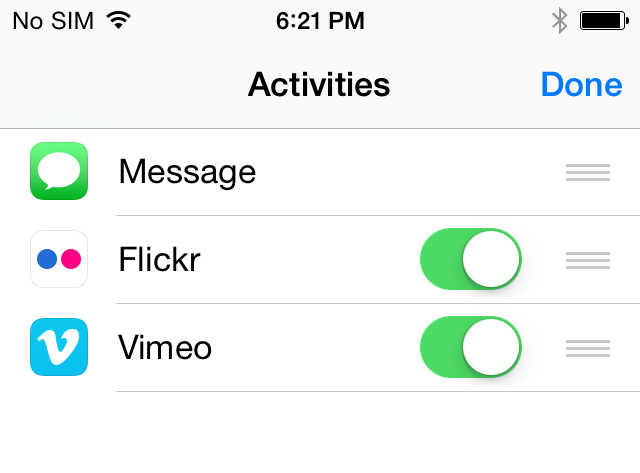
iOS 8 enables third-party Share Extensions, makes Share sheets customizable

Being a heavy user of Share sheets in iOS 7, I've always felt that something needed to be done about the growing number of icons cluttering these menus, especially given third-party apps are allowed to add additional 'Open In' choices to Share sheets.

As part of its extensibility mantra, Apple has said that third-party apps are now finally allowed to install their own hooks to the multipurpose iOS 8 Share menus, making it a lot easier to add new sharing functionality system-wide.

But as installing these extensions is bound to quickly populate Share sheets, iOS 8 allows you to easily arrange Share sheet icons and even tell the operating system which extensions are available through Share sheets...

Find My iPhone in iOS 8 introduces ‘Send Last Location’ feature

Find My iPhone is a great way to locate your lost or misplaced device - that is, unless a thief was smart enough to find a way to disable it right after you've been mugged and your device has been taken from you.

Additionally, if the person has shut down your device or it has run out of battery charge, Apple's free Find My iPhone app will only display its last known location for up to 24 hours.

The same goes for the web interface over at iCloud.com. After the 24 hour cut-off period, you're basically unable to locate the device on a world map until it has been restarted and has established a network connection...

15 jailbreak tweaks that iOS 8 made obsolete

Whenever a new iOS version is released, it is always interesting to reflect on which features Apple added to the software that were already possible by jailbreaking your device. iOS 8 took a lot of people by surprise, with several new major features as opposed to minor refinements. As a result, the software update rendered a lot of jailbreak tweaks obsolete going forward. But it also isn't all bad news for the jailbreak scene. Read ahead for a list of jailbreak tweaks on the chopping block and more… 

New in iOS 8 Accessibility: better zoom, Grayscale

Over the years, both iOS and OS X platforms have adopted a number of great accessibility features to help tailor how Apple's mobile and desktop devices work for people with disabilities.

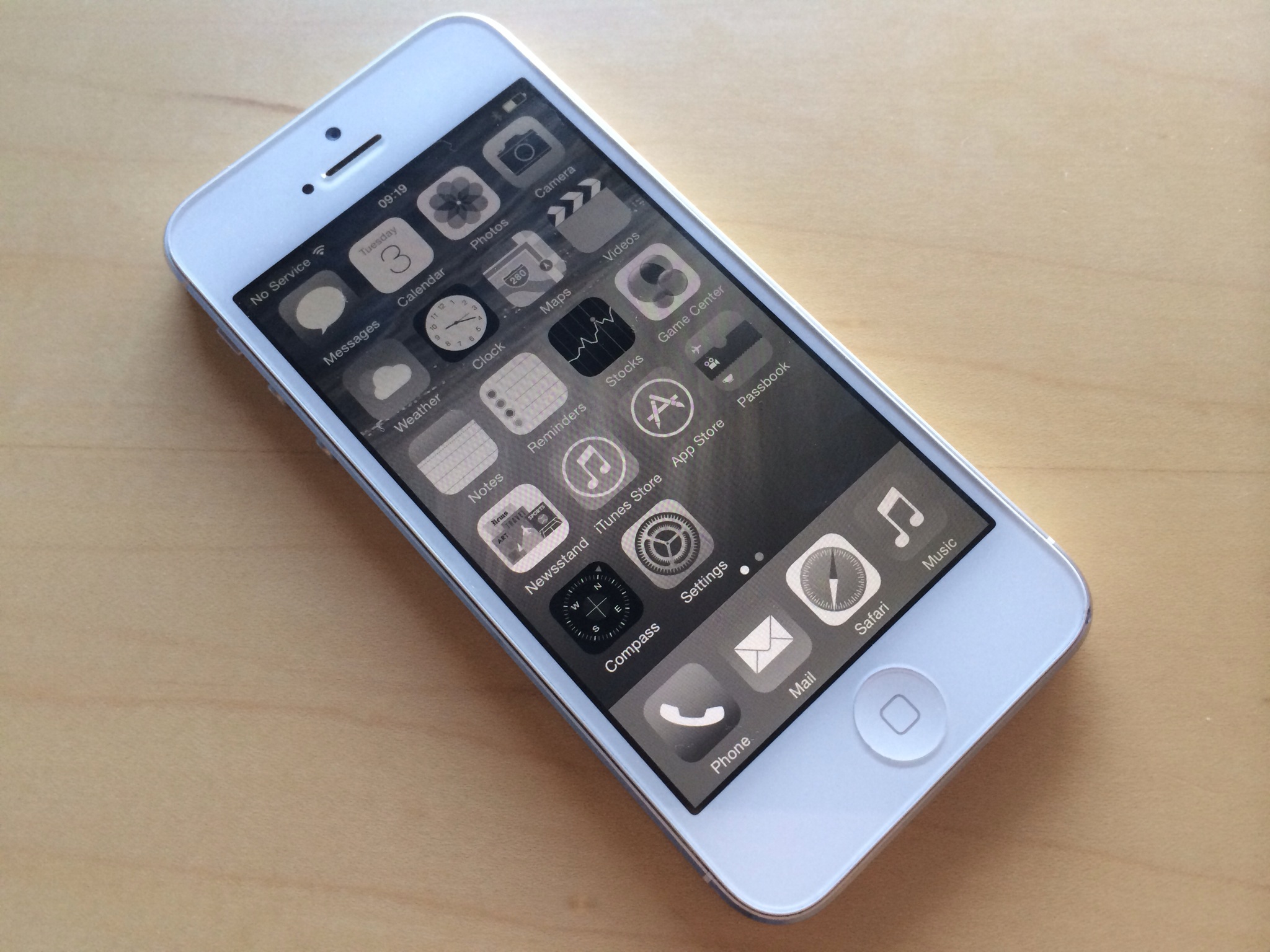
If you're color blind or have low vision, a brand new Accessibility option in iOS 8 replaces the colors with a range of gray shades from white to black, as used in a monochrome display or printout.

That's not all, as iOS 8 includes additional screen zoom options and more. I've detailed this changes for you right after the break...

iOS 8 puts app shortcuts on the Lock screen based on your location

Another handy improvement we've discovered in iOS 8 deals with location tracking improvements.

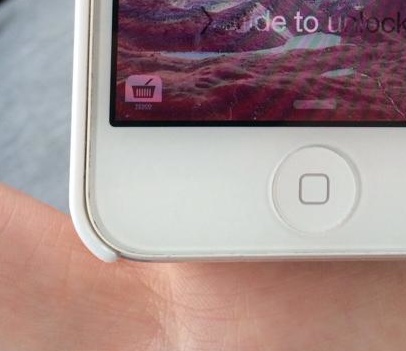
Apparently, Apple's upcoming mobile operating system puts an app icon right on the Lock screen whenever in a vicinity of a location that has a corresponding app in the App Store. Just walk up to a nearby Apple Store and an app icon appears on the Lock screen. Same for places like Tesco and Vons.

"When Location Services is turned on, the device's current location is used to recommend relevant apps on the lock screen," as per iOS 8 release notes. Again, you don't even need to have the app installed on your device. It's important to note that this feature is unrelated to iBeacons, here are full details...

iOS 8 gains intelligent Instant Hotspot feature

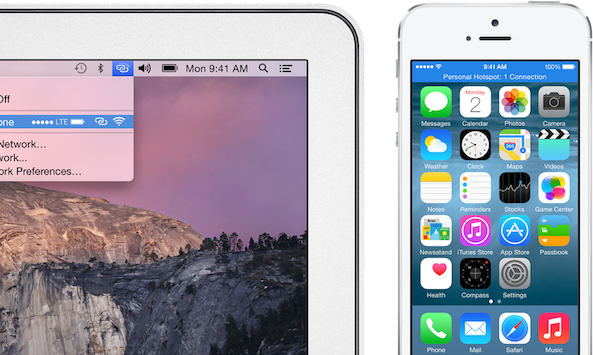
iPhones and iPads have long had a feature called Personal Hotspot for tethering your cellular data connection to a Mac or another device over Bluetooth, USB or Wi-Fi. To setup the personal hotspot, users had to navigate to settings and toggle on the feature. Then, the device would appear as a Wi-Fi network or under network services in settings if connected using USB… 

iOS 8 AirPlay broadcasts to Apple TV without Wi-Fi

Apple's current implementation of AirPlay, its media streaming technology, requires a Mac or iOS device to be on the same Wi-Fi network as an AirPlay receiver, which in most scenarios is the Apple TV. While seamless, AirPlay in its current form makes it impossible to use in places where you don't have access to a local Wi-Fi network.

Feeling your pain, Apple in iOS 8 has implemented zero-configuration peer-to-peer networking between AirPlay devices. This lets you broadcast whatever content from an iPhone, iPod touch or iPad to your Apple TV, even if these devices are not on the same local network...