Learn how to display week numbers in your calendar views across iPhone, iPad, and Mac so you can have an additional piece of useful information while working inside this app.
How to show week numbers in Calendar on iPhone, iPad, and Mac

Learn how to display week numbers in your calendar views across iPhone, iPad, and Mac so you can have an additional piece of useful information while working inside this app.
Emails are a popular way to keep in touch with people, be it friends, family, or co-workers, but often companies that you deal business with will send you the occasional promotional email if you signed up for subscriptions.
Sometimes, you get an email that you think is legit, and it turns out it's just a fake email pretending to be something it's not and it tries to get you to click on stuff or give up your personal information. These emails are malicious and they're known as phishing emails.
In this piece, we'll go over some of the things you can look for to tell if the emails you're getting are legitimate, or if they're a con artist trying to scam you of your personal information.

In this tutorial, we’ll share some troubleshooting tips to follow if you can’t hear the sound coming out of your iPhone or iPad or if the sound is muffled or distorted.
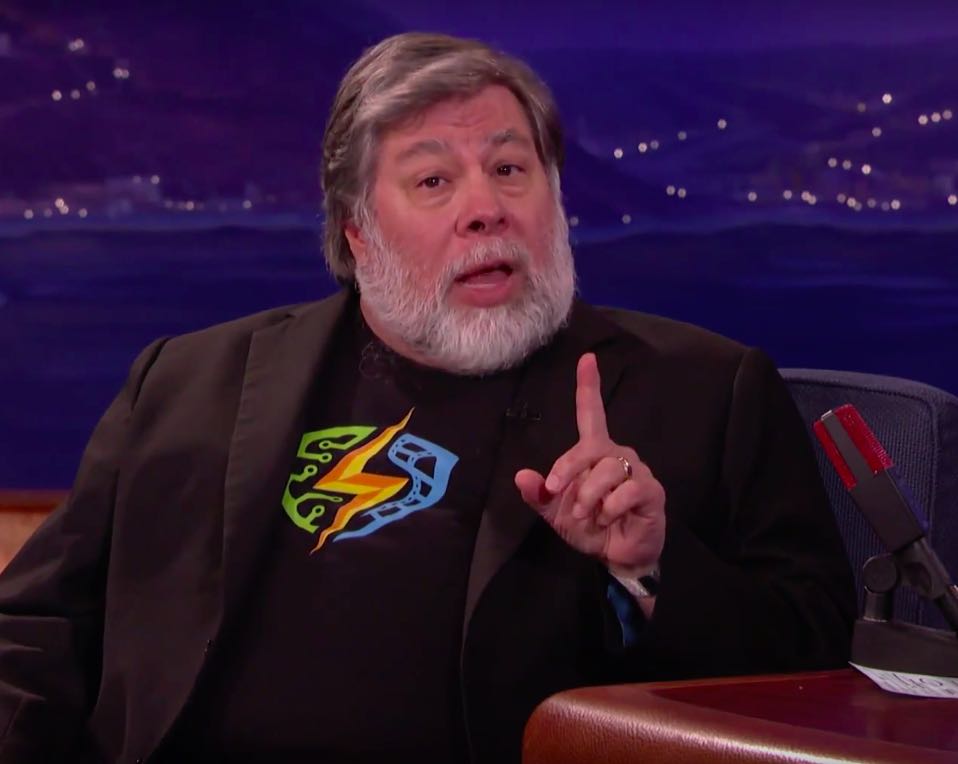
As a strong proponent of privacy and human rights, it is now wonder that Apple co-founder Steve Wozniak would stand firmly with Apple in its fight against the FBI and the United States government regarding creating a backdoor into the San Bernardino shooter's iPhone.
Appearing on the Conan show last night, the Woz said the FBI “picked the lamest case you ever could”. It's “worthless” to expect something’s on the shooter's iPhone 5c that the FBI wants to break into because Verizon had already turned over all the phone records and SMS messages and law enforcement got iCloud backups form Apple.

Apple continues to expand availability of the Flyover feature in its mapping service with today's backend update having enabled a total of 23 new landmark locations all over the world where three-dimensional Flyover view is available.
Select new cities in the United States, the United Kingdom, Australia, Belgium, Canada, France, Italy, Mexico, Spain and Taiwan have gained support for Flyover, such as Spain's A Coruña, Australia's Newcastle, England's Nottingham and more.

iOS has been hit with another strange bug which causes users to receive ghost emails from 1969 and 1970 that cannot be deleted.
As some Reddit users have discovered, an error with the mail server not downloading the headers correctly appears to be causing some iPhone owners to receive undeletable 'null' emails dated back to December 31, 1969 or January 1, 1970.
It's unclear if this issue is related to the infamous 'January 1, 1970' bug which can brick some devices and that Apple has fixed in the forthcoming iOS 9.3 software update. We have reached out to Apple asking them to comment on the new issue and will report if we receive a reply.

Craig Federighi, Apple's Senior Vice President of Software Engineering who oversees the development of iOS, OS X and Apple's common operating system engineering team, has written an op-ed piece in The Washington Post in which he reiterates Apple's position that the FBI's demand that Apple create a version of iOS with decreased security would be “a serious mistake,” saying the FBI wants to “turn back the clock to a less-secure time”.

Apple's security and privacy features that come standard on every iOS device, such as end-to-end encryption and Activation Lock, are getting all the talk around the internet as of late as the Apple vs. FBI case continues to escalate.
What can be learned from this case is not only does Apple want to protect your privacy, but the a large number of American people also want to have their privacy. The FBI, on the other hand, wants a quick way to get into any iPhone they deem "suspicious" so long as they can get a court order to search it.
So just how secure is your Apple data, and what protection standards does Apple have in place for you? That's just what we're going to talk about in this piece.

Every Sunday we come at you with a roundup of all the jailbreak tweaks that get released in Cydia, and this week will be no different.
This week we haven't had any groundbreaking new tweak releases, but there have been some worth talking about. We'll go over our favorites first and then give you an outline of the other new releases.
Normally, when you want to check to see if you have any new emails, you have to launch the Mail app and pull down to refresh the email inbox of your choice.
If you're already in the middle of something, stopping what you're doing to check to see if you have any emails is obtrusive. It would be so much better if you could just refresh your email from anywhere without leaving what you are currently doing in another app.
That's exactly what a new free jailbreak tweak called Postman is going to allow you to do, and it works with a key ingredient that most jailbreakers are already familiar with.

Wallpapers are one of those things that we often like to change up on our iPhones every so often, and it can be difficult to choose the right one at times.
A new free jailbreak tweak called PaperGram eliminates the process of having to choose a wallpaper yourself by automatically setting your wallpaper to something different at time increments of your choice. What's more is it sources the wallpaper images from Instagram, whether you're an Instagram user or not.
Within just a single day of launching a support account on Twitter, Apple has well over 130,000 followers and is answering over 100 people with questions about Apple products and services per hour.
Although it's taken Apple quite a while to finally use Twitter as a support medium for its main products, depsite having Twitter accounts for Apple Music, Beats 1, and iTunes for quite some time, it's still great to see Apple is using another method of communication to reach its users.
In this piece, we'll talk about why we think creating the support account on Twitter was a great move for Apple.