iOS

LiveRinging brings video ringtones to your jailbroken iPhone

For deeper customization of the incoming call screen from iOS that goes deeper than just blurring your wallpaper background or showing the contact picture of the person who is calling you, you may want to check out a new jailbreak tweak called LiveRinging.

This tweak replaces the background of the incoming call screen with a video of your choice and gives iOS a feature Android users know and love known as video ringtones.

In this review, we'll show you how LiveRinging works and demonstrate its capabilities.

How to view recent Safari history on iPhone and iPad

On any given day, I browse the web a lot—be it catching up on the news, doing research on future stories or skimming through my favorites to learn what's the latest. And more often than not do I find myself struggling to make my way back to an article I stumbled upon a few hours ago.

Locating a specific item in browsing history can feel like finding a needle in the haystack, especially if you're on the go.

Yes, I could just tap Safari's back button multiple times or swipe to go back a single webpage at a time until I found the webpage I was looking for, but that's a time-consuming process which unnecessarily wastes my iPhone's cellular data.

As you'll discover in this tutorial, Safari provides a very handy, though not immediately obvious shortcut which allows you to quickly jump to any previously visited webpage.

Apple seeds new betas of iOS, tvOS and OS X

Apple on Tuesday seeded brand new betas of the iOS, tvOS and OS X operating systems to members of the Apple Developer Program. iOS 9.3.2 beta 4 (build 13F68), tvOS 9.2.1 beta 4 (build 13Y772) and OS X El Capitan 10.11.5 beta 4 are all available for download on devices running earlier betas. Standalone installers can be downloaded through Apple's Dev Center for developers and are also available for public testing for members of the Apple Beta Software Program.

Airplane Enhancer+ takes iPhone battery preservation to the extreme

Airplane Mode icon.

Airplane Mode is a feature built into your iOS devices that makes your devices airplane friendly by disabling all the wireless radios that could be a nuisance to on-board plane equipment, but it can also be used to increase your battery life.

Since the wireless radios are put to rest when your device's Airplane Mode option is enabled, you'll burn through less battery on a single charge with the feature turned on, and this is basically the idea behind a new jailbreak tweak dubbed Airplane Enhancer+.
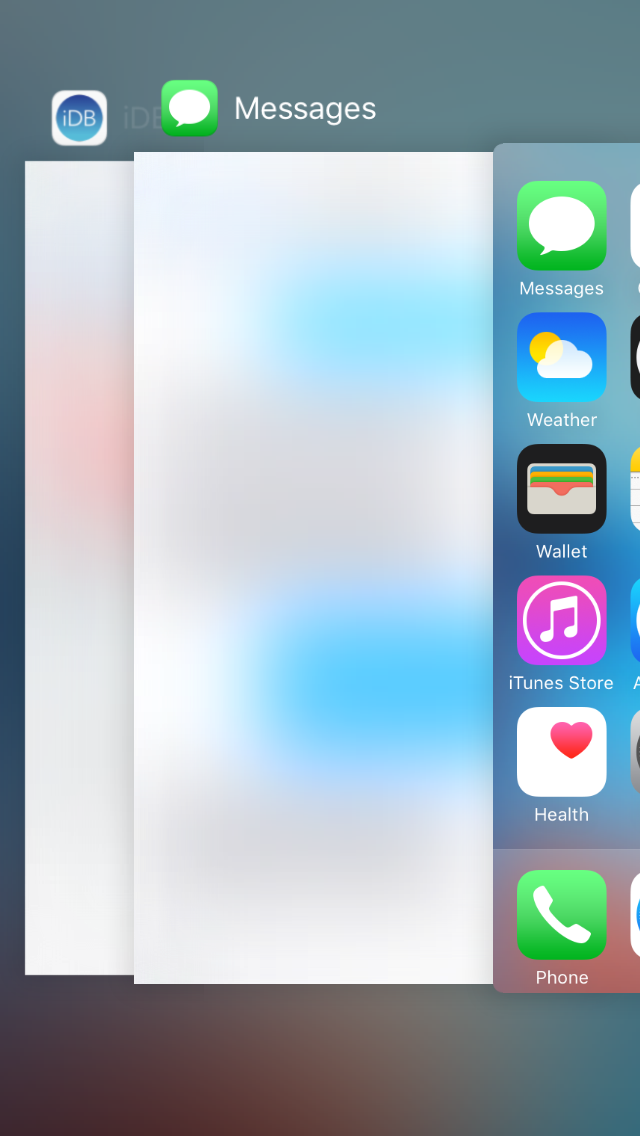

ASBlur increases iOS 9 App Switcher privacy by blurring app previews

You probably use the App Switcher a lot throughout your day-to-day iPhone usage. It's an essential part of multitasking because it lets you easily get back to the apps you've used recently.

On the other hand, it also takes a screenshot of your last activity in the apps you closed recently, so it's a privacy hazard because anyone can peek over your shoulder to see what you've done recently when you're switching between recently-used apps.

ASBlur is a new free jailbreak tweak that helps solve this problem by blurring the contents of your App Switcher app previews.

LogDog for iOS lets you monitor the security of your online accounts

LogDog, a service originally made popular on the Android platform for keeping your various online accounts safe from unauthorized activity, is now launching for iOS.

With LogDog, you can actively monitor your online accounts and keep an eye on where the most recent logins came from, what operating system and web browser was used, and more.

If you're always worried about your security, or even your privacy, this is an app you'll want to check out.

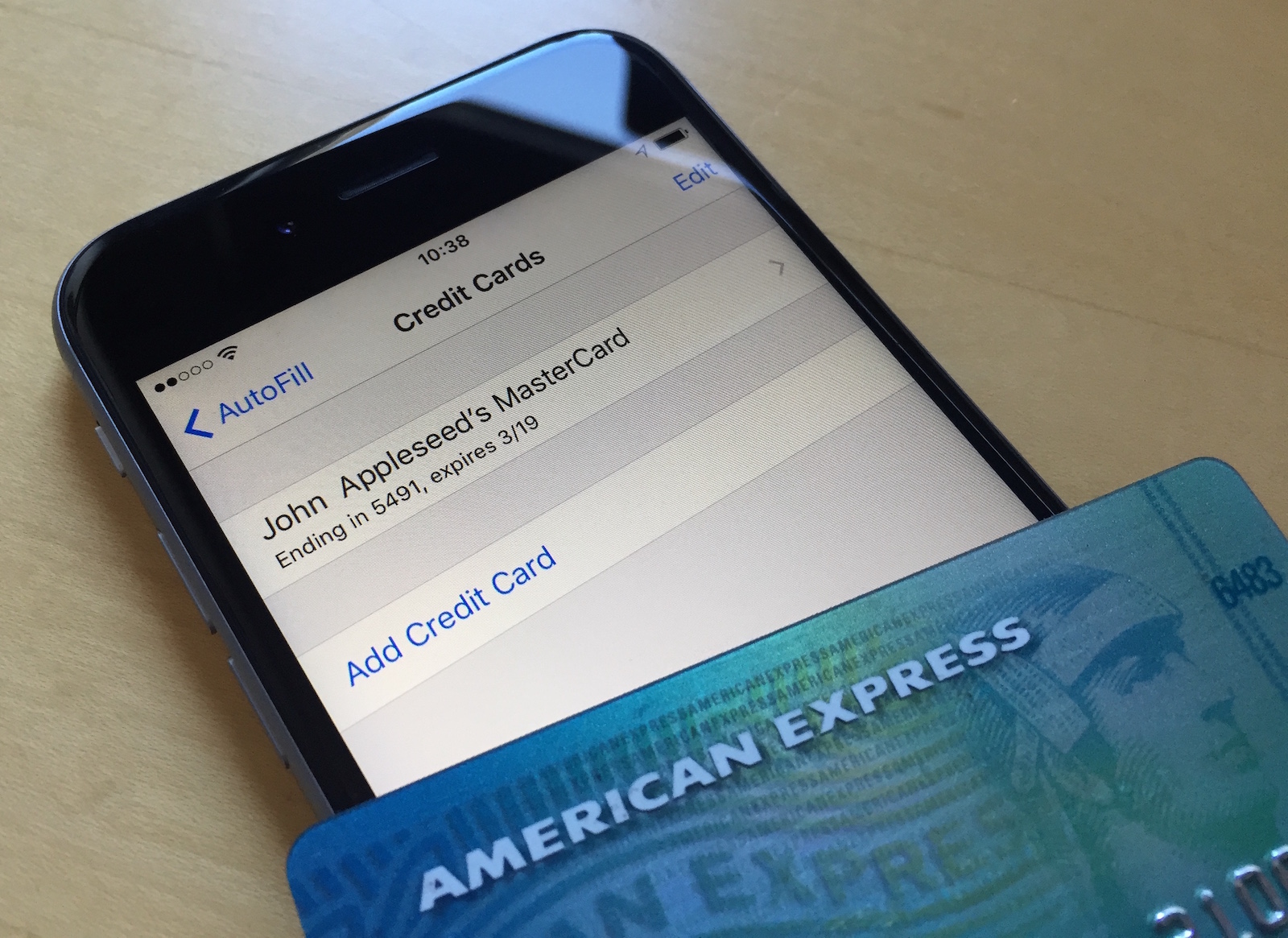
Changing your Apple ID credit card info directly from your iPhone

Your Apple ID is used whenever you want to make purchases from one of Apple's online digital content stores. This includes the App Store, Books Store, and iTunes Store.

From time to time, you may switch credit card providers, get a new credit card number, or opt to use a different payment method than the one you're already using.

It's easy to change your Apple ID payment information right from your iPhone, iPod touch, or iPad and in this tutorial, our aim is to teach you how.

Jailbreak tweaks of the week: Phenomenon, IGExperiments, & more…

It's that time of the week again, and we've compiled a roundup of all the jailbreak tweaks released this week and put them into a convenient list for you to easily digest and consider for your jailbroken device.

We'll split this list up into two sections like we always do, starting with those that we thought were the best of this week's releases. Then, we'll share the rest of them afterwards.

Without further ado, check them out!

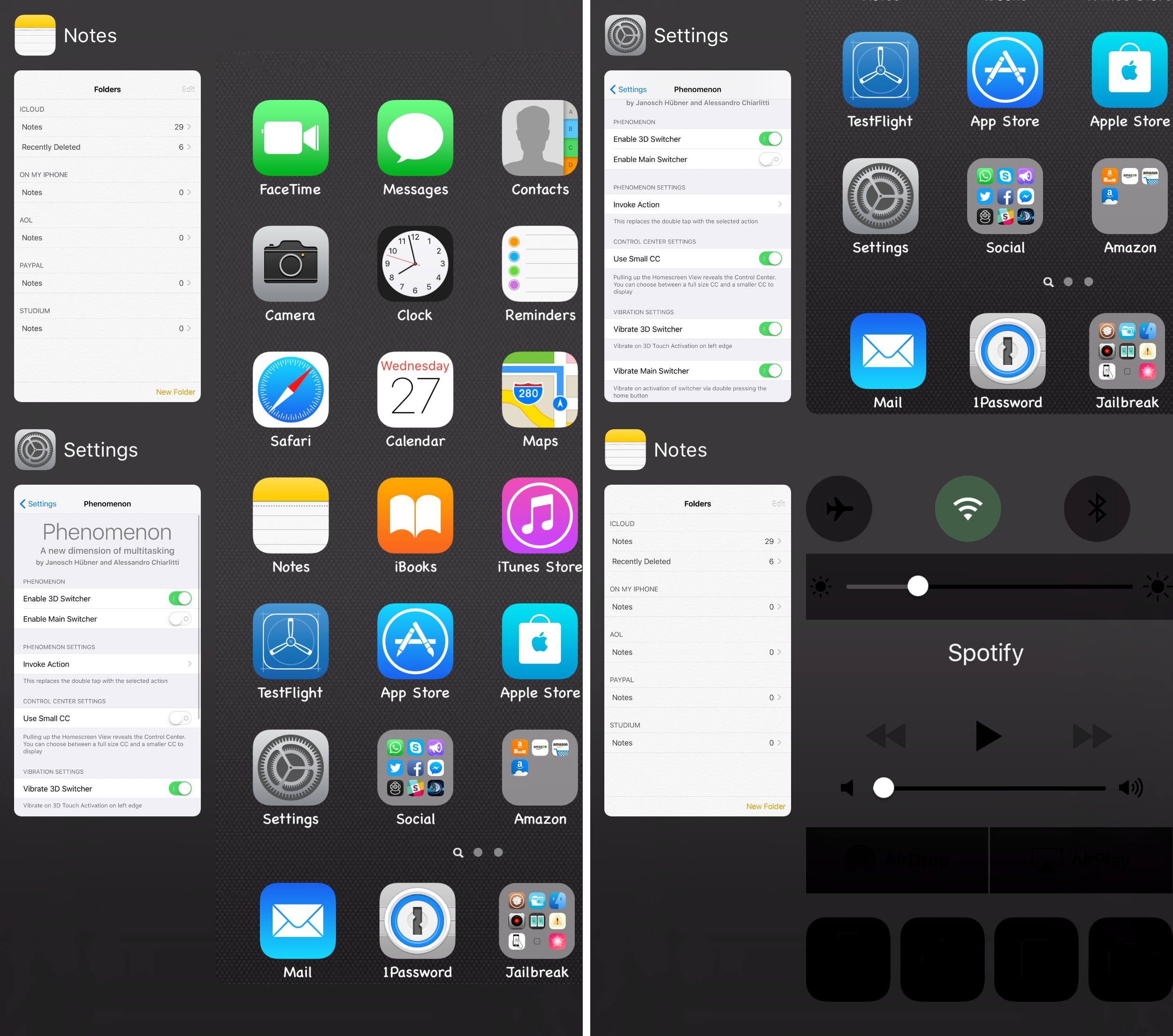
Phenomenon: an intuitive tweak that combines the App Switcher with Control Center

In terms of utilitarian thinking, the current App Switcher and Control Center interfaces in iOS 9 do their jobs just fine.

It's those with creative minds that continue to look past the individual interfaces and find new ways to combine them together into all-in-one interfaces that continue to power App Switcher replacement jailbreak tweaks in Cydia.

Yet another new Cydia release to do such a thing is a jailbreak tweak called Phenomenon, which we'll be showing you in this review.

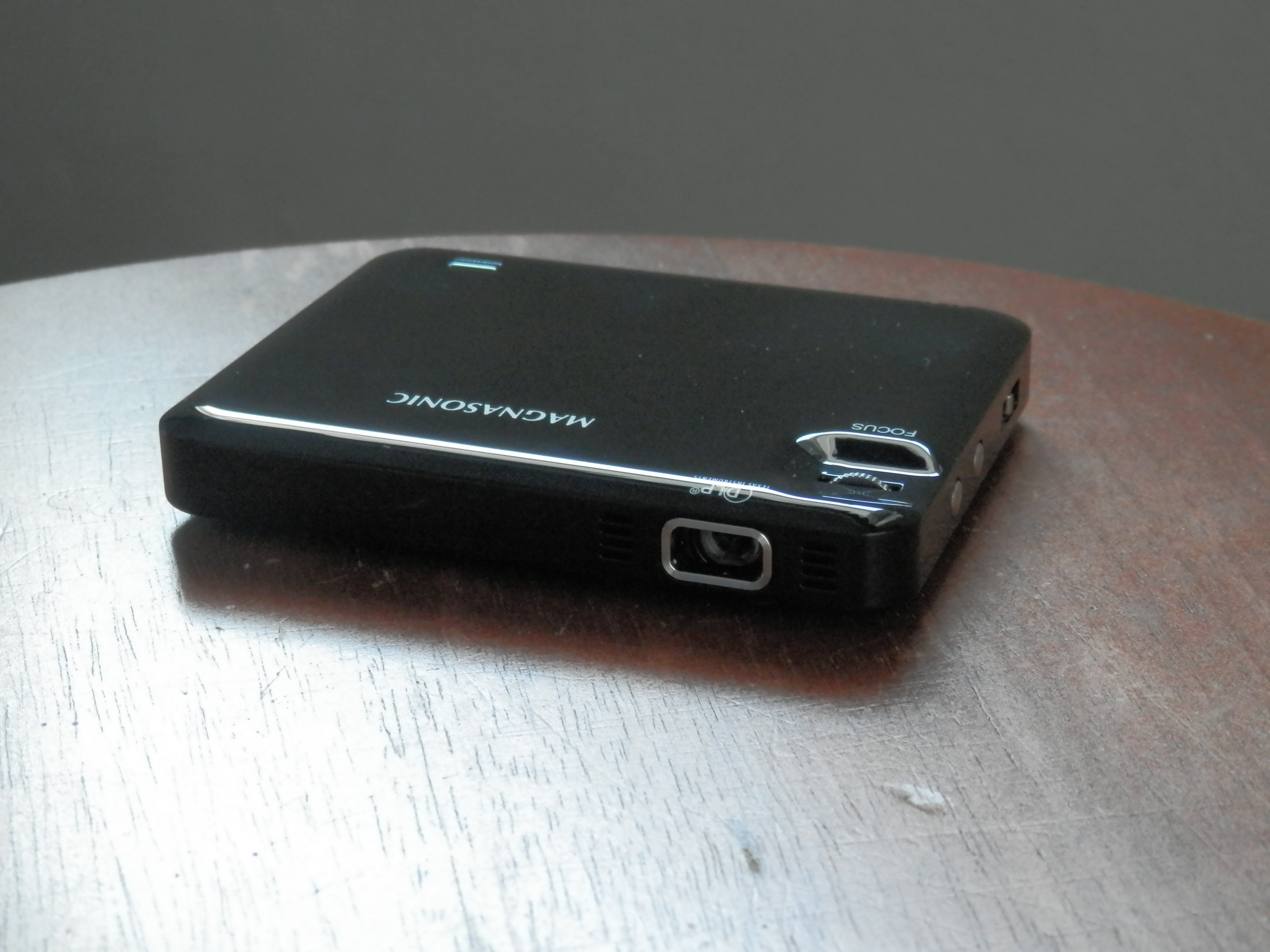
Magnasonic’s pocket-sized LED Pico projector lets you take the big screen anywhere

Magnasonic's new LED Pico Projector is just what you need if you're an on-the-go business person, want to watch movies on your wall, or need a quick way to show off a presentation at work or in class. But the uses don't stop there.

I first saw these little portable LED projectors emerging on the market just a couple of years ago, and I've been itching to try one ever since, but the technology is really coming around to being practical for use and the prices are just starting to become more affordable.

In this review, we'll show you how Magnasonic's new LED Pico Projector works and walk you through all of its features.

Get Instagram’s new flat UI redesign now with this jailbreak tweak

Earlier this week, we had shared with you what appears to be a redesign for the Instagram app for iPhone that may soon be rolled out to all users.

The new interface utilizes an iOS 9-esque flatter design with white UI elements and black button highlights.

However, if you're jailbroken, then you don't have to wait to unlock this new interface for yourself right now. There's a new jailbreak tweak in Cydia called IGExperiments that will let you do this, and more.

How to prevent changes to email accounts on iOS

I'm nervous every time a curious friend picks up my iPhone and ventures into Settings—not because they could see something they shouldn't, but out of fear they might mess up my multiple email accounts.

While removing email accounts from an iOS device won't wipe the server, re-adding them is a tedious process: you need to remember your access credentials and, if an account is protected with two-factor authentication, provide a verification code, too.

iOS lets you disallow changes to some device settings, including restricting all email, calendar and contact accounts so that no one can add or remove them, here's how.